
Haas Tooling in the Fusion Tool Library

Shannon McGarry February 2, 2026

4 min read

We closely partner with Haas Automation to seamlessly integrate Haas CNC machines and Fusion. Let’s look at the Haas tooling available for the Fusion tool library.
Autodesk Fusion Logo

Elevate your design and manufacturing processes with Autodesk Fusion

Haas tooling supplies a product line of tools and holders that you can purchase directly from Haas Automation. We’ve worked closely with the team at Haas Automation to develop a library of their tools specifically for Fusion.
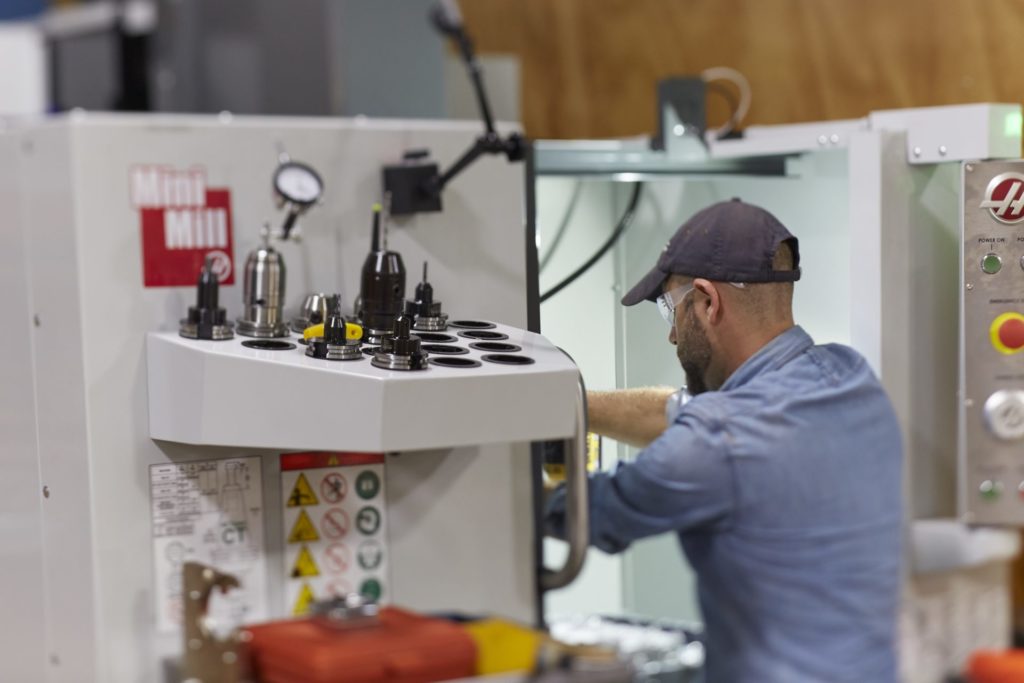
haas-fusion-360

How to get started

The first step is to go to the Autodesk Fusion tools website. Next, search for Haas in the search bar, and the Haas tooling library will appear. Click For Fusion to download the library that you’ll import.
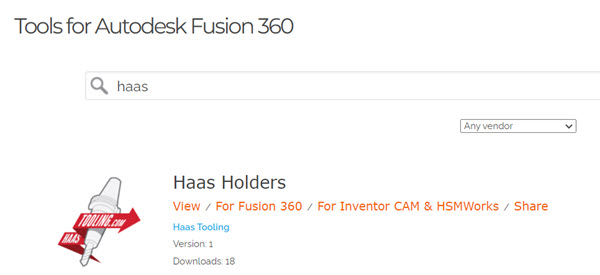
haas-automation-cnc-tooling-fusion-360-machining
Haas tooling in Fusion 360

In Fusion, open the Tool Library, right-click on Cloud or Local in the left panel, and select Import Libraries. You’ll see a new library containing Haas cutting tools.

Note: These tools also include cutting data, such as feeds, speeds, step-downs, and stepovers for a range of different materials. A link to each tool’s website is also available for easy purchase when you need it.

The Haas and mill holder is applied to multiple tools by copying the holder then by multi-selecting a few tools in the library and choosing Apply Holding to tools.

Now that the Haas tooling library is ready, you can use these tools for your operations. As shown in the video below, to cut the perimeter of a part, you can use 2D contour and leverage the tool filtering options, to narrow the selection results and choose the perfect tool for the job. Don’t forget to choose the appropriate cutting preset to fine-tune the tool’s behavior on the machine. Presets help to automate the toolpath details, including the speeds, feeds and even the step over when using multiple roughing passes.

The Haas Tool Library includes a variety of material-specific cutting presets, which help you quickly dial in the machine cutting conditions, depending on the type of toolpath you’re creating. Dedicated side milling and slot milling presets are available with the Haas Tool Library.

Once you’ve created all the required operations, you can create an NC program, select one of the many available free Hass post processors and export the NC code.

Here’s a step-by-step video to walk you through the entire process:

Ready to get started with Fusion and a Haas CNC machine?

A 30-day Fusion trial is waiting for you. Give it a try for free today!


Frequently asked questions

Does Fusion include a Haas tooling library?
Yes. Autodesk provides a Haas tooling library for Fusion containing Haas cutting tools. The library can be downloaded from Autodesk’s online CAM tool library and imported into Fusion.
How do I add Haas tools to Fusion?
Go to the Autodesk online tool library, search for Haas, and download the library for Fusion. In Fusion, open Tool Library, select either Cloud or Local, and use Import Libraries to add the downloaded Haas tooling library.
Does the Haas tool library include feeds and speeds?
Yes. According to the workflow described here, Haas tools in the Fusion library include cutting data such as feeds, speeds, step-downs, and stepovers for different materials. Material-specific cutting presets are also available to help configure machining parameters.
Can I use Haas tool holders in Fusion?
Yes. The Haas tooling workflow includes tool holders. Within Fusion, holders can be applied to tools in the Tool Library so the tooling configuration used for programming can more closely represent the tooling being used for machining.
What are the cutting presets in the Haas tool library?
Cutting presets contain machining parameters associated with a tool and application. The Haas Tool Library includes material-specific presets, including presets for side milling and slot milling, that can help reduce the amount of information you need to enter manually when setting up an operation.
Can I use Haas tooling presets for different materials?
Yes. The Haas Tool Library described here includes material-specific cutting presets. You can select the appropriate preset based on the tool, material, and machining operation.
How do I generate NC code for a Haas machine in Fusion?
After creating your machining operations, you can create an NC program and select an appropriate Haas post processor from Autodesk’s post library to generate the NC code for the machine.
Full-access Fusion Trial
Unlock all of Fusion's advanced features and functionality - free for 30 days.

Tags and Categories

CAM manufacturing Machining

Get Fusion updates in your inbox

By clicking subscribe, I agree to receive the Fusion newsletter and acknowledge the Autodesk Privacy Statement.