 Jim Byrne
Learn how Autodesk Inventor handles large assemblies and discover practical techniques to improve performance, reduce complexity, manage dependencies, and work more efficiently on complex product designs.
Enhance Your Engineering Workflows
Precise, powerful, and ready for innovation with Autodesk Inventor.

As products become more sophisticated, engineering teams are being asked to manage increasingly complex assemblies. Industrial equipment, automation systems, heavy machinery, transportation products, and advanced manufacturing equipment can easily contain thousands of components spread across hundreds of subassemblies.
While creating these products is challenging enough, managing them efficiently inside CAD software is often the bigger obstacle.
Long load times. Slower graphics performance. Complex dependencies. Difficult drawing creation. These issues can quickly impact productivity as assemblies grow in size and complexity. Autodesk Inventor was designed to help engineering teams manage these challenges through a combination of performance-focused tools, assembly management workflows, and modeling best practices.
What is a large assembly?
A large assembly is not defined by a specific part count alone. In practice, a large assembly is any assembly that begins to negatively impact performance, productivity, or collaboration.
As assemblies grow, several factors contribute to increased complexity:
- Number of component occurrences
- Number of unique files
- Part and feature complexity
- Imported supplier or customer data
- Drawing references and model states
- Hardware limitations
Engineering teams often begin to notice symptoms such as slower opening times, memory warnings, reduced graphics performance, and longer drawing generation times as assembly size increases.
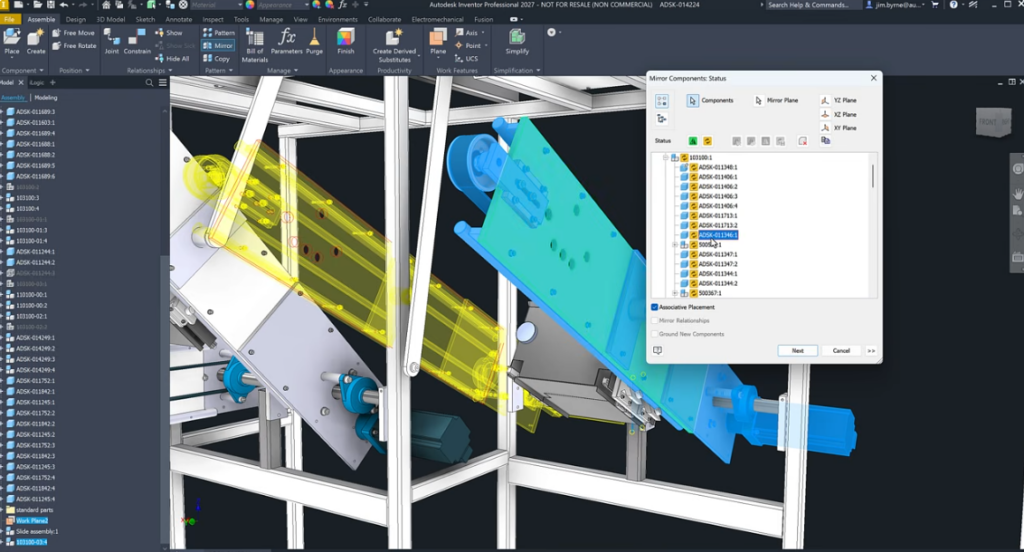
How Inventor handles large assemblies
Inventor approaches large assembly management through a combination of intelligent file referencing, assembly optimization tools, simplified representations, and performance-focused workflows.
Unlike systems that load every component at full fidelity, Inventor provides multiple ways to reduce computational overhead while maintaining access to design data. These capabilities help teams continue working efficiently even when assemblies contain thousands of parts.
Key technologies include:
- Express Mode for faster assembly loading
- Model simplification workflows
- Design Views and visibility management
- Content Center for standardized components
- Assembly performance settings
- Constraint management tools
- Project and file management optimization
Together, these capabilities allow teams to scale product development without sacrificing usability.
1. Reduce model complexity wherever possible
One of the most effective ways to improve assembly performance is to reduce unnecessary detail.
While highly detailed components may look impressive, they often introduce additional faces, edges, and calculations that provide little value during day-to-day assembly work.
Features that commonly increase computational load include:
- Cosmetic details that do not affect fit or function
- Detailed thread geometry
- Complex logos or embossed text
- High-density imported geometry
A simplified model can dramatically reduce file size and improve assembly responsiveness while maintaining design intent.
Example: Cosmetic threads
Inventor supports cosmetic thread representations that visually communicate thread information without generating complex helical geometry.
For assemblies containing hundreds or thousands of fasteners, this approach can significantly improve navigation, rotation, and overall model performance.
2. Organize assemblies with logical subassembly structures
Well-organized assembly structures scale more effectively than flat assemblies.
Breaking products into manageable subassemblies helps:
- Improve performance
- Simplify design changes
- Reduce dependency issues
- Improve team collaboration
- Make troubleshooting easier
A pump system, for example, may be organized into:
- Frame assembly
- Drive assembly
- Cooling assembly
- Electrical assembly
- Safety enclosure
This hierarchical approach creates a more maintainable product structure and helps teams focus on the areas that matter most during design.
3. Use constraints efficiently
Assembly constraints play a critical role in defining component relationships. However, poorly managed constraints can create performance bottlenecks.
Best practices include:
- Fully define component locations
- Avoid redundant constraints
- Resolve warning conditions immediately
- Remove conflicting relationships
- Use diagnostic tools when necessary
Reducing unnecessary calculations helps assemblies update more efficiently while maintaining design stability.
4. Use standard components through content center
Inventor’s Content Center provides access to standardized engineering components such as:
- Fasteners
- Structural members
- Bearings
- Shaft components
- Sheet metal hardware
Using standardized components instead of repeatedly creating custom geometry can improve consistency, accelerate design work, and reduce engineering effort. It also helps minimize unnecessary complexity across large assemblies.
5. Optimize file and project management
Performance is influenced not only by model geometry but also by how project files are managed.
Inventor best practices recommend:
- Working from local storage whenever possible
- Minimizing unnecessary search paths
- Using centralized project configurations
- Maintaining organized folder structures
- Avoiding excessive cross-project references
A well-managed project structure reduces file lookup times and improves reliability across teams.
6. Configure hardware for assembly performance
Even the best CAD practices cannot compensate for insufficient hardware. Assembly performance is strongly influenced by:
- Processor speed
- Available RAM
- SSD storage
- Graphics hardware
- Updated device drivers
For many engineering workloads, higher single-core CPU performance and fast SSD storage often deliver the most noticeable improvements during modeling and assembly interactions.
7. Adopt a long-term assembly strategy
Managing a large assembly is not simply about improving open times.
It requires a scalable design strategy that balances performance, collaboration, maintainability, and future product growth.
Successful teams typically focus on:
- Consistent modeling standards
- Reusable components
- Structured assembly architecture
- Simplified representations
- Efficient data management practices
When these foundations are established early, assemblies can grow substantially without creating unnecessary design friction.
As products become more connected, configurable, and mechanically sophisticated, engineering teams need tools that can scale alongside growing complexity.
Inventor helps address these challenges through large assembly workflows, performance-focused settings, intelligent file management, simplified modeling techniques, and proven best practices. By combining these capabilities with disciplined engineering processes, teams can work more efficiently, reduce performance bottlenecks, and maintain productivity even as assemblies grow to thousands of components.
Frequently asked questions
Inventor handles large assemblies through performance optimization tools such as Express Mode, assembly simplification techniques, Design Views, efficient file referencing, and configurable application settings. These capabilities help engineers work with assemblies containing thousands of components more efficiently.
A large assembly is generally any assembly that begins to negatively impact performance due to the number of components, unique files, model complexity, or hardware limitations. Many large assemblies contain thousands of parts and subassemblies.
Large assemblies can become slow because of excessive component counts, highly detailed geometry, complex constraints, imported data, limited memory, and hardware bottlenecks. These factors increase the amount of data that must be processed and displayed.
Performance can often be improved by simplifying geometry, reducing unnecessary detail, using cosmetic threads, organizing assemblies into logical subassemblies, eliminating redundant constraints, optimizing project settings, and upgrading hardware where necessary.
Industries such as industrial machinery, manufacturing equipment, transportation, aerospace, construction equipment, automation, and energy systems frequently rely on large assembly management capabilities because their products often contain thousands of interconnected components.
The most important practices include simplifying models, using efficient assembly structures, managing constraints carefully, standardizing components, maintaining organized project files, and ensuring hardware is configured appropriately for engineering workloads.
Yes. Inventor includes Content Center, a library of industry-standard components such as fasteners, structural shapes, bearings, and other commonly used parts that help improve consistency and reduce modeling effort.