AU Class
AU Class
class - AU

Using a Sledge Hammer to Give Your Design Some Options

Share this class
Search for keywords in videos, presentation slides and handouts:

    Description

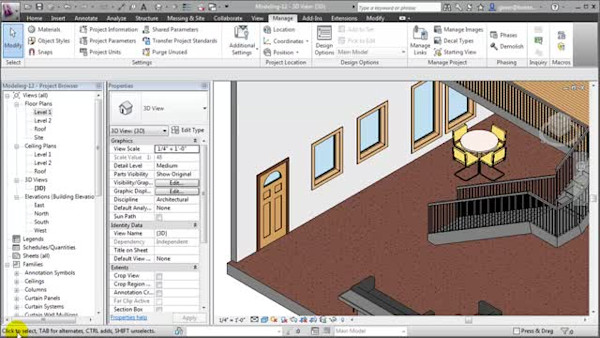
    Phases and design options are in place to assist in projects. In the CAD world, we would handle these issues with a complex system of layers. Revit®-based software has tools that work better than layers and will keep your plans, schedules, and sheets coordinated. In this hands-on lab, see firsthand how to properly set up and create both phases and design options. We also explore how both phases and design options work with room data information and schedules.

    Key Learnings

    • Define and set up phases
    • Define and set up design options
    • Work with schedules in phases and design options
    • Use room data in phases and design options

    Tags

    Product
    Revit
    Industries
    Architecture
    MEP engineering
    Structural engineering
    Site Development (General civil engineering)
    Civil / Site development contractors
    Topics
    CAD Manager
    Design
    People who like this class also liked
    A Hardware Wonk's Guide to Specifying the Best 3D and BIM Workstations, 2013 Edition
    Industry Talk

    A Hardware Wonk's Guide to Specifying the Best 3D and BIM Workstations, 2013 Edition

    Get Organized Civil Infrastructure Projects
    Industry Talk

    Get Organized Civil Infrastructure Projects

    Confessions of an AutoCAD Evangelist Who Discovered BIM
    Industry Talk

    Confessions of an AutoCAD Evangelist Who Discovered BIM

    BIM and Bullets: Delivery of the 2012 London Olympic Shooting Venue
    Industry Talk

    BIM and Bullets: Delivery of the 2012 London Olympic Shooting Venue

    Revit Architecture Certification Preparation
    Industry Talk

    Revit Architecture Certification Preparation

    Laser Scanning Gone Wild: 4D Clash Detection with the Point Cloud
    Industry Talk

    Laser Scanning Gone Wild: 4D Clash Detection with the Point Cloud