 Shannon McGarry
Fusion simplifies furniture design with parametric modeling, which enables rapid customization, seamless iteration, and automated updates across design and manufacturing—all within a single, cloud-based platform.
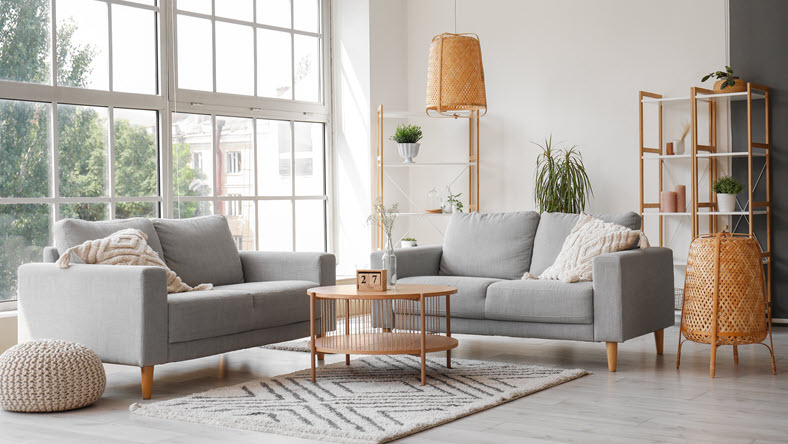
As a furniture designer, you need tools that keep up with your creativity and the demands of your clients. Fusion puts the power of parametric, cloud-based modeling directly in your hands, transforming the way you design, customize, and manufacture furniture. Let’s take a look at how the parametric features in Fusion will change how you approach every project.

Elevate your design and manufacturing processes with Autodesk Fusion
Fusion for furniture design
The days of endless hand sketches and manual trial and error are gone. With Fusion, you manage every step of the furniture design process—from sketch to fabrication—inside a single, cloud-based CAD, CAM, simulation, and data management platform.
The real power of Fusion for furniture design lies in parametric modeling. By establishing parameters and constraints, you can create a design that instantly adapts to changes. This allows you to quickly respond to client requests, production requirements, or creative inspiration without needing to start from scratch.
Getting started: What is parametric design?
Parametric design is about building relationships and rules into your models. Instead of locking in every measurement, you define key dimensions as parameters—like overall length, width, and height. Then, you use formulas and constraints to connect every part of your design to those parameters.
For example, if you set a parameter for the overall length of a credenza, every part that depends on that length—drawers, panels, spacers—will update automatically when you change the value. This means you can customize, iterate, and scale your designs with just a few clicks.
Setting up parameters in Fusion
1. Define your base parameters
Start by identifying the essential measurements for your furniture. In Fusion, you can name these parameters, for example, overall_length drawer_height, and use them throughout your model. These act as the foundation for everything you build.
2. Build relationships with formulas
Use formulas to link new parameters to your base ones. For example:
drawer_width = (overall_length - 2 * side_panel_thickness) / number_of_drawersleg_height = overall_height - drawer_height - top_panel_thickness
By referencing other parameters in your formulas, you can make sure that every change updates through your entire design, keeping everything aligned and proportional.
3. Add constraints for robustness
Apply geometric constraints—like colinear or parallel—to keep parts aligned as you adjust parameters. This is important for complex assemblies, where a single change can affect many components.
4. Organize your parameters
As your model gets larger, so will your list of parameters. Fusion lets you mark favorites and keep things organized. This makes it easy to find and update the dimensions you change most frequently.
Real-world example: Customizing a credenza
Suppose you have a client who is interested in your credenza design but wants it at 62 inches instead of the standard 48. With parametric modeling, you simply update the overall_length parameter, and the entire design—drawers, spacers, shell—updates instantly. If the client wants different drawer heights or custom brass spacers, you can adjust those parameters, too. Everything stays in proportion, and you’re ready to generate accurate cut lists and assembly instructions for each variation.
Now, let’s say you have a wholesale client who wants a run of 15 credenzas: five at 62 inches, five at 82 inches, each with different drawer heights. Instead of redrawing everything, you just update the parameters for each batch. Fusion handles the rest, saving you hours of work and reducing the chance of errors.
Advanced parametric techniques
As you get comfortable with parameters, you can tackle more complex challenges:
1. Nesting parameters and formula referencing
With Fusion, you can create parameters that reference other parameters, building a network of relationships. For example, set shelf thickness as a function of overall width, or tie the number of legs to the length of a table. This lets you manage even the most intricate designs with ease.
2. Handling organic forms
Parametric modeling isn’t just for straight lines and boxes. You can use constraints and surface references to create curves and contours. If you’re designing modern, sculptural pieces, parametric tools let you experiment and iterate quickly.
3. Automating production
Link your parametric models directly to manufacturing workflows. When you change a parameter, Fusion updates the design, toolpaths, nesting layouts, and even material estimates. This streamlines production, reduces waste, and enables true mass customization.
Best practices for parametric furniture design
- Think like a builder: Approach your parametric model as you would a physical build. Start with the base and build outward.
- Keep parameters manageable: Focus on the parameters that matter most for customization and production. Use clear, descriptive names, and group related parameters logically. Mark your favorites so you can find them quickly when you need to make changes.
- Test and validate: Regularly test your model by changing key parameters. Watch for errors or broken constraints, especially in complex assemblies. Fusion will flag issues so you can refine your logic before you get too far along in the process.
- Document your work: Add comments and descriptions to your parameters. This is invaluable when collaborating or revisiting a model months later.
- Embrace iteration: Don’t be afraid to refine your parameters and relationships as your understanding of the design evolves.
Mass customization: The future of furniture design
Today’s clients expect personalized products. With the parametric tools in Fusion, you can offer mass customization without sacrificing efficiency or quality. Imagine letting clients configure their furniture online—choosing dimensions, finishes, and features—and your production model updates automatically, ready for fabrication. This is not just the future for furniture design; it’s happening right now for those who embrace parametric design.
Fusion isn’t just another CAD tool—it’s your partner in innovation. Start unlocking new creative possibilities and streamline your workflows today.