 Hayley Burrows
Configuration rules in Fusion let you define logic that controls parameters, options, and features, ensuring every configuration stays valid, consistent, and ready for manufacturing.

Elevate your design and manufacturing processes with Autodesk Fusion
Fusion now includes configuration rules, letting you define logic that drives and constrains values in a configured design.
Configuration rules automate how design options work together, helping ensure outputs remain valid and manufacturable across a product range. Instead of manually managing complex parameter dependencies, you can formalise design intent and rely on Fusion to enforce it consistently.
Combined with the configuration table, configuration rules provide a structured way to control behavior, reduce errors, and maintain alignment with engineering standards.
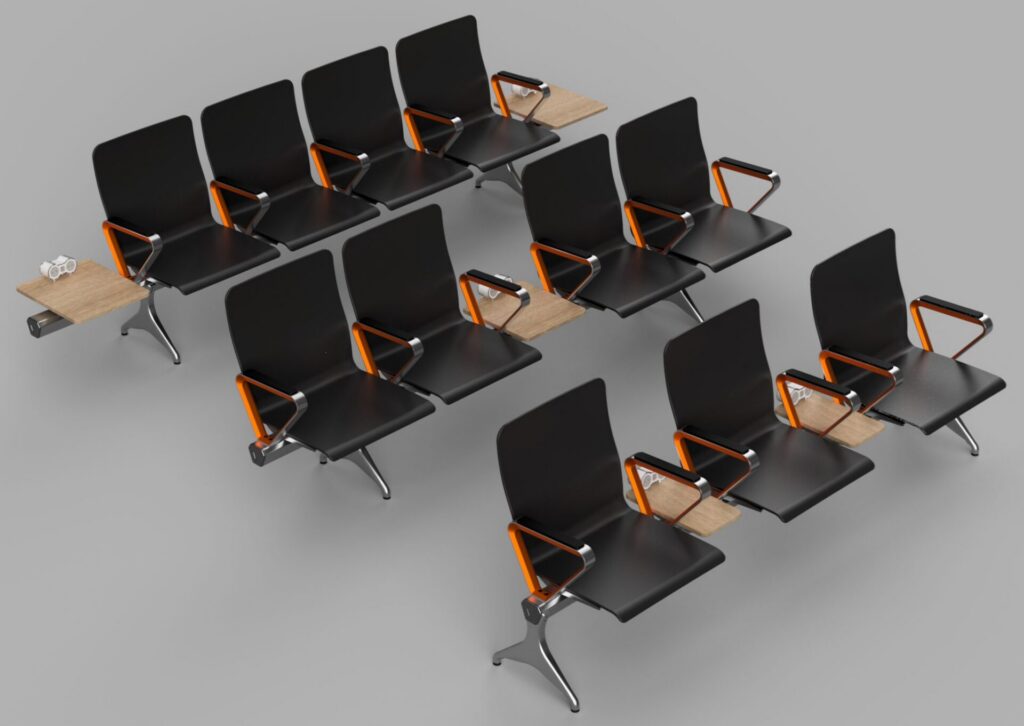
Figure 1: This configurable airport seating design supports a wide range of options, including variable length, seat count, armrests, tables, and power integration. With so many possible combinations, some configurations meet design requirements while others do not.
Manage complexity in configurable products
Many products require a wide range of variations, including:
- Multiple size ranges
- Modular feature options
- Region specific requirements
- Manufacturing constraints that limit valid combinations
As variation increases, so does complexity. Without a structured approach, teams rely on manual checks that are difficult to scale and easy to miss. Invalid configurations can then flow into drawings, simulation studies, and manufacturing workflows, creating downstream risk.
Define rules that control design behavior
Configuration rules use conditional logic to govern how parameters, features, and options behave across a design.
You can use rules to:
- Prevent invalid combinations
- Automatically adjust dependent dimensions
- Enable or suppress features based on selected options
- Apply engineering and manufacturing constraints consistently
By embedding this logic directly in the design, behaviour becomes predictable and self enforcing. Every configuration follows the same intent, reducing manual validation and improving consistency across the product family.
Build rules with a visual rules engine
Configuration rules use a visual rules engine that simplifies how logic is defined and applied.
You assemble blocks to define conditions and outcomes that control parameters, features, and options. These blocks include:
- Rule blocks to define structure
- Logic blocks to evaluate conditions
- Getter blocks to read parameter or option values
- Setter blocks to apply outcomes
This visual approach makes rules easier to build and maintain across complex designs.
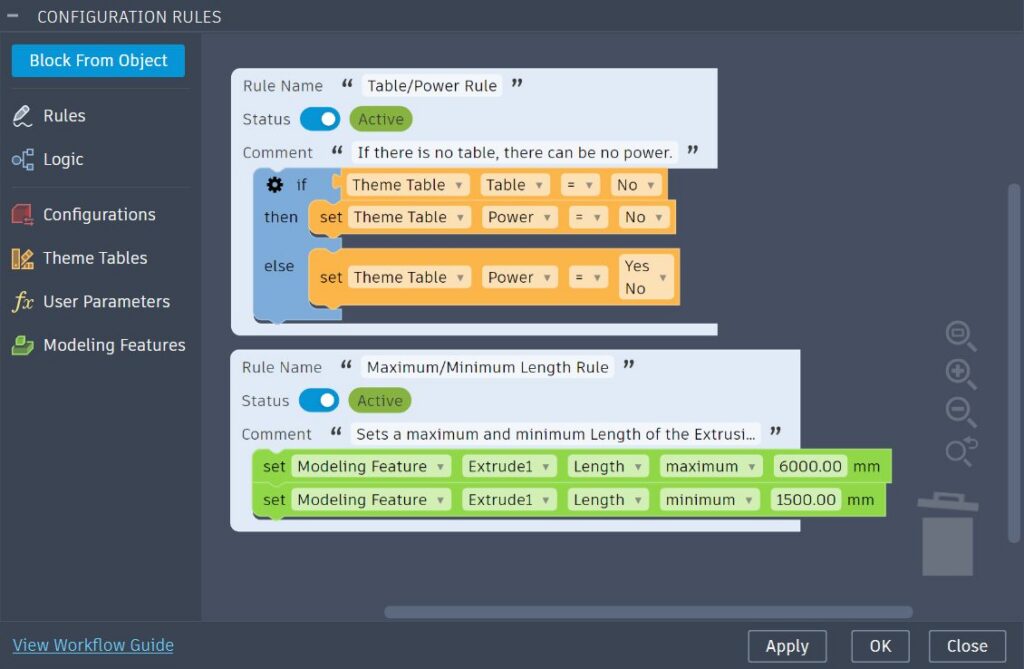
Figure 2: In this example, one rule ensures power is not available when tables are off, while another sets minimum and maximum seating lengths.
How rules are enforced
When configuration rules are active, values in the configuration table update automatically to comply with defined logic.
As you create or modify configurations, Fusion evaluates and enforces rules in real time. This prevents invalid combinations, maintains consistency, and supports manufacturability without manual intervention.
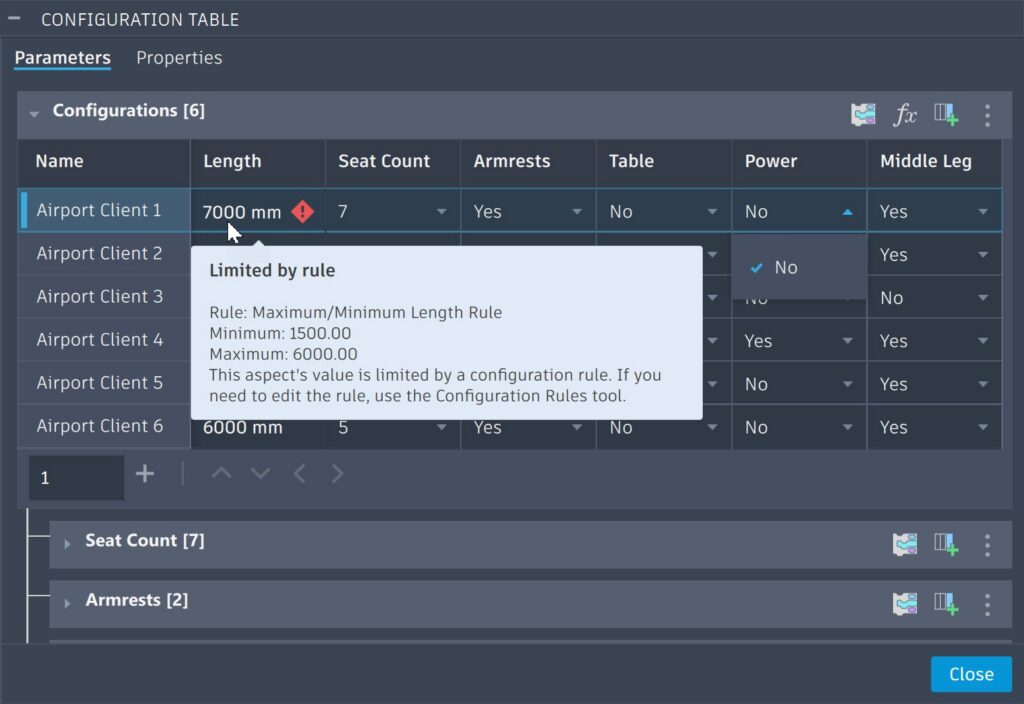
Figure 3: Rule violations are flagged and reverted while editing, while invalid options are removed from driven columns. In this example, length cannot exceed the maximum, and power is not available without a table.
Availability
Configuration rules are available as part of Fusion for Design or the Fusion Design Extension.
With just a few rules, you can begin capturing design intent and ensuring every configuration stays valid, consistent, and ready for manufacturing.
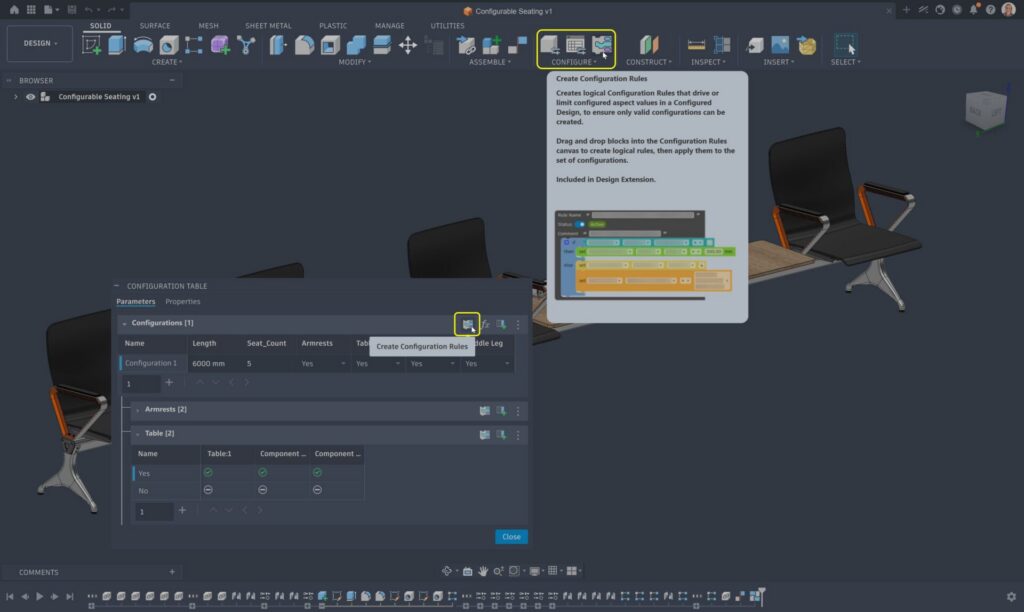
Figure 4: Access the Configuration Rules environment from the Configure panel or launch it directly from the Configuration Table to define and manage design logic.