 Muna Idriss
Discover how Autodesk Fusion and Haas partner to deliver fast, efficient CAM workflows and hassle-free tooling management. Manufacturing teams can streamline operations and maximize productivity with seamless integration and real-time results.

Elevate your design and manufacturing processes with Autodesk Fusion
Smarter CAM workflows with Fusion and Haas
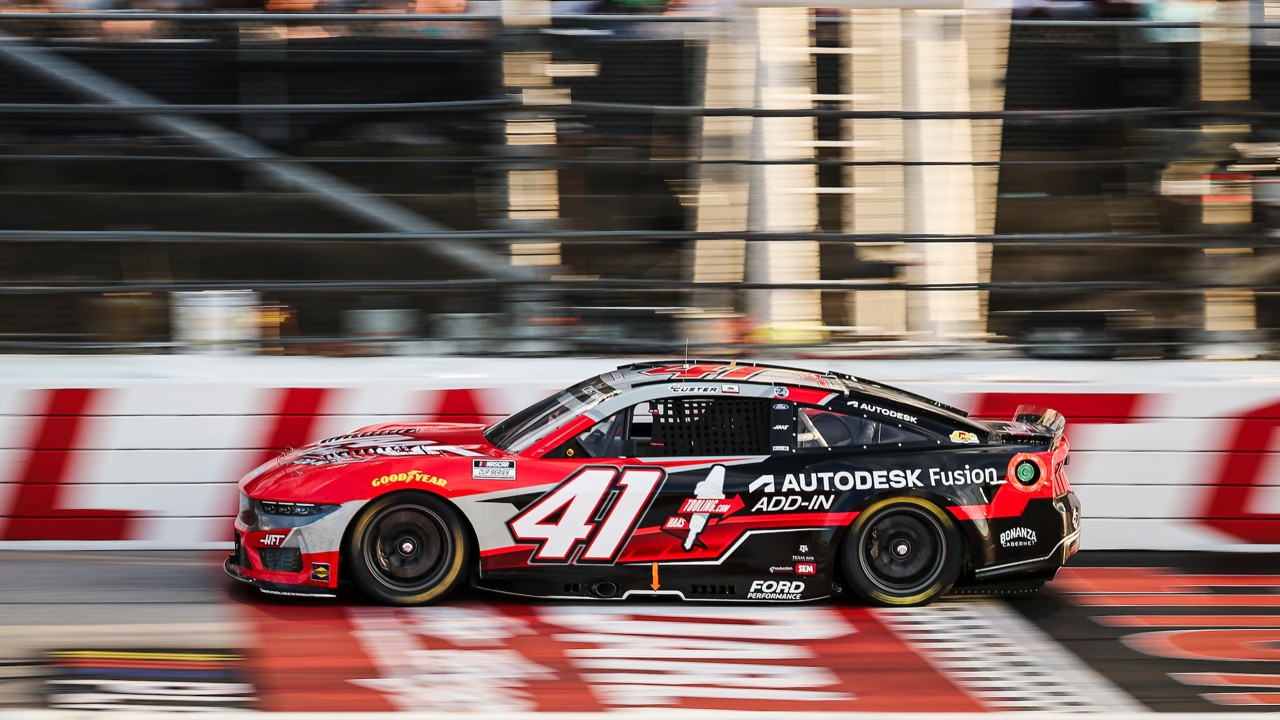
Manufacturing teams across the industry are discovering new efficiencies and speed by combining the cloud-native CAM capabilities in Fusion with Haas’s industry-leading machine tools and automation. Learn about how this powerful partnership is redefining tooling workflows for shops from NASCAR teams to everyday manufacturers.
Partnership driving innovation
Haas is the largest American machine tool builder. They have more than 300,000 machines installed and a global network of 185 factory outlets. Over the past five years, Haas expanded into manufacturing their own cutting and workholding tool. They’ve released over 9,000 SKUs and sold more than 5.5 million tools worldwide. Fusion supports this by integrating with Haas solutions through assets like post processors, cutting tools, machine simulations, and workholding libraries.
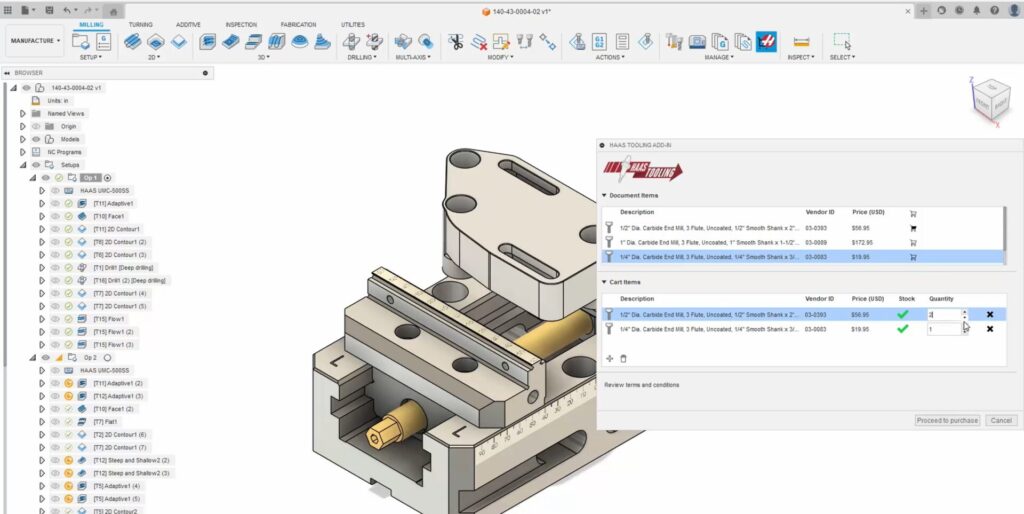
CAM integration and tooling add-in
Users benefit from 90+ Haas machine profiles in the Fusion library and one of the most used post processors in the ecosystem. The new Haas Tooling Add-In is a game changer. It provides instant access to over 3,000 Haas tools in the Fusion tool library. It also enables seamless connectivity to Haas e-commerce for US users and distributor-driven workflows for international shops. The add-in automatically recognizes the tools referenced in your CAM program and streamlines the ordering process – either by populating a shopping cart for direct purchase or generating a picklist for your local distributor, with error-free product IDs and details.
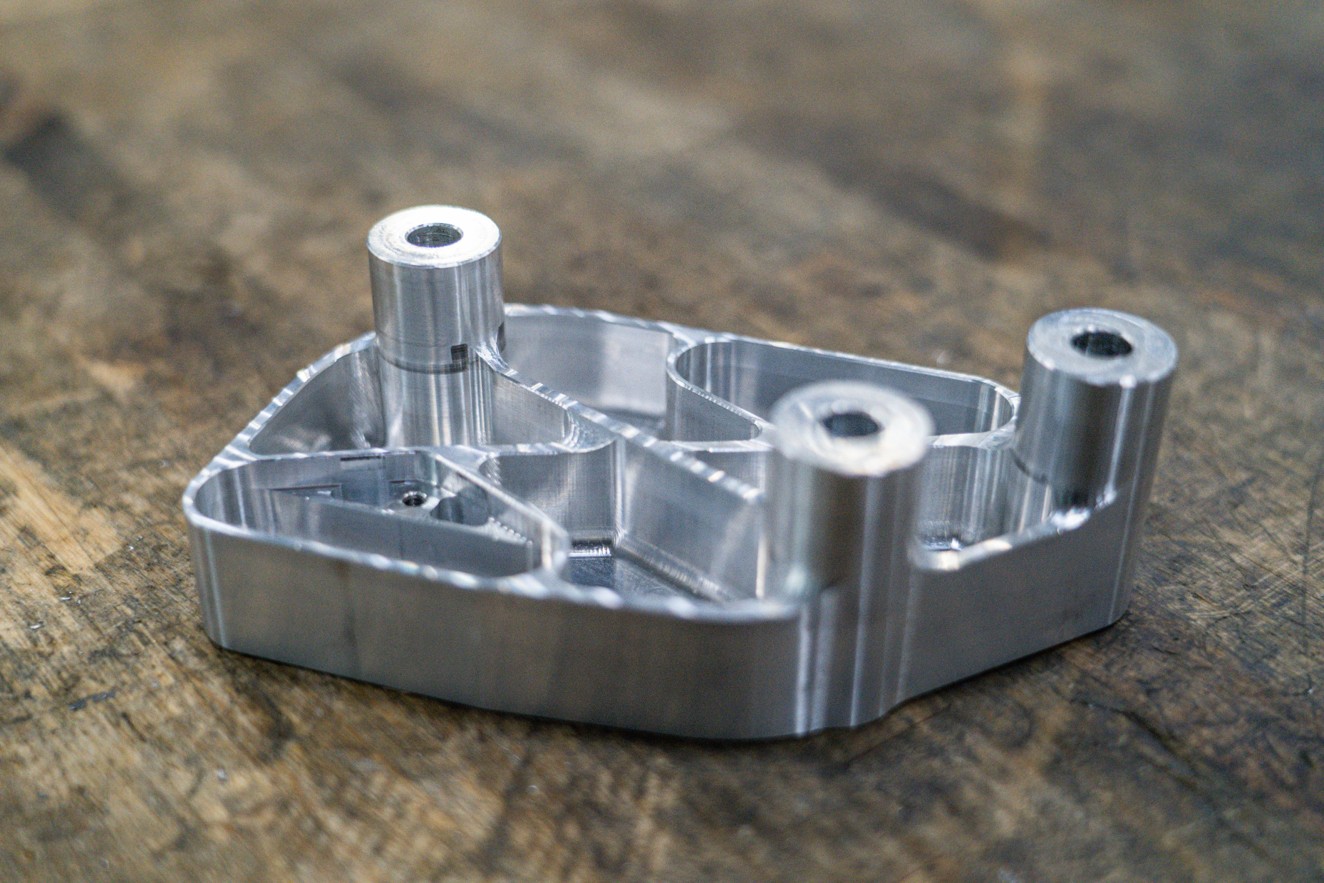
Fusion and Haas creating real-world impact
The Haas factory team used Fusion and the Haas add-in to rapidly resolve a NASCAR racing issue involving a power steering part. Adjustments to CAD tolerances and tool selection were completed in Fusion. The required tools were then quickly ordered using the integration. The team set up immediately and made parts with next-day tooling delivery—a process vital for high-pressure environments and last-minute engineering changes.
Global access and ease of use
For shops outside the US and EU, the workflow in Fusion supports the same add-in functionalities. Users can build, export, and submit picklists to their nearest Haas Factory Outlet or distributor. The add-in’s country-aware setup makes sure that every user benefits from simplified selection, quantity management, and accurate ordering, keeping production agile and error-free.
Get started today
Fusion users, located in the US and EU, who are interested in boosting shop productivity and tooling confidence can download the Haas Tooling Add-In directly from the Autodesk App Store or through the Fusion tool library vendor dropdown. This integration is built for speed. Empower your team to get the right tools, reduce downtime, and start making chips faster than ever today.