 Garin Gardiner
This post is also available in:
Simplify the product development process and enable an automated approach to creating complex product designs with the advanced 3D design and modeling tools in the Fusion Product Design Extension.
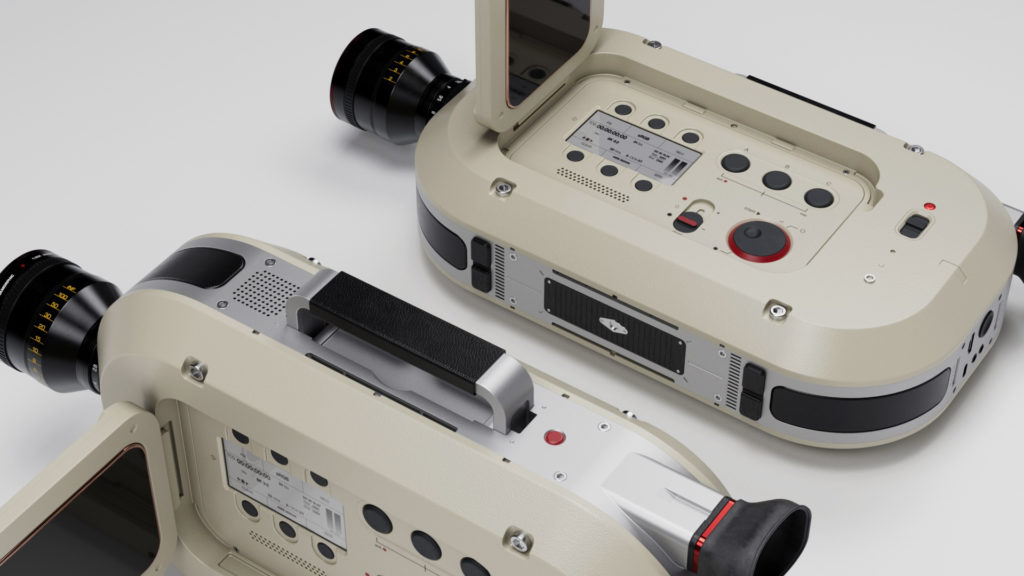
What is the Fusion Product Design Extension?
We’re extending the core 3D design and modeling capabilities of Autodesk Fusion. The Fusion Product Design Extension focuses on consumer products and automating and speeding up the design process. You now have access to design tools that automate and simplify the creation of manufacturing-aware features. You’ll also gain the ability to get design insight to ensure your plastic parts are manufacturable.
What’s available in the Fusion Product Design Extension?
Intelligent materials
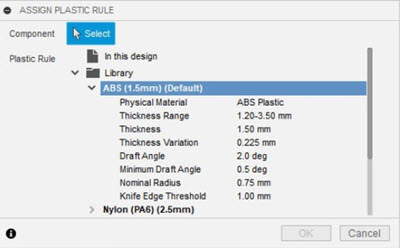
Proper material selection is crucial when manufacturing a plastic part. That’s why the Fusion 360 Product Design Extension has you define a material early in your design process. This is where the magic starts. For example, when creating a sheet metal part, selecting your part’s material will set up rules to help automate features. These include wall thickness, draft angles, fillet radius, and more. Thus, the benefit when changing from one plastic material to another is that you’ll see your plastic features automatically update per the new material rules. These material rules provide design advice if you have any potential issues with face draft, wall thickness, knife edges, or undercuts. In addition, they come pre-populated, but you also can customize them.
Plastic features
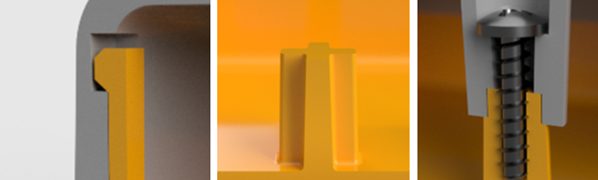
The Fusion Product Design Extension adds purpose-built features that automate the creation of bosses, snap features, and rib/webs. Also, these plastic features automatically create secondary items like drafts, fillets, and associative top/bottom features. By combining these features, you’ll get your designs done quicker and reduce features in your timeline. Even more, these features are all tied back to the material.
For example, let’s say you swap your part material from ABS to Nylon. You’ll see that each feature connects to the rules update with proper wall thickness, draft angle, and inner fillet radius. Using conventional modeling workflows to create a simple boss (top and bottom, including a fastener) takes longer and includes fewer features than the Boss command in the Product Design Extension. The same goes for all the material-aware features.
Geometric pattern
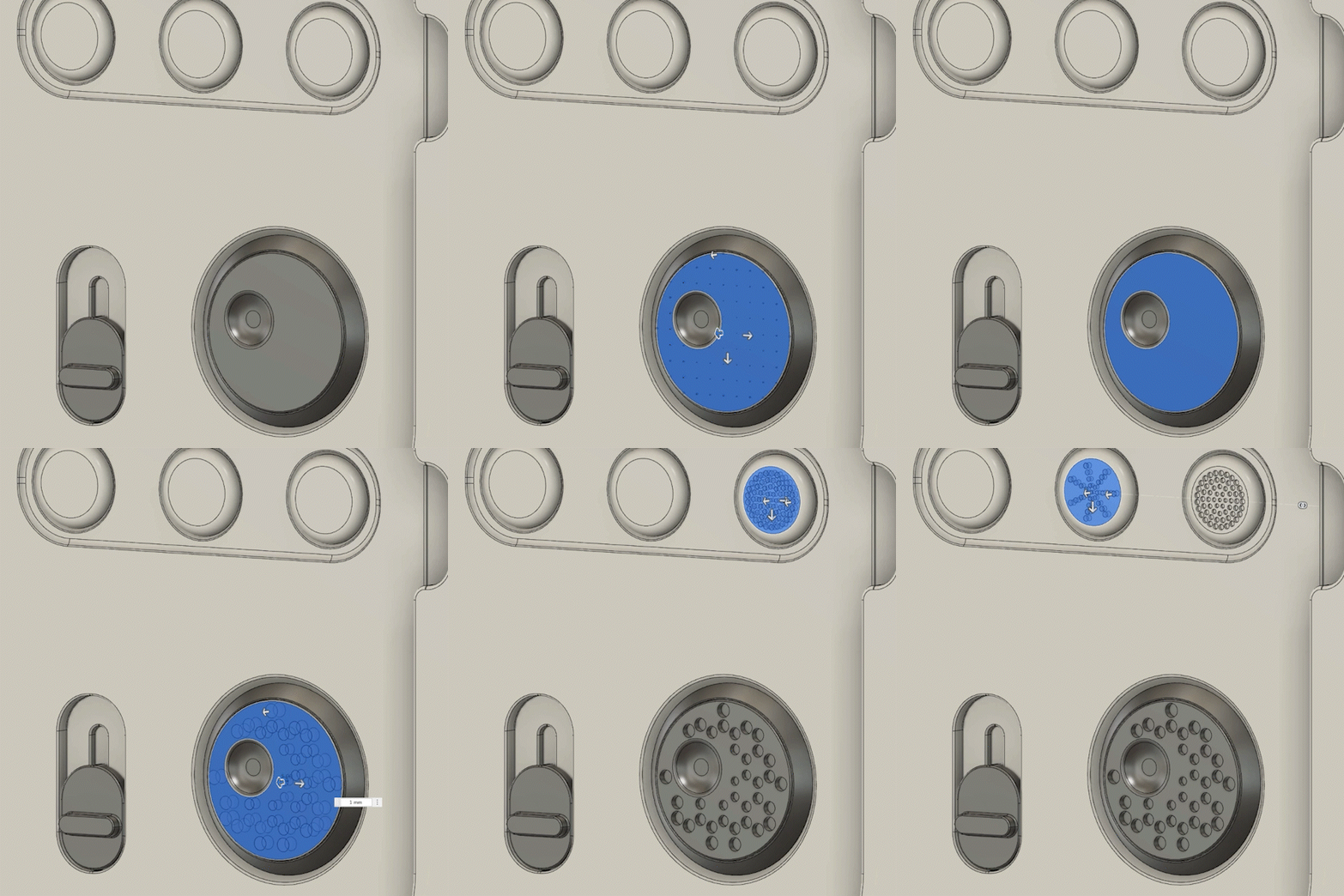
To elevate your consumer product design a bit, we have added an industry-unique Geometric Pattern. This allows you to pattern a solid shape across a flat or curved surface with several different distribution types. If you’re looking to add a pattern for airflow, lights, grip/texture, or flair to your design, the Geometric Pattern feature can automate the process.
Volumetric lattice
For those pushing the envelope of product design, we’ve added a Volumetric Lattice tool (preview technology). You’ll be able to select a body and specify the cell shape, size, and density of the lattice in the Fusion environment. It’s under preview for now, but we are excited to see your advanced designs with volumetric lattice. Check out the video below for a tutorial:
Design advice
And finally, what good is it to design something only to find out you can’t manufacture it? For that reason, we’re introducing Design Advice . This will let you gain valuable insight into your designs early and often for things like draft issues, knife edges, undercuts, and wall thickness. This is based on the material selection you make, thus allowing you to try various options to optimize your design for manufacturing.
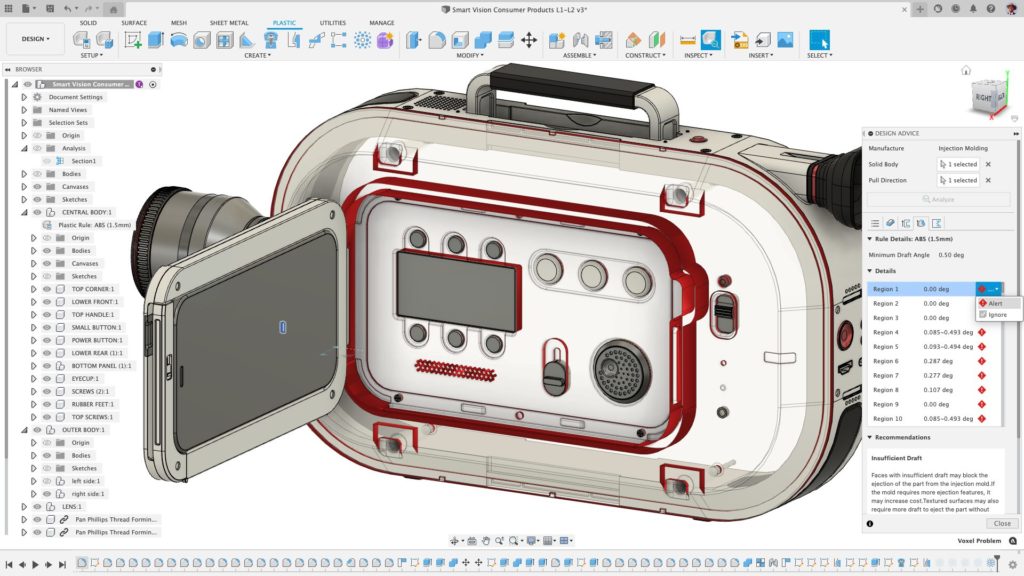
The Fusion Product Design Extension automates mundane tasks when designing plastic parts—at the same time, giving you access to industry-leading tools to set your products apart from your competitors. Give it a try for free today!
Note: The Fusion Design Extension can only be added to an exsiting Autodesk Fusion subscription, and unlocks the following capabilities:
| Capability | Fusion | Fusion Design Extension |
|---|---|---|
| CONFIGURATION & AUTOMATION | ||
| Configuration rules (logic-driven product configuration) | No | Yes |
| Low-code rules engine for design logic | No | Yes |
| Parameter-driven configuration control | Yes | Yes |
| PLASTIC DESIGN | ||
| Plastic design rules (material, thickness control) | No | Yes |
| Plastic feature automation (rule libraries) | No | Yes |
| Plastic design tools (bosses, snap fits, ribs, webs) | No | Yes |
| Draft angle and manufacturability controls | Yes | Yes |
| DESIGN REUSE & PRESETS | ||
| Reusable design presets | Limited | Yes |
| Standard parameter reuse | Yes | Yes |
| ADVANCED GEOMETRY & PATTERNS | ||
| Standard sketch and feature patterns | Yes | Yes |
| Advanced geometric patterning (gradients, distribution control) | No | Yes |
| MESH & ORGANIC MODELING | ||
| Standard mesh editing | Yes | Yes |
| Organic mesh to solid/surface/T-Spline conversion | No | Yes |
| LATTICE & LIGHTWEIGHTING | ||
| Volumetric lattice generation | No | Yes |
| Lightweight structure design tools | Limited | Yes |
| DESIGN ANALYSIS & GUIDANCE | ||
| Standard design validation tools | Yes | Yes |
| Automated design advice (manufacturability feedback) | No | Yes |
| Built-in recommendations for performance and manufacturability | No | Yes |