 Shannon McGarry
Learn how rapid prototyping software accelerates product development with integrated CAD, simulation, and manufacturing workflows. See how Autodesk Fusion helps teams move from concept to prototype faster.

Elevate your design and manufacturing processes with Autodesk Fusion
Rapid prototyping used to mean one thing: build it, test it, learn from it, and build it again. The faster teams could iterate physical prototypes, the faster they could arrive at a manufacturable design.
Today, rather than relying exclusively on physical prototypes, teams use digital tools to design, analyze, refine, and prepare products for manufacturing before material is ever cut. This leads to faster iteration, fewer surprises, and a more efficient path from concept to production.
This guide explains what rapid prototyping software does, which capabilities matter most, and how Autodesk Fusion brings design, engineering, simulation, and manufacturing preparation together in a connected product development platform.

What is rapid prototyping software?
Rapid prototyping software helps teams move from an idea to a testable prototype as efficiently as possible. These tools are used to create 3D models, evaluate designs, explore alternatives, and prepare files for manufacturing processes such as CNC machining, sheet metal fabrication, and additive manufacturing.
The most effective rapid prototyping workflows minimize handoffs between tools. When design, simulation, and manufacturing preparation occur in separate systems, teams often spend time exporting files, rebuilding workflows, managing revisions, and verifying that everyone is working from the same version.
Autodesk Fusion addresses this challenge by bringing CAD, CAM, CAE, electronics, collaboration, and data management together within a connected cloud-based environment. Designers and engineers can move between modeling, simulation, documentation, and manufacturing preparation while maintaining a single source of product data.
If you’re looking to accelerate development cycles, the value is not just individual features. It’s the ability to move from concept to prototype with fewer interruptions and less complexity.
How rapid prototyping software improves time-to-market
Product development moves faster when design changes can be evaluated and prepared for manufacturing without repeatedly transferring data between disconnected systems.
Rapid prototyping software helps accelerate development by:
- Keeping design and manufacturing information connected
- Reducing manual recreation of models and toolpaths
- Simplifying collaboration between engineering and manufacturing teams
- Providing access to simulation tools earlier in the design process
- Maintaining design history and version information throughout development
In Fusion, teams can move from design to simulation to manufacturing preparation within the same platform, helping reduce delays associated with file translation and disconnected workflows.
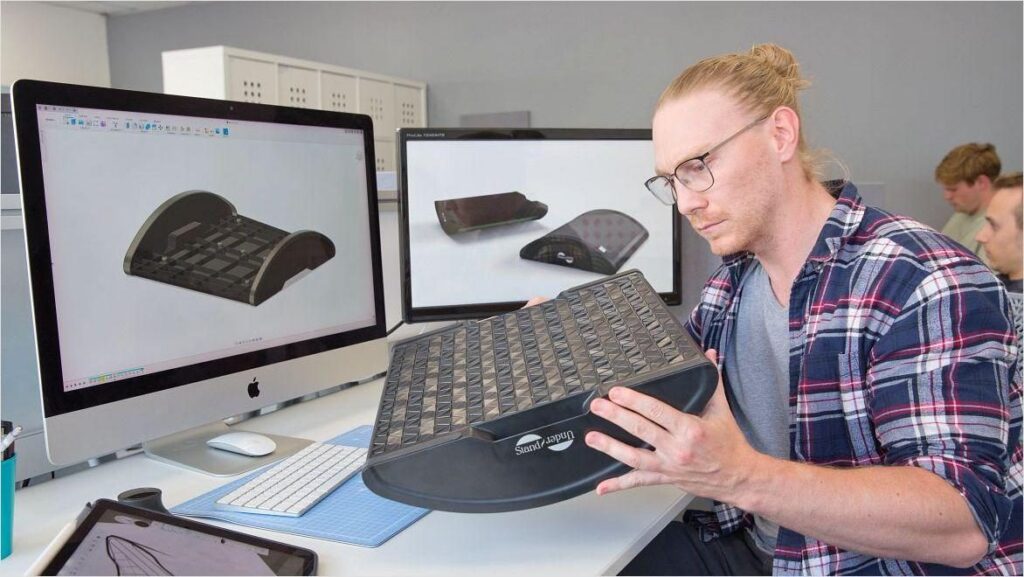
Can Autodesk Fusion be used for both concept development and detailed engineering?
Yes.Fusion supports multiple stages of product development within a single environment.
During early concept development, designers can use sketching, freeform modeling, and surface modeling tools to explore ideas quickly. As designs mature, teams can transition into parametric modeling workflows that support design refinement, engineering requirements, manufacturing requirements, and documentation.
Teams can move from concept models into production-ready designs without rebuilding geometry in a separate application.
If you’re managing tight development timelines, maintaining continuity throughout the design process can help reduce unnecessary rework and preserve design intent.
How simulation can reduce prototype iterations
Physical prototypes remain an important part of product development, particularly for final validation and testing. However, simulation allows teams to evaluate many design decisions before building hardware.
Autodesk Fusion supports design evaluation through simulation tools that can help engineers understand how products may perform under expected conditions. Depending on configuration and extensions, capabilities can include structural analysis, thermal studies, modal analysis, explicit simulation, injection molding analysis, and generative design workflows.
By identifying potential issues earlier in development, simulation can help teams:
- Evaluate performance before manufacturing
- Compare alternative design approaches
- Reduce the number of physical iterations required
- Improve product reliability
- Shorten development cycles
Rather than discovering problems only after a prototype is built, teams can investigate many design questions digitally before committing resources to production.
Can Autodesk Fusion identify design issues before a prototype is built?
Yes. Engineers can evaluate designs using simulation tools within the same Fusion environment where models are created. Teams can analyze factors such as stress, deformation, thermal behavior, manufacturability, and design alternatives before producing physical parts.
Simulation results are linked directly to design geometry, to easily dentify areas that may require modification and supporting faster design iteration.
Combined with assembly review, interference checking, and manufacturing planning tools, Autodesk Fusion helps teams validate more of the product development process before physical production begins.
How Autodesk Fusion supports rapid design iteration
Rapid prototyping requires the ability to make changes quickly without rebuilding work downstream.
Fusion supports parametric modeling workflows that allow design updates to propagate through related features, helping engineers refine designs efficiently as requirements evolve.
For conceptual exploration, Fusion also provides direct and freeform modeling capabilities, allowing teams to experiment with shape and form during early-stage development.
How rapid prototyping software connects design and manufacturing
A prototype is only valuable if it can be produced. Manufacturing preparation often becomes a bottleneck when CAD and CAM workflows are separated. Teams must export files, recreate manufacturing setups, and manage revisions across multiple applications.
Fusion brings product design and manufacturing workflows together in a connected environment. Manufacturing capabilities include CNC machining workflows, additive manufacturing preparation, sheet metal design, fabrication outputs, and production documentation.
Because manufacturing information remains connected to the design, engineers can manage changes more efficiently and maintain better visibility throughout the prototyping process, for a smoother path to production.
What prototyping methods can Autodesk Fusion support?
Autodesk Fusion supports workflows commonly used for both additive and subtractive prototyping. These include:
- 3D printing and additive manufacturing preparation
- CNC milling and turning
- Multi-axis machining workflows
- Sheet metal design and flat pattern generation
- Fabrication drawings and production documentation
- Injection molding
Because these workflows are connected to the same product data model, teams can evaluate multiple manufacturing approaches without recreating designs in separate systems.
What features should you look for in rapid prototyping software?
When evaluating rapid prototyping software, the most valuable capabilities are often those that reduce friction between design, engineering, and manufacturing teams.
Key capabilities include:
- Parametric and flexible 3D CAD modeling
- Integrated simulation and performance analysis
- Manufacturing preparation tools
- Built-in version management and collaboration
- Cloud-based access to project information
- Connected workflows across design and manufacturing
These capabilities help teams spend less time moving data between systems and more time refining products.
Why product teams choose Autodesk Fusion for rapid prototyping
The biggest advantage of Autodesk Fusion is not any single feature. It is the ability to connect design, engineering, simulation, electronics, and manufacturing workflows within one platform.
Instead of managing separate CAD, CAM, and simulation applications, teams can work from a connected set of tools that share the same product data. This helps reduce rework, improve collaboration, and accelerate development from concept through manufacturing preparation.
Ready to accelerate product development? Explore Autodesk Fusion plans and pricing or start a free trial to experience a connected rapid prototyping workflow for yourself.
Frequently asked questions
The best rapid prototyping software allows teams to move quickly from concept to validation and manufacturing without relying on multiple disconnected tools. Key capabilities include 3D CAD modeling, simulation, manufacturing preparation, collaboration, and version management.
Autodesk Fusion is a popular choice because it combines CAD, CAM, CAE, electronics, and data management in a single cloud-based platform, helping teams design, validate, prototype, and prepare products for production from one connected environment.
Traditional product development often relies on separate tools for design, simulation, manufacturing, and collaboration, requiring frequent file transfers and handoffs between teams. Rapid prototyping workflows emphasize faster iteration by keeping design, testing, and manufacturing preparation closely connected.
Autodesk Fusion supports this approach by bringing design, simulation, manufacturing, and collaboration workflows into the same platform, helping teams validate ideas, make changes, and prepare prototypes more efficiently.
Rapid prototyping software reduces development time by helping teams evaluate designs earlier, iterate more quickly, and identify issues before manufacturing begins. Integrated design, simulation, and manufacturing workflows reduce the need for file translation, disconnected tools, and manual rework.
Autodesk Fusion helps accelerate product development by combining modeling, simulation, manufacturing preparation, collaboration, and version management within a unified workspace.
When evaluating rapid prototyping software, consider whether it includes:
-3D CAD modeling tools
-Simulation and design validation capabilities
-CNC machining and 3D printing workflows
-Version control and collaboration tools
-Integrated CAD, CAM, and CAE workflows
-Scalability as projects become more complex
Autodesk Fusion is designed around these connected workflows, allowing teams to move from concept through manufacturing preparation without managing multiple disconnected applications.
Yes. Autodesk Fusion is designed to provide an integrated environment for design, prototyping, simulation, and manufacturing. Its connected workflows, cloud-based collaboration tools, and unified workspace help reduce complexity by keeping product development activities in one platform. Fusion also provides extensive learning resources that help new users get productive quickly.
Yes. For many startups, small businesses, product designers, and engineering teams, Autodesk Fusion is considered a cost-effective rapid prototyping solution because it combines CAD, CAM, CAE, data management, and collaboration tools within a single subscription.
Autodesk offers flexible monthly and annual subscription options, allowing teams to access professional product development capabilities without purchasing multiple separate software systems.