 James Krenisky
This post is also available in:
Discover how designers are using AI to explore more concepts, accelerate product development, and bring better products to market faster. Learn how Autodesk Fusion helps teams innovate with AI-powered workflows.

Elevate your design and manufacturing processes with Autodesk Fusion
Product designers have never struggled with ideas. They’ve always struggled with time.
Every project begins with possibilities. One sketch becomes five. Five concepts become twenty directions worth exploring. But deadlines have a way of narrowing the field. Budgets, schedules, and resource constraints often force teams to choose a path long before they’ve exhausted their best ideas.
That’s why AI is capturing so much attention across the design industry. Not because designers want a machine to do the creative work, but because they want more time to think, experiment, and iterate.
Done right, AI doesn’t replace creativity. It creates more room for it.
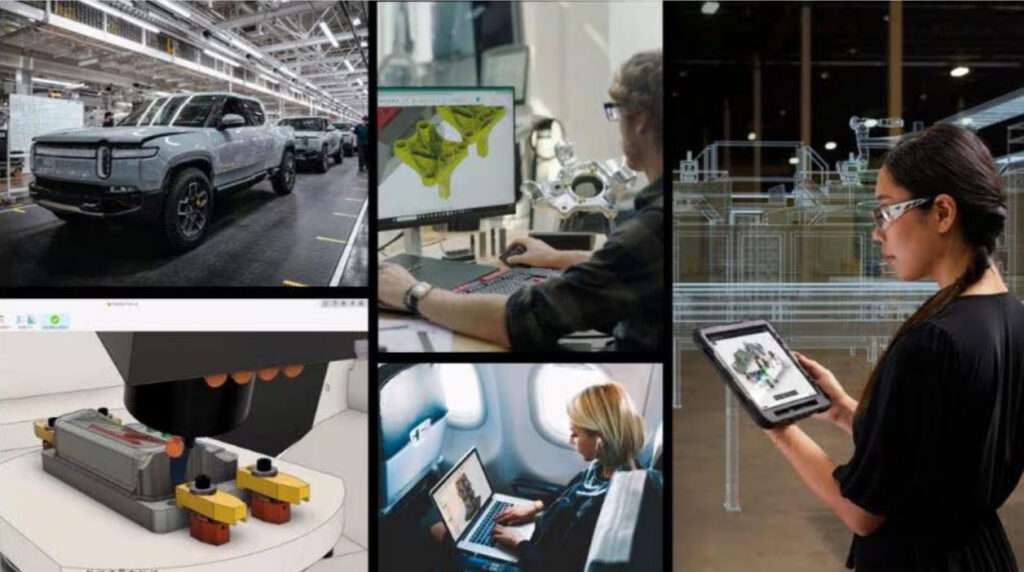
AI isn’t replacing designers. It’s expanding possibilities.
One of the biggest misconceptions about AI in product design is that it automates creativity. In reality, most designers aren’t looking for AI to do their job. They’re looking for AI to help them get to better ideas faster.
Think about how much time product teams spend on tasks like:
- Searching for information
- Iterating through design variations
- Updating models
- Evaluating concepts
- Managing design changes
- Navigating complex software workflows
These activities are necessary, but they aren’t always where the greatest value is created. Designers create value by solving problems, understanding customers, and making informed decisions. AI helps remove this friction so they can spend more time doing exactly that.
More iterations often lead to better products
Great products rarely emerge from a single brilliant idea. More often, they’re shaped through exploration. Designers sketch, test, refine, discard, and revisit concepts before arriving at the right solution.
The challenge is that exploration takes time. When every iteration requires manual effort, teams naturally become more selective about which ideas they pursue. Promising concepts get set aside, not because they aren’t worth exploring, but because schedules don’t allow it.
AI is beginning to change that dynamic. By helping designers move through repetitive tasks more efficiently, it creates more opportunities to experiment, compare alternatives, and evaluate ideas before committing to a direction.
More exploration often leads to:
- Better design decisions
- Earlier identification of potential issues
- Greater confidence in final concepts
- More innovative outcomes
The goal isn’t to generate endless ideas. It’s to find better ones.
How AI is changing product development
AI is increasingly being used to support designers throughout the product development process. Rather than replacing expertise, it acts as an assistant that helps teams move from concept to production more efficiently.
Some of the biggest opportunities include:
Faster access to infomration
Instead of searching through documentation, menus, tutorials, or forums, designers can use AI-powered tools to quickly find answers and learn new workflows.
Faster design exploration
AI can help users generate and evaluate multiple options more quickly than traditional manual processes alone.
Reduced administrative work
Designers spend less time searching for commands, navigating software, and troubleshooting workflows.
Faster learning curves
New users can become productive more quickly when AI guidance is available directly within the design environment. For small teams in particular, these gains can have an outsized impact.
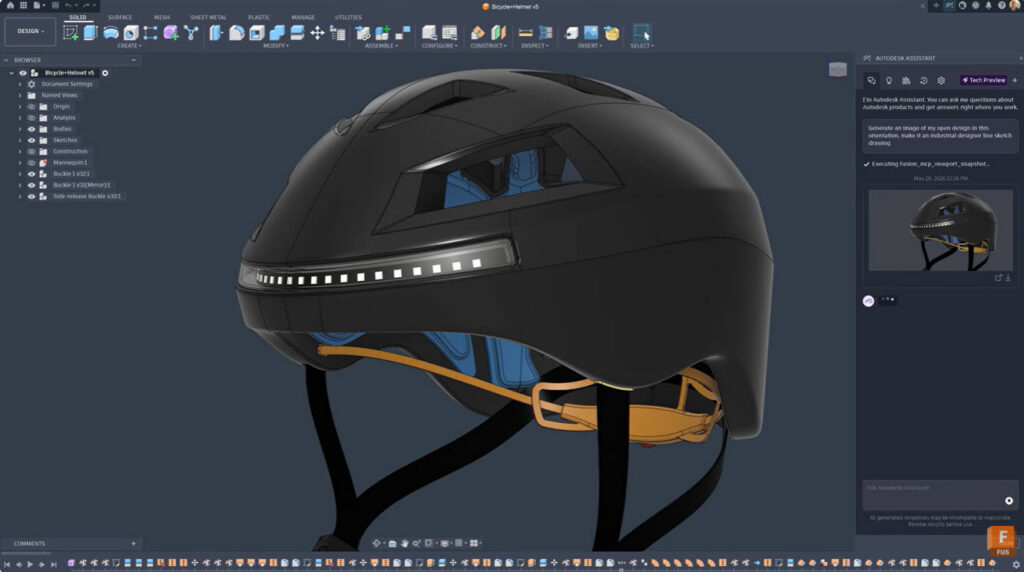
How Autodesk Fusion helps designers move faster
The most valuable AI tools aren’t the ones that generate the most attention. They’re the ones that help designers spend less time wrestling with software and more time developing great products.
That’s the philosophy behind Autodesk’s approach to AI in Fusion.
Rather than treating AI as a standalone tool, Autodesk is embedding intelligent capabilities throughout the product development workflow to help teams move faster, make better decisions, and explore more possibilities without adding complexity.
One example is Autodesk Assistant, an AI-powered guide built directly into Fusion. Instead of interrupting a project to search forums, watch tutorials, or dig through documentation, designers can ask questions in plain language and receive contextual guidance without leaving their workflow. Whether you’re learning a new feature, troubleshooting a command, or looking for the best way to accomplish a task, Autodesk Assistant helps remove friction and keep projects moving.
Fusion also uses AI and automation to streamline many of the repetitive tasks that can slow teams down. Capabilities such as generative design, automated drawing creation, auto-constrain functionality within sketches, and manufacturing automation tools help teams reduce manual effort while maintaining control over design outcomes.
The impact extends across the entire product development lifecycle, allowing teams to:
- Explore more design concepts without increasing workload
- Automate repetitive modeling and documentation tasks
- Improve manufacturability earlier in the design process
- Accelerate communication between design and engineering teams
- Reduce the time required to move from concept to production
- Help new users become productive more quickly through AI-guided assistance
“Using AI and Autodesk Assistant in Fusion has been like magic. We thought it would take months to get a new labeling process operational for our manufacturing. But Autodesk Assistant just did it all.”
-Koen Kaljee, Co-founder, Mublio
The future of design is human + AI
The most effective design teams aren’t choosing between human creativity and AI. They’re combining both.
Designers still define the vision, understand customers, and make important decisions. AI just helps them get there faster.
As products become more complex and development timelines continue to shrink, the ability to quickly explore, evaluate, and refine ideas will become an increasingly important competitive advantage.
The teams that embrace AI won’t stop designing. They’ll simply spend less time managing tasks and more time creating great products.
Why designers choose Autodesk Fusion
Autodesk Fusion helps product teams bring design, engineering, electronics, manufacturing, and collaboration together in a connected platform.
With integrated AI-powered capabilities and ongoing investments in AI-enhanced workflows, Fusion helps teams:
- Learn faster
- Explore more design options
- Reduce repetitive work
- Collaborate more effectively
- Bring products to market sooner
Whether you’re designing consumer products, furniture, industrial equipment, or entirely new product categories, Fusion helps transform ideas into reality more efficiently.
Explore Autodesk Fusion and discover how AI-powered workflows can help your team design faster, iterate more often, and innovate with confidence.