 Hailey Wheeler
Learn what consumer product design software is, the key capabilities product teams need, and how Autodesk Fusion supports connected workflows from concept design through engineering and manufacturing.

Elevate your design and manufacturing processes with Autodesk Fusion
Consumer product design software helps designers, engineers, and product development teams transform ideas into manufacturable products. Whether developing consumer electronics, wearable devices, household goods, sporting equipment, packaging, or connected devices, teams need tools that support the entire development process, from early concept exploration through engineering, prototyping, and production.
Modern product development requires more than 3D modeling. Teams must balance aesthetics, ergonomics, performance, manufacturability, cost, and speed to market, often while collaborating across multiple disciplines. As a result, many organizations look for software that combines design, engineering, visualization, and manufacturing workflows in a connected environment.
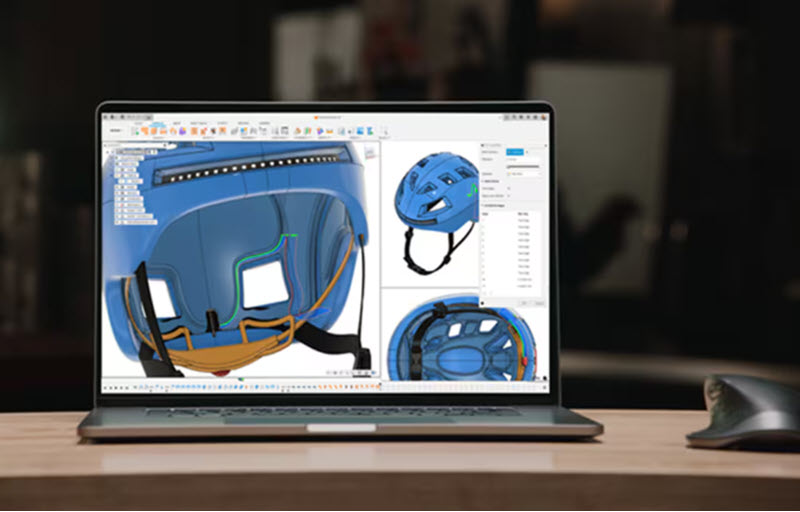
What consumer product designers need from design software
While products vary widely across industries, most consumer product teams share similar requirements throughout the development cycle, including:
Concept exploration
Every product starts with an idea. Designers need the ability to explore multiple concepts quickly, evaluate different forms, and refine ideas before committing to detailed engineering.
Early-stage ideation often includes sketching, reference imagery, ergonomic studies, and rapid iteration to evaluate different product directions.
Surface and form development
Aesthetics play a critical role in consumer products. Unlike purely mechanical components, products such as headphones, appliances, wearables, and handheld devices often rely on complex curves and carefully controlled surfaces to achieve the desired look and feel.
Surface modeling tools help designers create and refine these shapes while maintaining continuity, manufacturability, and design intent.
Parametric modeling
Once a concept moves toward production, engineering teams need models that can adapt to changing requirements. Parametric modeling allows dimensions, features, and relationships to be updated without rebuilding a design from scratch.
This flexibility is particularly valuable when teams need to accommodate changes driven by ergonomics, packaging requirements, supplier constraints, testing results, or manufacturing feedback.
Design validation
Before investing in physical prototypes, teams often evaluate performance digitally. Simulation tools can help engineers assess factors such as:
- Structural strength
- Product stiffness
- Thermal performance
- Vibration behavior
- Manufacturing feasibility
By identifying potential issues earlier in development, teams can reduce the number of physical design iterations required.
Visualization and communication
Consumer products frequently require visualization assets before manufacturing begins. Photorealistic renderings help stakeholders evaluate design direction, secure approvals, support marketing activities, and communicate product intent to suppliers and manufacturing partners.
Manufacturing readiness
Design decisions ultimately need to translate into production. Depending on the product and manufacturing method, this may involve:
- 3D printing for prototypes
- CNC machining for tooling or low-volume production
- Injection molding preparation
- Supplier collaboration and documentation
- Manufacturing data generation
The closer these activities are connected to the design process, the easier it becomes to maintain consistency between engineering intent and production output.
A connected consumer product development workflow
Many modern product development teams prefer workflows that reduce unnecessary data transfers between disconnected systems.
Autodesk Fusion supports a connected workflow that brings together product design, engineering, visualization, simulation, and manufacturing preparation within a single platform. Designers can move from concept development to engineering refinement and manufacturing planning while maintaining continuity of product data throughout the process.
A typical workflow may include:
- Creating initial concepts and sketches
- Developing product geometry through solid and surface modeling
- Refining designs using parametric relationships
- Evaluating performance through simulation and analysis
- Producing renderings for reviews and stakeholder feedback
- Preparing designs for prototyping and manufacturing
By maintaining a connected workflow, teams can reduce the risk of version conflicts and improve collaboration across product development disciplines.
Supporting consumer product categories
Consumer product development encompasses a wide range of applications, including:
Consumer electronics
Products such as smart devices, headphones, accessories, and connected products require a balance between industrial design, internal component packaging, thermal management, and manufacturing requirements.
Wearables
Wearable products introduce additional design considerations related to ergonomics, comfort, lightweight construction, and durability.
Household products
Appliances, kitchen tools, home accessories, and consumer goods often require careful attention to usability, manufacturability, aesthetics, and cost optimization.
Sporting goods and recreation products
These products frequently combine complex geometry, weight considerations, materials engineering, and durability requirements.
Packaging and product cccessories
Packaging and accessory development often require rapid iteration and visualization alongside broader product development activities.
Why integrated workflows matter
One of the biggest challenges in consumer product development is managing information across multiple teams and stages of development.
As products move from concept to engineering, prototyping, supplier review, and manufacturing, disconnected processes can introduce delays, duplicate work, and version-control challenges.
Integrated design and manufacturing workflows help improve visibility between disciplines, streamline change management, and maintain consistency as products progress toward production.
For product development teams under pressure to accelerate innovation while controlling costs, maintaining continuity between design intent and manufacturing execution has become increasingly important.
Autodesk Fusion supports this connected approach by bringing industrial design, mechanical engineering, simulation, visualization, electronics, and manufacturing workflows together on a unified product development platform. Rather than moving data between disconnected design, engineering, and production tools, teams can collaborate around a shared product model throughout the development lifecycle.
Whether designing consumer electronics, wearable devices, household products, sporting equipment, or other manufactured goods, Fusion helps teams move from concept to production faster while maintaining visibility, traceability, and control across every stage of product development. Try it for yourself today with a 30-day free trial.
Frequently asked questions
Consumer product design teams commonly use a combination of industrial design, CAD, simulation, visualization, and manufacturing software. The specific tools depend on the product, industry, and development process, but many organizations seek solutions, like Autodesk Fusion, that support concept development, engineering, prototyping, and manufacturing workflows within a connected environment.
Key capabilities typically include surface modeling, parametric modeling, visualization, simulation, collaboration tools, and support for manufacturing workflows such as prototyping, CNC machining, or production planning.
Yes. Modern product development platforms, like Autodesk Fusion, increasingly combine industrial design and engineering workflows, allowing teams to move from concept exploration to detailed product development without recreating data between stages.
Autodesk Fusion combines 3D design, engineering, simulation, visualization, and manufacturing capabilities in a connected platform. This allows product development teams to manage multiple stages of the consumer product development process while maintaining continuity between design and manufacturing workflows.
Yes. Simulation can help teams evaluate performance earlier in the design process, identify potential issues before physical prototyping, and support more informed engineering decisions.
The best consumer product design software depends on the complexity of the product, the size of the team, and the manufacturing processes involved. Most modern product development teams look for software that supports industrial design, engineering, simulation, visualization, and manufacturing workflows within a connected environment.
Autodesk Fusion combines these capabilities in a single platform, allowing consumer product designers, engineers, and manufacturers to move from concept development through production while maintaining a continuous digital workflow.