 Shannon McGarry
This post is also available in:
AI is reshaping engineering workflows. Learn how engineers use it to design faster, reduce manual work, and stay competitive with Autodesk Fusion.

Elevate your design and manufacturing processes with Autodesk Fusion
Rather than displacing human ingenuity, AI is enhancing it. Engineers who use these tools gain a competitive edge, accelerating innovation and efficiency in ways traditional methods can’t match. AI capabilities in Autodesk Fusion empower designers to focus on creativity rather than repetitive tasks.
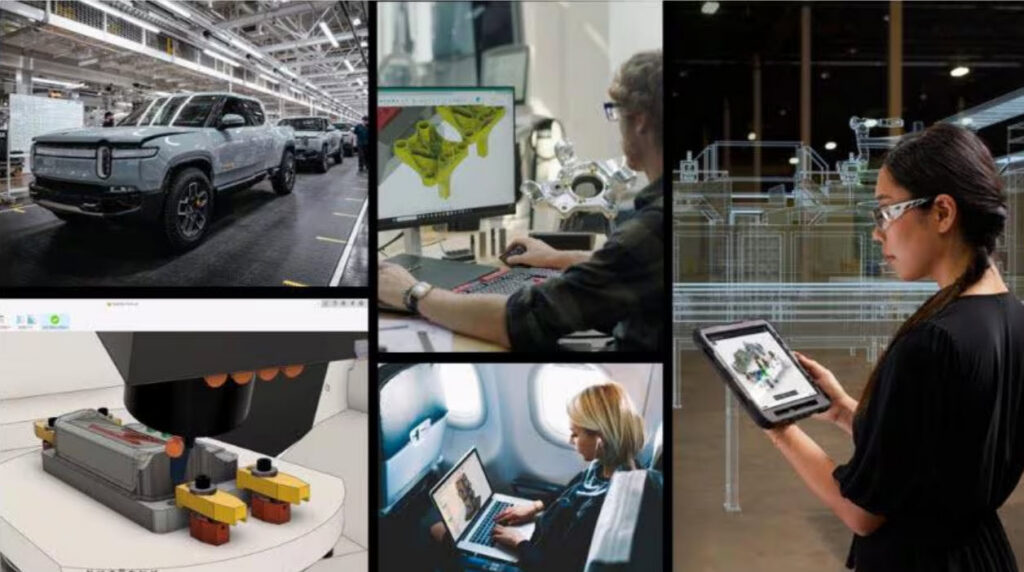
Engineering is getting harder. AI makes it scalable
Engineers continually face growing pressure to deliver more complex, higher‑quality products in less time. This pressure is compounded by repetitive tasks, fragmented data, manufacturability constraints, and shrinking feedback loops. They’re expected to make important decisions earlier in the process, often with incomplete information. At the same time, they must bridge design, engineering, and production without added headcount or time.
AI addresses these challenges automating routine work, accelerating iteration and analysis, surfacing insights sooner, and embedding best practices directly into workflows. Engineers gain more time to focus on judgment, problem‑solving, and innovation rather than manual execution.
The role of AI in modern engineering
AI augments human expertise-it does not replace it. It allows engineering teams to operate at a higher level and drive greater impact.
By taking on the “grunt work”, engineers are free to do what humans do best: apply judgment, solve complex problems, make strategic trade‑offs, and drive innovation. The result is faster iteration, better‑informed decisions, and more time spent on high‑value engineering work.
Key features in Autodesk Fusion
Autodesk Fusion integrates AI seamlessly across CAD, CAM, CAE, and PCB workflows. Features include:
Autodesk Assistant: Autodesk Assistant provides contextual information and guidance in Fusion, delivering links to help, forums, and other data sources to provide advice. This technology can even interact with projects and acts on the user’s behalf.
Automated Drawings: AI produces production‑ready 2D drawings from 3D models, intelligently omitting non‑essential details like fasteners to streamline manufacturing handoff.
AutoConstrain: During sketching, AutoConstrain detects symmetries, alignments, and proportions. It automatically applys constraints to reduce manual errors and save hours of setup time.
Generative design: Define goals such as material limits or load requirements, and AI generates manufacturable options for additive or subtractive processes. Rapidly explore over 100 viable design iterations to determine the most suitable designs.
Automated Toolpaths: AI optimizes CNC strategies by recognizing features such as holes or steep and shallow regions, reducing programming time and cycle costs.
These capabilities scale from individuals to teams, with cloud collaboration enabling real‑time updates and shared manufacturing context.
In an era where AI reshapes engineering work, the real risk isn’t being replaced by AI—it’s being replaced by engineers who know how to use it. Now’s the time to elevate your workflows with Fusion.