 Thomas Stock
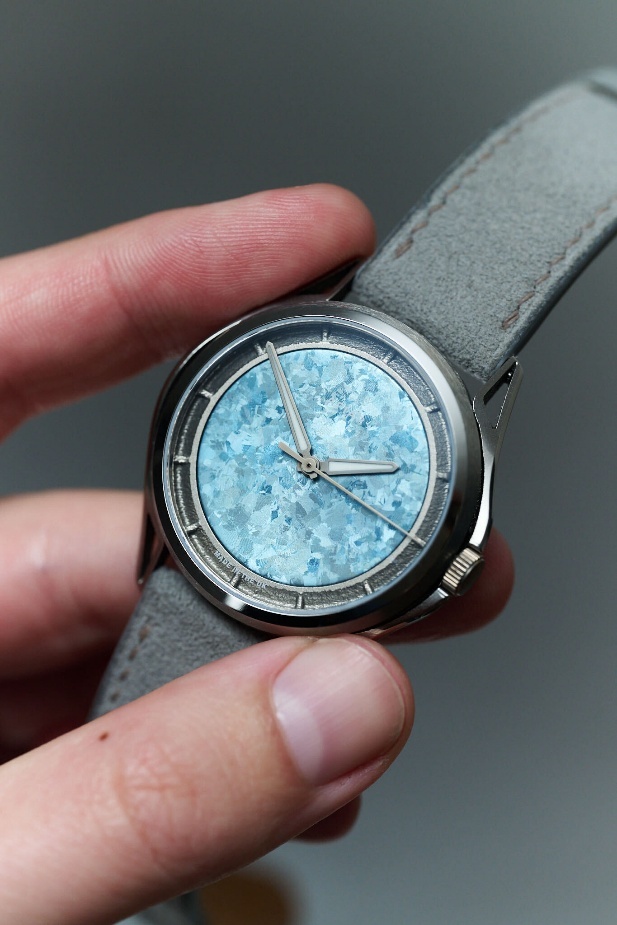
Apiar, the British watchmaking company behind “Impossible watches. Made possible,” uses Autodesk Fusion end-to-end to bring its unconventional designs to life—from first sketch to finished watch. Read on to discover about the whole process, and why Apiar chose Fusion.
Who are Apiar?
Apiar is a design and engineering lab specializing in watches. Founded in London in January 2023 by two engineers, it has a simple purpose: to bring the engineering built for rockets and race cars to the things people wear.
Apiar makes watches the way aerospace makes parts. The team engineers every watch in-house, makes it using advanced processes such as laser powder bed fusion and five-axis machining alongside named UK partners, and finishes it in its own workshop. Transparency runs through everything it does: Apiar names its partners and shows customers exactly how each watch is made.
Why did Apiar choose Fusion?
For a small lab, every handover between tools costs time and risks mistakes. Apiar uses Autodesk Fusion because it is an end-to-end platform: the team can design a watch, simulate it, plan how it is manufactured, and feed what it learns back into the next version, all from the same model.
- Design: Each watch is modelled around a shared, modular case system, with the extra material for machining built in from the start.
- Simulate: Parts are tested digitally before anything is made, for example build orientation, thin structures, or machining toolpaths, so problems are caught on screen rather than in titanium.
- Manufacture: The same model drives manufacturing, from the laser-fused parts made by Apex Additive Technologies to the five-axis machining by Silvey Engineering.
- Feedback: What the team learns from every part and every batch goes back into the model. Fusion Sustainability Insights also gives the carbon footprint of each part, so Apiar can see the impact of each design decision as it is made.

Design
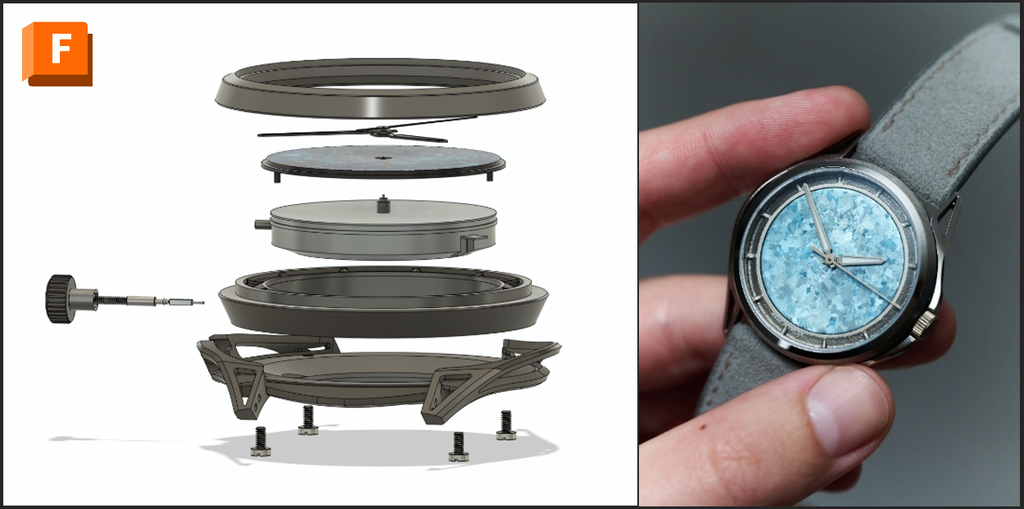
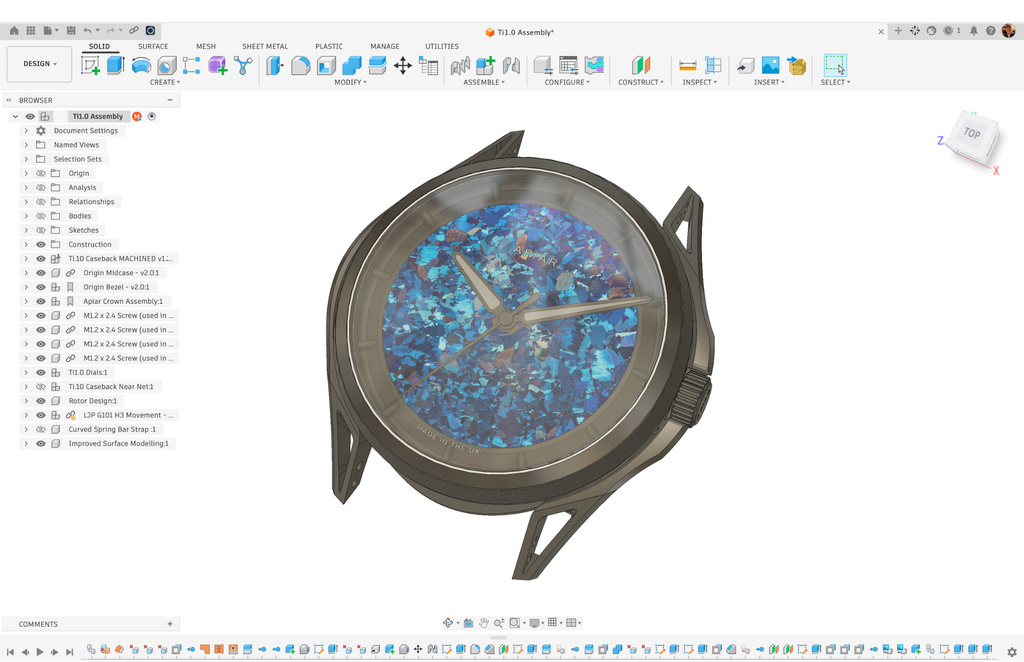
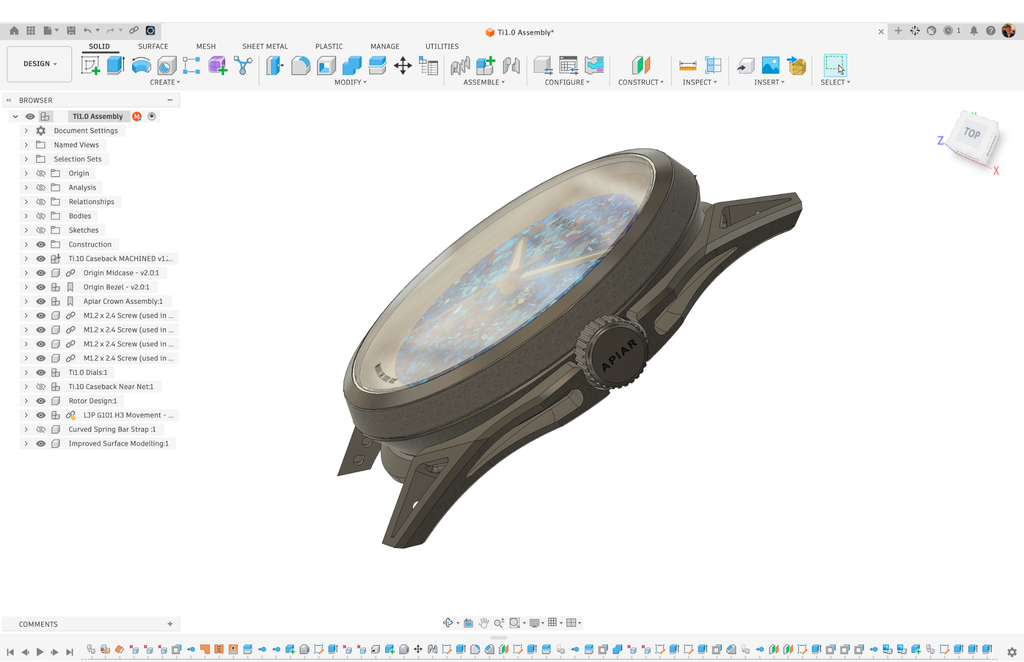
The watch, named Ti1.0 Crystalline Ice, was designed entirely by Apiar in Autodesk Fusion and contains more than 100 bodies. Coordinating work across multiple design tools can be challenging, and keeping track of versions can quickly become a nightmare. Fusion brings teams together on a connected cloud platform, supporting collaborative editing alongside automatic version tracking and design history.
Additive Manufacture: Build Preparation
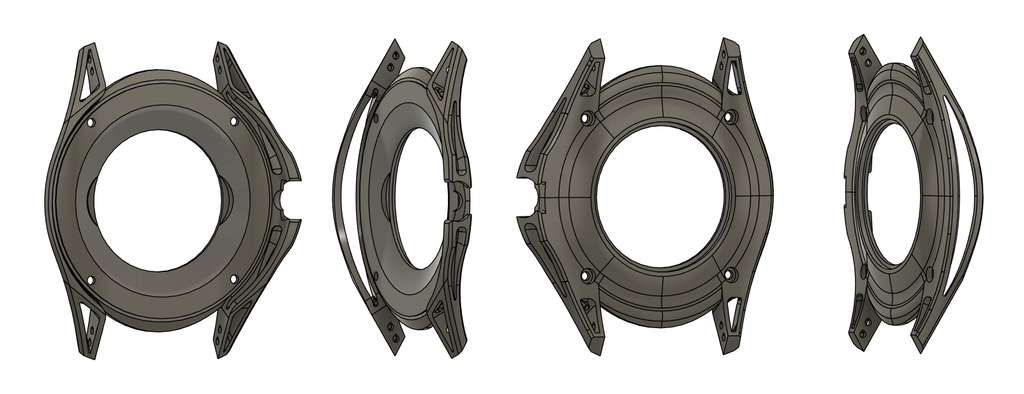
The caseback, midcase, and buckle were all additively manufactured, subtractively machined, and hand-polished. However, this story will focus on the caseback’s journey from design to final assembled product.
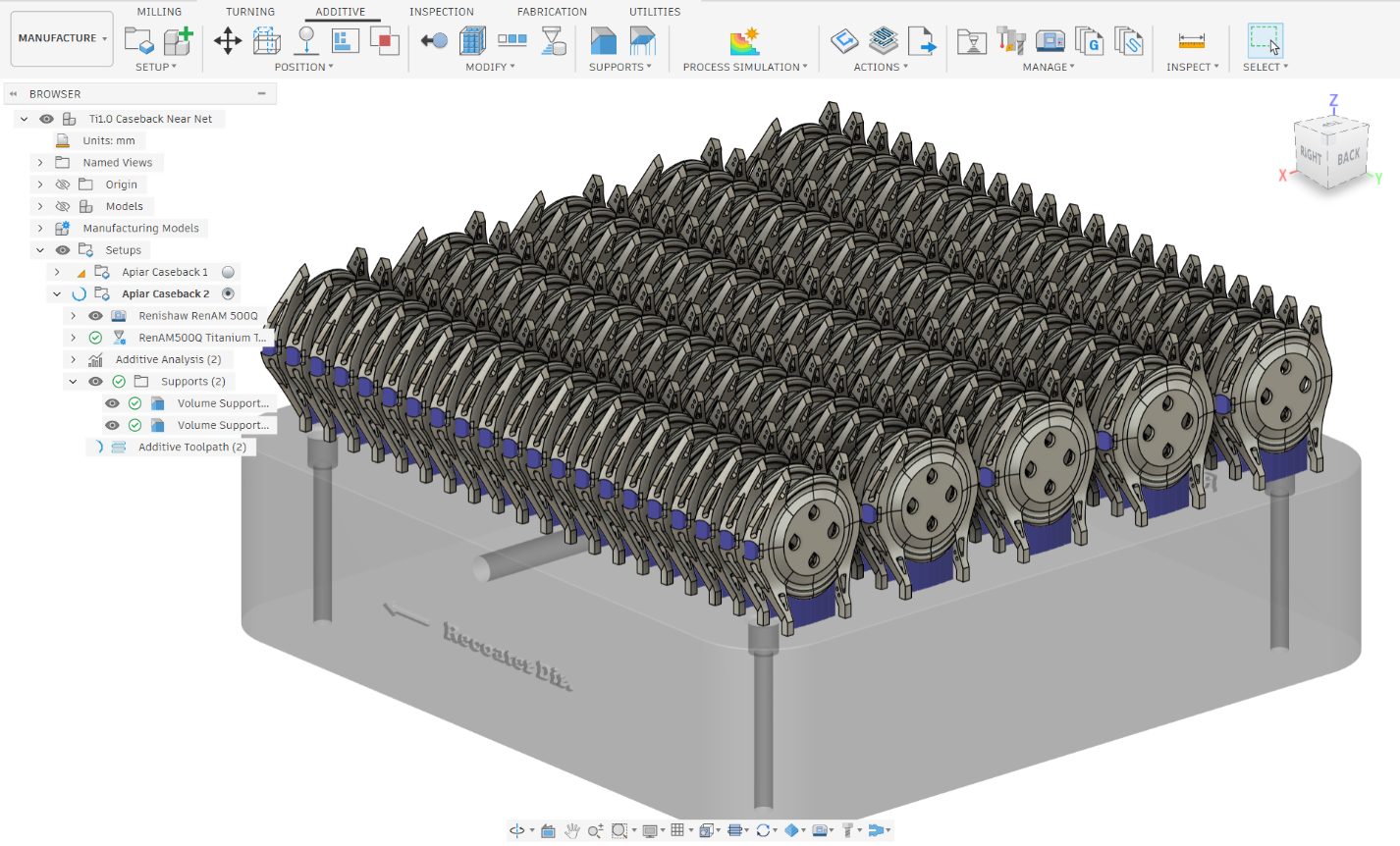
Preparation for additively manufacturing the caseback began by navigating to the Manufacture workspace in Fusion and selecting the Renishaw 500Q LPBF machine, along with the relevant titanium print setting containing the build parameters.
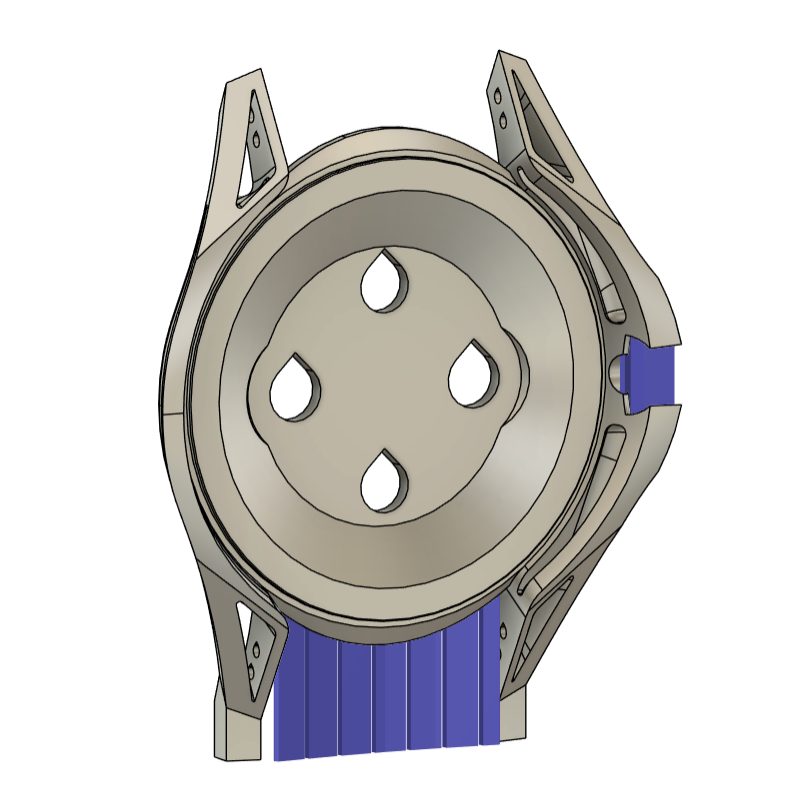
Next, support structures were applied where required. The supported casebacks were then duplicated across the build platform, fitting as many as possible to maximise build efficiency.
The additive manufacturing was carried out by Apex Additive Technologies, a company specializing in advanced additive manufacturing and parameter development.
Additive Manufacture: Parameter Optimisation
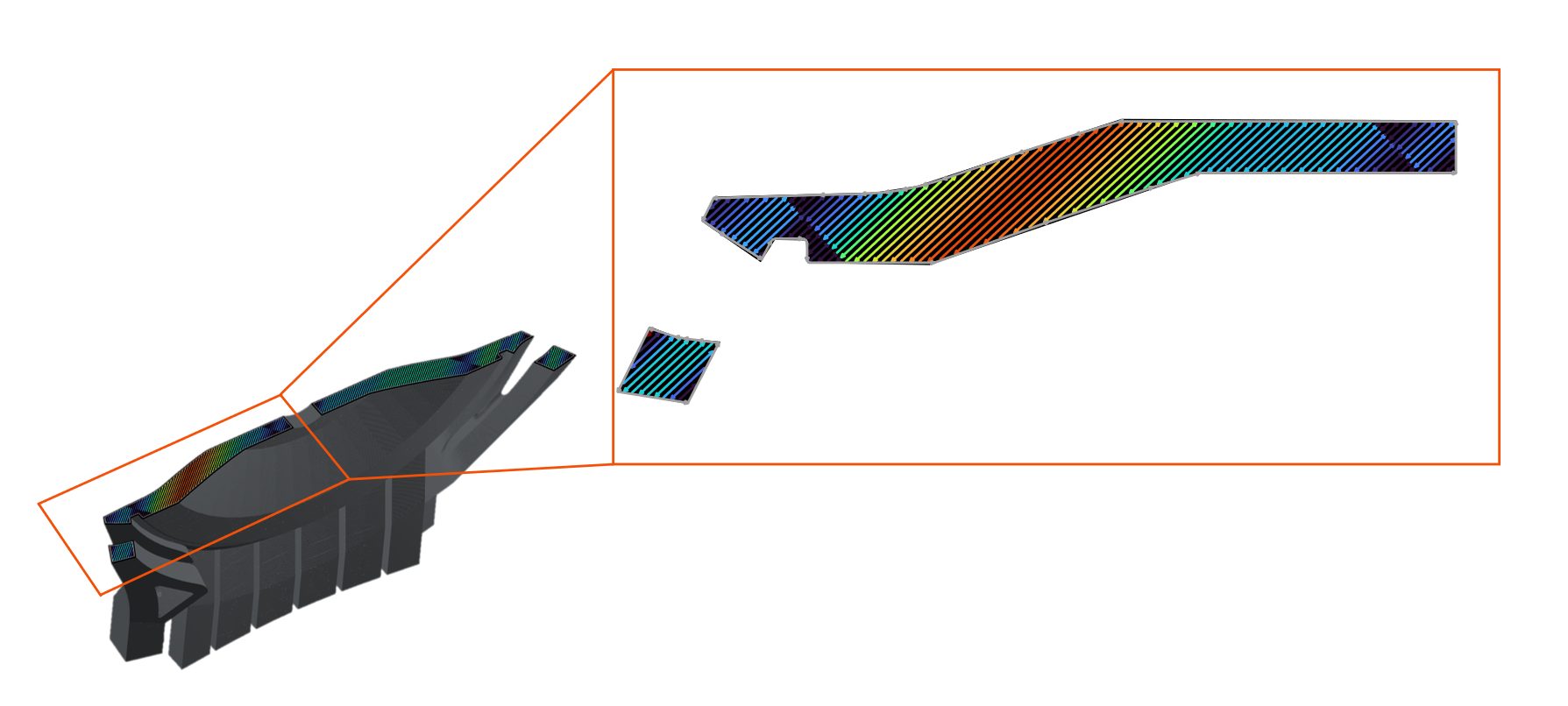
Fusion ships with buildstyles for a wide range of machine manufacturers, tested and ready to go. In this case, we wanted to apply a new feature: vector-level power optimisation.
The vector-level power optimisation was developed alongside Apex, relying on their process expertise and knowledge. The feature was programmed in the Autodesk Advanced Toolpath Utility (ATU) for Fusion, a standalone tool with a JavaScript interface for creating and adapting buildstyles. This optimization adjusts the power level on a per-vector basis to reduce thermally induced stresses that can contribute to build failures and part defects.
“Being a software company, it’s fantastic to work with Apex. Since they are the process experts and they can check if we are working within the optimum process window.”
—Thomas Stock, Additive Product Owner, Autodesk
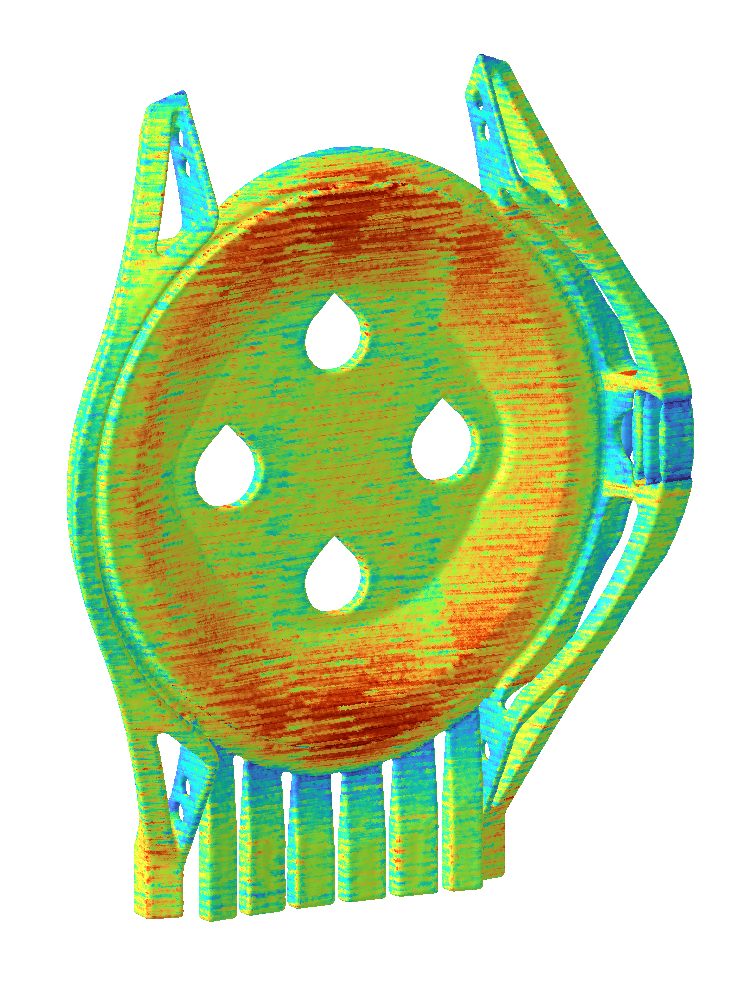
“With Autodesk Fusion, we (Apex) are able to go through all of our stages. So developing for a right from the beginning with support structures, with parameter development and also with novel scanning strategies. So where we encounter problems, perhaps in a thin-wall component, we’re able to use some updated and advanced scanning techniques to avoid porosity inside a part. And those are all enabled through the Autodesk Fusion system.”
—Jono Munday, Process and Applications Director, Apex Technologies.
Finally, the parts are additively manufactured by Apex Additive Technologies at its facility in Ebbw Vale, Wales. Apex develops its own process parameters and uses rigorous process controls and fully traceable workflows to support quality assurance throughout production.
Subtractive Manufacture
With the caseback printed and support structures removed, the next step was to subtractively machine it. In Fusion, this can simply be done within the same project by selecting a machine and tool.
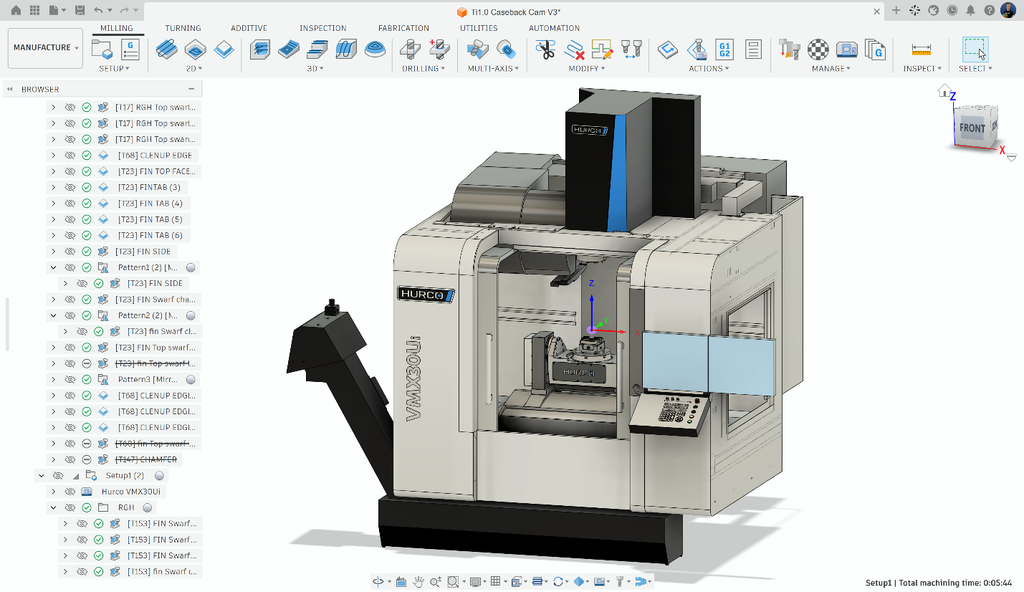
However, machining additively manufactured parts can be notoriously difficult: fixturing, geometry distortion, and organic shapes all add complexity. Silvey Engineering, the company responsible for machining Apiar’s parts, understood the challenge and brought 50 years of experience to the task:
“For us, Fusion has been an absolute breath of fresh air.”
—Tom Silvey, Director, Silvey Engineering.
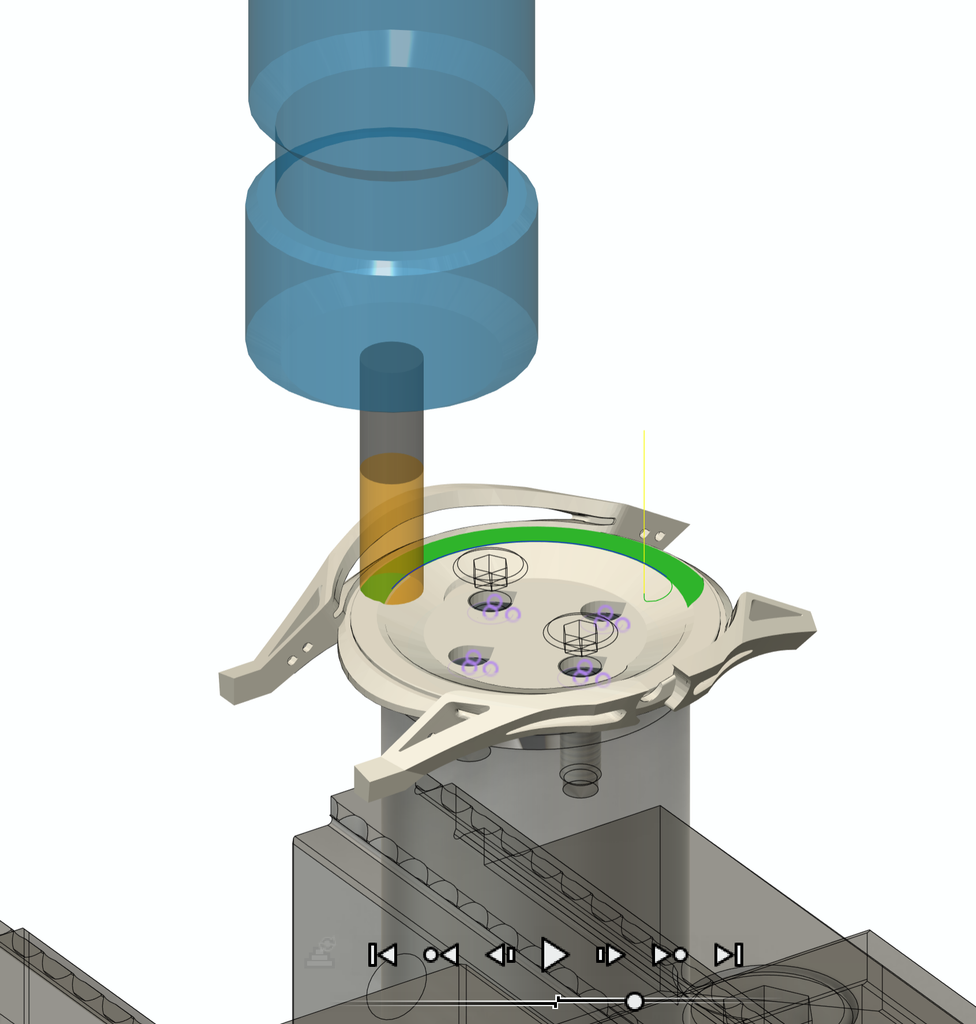
A complex part like the caseback can require 40 or more individual toolpaths. Simulating them as a complete sequence is crucial, especially on multi-axis machines, and toolpaths often need manual refinement. Fusion lets machinists refine toolpaths and simulate the setup—including machine movements and potential collisions—before cutting, helping them spot issues and improve the process ahead of production.
“…the simulation side of it is incredibly important, especially on parts like the Apiar watch. Because the free form geometry and surfaces means that multi -axis machine tools can do some quite crazy things when you haven’t simulated it.”
—Tom Silvey, Director, Silvey Engineering
Polishing and assembly
With all the watch components manufactured, the final stage is hand-polishing and then assembly. The cases are put through a multi-stage hand-finishing process, where the whole case is micro-blasted, giving the titanium a matte texture. The side profile of the case is then precision ground, giving a fine brushed finish. The top chamfers flowing along the lugs of the case are lapped and then highly polished, allowing the titanium to catch the light.
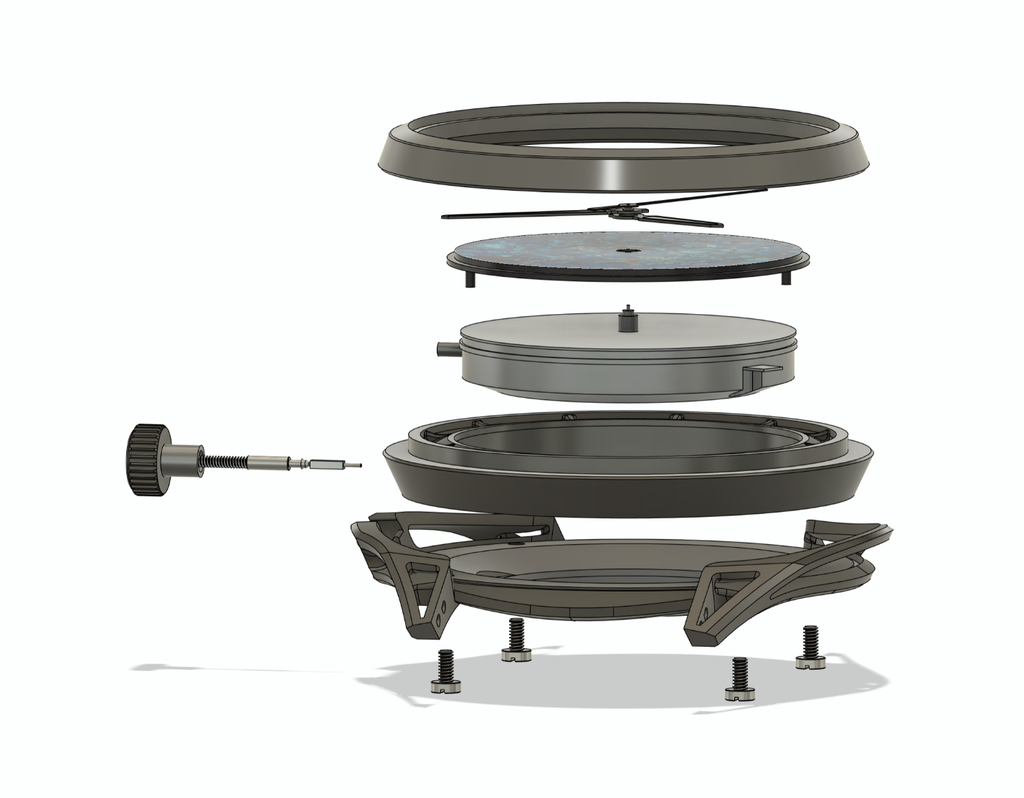
Finally, a professional watchmaker assembles the watch with the movement, which keeps time and drives the hands.