 Martin Weismann
Use AI agents with Autodesk Fusion in the cloud. Fusion Compute MCP enables CAD, CAM, electronics, assemblies, exports, and manufacturing workflows through Claude, Antigravity, VS Code, Codex, and other MCP-compatible tools.

Elevate your design and manufacturing processes with Autodesk Fusion
We are excited to announce the public beta of the Fusion Compute MCP! This cloud service makes Autodesk Fusion’s design, electronics and manufacturing toolset available to AI agents.
Point your MCP-capable AI assistant at the Fusion Compute MCP, sign in with your Autodesk account, and your agents can get to work. Your Fusion desktop client stays free the whole time, for you to get on with other work or to review what the agents have done.
What is the Fusion Compute MCP?
Model Context Protocol (MCP) is an open standard for connecting AI applications to external tools and data. It is a way for an agent to discover what a system can do and then do it, rather than only describe it.
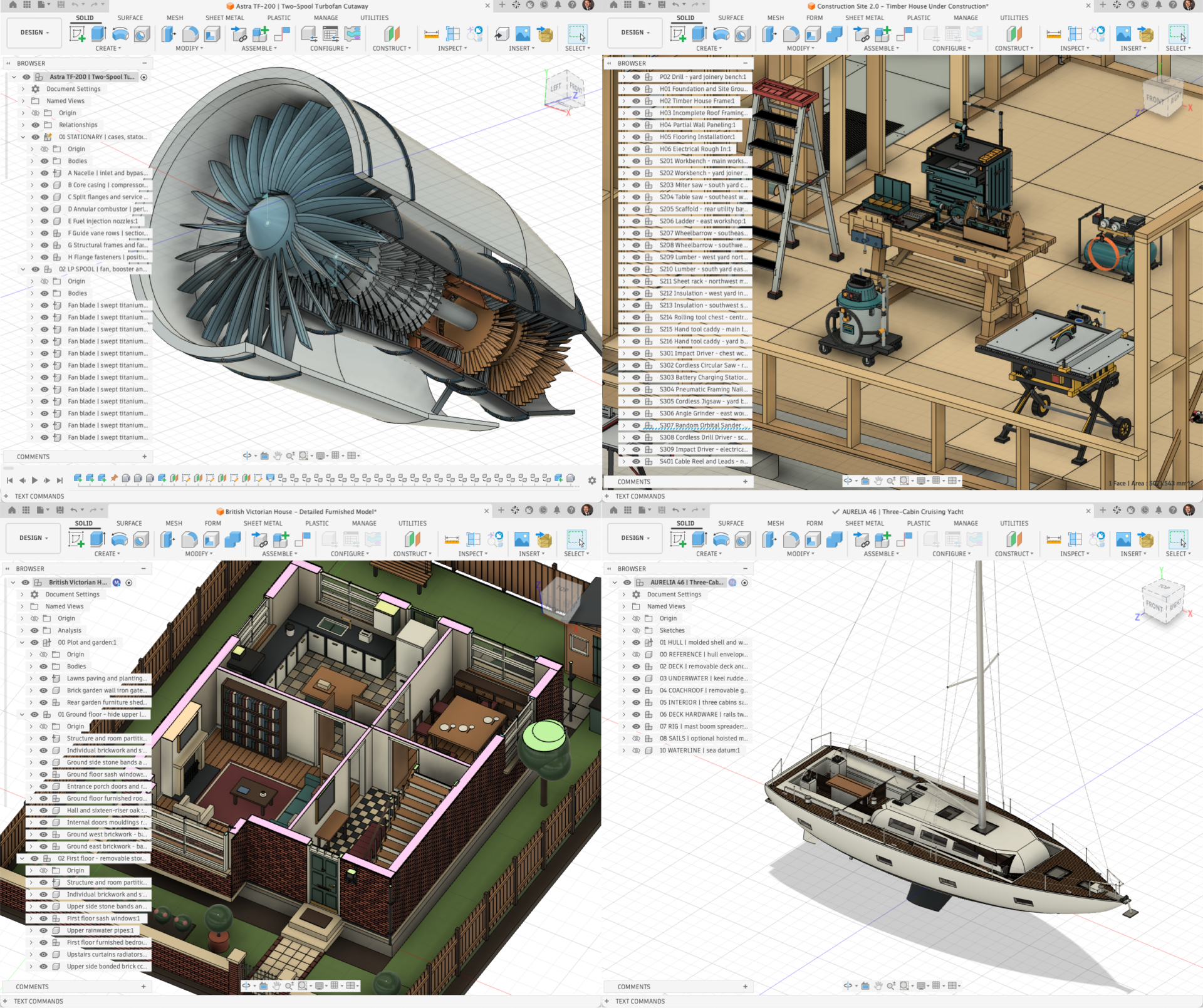
The Fusion Compute MCP is a cloud-hosted MCP server that exposes Fusion through that standard. More than 7,000 endpoints behind a single execute tool are exposed via Fusion’s TypeScript API. Almost anything you can do in Fusion on the desktop, an agent can now run in the cloud – directly on your design and manufacturing documents.
An agentic session starts in mere seconds and can be used for up to an hour without restarting. In it, an agent can do the following:
- Parametric modeling: create, read, update and delete sketches and features: extrusions, revolves, fillets, chamfers, patterns.
- Manufacturing: setups, CAM templates, toolpaths and posted NC code.
- Assemblies: components, occurrences, transforms and joints.
- Documents and export: open, save and browse hubs and projects in Fusion Team; export STL or STEP with a browser-viewable link.
See it in action
From image to parametric model
A single prompt “create a configurable, parametric 3D model of a wooden cabinet like this rendering” and the agent builds the carcass, shelves, doors and drawers, then swaps the solid doors for glass panes and applies the appearances. The result is not a mesh or a one-shot export: it is a native Fusion design with real feature history and tuneable design parameters, saved to Fusion Team and ready to be configured and customized.
Part design, mold design and toolpaths in one session
We task an agent to design a two-part injection molded enclosure for a single board computer. The agent works through the design: a finned heat-sink lid, GPIO slot, screw counterbores, port cutouts on the split line. It then saves it to Fusion Team, builds a family mold with core and cavity, then programs the CAM: face, adaptive roughing and parallel finishing on both plates. The toolpaths generate in about six and a half seconds.
That is a design-to-manufacturing chain that normally requires several people over several days, now driven end to end from a chat window.
Multiple AI agents working in parallel
The model is an autonomous robotic lawnmower with around 1,100 colored parts. Asked for five color layout options, the agent audits the existing color scheme, then fans the work out to four parallel sub-agents, each with its own Fusion cloud instance: 234 bodies recolored apiece, while it takes the fifth itself. A single compile agent turns the five renders into a side-by-side comparison report with a recommendation.
Three Fusion MCP servers
This is the third MCP server for Fusion, and each one does a different job:
- Autodesk Fusion MCP drives the Fusion desktop client running on your machine. Real-time, local and focussed on performing design and make actions.
- Autodesk Fusion Data MCP manages the data around your designs: hubs, projects, folders, permissions, properties and metadata.
- Autodesk Fusion Compute MCP drives one or multiple Fusion sessions in the cloud. You don’t hand over your Fusion subscription to an agent; instead each agent gets their own Fusion environment to work in.
A note on AI models
The Fusion Compute MCP provides the environment and the tools, not the intelligence. I.e. what an agent accomplishes here depends on the model driving it. Models are improving month over month, so it is worth re-trying anything that did not work for you earlier in the year.
Access and limits during the public beta
This public beta gives you limited access so we can learn how people use the service before we scale it. Today that means:
- Two concurrent sessions per user
- One hour maximum session length, and sessions stop after 15 minutes idle
- Sessions queue when the service is at capacity; this is expected, not an error
Sessions are temporary: anything you want to keep must be saved to Fusion Team or exported before the session ends.
Expect these limits to change.
How to get started
You will need an Autodesk account, an active Fusion licence, and a Fusion Team hub. Then:
- Connect your MCP client of choice to
https://developer.api.autodesk.com/da/v3/mcp/fusion. - Ask your agent to start Fusion and design a model.
- More details, feedback and support: Autodesk Fusion Compute MCP documentation
Stay tuned for more updates and innovations as we continue to push the boundaries of design and manufacturing automation.
Frequently asked questions
Model Context Protocol (MCP) is an open standard that allows AI applications to connect to external tools, systems, and data sources. Instead of only generating text, an AI agent can discover available capabilities and perform actions through MCP-enabled services.
Engineering workflows require more than information retrieval. Designers and manufacturers need AI systems that can create geometry, modify designs, generate toolpaths, manage project data, and automate workflows. MCP servers provide a standard way for AI agents to interact with these engineering tools and services.
Traditional APIs are designed for developers to integrate software applications. MCP is designed for AI agents and large language models, allowing them to discover available tools, understand how they should be used, and execute actions as part of a larger workflow.
Potential applications exist across manufacturing, aerospace, automotive, industrial equipment, consumer products, medical devices, architecture, and construction. Any industry that relies on digital design and engineering data may benefit from AI systems that can interact directly with CAD, CAM, simulation, and data management platforms.
Fusion Compute MCP is a cloud-hosted Model Context Protocol server that allows AI agents to interact with Fusion’s design, electronics, assembly, document, and manufacturing capabilities without requiring a local Fusion installation.
Fusion Desktop MCP interacts with a Fusion client running locally on a user’s machine. Fusion Compute MCP runs Fusion sessions in Autodesk’s cloud infrastructure, allowing AI agents to perform work independently without occupying the user’s desktop environment.
AI agents can perform tasks such as parametric modeling, assembly creation, manufacturing setup generation, CAM programming, document management, file exports, and project management workflows within Fusion-supported environments.