 Christa Prokos
Learn the difference between an engineering BOM (eBOM) and manufacturing BOM (mBOM), how BOM data flows from design to production, and how Fusion and Fusion Manage help keep teams aligned.

Elevate your design and manufacturing processes with Autodesk Fusion
Product development rarely breaks down because engineers can’t design a product. It breaks down because information gets disconnected.
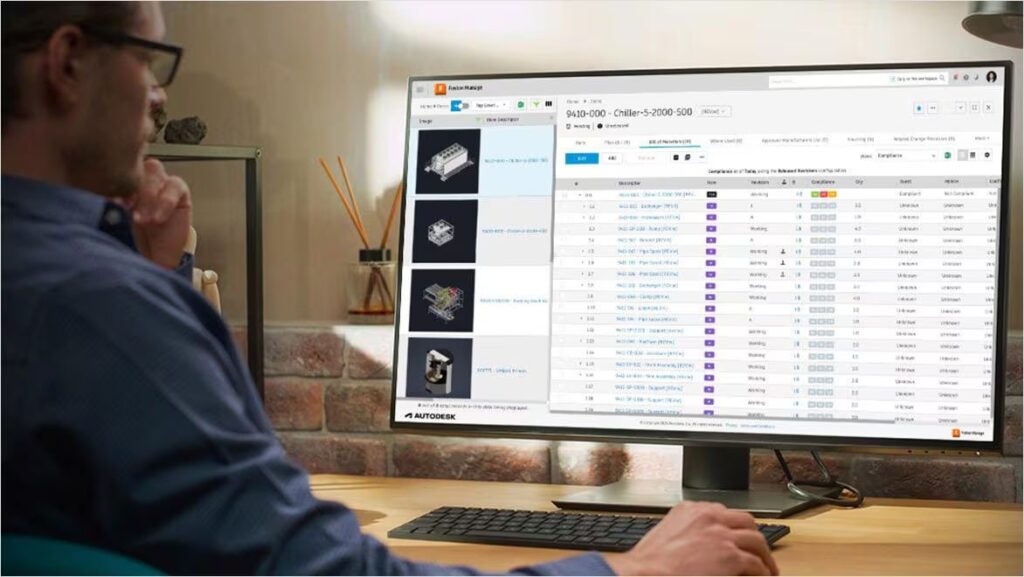
Engineering releases a design update. Manufacturing never sees it. Purchasing orders parts for the wrong revision. Production builds from an outdated assembly structure. Suddenly, a change that took minutes to make in CAD costs days or weeks to correct on the factory floor.
At the center of many of these issues are two versions of the same product: the engineering bill of materials (eBOM) and the manufacturing bill of materials (mBOM).
Both describe the product. Both are necessary. But they serve different purposes, are owned by different teams, and often live in different systems.
When engineering and manufacturing operate in separate software environments, BOM data often moves through spreadsheets, exports, emails, and manual updates. Every handoff introduces opportunities for delay, errors, and version conflicts.
Modern product development platforms take a different approach. Instead of treating the BOM as a document that gets passed between teams, they treat it as connected product data that evolves throughout the lifecycle of the product.
Understanding the relationship between the eBOM and mBOM is the first step toward improving that process.
What is an engineering BOM (eBOM)?
An engineering bill of materials (eBOM) represents a product exactly as it is designed.
It is the design-intent BOM that engineering teams use to define what a product is made of, how assemblies relate to one another, and what components are required to create the final design.
An eBOM is typically organized around the CAD assembly structure and contains information such as:
- Part numbers
- Component descriptions
- Material specifications
- CAD attributes
- Quantities
- Revision information
- Design-related metadata
Because the eBOM mirrors the product’s design structure, it is generally owned by engineering and product development teams.
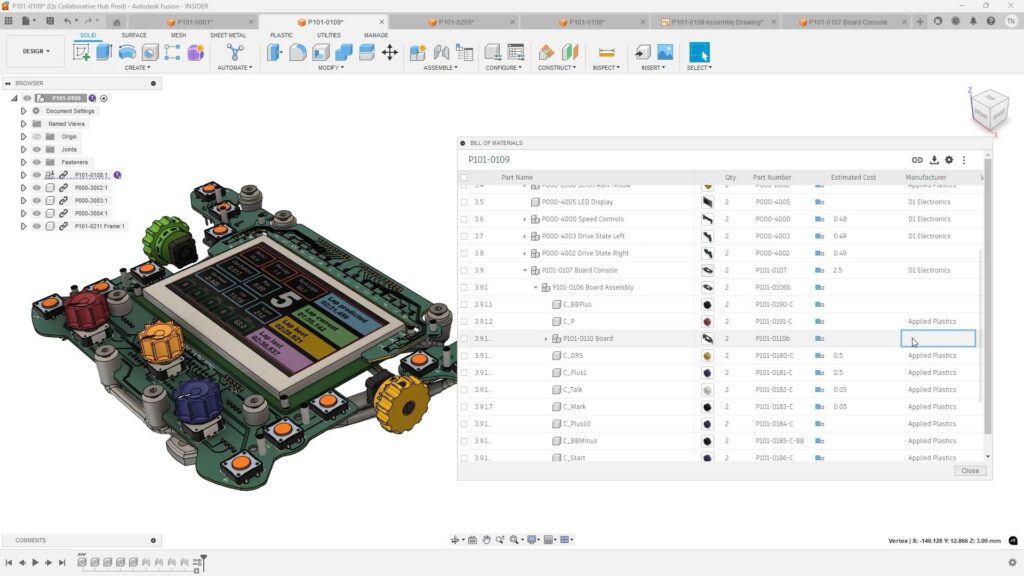
In Autodesk Fusion, the eBOM is generated directly from the product model. Components, assemblies, quantities, and attributes are derived from the design itself, helping ensure that the BOM reflects the current state of the product without requiring duplicate data entry.
In many traditional environments, engineers export CAD data into separate BOM management systems. Every export creates the possibility that the BOM and the model drift out of alignment.
If a design changes but the BOM isn’t updated, manufacturing may be working from outdated information before anyone realizes a discrepancy exists.
The closer the BOM stays to the source design, the lower the risk of those errors.
What information belongs in an eBOM?
A typical engineering BOM includes:
- Mechanical components
- Purchased parts
- Electronics assemblies
- Raw materials
- CAD-driven quantities
- Engineering part numbers
- Revision status
- Design documentation references
Its purpose is to answer a simple question: What did engineering design?
What is a manufacturing BOM (mBOM)?
A manufacturing bill of materials (mBOM) represents a product as it will be built. While the eBOM reflects design intent, the mBOM reflects production reality.
Manufacturing teams reorganize product data to support procurement, assembly, production planning, and factory execution. As a result, the structure often differs significantly from the engineering BOM.
An mBOM may include:
- Manufacturing assemblies
- Production sequences
- Work centers
- Routing information
- Phantom assemblies
- Approved alternates and substitutes
- Raw material consumption
- Packaging requirements
- Manufacturing instructions
Manufacturing engineering and production planning teams typically own the mBOM because their responsibility is not designing the product. Their responsibility is building it efficiently, consistently, and at scale.
This is why the mBOM is not simply a renamed eBOM.
A single engineering assembly may become multiple manufacturing assemblies. Components may be grouped differently. Production steps may require additional structures that never appear in CAD.
An mBOM answers a different question: How will we build it?
eBOM vs mBOM: Key differences
| Dimension | eBOM | mBOM |
|---|---|---|
| Organized By | Design intent | Manufacturing process |
| Owned By | Engineering | Manufacturing |
| Purpose | Define the product | Build the product |
| Structure | CAD assembly hierarchy | Production sequence |
| Contains | Parts, materials, specifications | Work centers, operations, substitutes |
| Driven By | Engineering revisions | Manufacturing changes |
| Primary Systems | CAD / PDM / PLM | ERP / MES / PLM |
| Autodesk Solution | Fusion | Fusion Manage |
Why the eBOM-to-mBOM handoff is where most teams break down
Organizations often focus on CAD efficiency while overlooking what happens after a design is released.
This is where many BOM-related problems begin. Let’s consider this scenario:
Engineering maintains the eBOM in its design system.
Manufacturing manages the mBOM in ERP.
Between those environments sits a collection of spreadsheets, exports, and manual updates.
An engineer releases a design revision.
The manufacturing team doesn’t discover the change until days later.
Purchasing has already ordered components.
Production schedules have already been planned.
Now everyone is working to reconcile conflicting information.
The issue isn’t the quality of the engineering work. The issue is the handoff.
The longer and more manual the handoff process becomes, the greater the opportunity for misalignment between engineering and manufacturing.
This challenge becomes increasingly difficult as organizations grow, products become more complex, and supply chains become more distributed.
How Autodesk Fusion manages the eBOM
Fusion approaches BOM management from the design side first.
Because the BOM is tied directly to the product model, the assembly structure, part quantities, and component relationships remain connected to the design.
Benefits include:
A CAD-driven eBOM
The BOM is generated from the assembly hierarchy rather than manually created in a spreadsheet.
Revision traceability
Every BOM state can be associated with a design version, making it easier to understand what changed and when.
Connected collaboration
Engineering teams working within a shared Fusion project can collaborate around a common product record rather than maintaining separate copies of BOM files.
Reduced manual data entry
When design data and BOM data originate from the same source, teams spend less time validating exports and reconciling inconsistencies.
How Fusion Manage handles the mBOM and ERP integration
Design data alone is not enough to run manufacturing operations. Organizations also need workflows that govern approval, release, change management, and production planning.
This is where Fusion Manage enters the process. Fusion Manage helps organizations transform engineering data into production-ready information by providing:
- Workflow management
- Change management
- Approval processes
- Revision control
- ERP connectivity
- Cross-functional collaboration
A typical flow looks like this:
- Step 1 – Engineering creates the eBOM: Design information originates inside Fusion.
- Step 2 – Manufacturing creartes the mBOM: Manufacturing engineering restructures the design BOM to match production requirements.
- Step 3 – Review and approval: Teams review changes through formal workflow and change processes.
- Step 4 – ERP synchronization: Approved manufacturing data can flow into ERP systems to support purchasing, planning, and production execution.
- Step 5 – Ongoing change management: When engineering releases a design change, manufacturing can evaluate the impact before changes reach production.
The result is a connected process that helps reduce the need for duplicate data entry across systems.
Preventing version conflicts across teams
Version conflicts are usually caused by people working from different information.
A design team may be using Revision C while manufacturing is building Revision B. Procurement may have ordered Revision A.
The solution requires more than version history. Organizations need:
- Revision control
- Release management
- Approval workflows
- Role-based permissions
- Change management processes
When these controls are embedded into the product lifecycle process, organizations reduce the risk of departments operating from conflicting versions of the truth.
For manufacturers, that can mean fewer delays, fewer production interruptions, and fewer costly mistakes.
How to choose the right BOM management software
A useful question is not:
“Which BOM tool has the most features?”
Instead ask:
“How much manual reconciliation exists between engineering, manufacturing, and ERP systems today?”
If your teams spend hours comparing spreadsheets, exporting BOMs, and tracking revisions across multiple systems, the challenge is often workflow continuity rather than missing functionality.
The strongest BOM solutions don’t just manage parts lists. They connect the entire process from product design through manufacturing release.
Fusion and Fusion Manage are designed to work together across that workflow.
Fusion serves as the engineering source of truth, generating the eBOM directly from the product design and maintaining a clear connection between the CAD model, components, attributes, and revisions.
Fusion Manage extends that data into manufacturing and business processes. Manufacturing teams can transform the eBOM into an mBOM, manage change orders and approvals, track revisions, and connect approved BOM data with downstream ERP systems.
Together, they help create a continuous digital thread from engineering through production, reducing manual handoffs and making it easier to keep teams aligned around a common product definition.
Choose Fusion + Fusion Manage if you:
- Use Fusion for product design
- Need both eBOM and mBOM management
- Want formal ECO and approval workflows
- Need BOM traceability from engineering through production
- Require ERP integration for planning and procurement
- Want to reduce spreadsheet-based BOM management and manual data entry
Ultimately, the best BOM management software is the one that helps engineering, manufacturing, and business systems stay connected, ensuring product information remains accurate as designs evolve and move toward production.