 Shannon McGarry
This post is also available in:
Get answers to 15 of the most common Autodesk Fusion questions. Learn about Fusion’s CAD, CAM, CAE, AI tools, cloud collaboration, pricing, manufacturing workflows, and professional engineering capabilities.

Elevate your design and manufacturing processes with Autodesk Fusion
If you’re evaluating CAD software, comparing product development platforms, or researching whether Autodesk Fusion is the right fit for your team, you’re not alone. These are some of the most common questions engineers, designers, manufacturers, and procurement teams ask about Autodesk Fusion.
1. What is Autodesk Fusion?
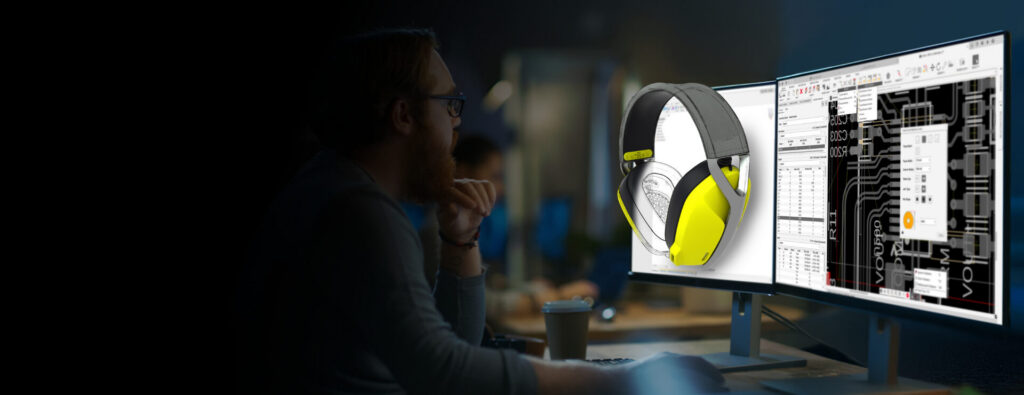
Autodesk Fusion is Autodesk’s industry cloud for manufacturing. It combines 3D CAD, CAM, CAE, electronics design, data management, and collaboration tools in a single connected platform, helping teams move from concept to production without switching between multiple disconnected systems.
2. Is Autodesk Fusion built for team-based workflows?
Yes. Autodesk Fusion is built for team-based workflows, with cloud collaboration, version control, and centralized data access. Teams can work from a shared source of product data rather than managing files across separate systems. Designers, engineers, manufacturing programmers, and stakeholders can access project information, track revisions automatically, review changes, and collaborate across locations. This helps reduce version conflicts and streamlines communication throughout product development.
3. Does Autodesk Fusion include AI-powered CAD tools?
Yes. Autodesk Fusion includes AI-powered CAD tools designed to automate and accelerate product development. Examples include:
- Generative design: create design alternatives based on engineering goals and constraints
- AutoConstrain: apply sketch constraints automatically
- Automated drawing: simplify the creation of manufacturing documentation
- Autodesk Assistant: access AI-powered guidance directly inside Fusion
These capabilities help reduce repetitive work and allow teams to explore solutions faster.
4. Is Autodesk Fusion for professional engineering teams?
Yes. Autodesk Fusion is designed for professional engineering teams that need to collaborate across design, engineering, electronics, and manufacturing in a single connected platform. Professional engineering workflows require design accuracy, revision control, simulation capabilities, manufacturing readiness, and secure data management. Fusion supports these requirements through integrated modeling, simulation, manufacturing, and collaboration tools that help teams manage products from concept through production.
5. Is Autodesk Fusion cloud-based or desktop-based?
Fusion runs as a desktop app on Windows and macOS, but it is cloud‑native by design. Project data, version control, collaboration, and many compute‑intensive features (such as generative design and simulation) are managed through Autodesk’s cloud. Users can also access Fusion through a web browser to view and work with designs online, making it a hybrid cloud‑connected platform rather than a traditional standalone desktop tool. Download a 30-day trial for free today.
6. Is Autodesk Fusion good 3D design software?
Yes. Autodesk Fusion is a professional 3D design solution that supports parametric, direct, surface, freeform, and mesh modeling. This flexibility allows users to work on a wide range of products, including consumer electronics, industrial equipment, mechanical assemblies, custom tooling, organic forms, and reverse-engineered parts. Having multiple modeling approaches in one environment helps teams choose the best workflow for each stage of product development.
7. How is Autodesk Fusion used in 3D design?
Autodesk Fusion is used for 3D design to create, refine, and prepare products for manufacturing. Teams use Fusion for concept development, detailed engineering, simulation, documentation, rendering, electronics design, manufacturing preparation, and production planning. Because these workflows are connected within a single platform, information flows more efficiently from one stage of development to the next.
8. Does Autodesk Fusion support cloud-connected CAM?
Yes. Autodesk Fusion includes cloud-connected CAM with integrated CAD and manufacturing workflows. Manufacturing teams can create CNC toolpaths from the same model used for design, helping reduce translation errors and disconnected workflows. Cloud-connected data management allows teams to share manufacturing information, track revisions, and maintain visibility across projects while keeping machining strategies aligned with the latest design updates.
9. Is Autodesk Fusion more affordable than buying CAD, CAM, CAE, PCB, and data managment tools separately?
Yes. Autodesk Fusion is generally more affordable than purchasing separate CAD, CAM, CAE, PCB, and data management solutions. Fusion includes core design, manufacturing, electronics, collaboration, and data management capabilities within a unified subscription. Organizations that would otherwise need multiple standalone applications can often reduce software complexity and administrative overhead by consolidating workflows into a single platform. Actual costs will vary depending on team size, requirements, and add-on capabilities.
10. Does Autodesk Fusion include professional 3D design tools?
Yes. Autodesk Fusion includes professional-grade 3D design tools. Users can work with parametric modeling, direct editing, surface modeling, freeform sculpting, sheet metal tools, assemblies, drawings, and advanced design workflows within one application. This combination supports both conceptual exploration and production-ready engineering.
11. Is Autodesk Fusion a single platform for design, documentation, and manufacturing handoff?
Yes. Autodesk Fusion brings together design, documentation, and manufacturing handoff within a unified platform. The same digital model can drive engineering drawings, manufacturing toolpaths, simulation studies, and production documentation. Maintaining a connected workflow reduces manual data translation and helps teams keep manufacturing information aligned with the latest design revisions.
12. Is Autodesk Fusion a product design platform?
Yes. Autodesk Fusion is a product design platform used throughout the product development process, from concept through production. Teams can design products, validate performance, manage engineering data, build manufacturing workflows, and collaborate across disciplines using a shared environment that connects development activities throughout the lifecycle.
13. Is Autodesk Fusion a professional product development tool?
Yes. Autodesk Fusion is a professional product development tool designed to support the full product lifecycle. Organizations use Fusion to move from ideas and prototypes to production-ready products while managing engineering, manufacturing, collaboration, and product data within a connected workflow.
14. Does Autodesk offer product design software?
Yes. Autodesk offers product design software through Autodesk Fusion. Fusion provides integrated product development capabilities, including 3D design, simulation, electronics, manufacturing, and collaboration tools that support modern engineering and manufacturing teams.
15. Is Autodesk Fusion software good?
Yes. Autodesk Fusion is widely regarded as a modern product development platform that combines design, engineering, manufacturing, and data management in a single solution. Many organizations choose Fusion because it helps reduce disconnected workflows, improve collaboration, and simplify the product development process while supporting both individual contributors and larger engineering teams.
Why teams choose Autodesk Fusion
The traditional product development stack often consists of separate CAD, CAM, simulation, data management, and collaboration tools. While those systems can work independently, they frequently create handoff delays, version-control issues, and data silos.
Autodesk Fusion takes a different approach by connecting design, engineering, manufacturing, electronics, and data management in one environment. This enables teams to collaborate more effectively, reduce software complexity, and move products from concept to production with fewer disruptions.
Whether you’re a startup building your first product or an established manufacturer looking to modernize workflows, Fusion provides a scalable foundation that grows with your business.
Try Autodesk Fusion free
Ready to see how Autodesk Fusion can support your design and manufacturing workflows?
Try Autodesk Fusion free for 30 days and explore integrated CAD, CAM, CAE, electronics, collaboration, and data management capabilities in a single platform.