 Christa Prokos
Learn how BOM management in Autodesk Fusion reduces errors, prevents rework, and keeps design and manufacturing aligned with a single live BOM.

Elevate your design and manufacturing processes with Autodesk Fusion
Errors rarely originate on the shop floor. They often begin earlier, when teams are working from outdated, incomplete, or disconnected bills of materials (BOMs). Even small discrepancies in part quantities, properties, or structure can cascade into procurement mistakes, production delays, and costly rework.

Effective BOM management is one of the most reliable ways manufacturers can reduce errors and improve execution. Autodesk Fusion addresses this challenge by providing a built‑in, collaborative BOM management experience. It connects design, manufacturing, and downstream teams through a single, live source of product data.
Why poor BOM management leads to errors and rework
A BOM is more than a list of parts. It represents design intent, manufacturing requirements, and procurement inputs all at once. When BOM data is fragmented across spreadsheets, emails, and disconnected systems, teams are forced to reconcile conflicting information manually.
Poorly managed BOMs can lead to additional costs, production delays, and downstream errors. On the other hand, well‑managed BOMs improve coordination, cost control, and manufacturing efficiency. Accuracy is critical, because once incorrect BOM data reaches manufacturing or purchasing, fixing it becomes exponentially more expensive.
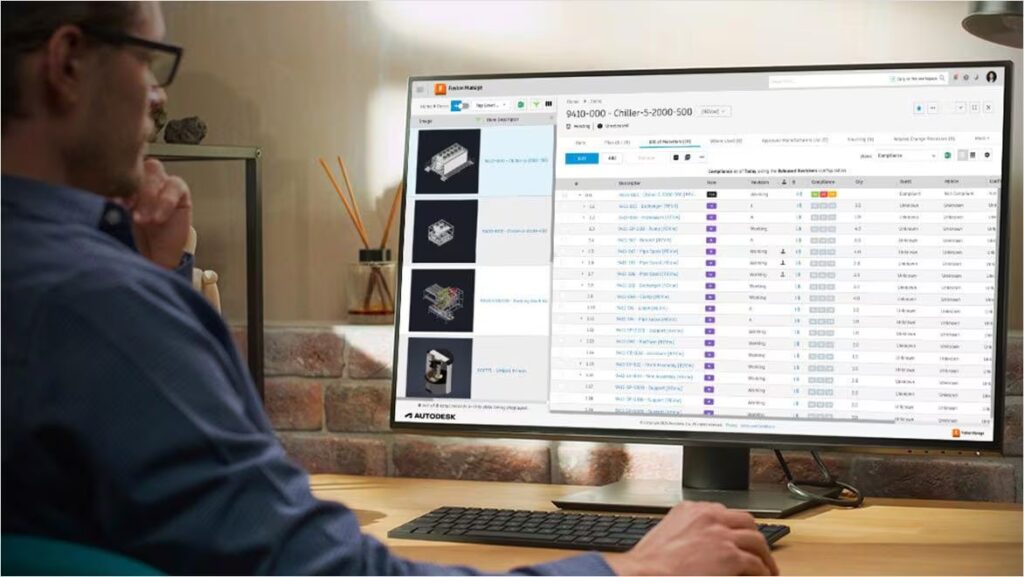
A single, live BOM instead of disconnected versions
One of the core challenges in traditional product development is that different teams often work from different versions of the BOM. Designers, engineers, procurement, and manufacturing each maintain their own copy, creating inconsistencies over time.
Autodesk Fusion addresses this problem by providing a single, live BOM that all stakeholders can access and edit in real time. Built‑in data management and integrated product lifecycle management (PLM) ensure that everyone works from the same authoritative record of the product.
When changes, such as updates to quantities, materials, or part properties occur, those changes are reflected immediately, reducing the risk of teams acting on outdated information.
Collaborative BOM and property editing
With Fusion, multiple users can update BOM properties simultaneously, with changes saved to the cloud and visible to all collaborators in real time. This allows different teams to contribute where they have expertise. For example, engineering can maintain design intent, while procurement updates supplier information or costs, and manufacturing validates quantities or materials. Visual indicators make it clear when values have been modified, helping teams coordinate changes without overwriting each other’s work.
By enabling concurrent editing instead of serialized handoffs, Fusion helps teams move faster while maintaining accuracy.
Built‑in BOM management across the product lifecycle
BOM management in Fusion is not a standalone feature. Fusion supports the management of multiple BOM perspectives, including engineering BOMs and manufacturing‑ready BOMs, while keeping them connected under controlled change processes.
Because BOM data is tied directly to the design and its properties, updates remain traceable throughout revisions. This reduces the likelihood of errors introduced when manually entering data or translating between systems.
Reducing errors by keeping BOM data connected
Errors often arise when BOM data is copied between tools or manually created for downstream use. Fusion minimizes these handoffs by keeping BOM information connected to the source design.
Integrated data management in Fusion ensures traceability and real‑time updates, helping teams avoid the inconsistencies that commonly result in rework during manufacturing. When BOM data stays connected, changes propagate predictably instead of being rediscovered late in the process.
BOM management designed for manufacturing success
Manufacturing success depends on alignment across design intent, materials, quantities, and production requirements. Well‑managed BOMs make that alignment possible by supporting procurement planning, production scheduling, and compliance while minimizing the errors that slow execution.
Autodesk Fusion delivers this alignment through built‑in, collaborative BOM management that replaces static exports and spreadsheets with a single, live record of product data. By keeping design, manufacturing, and procurement teams working from the same up‑to‑date information, Fusion reduces errors early, before they turn into costly rework on the shop floor.