 Jim Byrne
Learn how Autodesk Inventor iLogic helps engineers automate repetitive tasks, create configurable products, reduce errors, and accelerate mechanical design workflows.
Enhance Your Engineering Workflows
Precise, powerful, and ready for innovation with Autodesk Inventor.

What is iLogic in Autodesk Inventor?
iLogic is the built-in rules-based design automation engine in Autodesk Inventor. It allows engineers and designers to create logic-driven models that automatically respond to inputs, parameters, and design requirements without requiring advanced programming knowledge.
iLogic helps transform static CAD models into intelligent designs. Instead of manually updating dimensions, features, assemblies, drawings, or properties every time a requirement changes, designers can create rules that automate those updates.
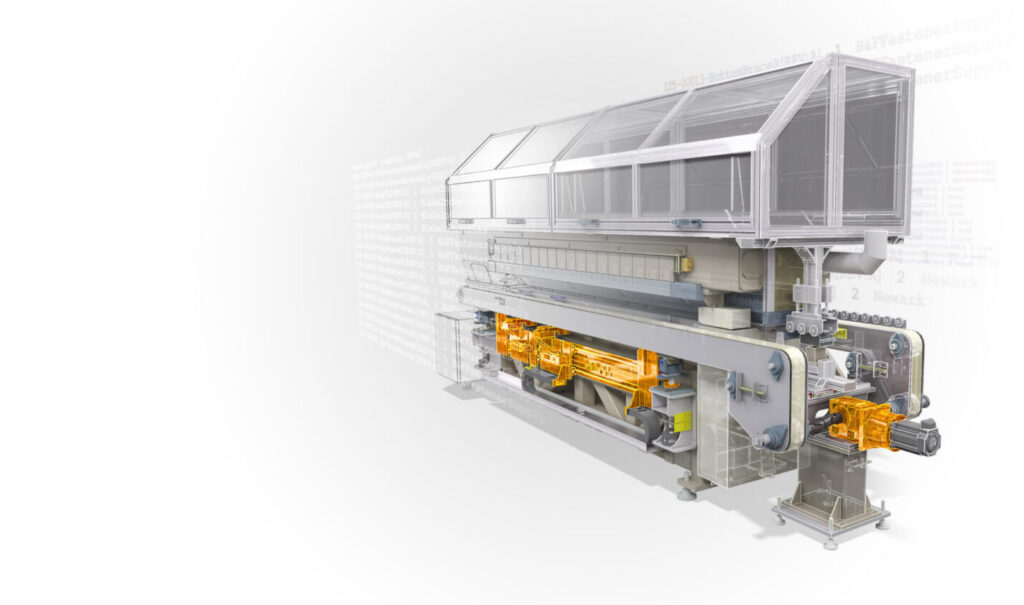
For manufacturers that create configurable products, engineer-to-order solutions, or highly repetitive designs, iLogic can significantly reduce design time while improving consistency and accuracy.
Why was iLogic created?
Many engineering teams spend a surprising amount of time performing repetitive work:
- Updating dimensions across multiple models
- Reconfiguring assemblies for customer-specific requirements
- Filling out drawing title blocks
- Replacing components based on size or configuration
- Managing product variants
iLogic was developed to help engineering teams capture design intent and reusable knowledge so repetitive work happens automatically instead of manually. It’s a way to standardize and automate design processes while making it easier to configure virtual products.
How does iLogic work?
iLogic uses rules, parameters, and forms to drive design behavior.
A rule can evaluate conditions and perform actions automatically. For example:
- If a machine exceeds a certain width, add structural support features.
- If a customer selects a larger conveyor length, automatically resize supporting components.
- If a product configuration changes, update part numbers and drawing information automatically.
When a parameter changes, associated rules can trigger model updates throughout parts, assemblies, and drawings.
Inventor also provides code snippets, forms, and event triggers that make automation accessible even for users who are not software developers.
Common uses for iLogic in Inventor
Product configuration
One of the most popular uses of iLogic is creating configurable products.
Manufacturers that offer products in multiple sizes, lengths, capacities, or options can use iLogic to automate the creation of valid product variants from a single design template. Rather than maintaining dozens or hundreds of CAD files, engineers can manage configuration logic within a centralized model.
Examples include:
- Conveyors
- Industrial equipment
- Stair systems
- Material handling solutions
- Custom machinery
- Building products
Drawing automation
Creating and maintaining documentation can consume significant engineering time.
iLogic can automatically populate title blocks, update drawing information, manage metadata, and ensure consistency across design documentation. This reduces manual data entry and minimizes documentation errors.
Assembly automation
Complex assemblies often require components to change based on design requirements.
Using iLogic, engineers can automatically:
- Replace components
- Suppress or activate features
- Reconfigure assemblies
- Apply design standards
- Drive assembly behavior from user inputs
This helps maintain consistency while reducing manual engineering effort.
Engineering standards enforcement
Many companies have specific naming conventions, design rules, and documentation requirements.
iLogic can help enforce those standards automatically by updating properties, validating inputs, and ensuring compliance with company processes.
“There’s so much power behind iLogic and we just really fell in love with the abilities that it provides. And now every time we start something, the first thought is, ‘how am I going to make this a smart design so that I can apply iLogic to it later on if I need to?”
-JJ Johnson, Chief Operating Officer, Viewrail
Benefits of using iLogic in Inventor
Reduce repetitive work
Design automation frees engineers from routine updates and repetitive modeling activities, allowing them to focus on solving higher-value engineering challenges.
Improve design consistency
Because rules execute the same way every time, designs remain consistent across projects, teams, and product lines.
Minimize errors
Automated updates reduce the risk of human error associated with manual design modifications and documentation updates.
Accelerate engineer-to-order workflows
For companies producing custom solutions, iLogic can drastically shorten configuration and design cycles by automating common design decisions.
Capture engineering knowledge
Instead of relying on tribal knowledge, organizations can embed engineering expertise directly into their models through rules and automation logic.
iLogic and the future of design automation
As manufacturers look for ways to produce more customized products without increasing engineering workload, design automation is becoming increasingly important.
iLogic provides a practical starting point by helping teams automate repetitive work, standardize processes, and create intelligent product configurations directly within Autodesk Inventor.
For many engineering organizations, the path toward digital transformation and AI-assisted engineering begins with something much simpler: capturing engineering knowledge once and letting automation do the repetitive work.
Explore how Autodesk Inventor and iLogic can help your team automate repetitive design work, accelerate engineer-to-order workflows, and deliver custom products faster.
Frequently asked questions
iLogic is a rules-based design automation tool built into Autodesk Inventor that allows engineers to automate modeling, assemblies, drawings, and product configurations using parameters and logic-based rules.
No. Basic iLogic functionality can be used without extensive programming knowledge thanks to forms, snippets, templates, and guided rule creation tools.
Configurable products, engineer-to-order equipment, industrial machinery, building products, and any design that requires repeated modifications benefit significantly from iLogic automation.
Yes. iLogic can automate drawing updates, title blocks, model properties, and related documentation tasks.