 Shannon McGarry
Explore how the Product Design & Manufacturing Collection subscription works, including licensing, access, deployment flexibility, and how teams scale PDMC over time.

Autodesk Product Design & Manufacturing Collection
Solve interesting problems efficiently with the ultimate set of engineering apps.
Learn MorePDMC bundles powerful design and manufacturing tools, offering flexible for teams. This guide dives into the subscription model, access, flexibility, and deployment details around PDMC.
Table of contents
- What is included in the Autodesk Product Design & Manufacturing Collection?
- What kind of subscription is PDMC?
- Who is PDMC best for?
- How much does a subscription to the Autodesk Product Design & Manufacturing Collection cost?
- How much does PDMC save compared with individual subscriptions?
- PDMC or Flex?
- How teams actually deploy PDMC
- Do users have to install everything in PDMC?
- Subscription flexibility as teams grow or change
- Onboarding, training, and adoption
- When does the Product Design and Manufacturing Collection make more sense than buying standalone products?
- PDMC and Vault
- Using PDMC across locations and time zones
- Updates, new tools, and long‑term access
- What happens if a PDMC subscription ends?
- Why many teams choose PDMC as a subscription strategy
- Autodesk Product Design and Manufacturing Collection (PDMC) frequently asked questions (FAQs)
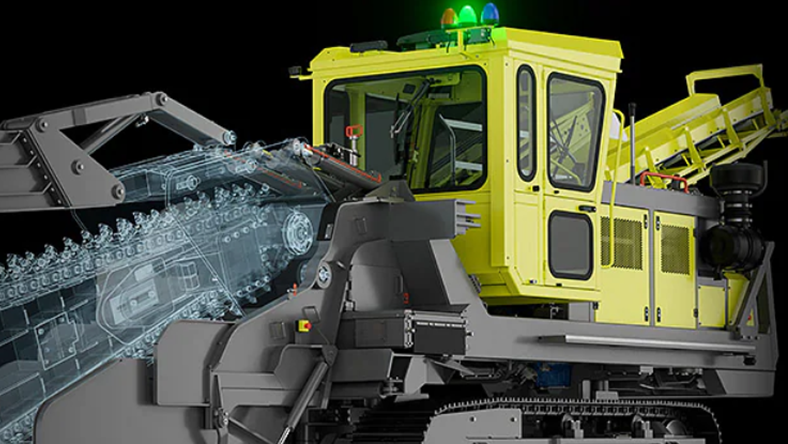
What is included in the Autodesk Product Design & Manufacturing Collection?
What’s Included in Autodesk Product Design & Manufacturing Collection?
Autodesk Product Design & Manufacturing Collection brings together professional engineering, manufacturing, simulation, visualization, and data management tools in a single subscription. Rather than purchasing individual applications separately, organizations gain access to a connected portfolio of software that supports product development from concept through production.
Autodesk Inventor
Professional-grade 3D mechanical design software used for parametric modeling, assemblies, drawings, sheet metal design, weldments, and engineering documentation. Inventor serves as the foundation of many mechanical engineering workflows.
Autodesk Fusion
Fusion is cloud-connected platform that combines CAD, CAM, CAE, PCB design, and collaboration tools to help teams design, engineer, manufacture, and manage products in a connected environment.
AutoCAD
AutoCAD is industry-standard drafting and documentation software that includes specialized toolsets for mechanical, electrical, architecture, map, raster design, and plant design workflows.
Inventor Nastran
CAD-embedded finite element analysis (FEA) software for simulating real-world product performance. Engineers can evaluate stress, vibration, heat transfer, buckling, and nonlinear behavior before physical prototypes are built with Inventor Nastran.
Inventor Tolerance Analysis
Tolerance stack-up analysis software that helps engineers understand how manufacturing variation affects product fit, quality, and performance, enabling more informed design decisions.
Inventor CAM Ultimate
Integrated CAM software inside Inventor that supports 2.5-axis through 5-axis milling, turning, and mill-turn machining workflows without requiring a separate CAD-to-CAM transfer.
Inventor Nesting
True-shape nesting software that helps optimize material utilization for sheet metal fabrication and manufacturing operations, reducing waste and lowering material costs.
Factory Design Utilities
Factory planning and layout tools that help manufacturers design production lines, visualize factory configurations, evaluate workflows, and improve facility efficiency using both 2D and 3D layouts.
Vault Basic
Vault Basic includes data management capabilities that help teams organize engineering data, manage revisions, track design history, and maintain a centralized source of product information.
Navisworks Manage
Project review and coordination software that enables teams to aggregate models, perform clash detection, and review complex projects involving multiple disciplines.
3ds Max
Professional visualization and rendering software used to create high-quality product visuals, animations, marketing materials, and stakeholder presentations.
ReCap Pro
Reality capture software that converts laser scans, drone imagery, and photographs into accurate 3D models and point clouds.
What kind of subscription is PDMC?
PDMC is a named‑user subscription, meaning each license is assigned to a specific individual via their Autodesk account.
Designers and engineers are no longer tied to a single workstation or location. With named‑user access, individuals can sign in on different machines, at different locations, using one entitlement, so long as they’re not using the software simultaneously on multiple devices.
For distributed or hybrid teams, this eliminates many of the limitations associated with older device or network‑locked licensing.
Who is PDMC best for?
PDMC is best for engineers and teams who work across design, simulation, and manufacturing and would otherwise buy several separate subscriptions.
| User type | Typical tools used | Best subscription |
|---|---|---|
| Power user (designs, simulates, supports manufacturing) | Inventor, Fusion, Inventor Nastran, Inventor CAM | PDMC |
| Manufacturing-only user | Inventor CAM, Inventor Nesting, Factory Design Utilities | PDMC |
| Supporting user (drawings, reviews) | Inventor or AutoCAD | Standalone |
| Single-tool team | One product | Standalone |
Industries that use PDMC include industrial machinery, consumer products, fabricated products, automation systems, and transportation equipment.
How much does a subscription to the Autodesk Product Design & Manufacturing Collection cost?
Autodesk Product Design & Manufacturing Collection is available as an annual or monthly subscription. As of August 2026, pricing starts at $3,375 per year or $420 per month for a single user. Pricing may vary by region, term length, and applicable promotions, so check Autodesk’s pricing page for the most current information.
How much does PDMC save compared with individual subscriptions?
PDMC costs $3,375 per year, which is $790 more than Inventor alone ($2,585 per year) and adds Fusion, AutoCAD, Inventor Nastran, Inventor CAM Ultimate, Inventor Nesting, Factory Design Utilities, Vault Basic, and more.
| Option | Annual price per user | What you get |
|---|---|---|
| Inventor alone | $2,585 | Mechanical design, drawings, simulation, iLogic |
| Inventor + Fusion bought separately | $680 + $2,585 = $3,265 | Mechanical design plus cloud CAD/CAM |
| Inventor + AutoCAD bought separately | $2,095 + $2,585 = $4,680 | Mechanical design plus 2D drafting |
| PDMC | $3,375 | Inventor, Fusion, AutoCAD, Nastran, CAM, Nesting, Tolerance Analysis, Factory Design Utilities, Vault Basic, ReCap Pro, Navisworks Manage, 3ds Max |
PDMC costs less than buying most multi-product combinations separately once a user needs three or more of its tools. A single-tool user is better served by the standalone subscription. Pricing shown is as of August 2026 and varies by region and term.
PDMC or Flex?
Choose PDMC if the same people use Autodesk tools most days, and choose Flex if usage is occasional or spread across many people.
- PDMC: named-user, fixed annual or monthly price, full collection.
- Flex: usage-based, pay by the day, flexible across products.
- Mixed teams: PDMC for power users, Flex for occasional users.
How teams actually deploy PDMC
Organizations rarely deploy PDMC as a one‑size‑fits‑all solution. Instead, PDMC typically becomes the subscription of choice for users who touch multiple stages of the product lifecycle.
Common patterns include:
- Power users with PDMC subscriptions who design, simulate, and support manufacturing
- Supporting users with standalone Inventor or AutoCAD licenses
- Manufacturing‑only users who primarily access CAM, nesting, or layout tools
Do users have to install everything in PDMC?
No. A PDMC subscription grants access. Users install only the tools they need, when they need them. Some may live almost entirely in Inventor. Others may rarely open Inventor at all and focus on manufacturing or factory planning tools.
From an IT and management perspective, this keeps deployments lean, while preserving flexibility as roles evolve.
Subscription flexibility as teams grow or change
One of PDMC’s biggest advantages is how it supports organizational change.
As teams scale:
- Licenses can be reassigned when employees change roles
- New users can be added without reshaping the entire tool stack
- Teams can move from monthly to annual or multi‑year terms for cost stability
As workflows mature:
- Teams may start without data management and introduce Vault later
- Single‑user environments can evolve into multi‑user teams
- Automation and manufacturing workflows can be layered in gradually
Onboarding, training, and adoption
PDMC teams onboard by assigning named-user licenses through the Autodesk account, then installing only the tools each person needs.
- Week 1: Assign seats and install the core tool for each role (for example Inventor for designers, Inventor CAM for machinists).
- Weeks 2-4: Use Autodesk learning resources for Inventor, Fusion, AutoCAD, Inventor Nastran and manufacturing workflows. the current learning hub.
- Month 2 onward: Add tools as workflows grow, such as simulation or nesting, with no new purchase.
- When file volume grows: Move from Vault Basic to a fuller data management setup without a disruptive migration.
When does the Product Design and Manufacturing Collection make more sense than buying standalone products?
For some organizations, purchasing a single product such as Inventor or Fusion may be enough. However, as workflows expand across design, simulation, manufacturing, documentation, visualization, and data management, the cost and complexity of managing individual subscriptions can increase. PDMC brings together a broad portfolio of engineering and manufacturing tools, including Inventor, AutoCAD, Fusion, Inventor Nastran, Inventor CAM, Factory Design Utilities, Vault Basic, ReCap Pro, and more, under a single subscription.
The collection often becomes most valuable for teams that regularly use multiple Autodesk products or need flexibility as projects evolve. For example, an engineering team that relies on Inventor for mechanical design, Fusion for manufacturing workflows, and Inventor Nastran for simulation may find it more practical to access these capabilities through a single subscription rather than purchasing and managing them separately. The collection also provides access to additional tools that teams can adopt as their needs grow, without requiring new software purchases.
PDMC and Vault
PDMC can be used with or without Vault. Many teams begin using PDMC for:
- Design productivity
- Manufacturing preparation
- Automation
Later, as file volume, team size, or revision risk grows, Vault becomes the natural next step. Starting with Vault Basic and upgrading later is a common path and PDMC supports that path without requiring a disruptive migration.
Using PDMC across locations and time zones
Because PDMC uses named‑user licensing tied to Autodesk accounts, it works well for:
- Multi‑site organizations
- Remote or hybrid teams
- Contractors or short‑term contributors (with reassigned access)
Users authenticate online but can continue working during offline grace periods, which is critical for factory floors, job sites, or travel.
Updates, new tools, and long‑term access
PDMC subscriptions include:
- Access to the latest versions of software
- Ongoing improvements without repurchasing licenses
- Automatic access to tools added to the collection (when applicable)
For teams planning long‑term investments, this reduces the risk of buying point solutions that later require costly upgrades or replacements.
What happens if a PDMC subscription ends?
If a PDMC subscription lapses:
- Users retain ownership of their files
- Access to PDMC tools ends unless covered by another subscription
- Data can still be opened through other Autodesk products if available
It’s important to note, PDMC affects tool access, not data ownership.
Why many teams choose PDMC as a subscription strategy
Organizations often choose PDMC not because they need every tool today, but because they want:
- Predictable access to a broad capability set
- Fewer licensing decisions as needs evolve
- One subscription that supports design through manufacturing
By combining named‑user access, flexible deployment, scalable growth, and evolving capabilities, PDMC supports how modern product teams actually work: across roles, locations, and phases of development.
For organizations that expect workflows to evolve over time, PDMC offers flexibility without fragmentation. Get started today with a 30-day free trial.
Autodesk Product Design and Manufacturing Collection (PDMC) frequently asked questions (FAQs)
Yes. PDMC uses named‑user licensing assigned through Autodesk accounts.
Yes. Named‑user subscriptions support multi‑device access and distributed teams.
No. Users install only the tools they need.
Yes. Many organizations run mixed environments.
Yes. Licenses can be reassigned and scaled as teams evolve.
The Autodesk Product Design & Manufacturing Collection (PDMC) bundles a broad set of professional tools used across product design, engineering, visualization, simulation, and manufacturing workflows. Rather than purchasing individual applications separately, subscribers receive access to a connected toolset designed to support the entire product development process.
Commonly included products include:
-Autodesk Inventor
-Autodesk Fusion
-AutoCAD
-Inventor Nastran
-Inventor Nesting
-Inventor Tolerance Analysis
-Vault (varies by entitlement)
-ReCap Pro
-Navisworks Manage
-Factory Design Utilities
-3ds Max and additional supporting tools
The collection is designed for teams that need more than standalone CAD. It combines mechanical design, simulation, manufacturing preparation, visualization, and data-management workflows into a single subscription, allowing organizations to scale their capabilities without purchasing multiple independent products.
The biggest difference is breadth. Purchasing Inventor and Fusion separately provides powerful design and engineering capabilities, but PDMC expands beyond those products to include additional simulation, manufacturing, visualization, and productivity tools.
PDMC is often a better fit when teams need:
-Mechanical design in Inventor
-Cloud-connected workflows in Fusion
-Advanced engineering analysis with Inventor Nastran
-Manufacturing preparation tools
-Visualization and rendering
-Factory and facility layout workflows
-Additional AutoCAD-based design tools
For organizations that work across multiple phases of product development, PDMC can reduce the need to purchase and manage additional point solutions later. Many companies choose the collection because it provides access to a broader capability set as business needs evolve.
PDMC is available as a named-user subscription. Each license is assigned to a specific individual through their Autodesk account. Named users can sign in from different devices and locations using their assigned entitlement, provided the software is not being used simultaneously on multiple devices.
Named-user licensing supports:
-Hybrid and remote work environments
-Multi-location engineering teams
-Simplified user management
-Access to the latest software releases and updates
Autodesk’s subscription strategy is centered on named-user access rather than legacy network-based licensing models.
A PDMC subscription includes ongoing access to current software versions and product updates throughout the subscription term. Subscribers receive access to Autodesk learning resources and product-specific training content covering major tools within the collection.
Available learning resources associated with the collection include content for:
-Inventor
-Fusion
-AutoCAD
-Inventor Nastran
-Manufacturing workflows
-Product documentation and design best practices
In addition, PDMC subscribers benefit from ongoing product enhancements and improvements without needing to repurchase software when new versions are released
Yes. Autodesk Fusion is included as part of the Product Design & Manufacturing Collection alongside Inventor, AutoCAD, Inventor Nastran, and other product development tools.
Yes. The Product Design & Manufacturing Collection includes AutoCAD, including specialized toolsets, alongside Inventor, Fusion, simulation tools, factory design tools, and additional engineering applications. This gives teams access to both 2D drafting and industry-specific workflows without requiring a separate AutoCAD subscription.
Yes. Organizations can purchase the Product Design & Manufacturing Collection subscriptions for users who need access to multiple Autodesk applications, while other team members use standalone products such as Inventor, Fusion, or AutoCAD. The right approach depends on the tools each role requires, budget considerations, and how broadly teams use the software included in the collection. The collection is often most valuable for users who regularly work across multiple Autodesk products
The Product Design & Manufacturing Collection is used by organizations that design and manufacture complex or custom products, equipment, and systems. Common industries include industrial machinery, manufacturing, factory equipment, consumer products, fabricated products, automation systems, transportation equipment, and other engineering-driven industries that require mechanical design, simulation, manufacturing planning, factory layout, and product documentation workflows.