 Shannon McGarry
Explore Autodesk Inventor subscription options, pricing, and features. Learn what you get, how it works, and start a free trial to test it on real engineering workflows.
Enhance Your Engineering Workflows
Precise, powerful, and ready for innovation with Autodesk Inventor.

If you’re evaluating Autodesk Inventor, the real question isn’t just “What does it cost?” It’s: “Will this help me design faster, reduce errors, and get products to market with fewer surprises?”
For teams working on complex mechanical products, the answer often comes down to how well your CAD tool handles scale, precision, and change.
This guide breaks down what you actually get with an Inventor subscription, and why many engineering teams move from evaluation to purchase after trying it in real workflows.
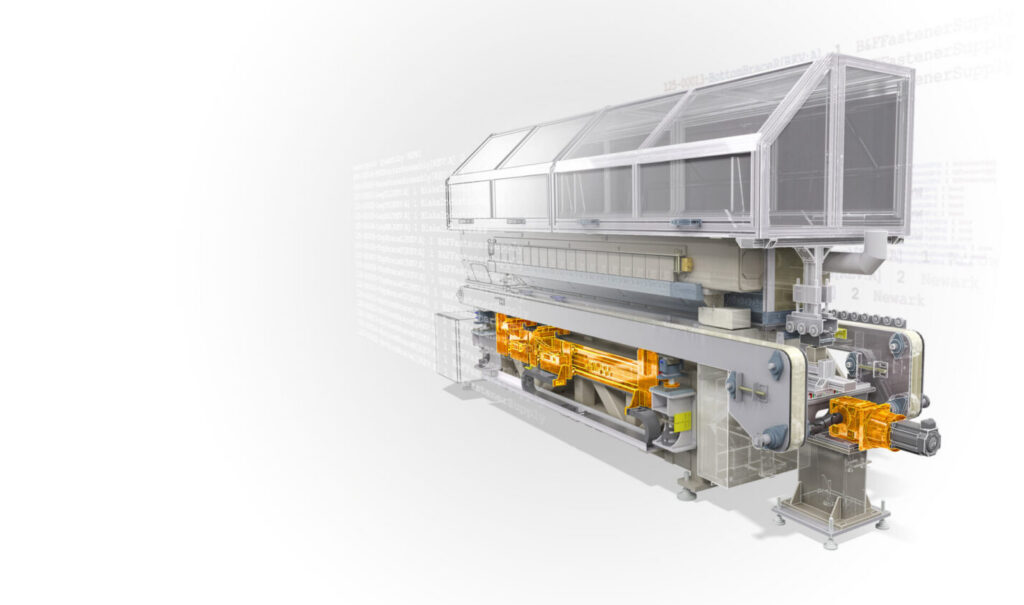
What is Autodesk Inventor and why do teams use it?
Autodesk Inventor is a professional 3D CAD platform for mechanical design, simulation, and documentation.
Engineers use it to:
- Build detailed parametric 3D models
- Validate performance with simulation before manufacturing
- Create production-ready drawings
- Manage large, complex assemblies with accuracy
Inventor enables teams to test and validate designs digitally before anything gets built, reducing costly rework downstream.
What do you get with an Inventor subscription?
An Inventor subscription gives you a complete set of tools for taking a design from concept to production-ready.
Core capabilities
Parametric modeling
- Drive changes automatically across your entire design
- Maintain relationships between parts, assemblies, and drawings
Large assembly design
- Work with thousands of components
- Detect interferences and simulate motion early
Integrated simulation
- Test stress, motion, and performance before building
- Reduce the need for multiple physical prototypes
Specialized engineering toolsets
- Sheet metal design
- Frame and weldment design
- Tube, pipe, and harness modeling
Manufacturing documentation
- Generate drawings, annotations, and production outputs directly from models
Design automation (iLogic)
- Create configurable products
- Automate repetitive engineering tasks
How do Inventor subscriptions work?
Inventor is available through flexible subscription options depending on how your team works.
Subscription types
- Monthly – short-term projects or evaluation
- Annual – best value for ongoing use
- Multi-year – price protection and long-term planning
- Flex (usage-based) – pay only for days used across Autodesk products
Pricing:
- Monthly: $320 per month
- Annual: $2,585 per year per user
See the plans and pricing page for the most up-to-date pricing.
How much does Inventor cost for a small team?
For a small team, Inventor costs $2,585 per year per user on an annual plan, or $320 per month on a monthly plan.
| Team size | Annual plan (per year) | Monthly plan (12 months) | Annual saving |
|---|---|---|---|
| 1 user | $2,585 | $3,840 | $1,255 |
| 3 users | $7,755 | $11,520 | $3,765 |
| 5 users | $12,925 | $19,200 | $6,275 |
The annual plan costs about 33% less than paying monthly for a full year. Choose monthly only for short projects or a trial of the workflow. Freelancers and small shops with steady work usually come out ahead on annual or multi-year terms. Prices vary by region and term, so check the plans and pricing page.
Inventor Flex or a subscription?
Flex is cheaper if you use Inventor for only a few days a month, and an annual subscription is cheaper if you use it most working days.
- Flex: pay only for the days you use across Autodesk products, with no fixed seat.
- Annual subscription: fixed cost, unlimited use, best value for daily users.
What is included in an Inventor subscription?
An Inventor subscription includes the latest software versions, ongoing updates, technical support, and licensing tools, plus [AI and automation features: confirm current list, for example iLogic automation and any AI-assisted tools.
| What you get | What it means for your team |
| Latest versions and updates | New releases at no extra purchase during your term |
| Technical support | Access to Autodesk technical experts |
| Licensing tools | Assign and reassign subscriptions through your Autodesk Account |
| Design automation (iLogic) | Automate repetitive tasks and configure product variants |
| Core toolsets | Parametric modeling, large assemblies, simulation, sheet metal, frames and weldments, tube and pipe, drawings |
Why do teams move from a free trial of Inventor to purchase?
Most teams don’t decide based on a feature checklist, they decide after testing Inventor on a real project.
Here’s what typically drives that shift.
1. Fewer design surprises late in the process
With simulation and interference detection built in, teams identify issues before manufacturing, not during it.
2. Faster iteration without breaking designs
Parametric modeling means changes don’t ripple unpredictably.
They update consistently across parts, assemblies, and drawings.
3. Confidence working at scale
Inventor is designed for large assemblies and complex products, which is where many tools start to slow down or break.
4. Better handoff to manufacturing
Because documentation is tied directly to the model, teams reduce:
- Manual drafting work
- Version mismatches
- Production errors
Who should use Autodesk Inventor?
Inventor is best suited for:
- Manufacturing companies designing production-ready equipment
- Engineering teams working on regulated or complex products
- Organizations managing large assemblies and product configurations
Teams use Inventor for industrial design when the goal is turning a concept into a manufacturable, fully documented product.
What are the system requirements for Autodesk Inventor?
Inventor is a high-performance desktop application, so hardware matters.
Typical requirements:
- Windows-based system (Inventor is Windows-only)
- 16–32 GB RAM (or more for large assemblies)
- Dedicated GPU with DirectX support
- ~40 GB installation space
For complex assemblies, recommended specs go significantly higher (e.g., 64 GB RAM).
Start with a free trial (before you commit)
If you’re evaluating Inventor, the fastest way to decide is simple: Run it against your current workflow.
Autodesk offers a free trial, so you can:
- Import real designs
- Build assemblies
- Test simulations
- Generate actual production drawings
Autodesk Inventor isn’t just another CAD tool. It’s built for teams that need precision, control, and scalability in mechanical design. So, what are you waiting for? Get started today!