 Jim Byrne
Struggling with large CAD assemblies slowing you down? Learn how to manage complex industrial machinery designs, and why Autodesk Inventor is built for large-scale performance.
Enhance Your Engineering Workflows
Precise, powerful, and ready for innovation with Autodesk Inventor.

Designing industrial machinery is one of the most demanding use cases in CAD.
Assemblies don’t just grow, they scale. What starts as a manageable model quickly becomes a system of hundreds or thousands of interdependent components, each influencing performance, structure, and manufacturability. At that point, the challenge is no longer just about design. It’s about keeping everything working together without slowing down.
That’s where many engineering teams start to feel the limits of their CAD environment. Not because it lacks features, but because as assemblies grow, performance drops, workflows become harder to manage, and even small changes take longer to execute.
Managing large assemblies effectively requires more than best practices. It requires tools designed for that level of complexity.
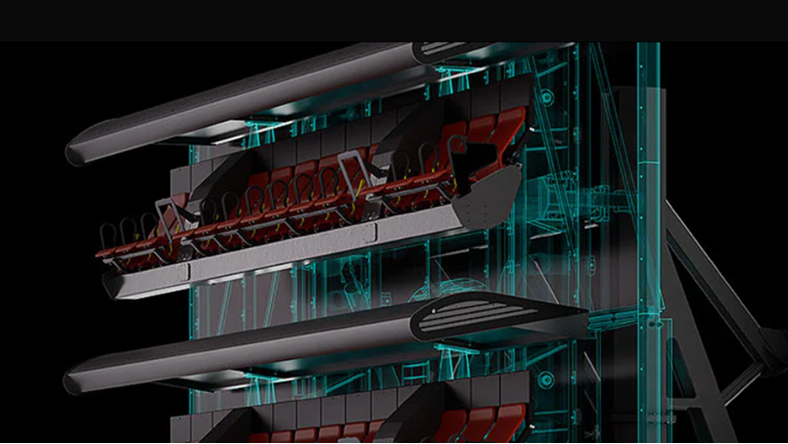
Where large assemblies start to break down
Most CAD tools can handle assemblies. But large, multi-part industrial assemblies introduce challenges that go beyond basic modeling.
Performance is often the first issue team’s notice. As assemblies grow, load times increase, graphics performance drops, and users may encounter memory limits or long rebuild times.
But performance isn’t the only challenge. Complexity creates friction across the workflow:
- Too many components at the top level
- Heavy models with unnecessary detail
- Disconnected subassemblies that are hard to manage
- External supplier data that slows performance
- Difficulty coordinating changes across teams
Left unmanaged, these issues compound. Small inefficiencies quickly become blockers to productivity.
The key to managing large assemblies: structure and simplification
The most effective teams don’t just build assemblies. They structure them intentionally.
Breaking designs into logical subassemblies reduces constraint complexity and allows multiple team members to work in parallel.
Simplification is equally important. Not every detail needs to be fully modeled at all times. Techniques like reducing feature complexity or using lightweight representations help maintain performance without sacrificing accuracy.
And most importantly, teams need a system that supports this approach, rather than fighting against it.
Why many CAD tools struggle at scale
As assemblies grow, many traditional workflows begin to show strain.
- Full-detail models consume unnecessary compute power
- File-based structures make it harder to manage dependencies
- Performance drops as complexity increases
- Collaboration becomes slower and more fragmented
These limitations aren’t just technical. They affect how quickly teams can iterate, validate designs, and move toward production.
For industrial machinery, where complexity is the norm, not the exception, those constraints matter.
Why Autodesk Inventor is built for large assemblies
Autodesk Inventor approaches large assemblies differently, with capabilities specifically designed to handle industrial-scale complexity.
1. Assembly structure that scales
Inventor encourages structured assembly design, allowing teams to organize work into subassemblies that reduce top-level complexity and improve performance.
2. Performance optimization tools
Inventor includes features like simplified representations, substitute components, and express mode, which reduce the load on hardware and improve model responsiveness.
3. Flexible model states
Model states allow multiple representations of the same assembly within a single file, enabling teams to manage variations, configurations, and manufacturing stages efficiently.
4. Built-in design automation
Design accelerators automate the creation of common mechanical components like belts, gears, and fasteners, reducing manual modeling effort and ensuring consistency across large assemblies.
5. Continuous performance improvements
Inventor has a sustained focus on improving performance for large assemblies, including enhancements to graphics, loading times, and handling of complex models.
What actually changes for engineering team
When teams move to a system built for large assemblies, the impact is less about features and more about flow.
Assemblies open faster. Changes propagate more predictably. Teams spend less time troubleshooting performance issues and more time designing.
Subassemblies can be developed in parallel. Complex designs remain manageable as they scale. And engineers don’t have to constantly simplify their intent just to keep models usable.
That shift is especially important in industrial machinery, where designs are inherently complex and rarely static.
The real goal: maintaining control at scale
The challenge with large assemblies isn’t just building them. It’s maintaining control as they evolve.
- Control over performance
- Control over structure
- Control over how changes impact the system
Inventor enables that control by combining structured assembly workflows, performance optimization, and built-in automation in a single environment designed for mechanical engineering at scale.
For teams working at industrial scale, that difference isn’t incremental.
It’s the difference between managing complexity and being limited by it.
Frequently asked questions about large assemblies (FAQs)
A large CAD assembly typically refers to a design with hundreds or thousands of components, often found in industrial machinery or complex mechanical systems. These assemblies require specialized tools and workflows to manage performance and complexity effectively.
Autodesk Inventor is specifically designed for this scale of engineering, providing features that help structure, organize, and maintain control as assemblies grow.
Large assemblies become slow due to the number of components, level of detail, and overall system resource demands. Complex geometry, multiple files, and assembly constraints increase load times and reduce performance if not managed properly.
Autodesk Inventor addresses these challenges with performance-focused tools such as simplified representations and optimized loading strategies, which help engineers maintain responsiveness even as assemblies scale.
Best practices include structuring assemblies into logical subassemblies, simplifying geometry where possible, reducing unnecessary detail, and optimizing performance settings.
Using CAD tools designed specifically for large assemblies also plays a critical role. Autodesk Inventor supports these practices through structured assembly workflows, performance optimization tools, and automation features that make it easier to manage complexity without slowing down.
Autodesk Inventor is built to handle large assemblies through structured subassembly workflows, performance optimization features like express mode and simplification tools, and efficient handling of complex constraints. These capabilities allow teams to work with large, multi-part designs more smoothly, reducing load times and improving overall model performance as assemblies grow in size.