 Heather Miller
Wet Sounds creates high-performance outdoor audio products for boats, powersports, Harley-Davidson motorcycles, and more. Autodesk Fusion and the Design Extension help the team move from 3D scans to modeled surfaces and prototypes for complex speaker grill patterns. By leveraging AI capabilities in Fusion, including AutoConstrain and Autodesk Assistant, the company can accelerate product development even faster.
Wet Sounds started with a simple but powerful observation. Back in 2005, three co- founders who loved being out on the lake realized something was missing. There wasn’t a speaker truly built for the marine environment. So they built one.
Wet Sounds’ first marine-grade tower speaker didn’t just fill a gap. It created an entire category. From there, the company quickly became known for pushing boundaries in outdoor environments where traditional audio simply didn’t hold up. Today, their marine speakers are still core to the business. But what started on the water didn’t stay there.

Elevate your design and manufacturing processes with Autodesk Fusion
Prototyping new stereo solutions for outdoor environments with Fusion
What’s interesting about Wet Sounds is how naturally the business expanded. Once they solved the problem for great sound on boats, they could see opportunities everywhere. The company moved into powersports, where they now hold the patent for the first soundbar that is used by many other companies in their own products. Now, they’ve gone on to develop speaker solutions for golf carts, outdoor audio, portable speakers, and most recently motorcycles.
As the company has expanded, its product development process has also evolved. This is where Autodesk Fusion plays a critical role. With physical products like boats or motorcycles, the ability to scan, model, prototype, and iterate quickly is essential.
“Whatever project that I do, there’s always a grill that goes over it,” says Lino Morales, application technician, Wet Sounds. “Using Fusion and the Design Extension, I can 3D print grills and the patterns for them. It could be circles, pill-shaped patterns, or hexagons. The cool thing is that it does all the patterns for you automatically, and you can size them to where you want it.”
“The Design Extension is a great addition for us. Drafts in Fusion are perfect because we do a lot of injection molding. One of my favorite features is the geometric pattern. You can create a curved surface and shape, and Fusion will make a whole pattern. It’s great.”
– Lino Morales, Application Technician, Wet Sounds
Designing a new stereo grill for Harley-Davidson motorcycles
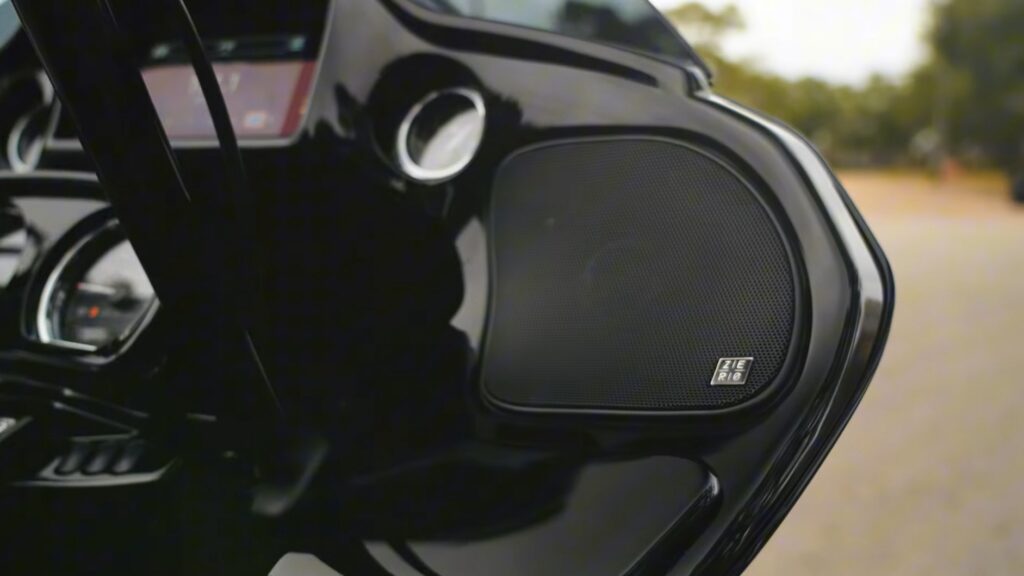
Wet Sounds’ recent Harley-Davidson project is a perfect example of how all of this comes together. The goal was to create an audio upgrade kit for Road Glide and Street Glide bikes. That meant working within tight constraints, matching factory fit and finish and delivering performance that holds up on the road. The process started with full 3D scans of the bikes. Every relevant surface was captured, from saddlebags to fairings. From there, Morales built working models in Fusion, designing the grill and components that could integrate seamlessly.
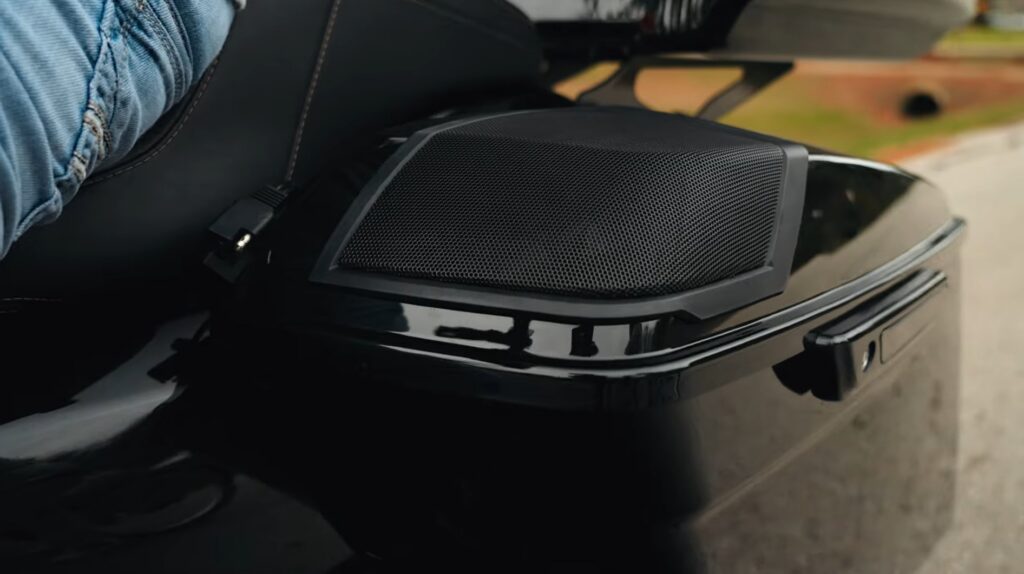
“My role was to essentially 3D scan the bikes, model it in in Fusion, create all the surfacing, and model the cover where we can actually apply our stereo products,” he says. “I take the conceptual and move it to the physical.”
With that foundation, prototypes were created, tested, and refined. Industrial designers on the team then layered in the final look and feel, ensuring the product aligned with the brand while maintaining manufacturability. The result is a product that feels native to the bike while delivering a completely upgraded audio experience.
“I just started using the AutoConstrain AI tool in Fusion, and it’s pretty impressive. I can see myself using it regularly going forward.”
– Lino Morales, Application Technician, Wet Sounds
Elevate your design and manufacturing processes with Autodesk Fusion
New phase of innovation with AI
One of the most exciting shifts in Wet Sounds’ innovation and prototyping is happening with AI, particularly with Autodesk Assistant. The ability to make complex changes through simple prompts is already saving meaningful time. Morales experienced that recently as he’s helping to redesign and prototype new designs for saddlebag speakers with the latest Harley Davidson models.
“I’d already added a bunch of small fillets (~0.05 mm) throughout,” Morales says. “When I needed to edit a part, I tried Autodesk Assistant and asked it to remove all those fillets, and it worked instantly. Normally, I’d have to delete each one manually or roll back through the timeline, which is a huge hassle.”
He’s continuing to experiment with Autodesk Assistant, and it’s already making a big impact throughout the product design and development team.
“I recently tested it on another project with a hypothetical,” Morale says. “Maybe the mechanical engineer tells me that in this one product, all the holes that are 0.16 inches need to be 0.17. Instead of me going back one by one by one for maybe 20 holes, I could just prompt Autodesk Assistant with, ‘For all the holes that are 0.16, make them to 0.17.’ And it just does it.”
“I showed everybody here, including some of the industrial designers using SolidWorks,” he adds. “They said, ‘For the amount of money that we pay, we don’t have those tools.’ That’s pretty cool and a good flex.”