 Bryce Heventhal
Part inspection ensures that manufactured components meet precise specifications and quality standards. Autodesk Fusion integrates part inspection into your manufacturing workflows, automating tasks, ensuring traceability, and enhancing efficiency. This leads to improved product quality, regulatory compliance, and cost savings.
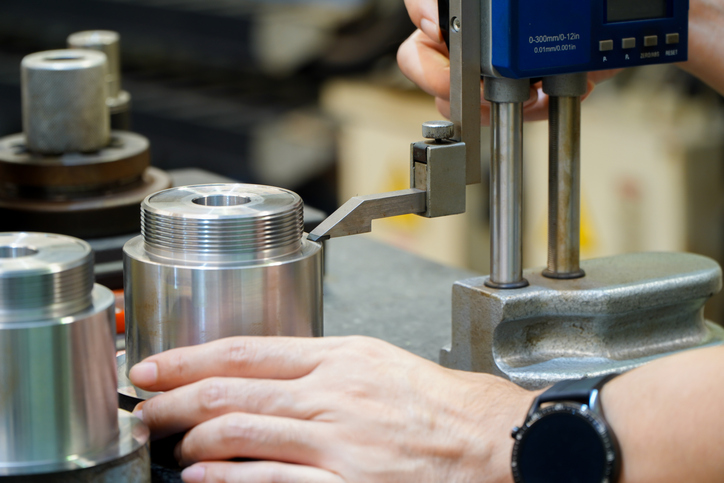
What is part inspection
Part inspection is the evaluation of parts to verify their conformity to design specifications, dimensional tolerances, and quality requirements. Manufacturers conduct it at various stages of the process—during material inspection, throughout production, and upon the completion of parts. This approach identifies and addresses defective components promptly, preventing them from advancing in the production line.
Effective part inspection ensures product reliability, minimizes costly recalls and returns, and provides valuable feedback for process improvement. It serves as a foundation for manufacturing excellence, allowing manufacturers to uphold quality and achieve operational efficiency.

Elevate your design and manufacturing processes with Autodesk Fusion
Importance of part inspection
- Quality assurance: Validates that parts meet physical and functional engineering requirements for high-quality output.
- Regulatory compliance: Adheres to stringent industry standards and regulations, particularly in sectors like medical devices and aerospace.
- Cost efficiency: Identifies defects early in the production process, reducing scrap, rework, and production delays.
- Customer satisfaction:Delivers consistent, defect-free products, thereby enhancing customer confidence and satisfaction.
- Process optimization: Offers insights for continuous improvement in processes and tooling, fueling innovation and efficiency.
Part inspection – Types and roles
Visual inspection
Visual inspection involves scrutinizing parts for surface-level defects such as scratches, dents, or contamination. While this methoad has been traditionally conducted manually, it’s been significantly enhanced by automated systems that use advanced imaging technology. These systems improve accuracy and speed, while eliminating human subjectivity and potential errors.
Dimensional inspection
Dimensional inspection makes sure that parts meet precise size and geometry tolerances. This is achieved using tools such as calipers, micrometers, gauges, and Coordinate Measuring Machines (CMMs). Dimenstional inspection is necessary for maintaining the integrity and functionality of the final product.
Functional testing
Functional testing evaluates whether parts can perform their intended operations correctly. This includes fit tests, movement tests, and electrical tests, ensuring that parts meet the required performance standards.
Non-destructive testing (NDT)
Non-destructive testing techniques, such as ultrasonic testing, X-ray inspection, and magnetic particle testing, detect internal flaws without damaging the parts. NDT is a good fit for applications where part safety and reliability are of utmost importance.
Laboratory and material testing
Laboratory and material testing involve evaluating material composition, hardness, and tensile strength to verify the technical integrity of parts. These tests are essential for making sure that materials meet the necessary specifications and performance criteria.
Key stages in the manufacturing workflow
Incoming inspection
Inspectors conduct incoming inspection on materials and components upon receipt to confirm their conformity before entering the production process. This step helps defective inputs from affecting subsequent stages of manufacturing.
In-process inspection
In-process inspection occurs during the manufacturing process to monitor part quality in real time. Operators, machine probes, or automated sensors can carry it out. This approach helps in identifying and correcting deviations early, ensuring consistent quality.
Final inspection
Final inspection is performed before parts are shipped or assembled. This check validates that the parts meet complete specifications and functionality, ensuring that only high-quality products reach the customers.
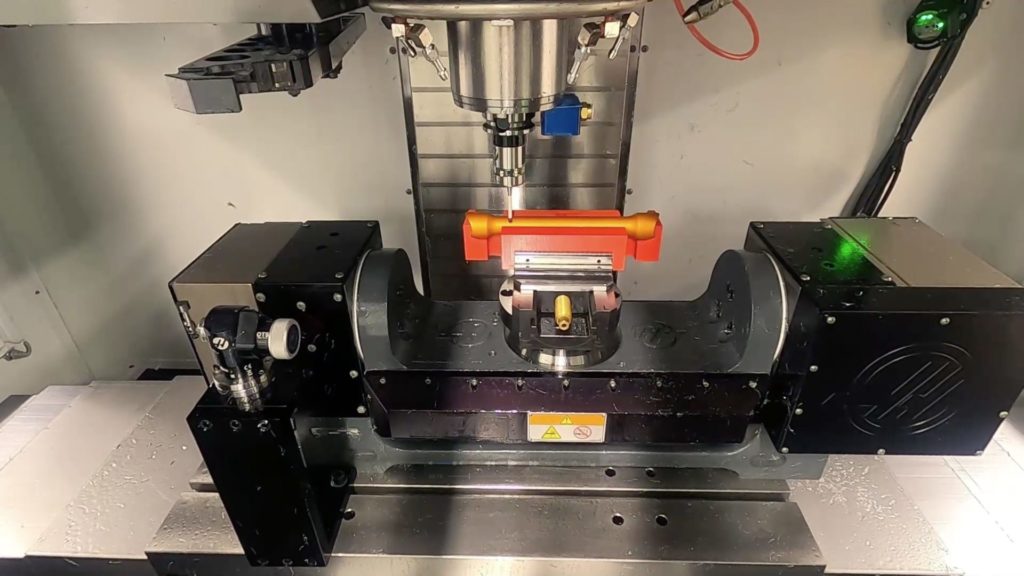
Autodesk Fusion for part inspection
Autodesk Fusion offers an integrated, highly configurable platform that transforms part inspection from a manual, disconnected activity into an automated, data-driven process embedded in the manufacturing workflow. Here’s how Autodesk Fusion revolutionizes part inspection:
Seamless integration and automation
Fusion seamlessly integrates inspection workflows with product lifecycle and quality management systems. This integration ensures that every part inspection—whether dimensional measurement, visual validation, or NDT—is linked to design data, manufacturing instructions, and compliance requirements. Automation features assign inspection tasks, monitor completion, and enforce compliance, all without manual intervention.
Centralized data and traceability
Fusion provides a cloud-based environment where all inspection results, documentation, and non-conformance records are centralized and accessible in real-time. This digital traceability supports audits, root cause analysis, and continuous process improvements while easing regulatory compliance.
Customizable workflows
Fusion allows for the creation of custom inspection workflows that reflect specific quality standards and business rules. Whether linking inspections to change orders, lot records, or final device release checklists, Fusion makes sure that inspections fit your process—not the other way around.
Advanced measurement and reporting
Fusion supports the integration of measurement data from tools like CMMs and 3D scanners for automated comparisons to design specifications. Detailed reports, with visuals and status tracking, help teams quickly identify and address quality issues.
Efficiency and cost savings
Fusion reduces the administrative burden on quality teams by automating inspection assignments and leveraging cloud-based connectivity. This speeds up production cycles, lowers training costs, and shortens audit preparation times.
With Autodesk Fusion manufacturers gain flexibility, efficiency, and control over their quality processes. This leads to reduced costs, improved product quality, and enhanched compliance with industry standards. Teams of all sizes can innovate confidently and maintain a competitive edge in today’s demanding markets.