 Bryce Heventhal
Review CAD designs, collaborate with teams, and access Fusion projects from iPad and Android devices wherever work happens.

Elevate your design and manufacturing processes with Autodesk Fusion
Product development doesn’t stop when you leave your desk.
Whether you’re reviewing a design on the shop floor, meeting with a customer, traveling between sites, or collaborating with a distributed team, staying connected to project data is critical. Fusion mobile extends the Autodesk Fusion experience beyond the desktop, giving engineers, designers, machinists, and stakeholders access to designs, projects, and collaboration tools from virtually anywhere. Fusion Mobile is available for iOS and Android devices and supports viewing over 100 design and engineering file formats.
Instead of waiting to return to a workstation, teams can review designs, inspect assemblies, add feedback, and stay aligned throughout the product development process.
Why mobile access matters in modern product development
Today’s teams work across offices, manufacturing facilities, suppliers, customer sites, and remote locations. While design work typically happens on desktop systems, project reviews, approvals, and collaboration happen everywhere.
Fusion on mobile helps teams:
- Access project information wherever work happens
- Review 3D designs without a CAD workstation
- Collaborate with internal and external stakeholders
- Capture and share feedback in real time
- Stay connected to engineering and manufacturing workflows
- Make faster decisions and keep projects moving
By putting design information in the hands of everyone involved in the development process, teams can reduce delays and improve communication across departments.
Review CAD designs from anywhere
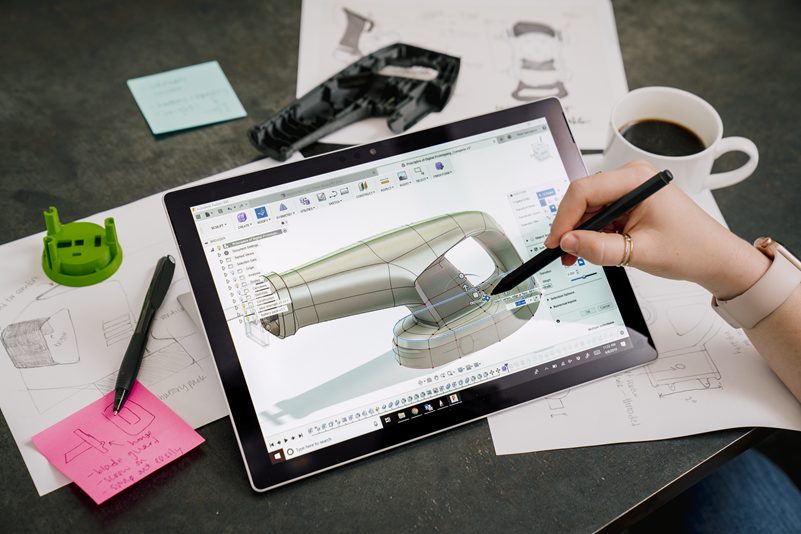
Fusion on mobile allows users to view and interact with 3D models directly from a phone or tablet. Teams can navigate assemblies, inspect components, access design properties, and review project activity without needing access to their desktop workstation. This flexibility is particularly valuable when:
On the shop fllor
Manufacturing teams can review designs next to machines, inspect parts before production, and validate design intent without printing drawings or returning to an office.
During customer reviews
Engineers and product teams can pull up designs during meetings, answer questions on the spot, and share live visual context with customers and partners.
While traveling
Project stakeholders can stay informed about active projects, review updates, and provide feedback regardless of their location.
During design approvals
Decision-makers can quickly review models and provide feedback without requiring CAD expertise or desktop software access.
Improve collaboration across teams
Product development is rarely a single-person effort. Successful projects depend on collaboration between engineering, manufacturing, industrial design, suppliers, and customers.
Fusion Mobile supports this process by allowing users to:
- Comment directly on projects
- Share screenshots and markups
- Upload photos for additional context
- Track project activities and updates
- Share designs with stakeholders inside and outside the organization
These collaboration capabilities help reduce communication barriers and make it easier for teams to stay aligned throughout the development cycle.
Part of the connected Fusion platform
What makes Fusion on mobile especially powerful is that it connects to the same cloud-based platform used across design, engineering, electronics, simulation, and manufacturing workflows.
Instead of relying on disconnected files and email chains, teams can access up-to-date project information connected to the broader Fusion environment. As designs evolve, collaborators can review current information from their mobile devices and remain connected to ongoing project activity.
For organizations looking to streamline product development, Fusion provides a connected platform that brings together:
- CAD
- CAM
- CAE
- Electronics design
- Data management
- Collaboration workflows
Fusion extends those capabilities beyond the desktop, helping teams stay productive wherever work happens.
Offline functionality and extended Autodesk ecosystem
Users working on iPad, Android, Windows, or Mac can enable offline mode on Fusion mobile. This allows for CAD viewing and annotation even without an internet connection—perfect for site visits or travels.
Getting started: Downloading Fusion mobile across your devices
Fusion on mobile is available for both iOS and Android devices. The Fusion app is free to download from the Apple App Store for iPad and Mac users, Google Play for Android devices, and available on Windows PCs through the Fusion website. Simply log in with your Autodesk account, and all your projects and comments sync across platforms, ensuring continuity wherever you work.
Harness the power of the Fusion app on your CAD iPad, Android device, Mac, or Windows tablet to collaborate effortlessly and boost productivity with cutting-edge CAD tools accessible anywhere.
Take product development beyond the desktop
Engineering and manufacturing teams need access to project information wherever work happens. Whether you’re reviewing designs on the shop floor, collaborating with suppliers, meeting with customers, or traveling between locations, Fusion on mobile devices helps keep projects moving.
Ready to work from anywhere? Explore Fusion plans and pricing or start a free trial to experience connected product development across desktop and mobile devices.