 Bryce Heventhal
Access Fusion mobile and the Fusion app on CAD iPad, Mac, Windows, and Android devices. Collaborate on 3D CAD models anytime with seamless syncing across platforms.

Elevate your design and manufacturing processes with Autodesk Fusion
For engineers, designers, and makers who want to access CAD wherever they are, the Fusion app delivers a powerful and versatile solution across devices. Whether using a CAD iPad, Android tablet, Windows PC, or Mac, Fusion mobile lets you view, collaborate, and work with your 3D CAD models on the go with ease.
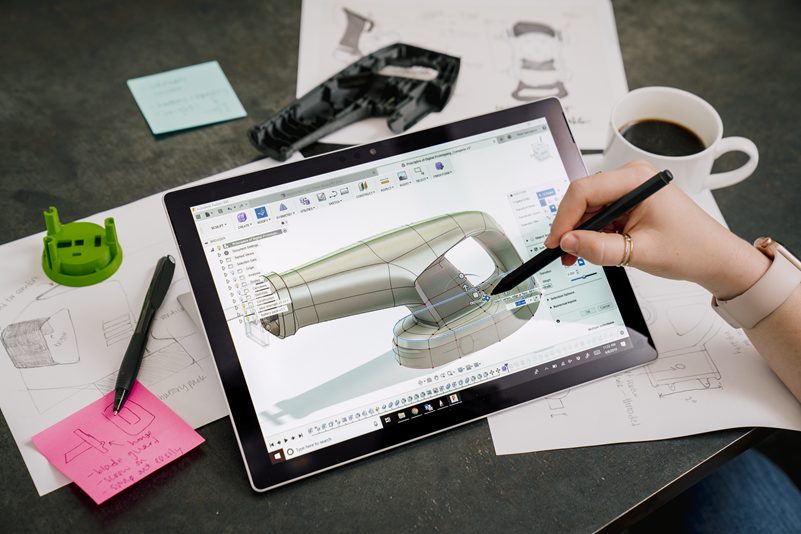
Fusion on iPad and Mac: A seamless CAD Experience
The Fusion iPad app brings Autodesk’s industry-leading CAD tools to your tablet, optimized for touch interaction. With Fusion mobile on iPad, users can navigate complex models using natural gestures like pinch-to-zoom, rotate, and pan. It supports viewing over 100 file formats including DWG, STEP, STL, and IGES. CAD iPad users can perform detailed design reviews, annotations, and collaborative markups remotely.
For Mac users, Fusion provides a native application compatible with recent macOS versions. Fusion on Mac offers full CAD, CAM, and CAE capabilities with cloud-sync. Users can start their work on macOS devices and continue reviewing on mobile devices like iPads or Android tablets seamlessly.
Android and Windows support for Fusion mobile
Beyond Apple devices, Fusion mobile is also available on Android devices through Google Play, providing the same powerful viewing, commenting, and collaboration features tailored for Android tablets and phones. Windows users, whether on tablets or PCs, have access to desktop versions with full modeling power and cloud integration that sync mobile notes and markups instantly, bridging platforms efficiently.
Collaborate anywhere with the Fusion App
Fusion mobile revolutionizes team collaboration. Whether on a CAD iPad, Android device, Mac, or Windows,
- Add comments and markups directly onto 3D models.
- Upload photos or sketches via mobile device cameras for richer context.
- Share annotated screenshots with clients or team members instantly.
- Search efficiently within large assemblies and parts.
This communication-driven approach accelerates design reviews and decision-making, reducing errors and keeping teams aligned across locations.
Offline functionality and extended Autodesk ecosystem
Users working on iPad, Android, Windows, or Mac can enable offline mode on Fusion mobile. This allows for CAD viewing and annotation even without an internet connection—perfect for site visits or travels.
Getting started: Downloading Fusion mobile across your devices
The Fusion app is free to download from the Apple App Store for iPad and Mac users, Google Play for Android devices, and available on Windows PCs through the Fusion website. Simply log in with your Autodesk account, and all your projects and comments sync across platforms, ensuring continuity wherever you work.
Harness the power of the Fusion app on your CAD iPad, Android device, Mac, or Windows tablet to collaborate effortlessly and boost productivity with cutting-edge CAD tools accessible anywhere.