 Aishwarya Balamukundan
This post is also available in:
At AU 2026, Autodesk is highlighting a new wave of AI-powered capabilities in Fusion designed to help teams connect data, automate repetitive work, and move more efficiently from design intent to manufacturing execution.
Elevate your design and manufacturing processes with Autodesk Fusion
The announcements span AI-assisted design history reconstruction, assembly creation, product configuration, CAM programming, part discovery, and design reuse. Together, they point toward a more connected Fusion experience where AI can help users work across geometry, data, and manufacturing workflows without losing control of the engineering decisions that matter.
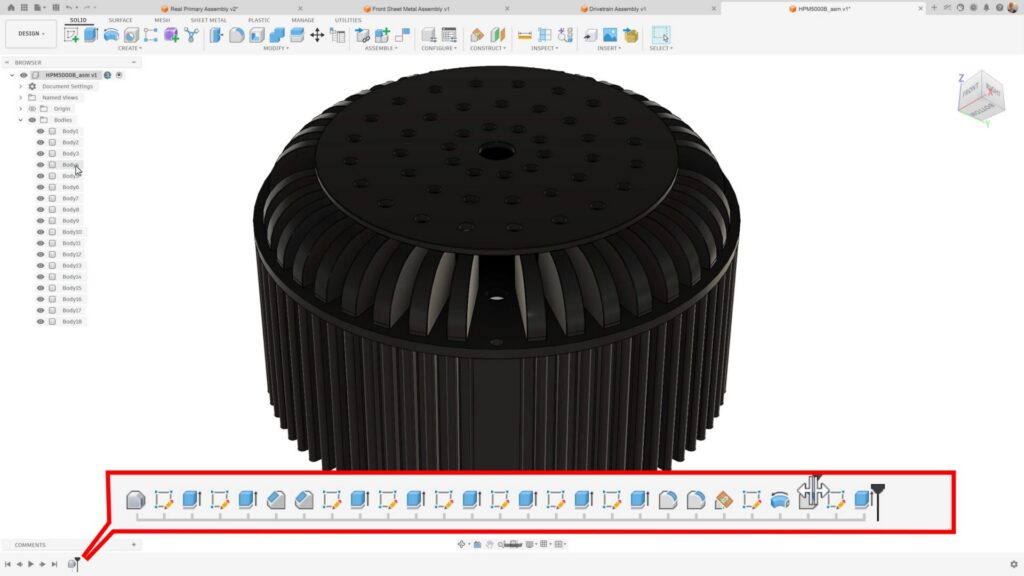
AutoTimeline in Fusion
Fusion is introducing AI-powered feature recognition with AutoTimeline. AutoTimeline reconstructs editable parametric design history from history-less geometry, helping users turn imported or direct-mode models into designs that can be modified with greater control.
For teams migrating data from other CAD systems into Fusion, AutoTimeline creates a stronger interoperability story by helping preserve the ability to edit and evolve designs after import.
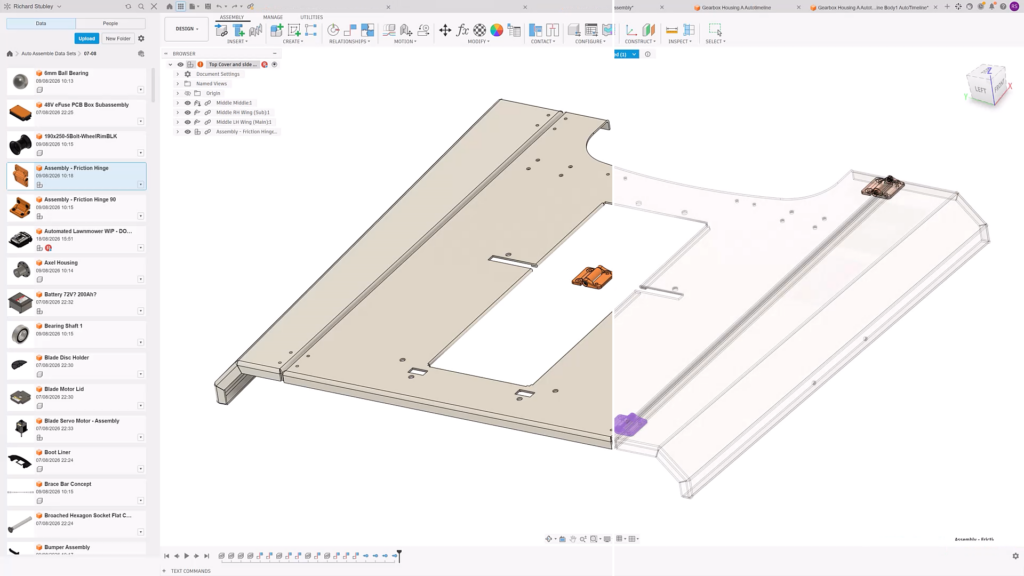
AutoAssemble in Fusion
AutoAssemble brings AI-powered assembly creation to Fusion. Fusion recognizes components, predicts where they belong, and automatically creates appropriate assembly relationships, even for imported subassemblies.
By reducing the manual effort required to rebuild assembly structure, AutoAssemble helps users move faster from imported components to workable assemblies.
AI-assisted configurations in Fusion
Autodesk Assistant will help users create hundreds of Fusion product configurations through conversational input. Users describe product requirements in natural language, and Assistant builds the configuration logic needed to generate valid variants.
This gives teams a more approachable way to set up and manage product variation, especially when configuration logic would otherwise require substantial manual setup.
Automated CAM programming in Fusion
AI-generated CAM programming is coming to Fusion. Fusion generates toolpaths and learns from the adjustments users make, helping tailor future output to the way teams prefer to work.
By taking on repetitive, routine programming tasks, AI frees skilled manufacturing teams to focus on the complex work where their expertise matters most—unlocking greater productivity and helping ease the industry’s growing skills gap.
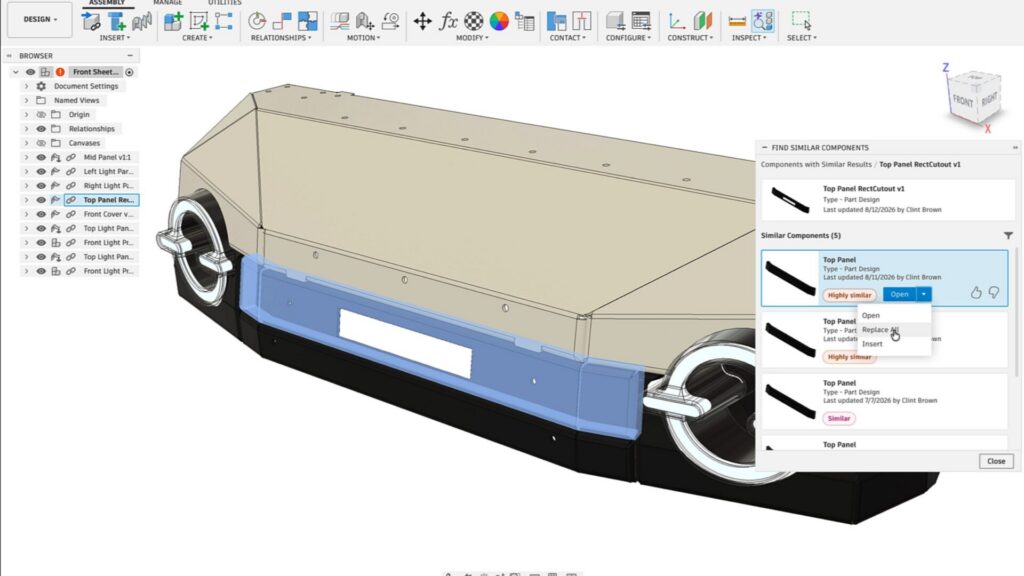
Find Similar in Fusion
Find Similar introduces AI-powered part discovery and reuse in Fusion. Industry foundation models identify similar components beyond part-number searches or basic geometry comparison, helping users find alternatives that may already exist within available design data.
Once a similar component is identified, Fusion can help users evaluate replacement options and swap alternatives into designs where appropriate.
Duplicate design prevention and resolution with Autodesk Assistant
Autodesk Assistant will also help teams find and reuse existing engineering data rather than recreate it. Assistant searches company design libraries using geometry and metadata, identifies released alternatives, surfaces active change orders, and helps replace components when reuse is the better path.
Fusion Automation API investments
Autodesk is also continuing to invest in Fusion automation for connected workflows. Ongoing work in reliability, security, and scalability is intended to make Fusion easier to connect with other systems.
Paired with the Claude and MCP announcement earlier this year, these investments help establish the foundation for more connected, automated workflows across Fusion and the broader systems customers rely on.
Expanding AI adoption with Fusion at the center
Our goal is to take AI even further to help your business, and Fusion, our Industry Cloud for Manufacturing, sits at the heart of our mission. Together, these capabilities help reduce duplicate work and make it easier for teams to build from existing engineering knowledge.
DISCLAIMER:The capabilities described here are forward-looking and currently in development. Features, functionality, and timing are subject to change. These statements are not intended to be a promise or guarantee of future delivery of products, services, or features but merely reflect our current plans, which may change. Purchasing decisions should not be made based on reliance on these statements.