 Aishwarya Balamukundan
Connected product context is helping AI move beyond generic answers to better support the decisions designers and engineers make every day.

Elevate your design and manufacturing processes with Autodesk Fusion
AI has become remarkably good at answering questions. But for designers and engineers, getting an answer is only part of the work.
An engineer might ask a general-purpose AI tool how to make a part easier to manufacture, for example. To get a useful response, they first have to describe the part, its material, manufacturing process, and relevant constraints. Then they have to interpret the recommendations, return to their design environment, and decide how to apply them.
The AI can provide useful information, but it doesn’t inherently know the product the engineer is working on or the decisions that shaped it.
That distinction matters because products are built on interconnected decisions. Change a component and it may affect the larger assembly. Choose a different material and you may also change performance, cost, or manufacturability. A new requirement can ripple through configurations, production processes, and downstream decisions.
For AI to become truly useful in design and manufacturing, it not only needs access to product data but also enough understanding of how that data relates to the product and the work being done.
We’re starting to see what becomes possible when AI moves closer to actual design work.
A product is more than the sum of its data
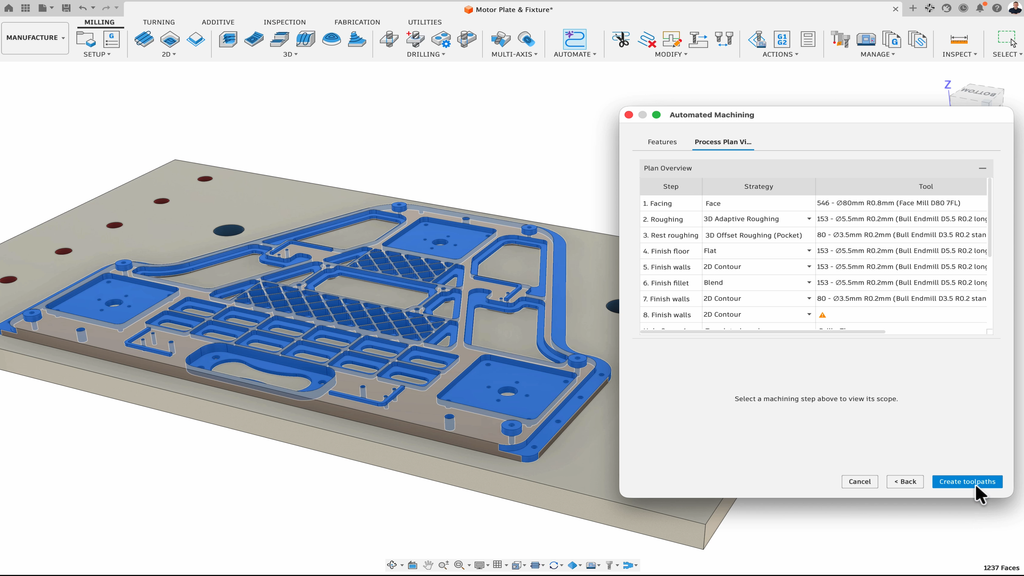
Even a relatively simple manufactured product comes with a significant amount of surrounding information. There is the geometry itself, but also the intent behind the design. Components have relationships to other components. Performance requirements influence material and design choices. Tolerances affect manufacturing. Designs evolve through revisions, approvals, and decisions made throughout development.
For AI to work effectively in that environment, it needs to account for factors such as:
- Geometry: What is the physical form of the product?
- Design intent: Why was it created this way?
- Constraints: What technical, safety, cost, or compliance requirements must be met?
- Manufacturing knowledge: How will it be produced, assembled, and validated?
- Product history: What has changed, what has been approved, and what can be reused?
- Lifecycle context: How will decisions affect sourcing, production, service, and future development?
Product development rarely comes down to finding one correct piece of information. More often, teams need to understand how a decision in one area affects everything around it.
That’s what starts to distinguish product intelligence from generic AI. When AI can work with geometry, requirements, manufacturing knowledge, product history, and other connected information, it has a stronger foundation for helping teams understand the implications of a decision. The value comes both from knowing individual facts about a product and being able to work with the relationships between them.
Much of that knowledge already exists
Design teams don’t necessarily need to build out a project’s context from scratch by chatting back and forth with an AI tool. Much of what’s needed already exists across CAD files, BOMs, drawings, PDM and PLM systems, requirements, emails, chats, and the knowledge a team has accumulated through years of developing products.
For example, an engineer may know that a similar component was designed three years ago, a manufacturing expert may remember why a particular process was selected, and a product team may have documentation explaining why a requirement changed.
Connected to product data and manufacturing knowledge, AI can make it easier to find reusable designs, surface prior decisions, identify relevant information, and avoid recreating work that already exists. It provides an opportunity to make more of an organization’s existing knowledge available when and where people need it.
Connected product data creates the foundation
Making this possible requires connections across the product lifecycle. Requirements, revisions, manufacturing processes, approvals, and decisions may all sit in different systems or formats. When that information is disconnected, both people and AI see only part of the picture.
If AI can understand decisions across the product lifecycle so that, for example, a requirement can remain connected to the designs, changes, and manufacturing activities that follow from it, teams can benefit from greater visibility and traceability.
For AI, those connections can make it easier to surface relevant information and relationships when a decision needs to be made. For teams, that means spending less time reconstructing the history around the work just to get a simple, non-actionable answer back from AI.
More context can unlock more capacity
Engineering and manufacturing expertise is finite, and not all of an expert’s time is spent applying that expertise. Some of it goes toward finding information, recreating existing work, tracking down previous decisions, coordinating changes, or simply figuring out why something was done a certain way.
Making product knowledge easier to access can shift some of that balance. If AI can surface relevant information as part of the work, teams have more capacity for the things where their judgment matters most: evaluating ideas, solving problems, making tradeoffs, validating decisions, and improving products.
The goal is to spend less expertise on finding and piecing together information and more of it on making the decisions that move products forward.
What context-aware AI looks like in practice
Autodesk Assistant is one place this is starting to show up in real Fusion workflows, connecting product context with action so teams can move from an objective to an outcome without leaving the software.
“Using AI and Autodesk Assistant in Fusion has been like magic. We thought it would take months to get a new labeling process operational for our manufacturing. But Autodesk Assistant just did it all.”
— Koen Kaljee, Co-founder Mublio
Take something almost every designer has run into: applying the same edit across dozens of features one at a time. A designer can select a single edge, then ask Autodesk Assistant to find every similar edge across the model and apply the same fillet to each one. Assistant identifies the matching edges, in some cases dozens of them, and applies the change consistently in a single step. What would otherwise mean clicking through each feature by hand becomes one request and a review, leaving the designer more time for the parts of the job that actually need their judgment.
That opportunity extends past automating individual activities. Creating assemblies, configuring products, preparing manufacturing workflows, and managing design changes are all places where more product context can help. When AI understands the product, its constraints, and the intended outcome, it can absorb some of the work of figuring out how to move forward, freeing teams to focus on the decisions that still need their judgment.
Parameters are another place this shows up. A designer working on a sensor enclosure can type one prompt into Autodesk Assistant: “Create all the user parameters I would need to design this enclosure, including wall thickness, standoff height, mounting hole spacing, and gasket clearance. Use millimeters, name them clearly, and propose the list before creating them.” Reading both the geometry and the intent behind the request, Autodesk Assistant proposes a full parameter table, each one named and given a starting value based on typical enclosure design practice, for the designer to review before anything gets created.
Once approved, those parameters go live, connected to the model. That’s the real difference between AI that answers questions and AI that understands a product. A generic assistant might explain what standoff height or gasket clearance mean in CAD. Autodesk Assistant sets them up, named and valued, ready to drive the rest of the design. Instead of manually defining each parameter one at a time, the designer spends that time checking the values and adjusting them for their specific enclosure.
AI that understands the work
The next phase of AI in design and manufacturing will depend on more than how much information a model can access. What matters more is whether AI has enough understanding of the product to be useful at the moment someone needs to act.
That distinction matters when you’re dealing with physical products. A single choice can have consequences for performance, manufacturability, cost, quality, and delivery, and a plausible answer isn’t necessarily a workable one.
As product data becomes more connected and AI becomes more deeply embedded in the environments where products are developed, teams have an opportunity to make better use of knowledge that was previously scattered across files, systems, and people.
AI doesn’t need to replace the expertise behind those calls. But if it can bring more of the relevant product knowledge together at the right moment, it can help that expertise go further.
Frequently asked questions
It’s AI that can use relevant product information, such as geometry, design intent, requirements, revisions, and manufacturing processes, to help people find information and move work forward. Its usefulness depends on the context it can access and the decisions people validate.
Product information often sits across CAD files, drawings, BOMs, PDM and PLM systems, and team conversations. Connecting that information helps AI surface existing designs, prior decisions, and current requirements when teams need them.
AI can help reduce time spent searching for information, recreating approved work, managing variants, and preparing repeatable workflows. That gives specialists more time to evaluate options and make decisions that require their judgment.
A digital thread connects information and decisions across design, manufacturing, and later stages of a product’s lifecycle. It gives teams a way to see how a requirement, revision, or process relates to the work at hand.