 Keqing Song
Experience light and dark mode in Fusion – bringing a unified, modern look and easier-on-the-eyes design to your workspace.
Fusion just got a glow-up. We’re bringing a whole new visual experience to your workspace. Light mode and dark mode in Fusion are now here! Whether you’re a night owl or a daylight designer, you can now tailor Fusion to your ideal vibe while keeping everything sleek, unified, and easier on the eyes.
Disclaimer: Safe Harbor Statement
During the course of this communication, we may make forward-looking statements regarding future events and the future performance of the Company. These forward-looking statements are subject to assumptions, risks, and uncertainties, which are discussed in documents we file from time to time with the SEC and specifically in our Annual Report and 10-K filed for the most recently completed year-end. These documents contain and identify important factors that may cause the actual results to differ from those contained in our forward-looking statements.
Additionally, we may make statements regarding planned or future development efforts for our existing or new products and services. These statements are not intended to be a promise or guarantee of future delivery of products, services, or features but merely reflect our current plans, which may change. Purchasing decisions should not be made based upon reliance on these statements
The Company assumes no obligation to update these forward-looking statements to reflect events that occur or circumstances that exist or change after the date on which they were made.
Dark mode in Fusion is here! A unified look, inside and out
This isn’t just a color swap. The new themes mark a bigger move toward a unified design language across Autodesk products. Over the years, Fusion’s interface has evolved, and this update smooths out the mix of old elements for a more consistent experience — one that looks and feels modern, clean, and cohesive.
Most requested theme: Dark mode in Fusion
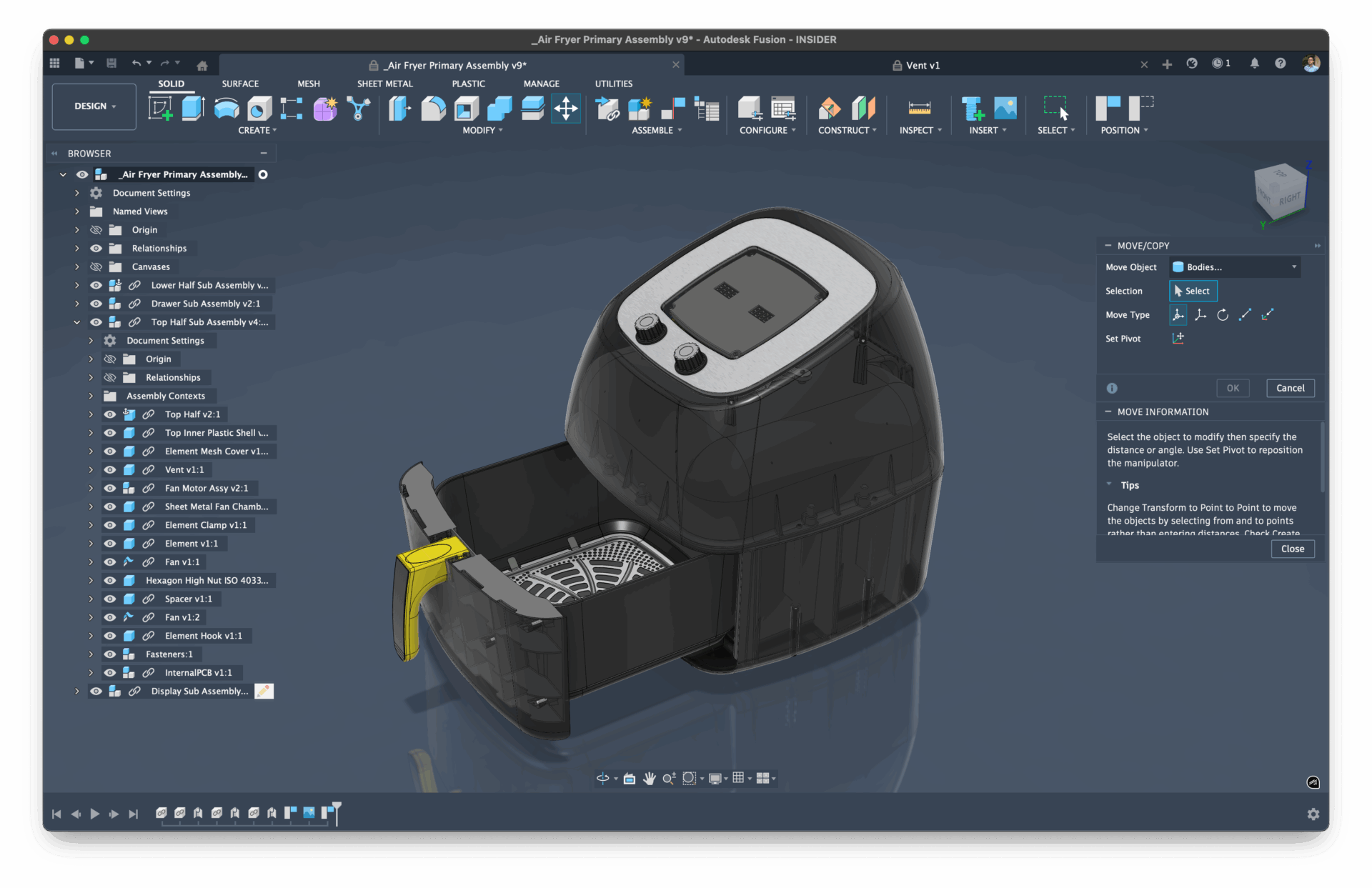
You asked, we listened. Dark mode in Fusion is finally here — and it’s designed to make those long late-night sessions a little easier on your eyes. Whether you’re modeling, simulating, or programming toolpaths, you’ll feel the difference in comfort and focus. We’ve resolved a lot of the contrast issues you’ve reported, and are continuing to refine the UI.
Match your OS, automatically
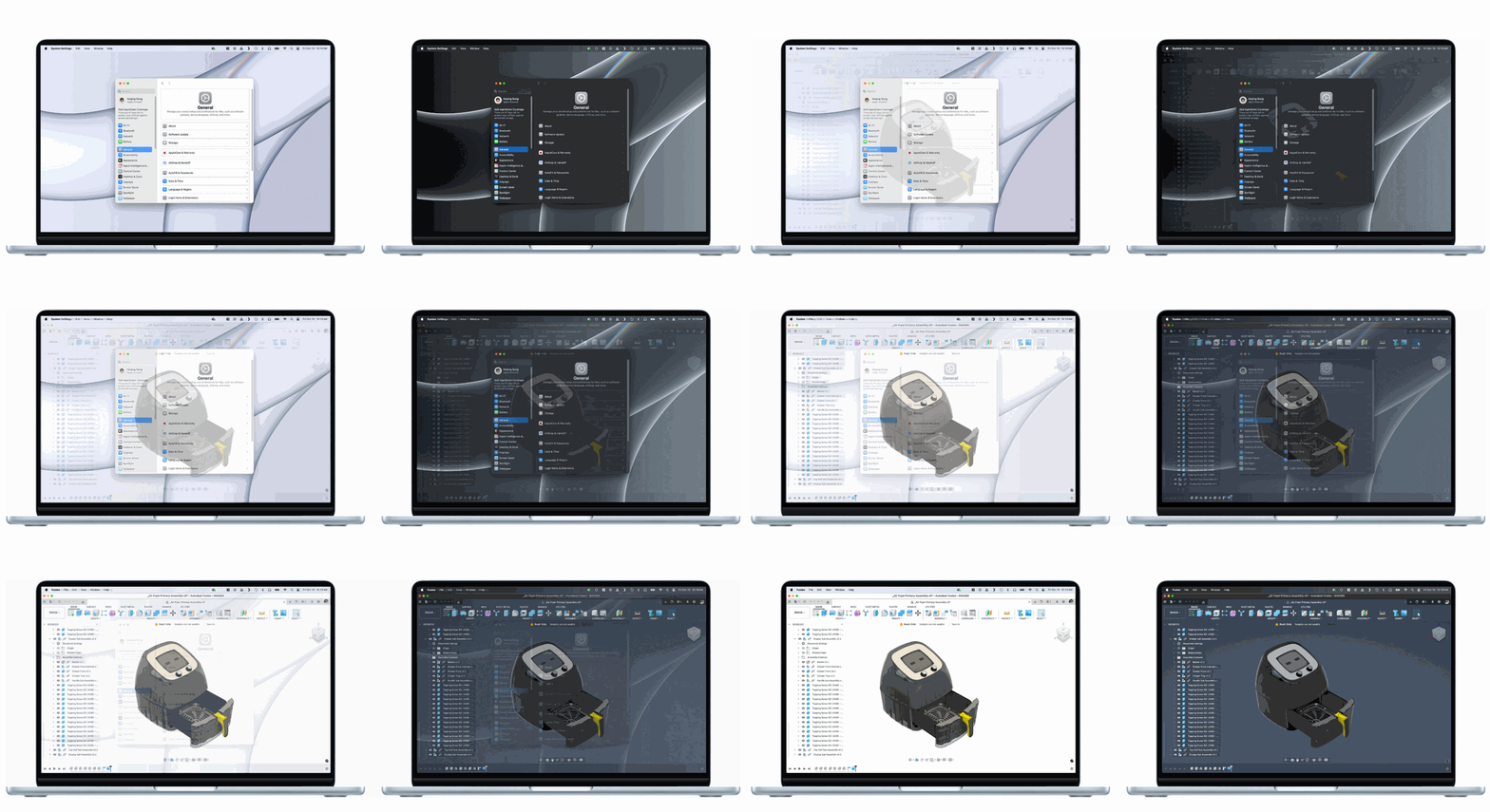
Fusion now has a new “Match OS” setting that automatically aligns your Fusion theme with your device’s system mode. So if your laptop’s in dark mode, Fusion will follow suit — no clicks required. Note that this will be the default UI Theme setting once we deliver the upcoming November product update.
What’s next for Fusion’s look and feel
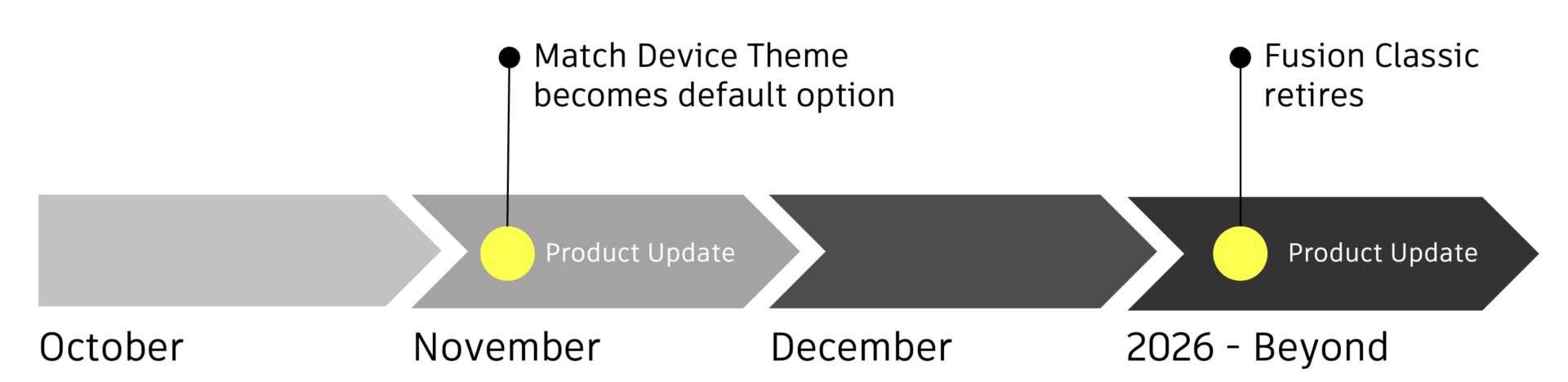
The team’s top priority through the end of the year? Polishing and refining. They’re fixing small bugs, ensuring every dialog and corner of the UI gets the new look, and preparing for the next big step: retiring the old Fusion Classic theme. Our new unified design language is what makes the new UI themes possible, and as we continue to develop new features and improvements, working with a single source code ensures our teams are all delivering a familiar and cohesive Fusion experience.
Don’t worry — Classic won’t retire until light and dark mode in Fusion fully match it in capability and completeness.
Your feedback shapes the future of Fusion
Want to help shape the next iteration of Fusion’s interface?
Join the Fusion Insider Program — our early-access community where your feedback directly influences what’s next.
👉 Be part of the evolution. Join the Fusion Insider Program today.