 Shannon McGarry
Discover how cabinet designers and manufacturers use Autodesk Fusion to design custom cabinets, manage revisions, create realistic visualizations, and prepare production-ready designs for CNC manufacturing.

Elevate your design and manufacturing processes with Autodesk Fusion
Whether you’re designing custom kitchen cabinets, built-in storage, office furniture, or commercial millwork, success depends on more than creating a beautiful design. Every cabinet must ultimately be manufactured accurately, efficiently, and profitably.
For many cabinet makers and woodworking businesses, that process still involves disconnected tools: one application for design, another for visualization, spreadsheets for dimensions and bills of materials, and separate software for CNC programming. The result is often duplicated work, costly mistakes, and slow design iterations.
Manufacturers need a more connected approach. By bringing design, visualization, engineering, and manufacturing together in a single environment, Autodesk Fusion helps teams move from cabinet concepts to production-ready designs with fewer handoffs and greater confidence.
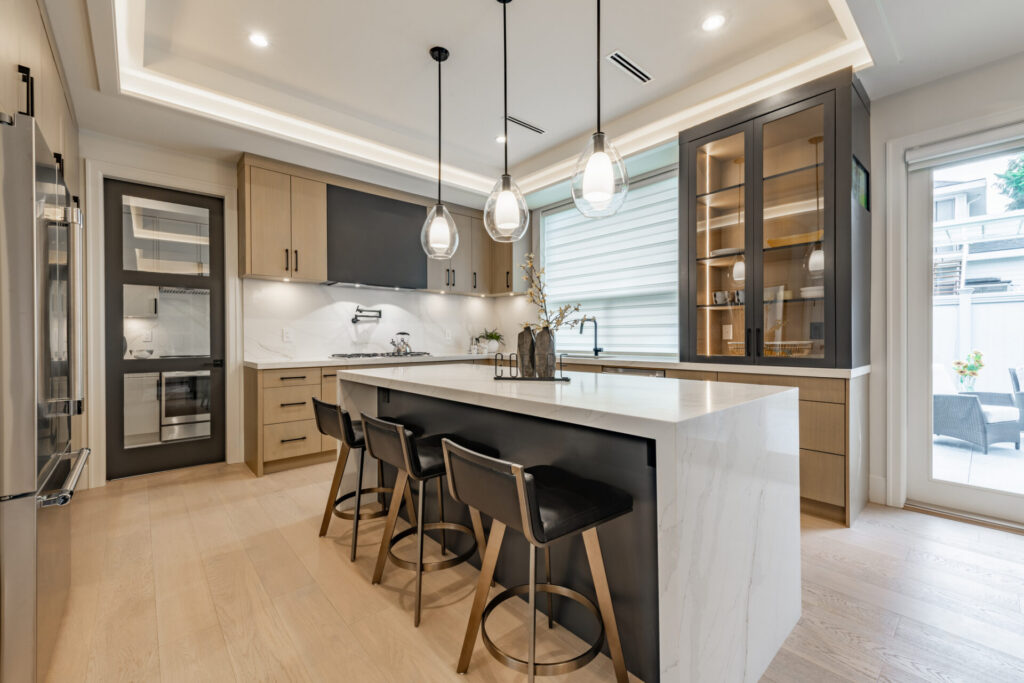
Why cabinet design is changing
Customer expectations have never been higher. Homeowners expect highly personalized kitchens and storage solutions. Commercial clients demand custom millwork tailored to specific spaces. At the same time, manufacturers face pressure to shorten lead times, control costs, and maintain quality.
Traditional cabinet design workflows often struggle under these demands because every change creates ripple effects throughout the process.
A revised cabinet width may require updated drawings, new cut lists, modified CNC programs, and revised renderings for customer approval. When these workflows are disconnected, even small changes can consume significant time.
Cabinet design software must do more than create 3D models. It should help manufacturers manage the entire process from concept through production.
Designing custom cabinets efficiently
The most effective cabinet design workflows begin with flexibility. Rather than redrawing cabinets from scratch, designers need tools that allow them to quickly explore variations in dimensions, materials, layouts, and configurations.
With Fusion, designers can create parametric models that make it easier to modify critical dimensions while maintaining design intent. A change to cabinet width, depth, shelf spacing, or door configuration can update throughout the model without rebuilding the design from the ground up.
This is especially valuable for:
- Custom kitchen cabinetry
- Built-in storage systems
- Closet design
- Office furniture
- Commercial millwork
- Modular furniture systems
Because cabinet projects are rarely identical, the ability to rapidly adjust and reuse designs helps teams respond more quickly to customer requests while maintaining consistency.
Managing revisions and dimensions
One of the biggest challenges in cabinet design is managing revisions. A project may go through multiple approval cycles before production begins. Customers request changes. Site measurements shift. Materials become unavailable. New requirements emerge.
Without proper design data management, revisions can quickly become difficult to track.
When teams rely on disconnected files and spreadsheets, it becomes harder to determine which version is correct and whether manufacturing is working from the latest design.
Fusion helps centralize design data, making it easier for teams to collaborate, review updates, and maintain a single source of truth throughout the project lifecycle.
This can help reduce:
- Version confusion
- Manufacturing errors
- Duplicate work
- Rework caused by outdated information
For growing cabinet manufacturers, managing design revisions efficiently is often just as important as creating the initial design itself.
Visualizing kitchens before production
Customers often struggle to interpret technical drawings. A floor plan may make perfect sense to a designer, but customers usually want to understand how a finished space will actually look and feel.
High-quality visualization helps bridge that gap. By creating realistic renderings and presentations before production begins, cabinet designers can improve communication, accelerate approvals, and reduce costly design changes later in the process.
Visualization allows teams to:
- Compare material options
- Evaluate finishes and colors
- Review lighting impacts
- Demonstrate layout alternatives
- Validate design decisions before manufacturing
When customers can clearly see the final design, they gain confidence and decisions happen faster.
Preparing designs for CNC manufacturing
A great cabinet design is only valuable if it can be manufactured efficiently.
Many shops rely heavily on CNC routers and automated cutting processes to improve throughput and consistency. However, preparing designs for manufacturing can be time-consuming when CAD and CAM systems are disconnected.
Fusion helps connect these workflows by enabling teams to move directly from design into manufacturing preparation within the same platform.
Manufacturers can develop machining strategies for:
- Cabinet panels
- Shelving systems
- Doors and drawers
- Joinery features
- Custom furniture components
- Production-ready assemblies
This reduces the need to transfer geometry between multiple systems and helps ensure manufacturing teams are working from the latest approved design.
For custom cabinet shops and larger production environments alike, fewer handoffs often translate into fewer errors and faster production cycles.
Connecting design and production in one workflow
The cabinet industry is increasingly adopting digital workflows that connect design, engineering, and manufacturing.
Instead of treating each stage as a separate process, manufacturers are looking for ways to create a continuous flow of information from concept through production.
Fusion supports this approach by bringing together:
- 3D design and modeling
- Visualization and rendering
- Collaboration and data management
- Manufacturing preparation
- CNC programming workflows
This connected workflow helps reduce software sprawl while improving visibility across the product development process.
Designers spend less time recreating data. Manufacturing teams gain access to the information they need. Customers receive faster responses and higher-quality outcomes.
Why manufacturers are choosing Fusion for cabinet design
Success in the cabinet industry requires balancing aesthetics, customization, manufacturability, and efficiency. Tools built solely for design or solely for manufacturing often leave gaps that teams must bridge through manual work.
Fusion takes a different approach by connecting the entire workflow.
From creating custom cabinet concepts and managing revisions to visualizing finished spaces and preparing designs for CNC production, Fusion gives manufacturers a unified platform for turning ideas into production-ready products.
For cabinet makers, furniture designers, woodworking businesses, and millwork manufacturers, that means less time managing software and more time building great products.
Frequently asked questions about cabinet design
The best cabinet design software allows designers to create custom cabinetry, manage revisions, visualize projects, and prepare designs for manufacturing.
Autodesk Fusion combines design, rendering, data management, and manufacturing workflows in a single platform, making it well suited for cabinet makers and woodworking businesses.
Yes. Fusion supports custom kitchen cabinet design through parametric modeling, visualization tools, and manufacturing workflows that help teams move from concept to production.
Many cabinet makers use CAD and CAM software to create machining instructions for CNC equipment. Fusion connects design and manufacturing workflows, helping teams prepare production-ready cabinet designs without moving data between disconnected systems.
Yes. Fusion brings together design, visualization, collaboration, and manufacturing workflows in one environment, reducing the need for multiple disconnected tools.