 Eric Suesz
Whether you’re opening InfoDrainage for the first time or looking for help with a specific drainage design task, there are plenty of free resources to help you build your skills.
Start with Autodesk’s official InfoDrainage training, follow a hands-on course with downloadable exercise files, or jump straight to practical tutorials for workflows like pond design, rainfall and runoff, pipe sizing, and working between InfoDrainage and Civil 3D.
We’ve collected some of the best resources here to help you find the right place to start.
Difficulty guide: ●○○ Beginner · ●●○ Intermediate · ●●● Advanced
Choose how you want to learn
New to InfoDrainage?
Start with the InfoDrainage Quick Start Guide
Get familiar with InfoDrainage and work through the fundamentals of building and analyzing a drainage model. The Quick Start Guide brings together 12 short tutorials designed to get you up and running in under 90 minutes. Use your Autodesk account to record your progress and stay on track.
●○○ Beginner · Under 90 min · Guided tutorials
Start the InfoDrainage Quick Start Guide →
Want structured, hands-on training?
Take the complete InfoDrainage course
Work through InfoDrainage in more depth with Autodesk’s free, on-demand course. You’ll learn how to prepare surfaces, build drainage models, design pipe systems and stormwater controls, and work with sustainable drainage systems and exceedance. Downloadable course files let you follow along in InfoDrainage.
●○○ → ●●○ Beginner–Intermediate · ~5 hrs · Course + exercise files
Take the InfoDrainage course →

Practical InfoDrainage tutorials
Already know the basics? Once you know your way around InfoDrainage, the best way to build your skills is often to solve a real design problem. We’ve organized some of our most useful InfoDrainage tutorials by task below. 👇
Design and build drainage systems
Automate your pipe sizing process
See how the Network Design Wizard can help automate pipe sizing while applying different design objectives.
●●○ Intermediate · 11 min · Video tutorial
Learn the basics of pond design
Take a deeper dive into adding and sizing detention facilities and outlet structures, using design tools such as sizing calculators, phase management, and comparison reports.
●●○ Intermediate · 34 min · Video tutorial
Learn how to set up inlets, create reusable templates, configure bypass paths, and report on inputs and results.
●●● Advanced · 28 min · Video tutorial
See how multiple drainage elements can be linked together so you can model interconnected ponds without manually transferring tailwater conditions between separate models.
●●○ Intermediate · 9 min · Video tutorial
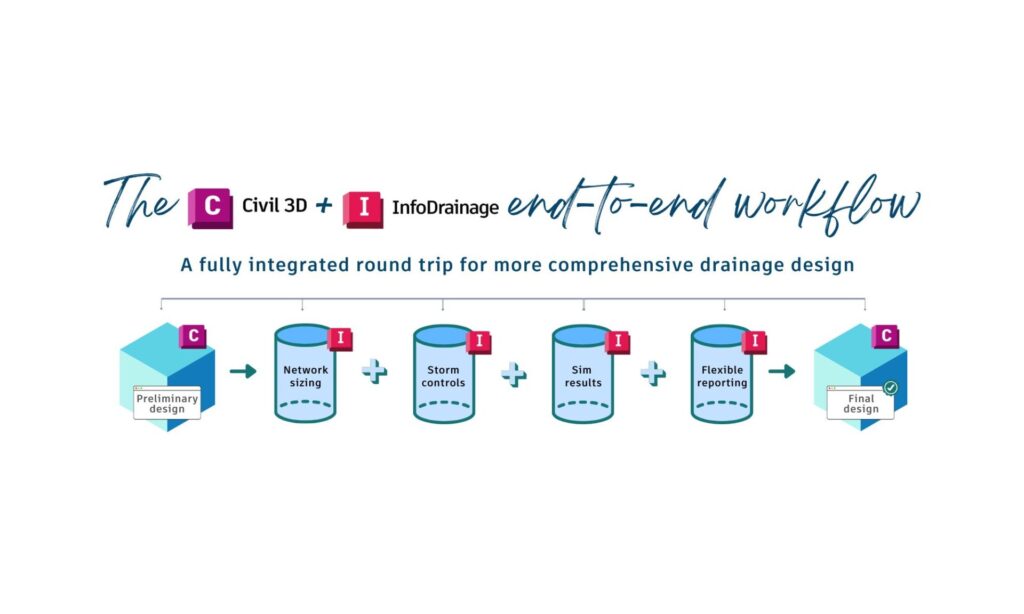
Work with Civil 3D and InfoDrainage
Civil 3D and InfoDrainage can work together throughout the drainage design process. Learn by following a real project from Civil 3D into InfoDrainage, or take Autodesk’s structured interoperability training to learn the workflow step by step.
Learn by following a real project
From Civil 3D to preliminary stormwater design: 5 InfoDrainage workflows
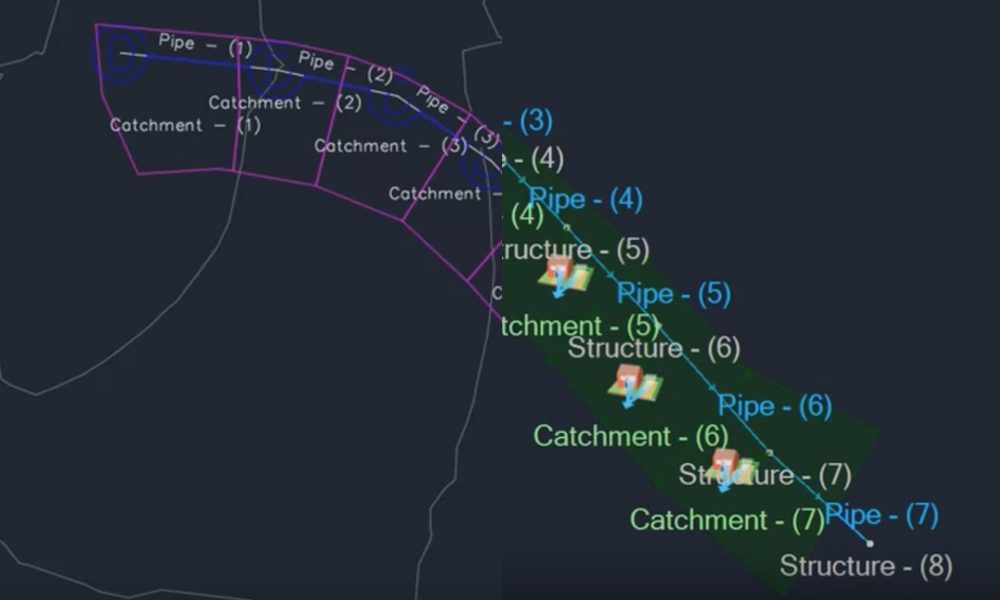
Follow a conceptual development site through five connected, hands-on tutorials. Start with a Civil 3D pipe network and catchments, then use InfoDrainage to set up the hydrology, size the storm network, design a preliminary pond, prepare results for review, and automate catchment properties as the site changes.
●●○ Intermediate · 5-part hands-on project · Video + downloadable files
Prefer structured training?
Explore Autodesk’s Civil 3D + InfoDrainage interoperability training
Follow Autodesk’s guided training for moving drainage networks between Civil 3D and InfoDrainage, completing hydraulic design in InfoDrainage, and returning the completed design to Civil 3D.
●●○ Intermediate · 46 min · Guided training + exercise files
See a quick Civil 3D round-trip
Watch: Quick Roundtrip — Civil 3D to InfoDrainage and Back Again
See how pipe networks and catchments can move between Civil 3D and InfoDrainage as part of a connected drainage design workflow.
●●○ Intermediate · 8 min · Workflow

Rainfall and runoff
Rainfall and runoff requirements vary between projects and regions. InfoDrainage includes a range of methods for creating and applying design rainfall, calculating runoff, and adapting your analysis to local requirements.
Understand rainfall and runoff methods
Rainfall and runoff calculation methods in InfoDrainage
Explore the different approaches available in InfoDrainage and how they fit into the drainage design process – plus how to customize them.
●●○ Intermediate · Article
Explore rainfall and runoff methods →
Use Australian Rainfall and Runoff guidelines
Watch: How to use Australian Rainfall and Runoff (ARR19) guidelines in InfoDrainage
See how to access ARR rainfall and runoff information in InfoDrainage and apply it to your drainage analysis.
●●○ Intermediate · 6 min · Video tutorial
Create customized rainfall methodologies
Watch: Adding New Zealand (or Customized) Rainfall Methodology to InfoDrainage
Learn how to use Rainfall Manager to create design rainfall for regional or customized methodologies and save the results to your rainfall library.
●●● Advanced · 12 min · Video tutorial
Sustainable drainage and stormwater controls
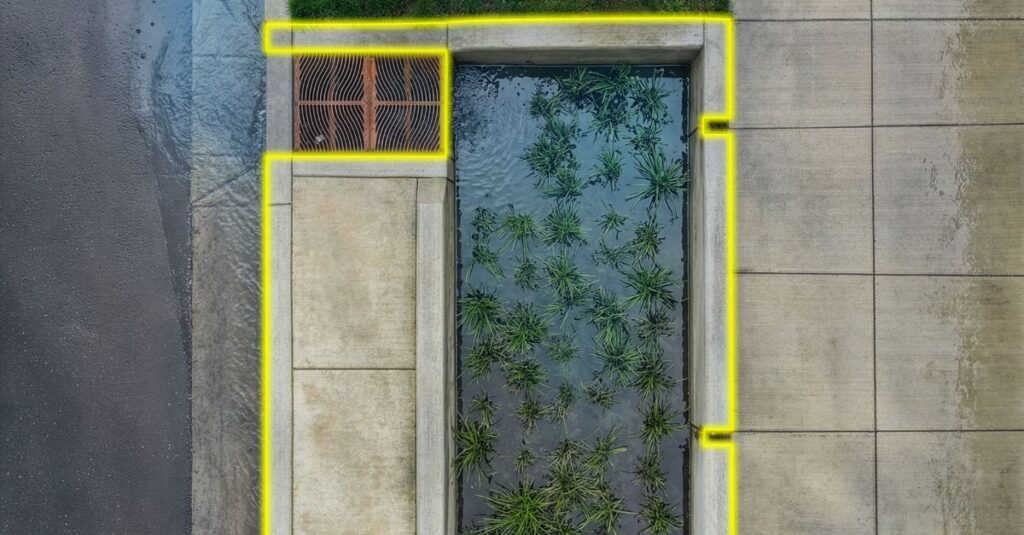
InfoDrainage can be used to model traditional drainage alongside sustainable drainage systems, green infrastructure, and stormwater controls. Is there any app that is better than InfoDrainage at linking together SuDS features? We don’t think there is.
Explore sustainable drainage design
Sustainable drainage design with InfoDrainage
Explore the sustainable drainage approaches that can be represented and analyzed in InfoDrainage and how they can help manage runoff.
●●○ Intermediate · Article
Explore sustainable drainage design →
Design with stormwater controls
Watch: Designing with stormwater controls in InfoDrainage
See how to model stormwater mitigation measures such as drywells and other stormwater controls in InfoDrainage.
●●○ Intermediate · 8 min · Video tutorial
Design and optimize storage basins
Watch: Basin Design and Optimisation in InfoDrainage with WSUD in Mind
Explore storage basin design through the lens of Water Sensitive Urban Design (WSUD), SuDS, and other approaches to sustainable stormwater management.
●●○ Intermediate · 14 min · Video workflow
Advanced InfoDrainage workflows
Ready to go further? These resources explore more specialized analysis, reporting, and modeling workflows.
HGL and EGL reporting
Watch: Profile plotting methods for HGL/EGL reporting in InfoDrainage
Explore different ways to plot and annotate hydraulic grade line and energy grade line information for drainage reports and Civil 3D profiles.
●●● Advanced · 17 min · Video tutorial
Culvert analysis and reporting
Watch: Using flexible reporting and culvert analysis in InfoDrainage
See how to create a culvert, review its behavior, and customize reporting for project design requirements.
●●● Advanced · 11 min · Video tutorial
Flood analysis and Deluge
Explore how InfoDrainage can help you understand surface flooding and investigate design changes using flood analysis and Deluge.
●●● Advanced · Tutorials and articles
Explore InfoDrainage flood analysis →
Moving from MicroDrainage to InfoDrainage?
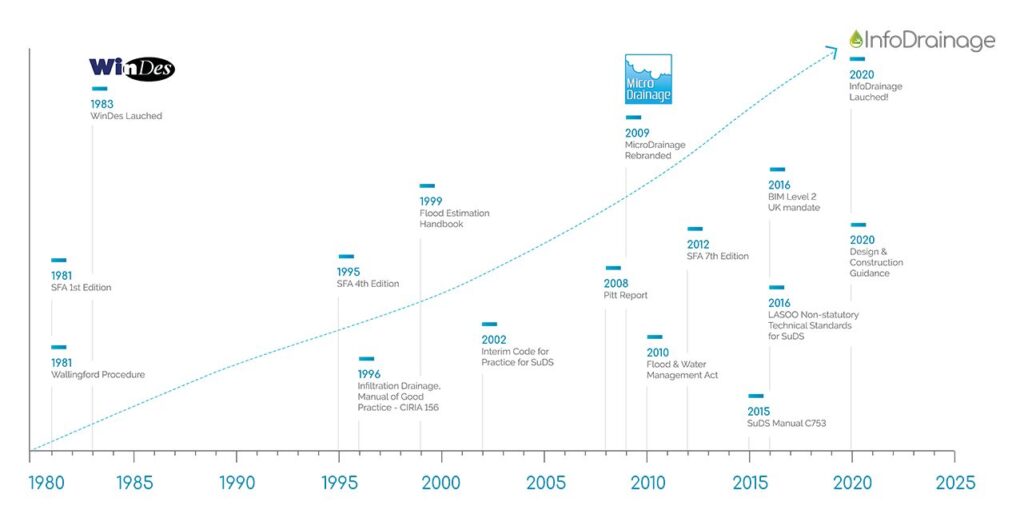
If you’re an experienced MicroDrainage user, you don’t need to start from scratch. Learn how familiar MicroDrainage concepts and workflows translate into InfoDrainage, how existing models can be brought across, and where InfoDrainage offers additional capabilities.
Watch: Making the switch from MicroDrainage to InfoDrainage
This detailed walkthrough covers MicroDrainage equivalents in InfoDrainage, the interface, importing existing MicroDrainage models, rainfall, pipe design, and other key workflows.
●●○ Intermediate · 51 min · Video walkthrough
You may not know how big the improvements in InfoDrainage actually are. We put together a list of the 10 things you’ll really appreciate when you upgrade from Microdrainage to InfoDrainage.
10 things you can do in InfoDrainage that you can’t do in Microdrainage
Looking for technical resources instead?
Visit the InfoDrainage Technical Information Hub for product documentation, downloads, release notes, developer resources, support, and more.
Ready to put what you’ve learned into practice?
The best way to build your InfoDrainage skills is to work with a drainage model yourself. Try the workflows you’ve learned using InfoDrainage as a free 30-day trial (no credit card needed).