 Jim Byrne
Maintaining design intent in complex parametric assemblies is a challenge that compounds at each revision cycle. This article explores how Autodesk Inventor supports mechanical engineers and designers through structured feature relationships, iLogic-driven automation, and purpose-built tools for creating configurable, reusable components.
Enhance Your Engineering Workflows
Precise, powerful, and ready for innovation with Autodesk Inventor.

A mechanical design may look perfect on screen, but it can still fail in the real world if it’s not modifiable. One poorly planned parametric relationship can cascade through hundreds of dependent features, turning a quick revision into hours of damage control. Autodesk Inventor gives engineers the tools to build models that anticipate change, capture design intent, and update reliably no matter how complex the assembly grows.
Unmanaged parametric complexity
Parametric modeling is powerful because it allows models to change with ease. When designers adjust a dimension, parametric modeling allows the model to regenerate every downstream feature in sequence. The entire model updates exactly as intended if the designers built the model correctly. If they didn’t, the team would face broken features and lost constraints, forcing them to rebuild their model from scratch.
As assembly complexity grows, fragile parametric models become a bigger liability. One designer can manage a single part with a handful of features even with a fragile model. But if a design team is managing a product with hundreds of parts, each with its own feature tree and relationships to the assembly, they need a very robust model.
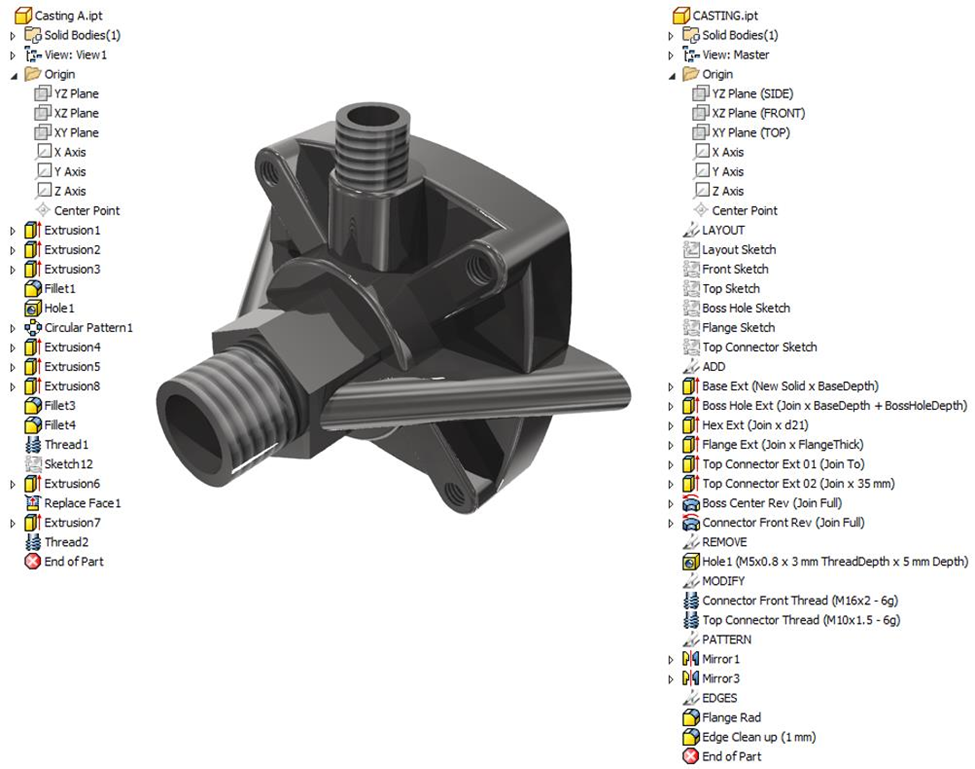
Autodesk’s own research into robust modeling practice shows that every relationship between parameters, sketches, and features should be intentional and documented. A model’s feature structure can help designers visualize relationships, but they are still responsible for designing these relationships with intent and discipline. Without this, teams can spend hours diagnosing cascading failures instead of improving their product design.
Parametric models require designers to think in four dimensions. In addition to geometry, designers need to define the feature history and trace the relationships between sketches and bodies, anticipating how every future edit will propagate through the assembly. When teams fail to bake design intent into the model itself, through deliberate feature structure, named parameters, and a logical build sequence, their model becomes fragile. Another designer who inherits the model months later will have no clear way to predict how a change will behave, leading to the model breaking unpredictably at revision time.
All things considered, designers need a modeling environment built around deliberate structure and tools that make design intent explicit from the very first feature to successfully create complex parametric models.
How Autodesk Inventor manages complexity at scale
Autodesk Inventor is a structured modeling environment that solves many of these challenges.
The tool centers around Inventor’s Model Browser, which records every design decision in sequence and makes relationships between features visible and navigable. Designers can quickly inspect which features depend on one another and reorder the build sequence by dragging items up or down the tree. When a failure occurs, designers can use the End of Part (EOP) marker to isolate and suppress features below the problem, preventing a single broken feature from cascading into a full model rebuild.
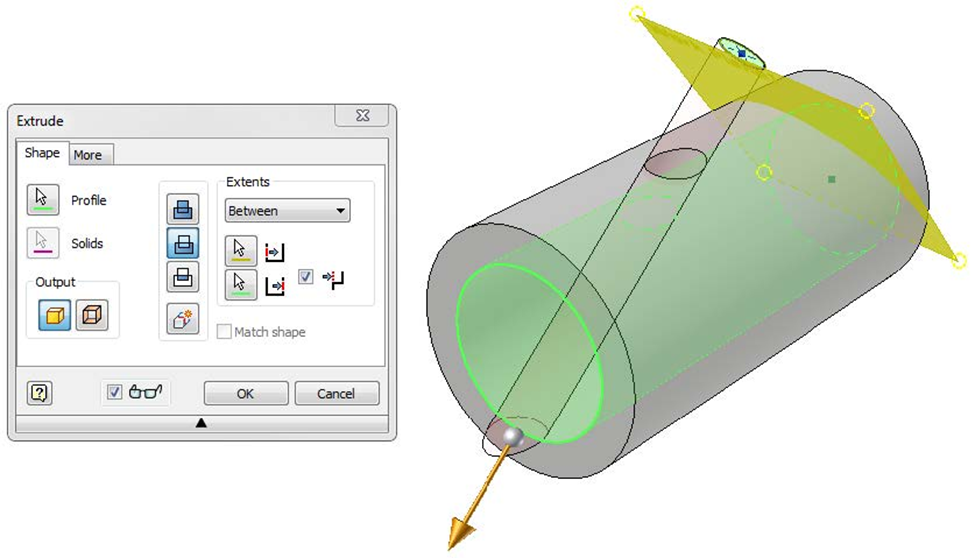
Inventor’s tools help teams make complex modeling decisions within a deliberate hierarchy that keeps assemblies predictable. For the simplest connections, designers can use straightforward calculations to drive parametric relationships. For more complex geometric connections, teams can use sketch-to-sketch, sketch-to-feature, and feature-to-feature relationships in Inventor.
Beyond managing complexity, Inventor’s hierarchical discipline also unlocks configurable product families. Designers can use Inventor’s iLogic automation tool to encode design rules directly into the model, making it possible to generate product variants by adjusting parameter values rather than rebuilding geometry from scratch. When teams need to manage entire families of similar components and assemblies from a single master model, they can use iParts and iAssemblies. As a result, teams using Inventor can spend their time adjusting parameters rather than rebuilding geometry, making subsequent variants faster to produce.
Designing products that can grow
Products will only continue to increase in complexity. For large and geographically diverse design teams, the cost of fragile parametric models rises with every revision cycle. A model that breaks whenever a dimension changes quickly consumes engineering hours that could otherwise be spent advancing the product. Fortunately, Autodesk Inventor offers a platform that helps designers create manageable, scalable designs without sacrificing quality.
Parametric modeling in Autodesk Inventor uses dimensions, constraints, and parameters to define geometry so that changes automatically update the entire model. When a parameter is modified, all dependent features regenerate in sequence, keeping designs consistent.
Parametric models break when relationships between features, sketches, and parameters are not well planned. As assemblies grow, weak dependencies and poorly defined constraints can cause cascading failures, where one change breaks multiple downstream features.
Design intent is how a model is structured to behave when changes occur. It defines which dimensions, parameters, and relationships control the design so updates happen predictably instead of causing failures.
Autodesk Inventor uses a structured modeling environment with tools like the Model Browser to organize feature history and relationships. This makes dependencies visible, easier to manage, and more predictable as assemblies scale.
The Model Browser is a hierarchical tree that records every feature, component, and relationship in a model. It allows engineers to inspect dependencies, reorder features, and understand how design changes will propagate.
Parameters define dimensions using named values or equations instead of fixed numbers. Changing a parameter automatically updates all related geometry, making it easier to scale designs and create variations without rebuilding models.
Inventor supports configurable products through tools like iLogic, iParts, and iAssemblies. These allow teams to create product variants by adjusting parameters or rules instead of redesigning geometry for each version.
Engineers can prevent failures by fully constraining sketches, using clear parameter relationships, and organizing features in a logical sequence. Well-structured models update predictably and reduce the risk of downstream errors
Maintaining design intent ensures that models behave predictably when edited by others. Without it, teams may struggle to understand how changes affect the model, leading to broken features, rework, and lost engineering time.