 markuscueva
Explore how manufacturers use digital twins and discrete-event simulation to boost efficiency before production starts. It covers how simulation models system operation over time and how Autodesk FlexSim supports early decisions, factory planning, and ongoing process improvement.
FlexSim: 3D Discrete Event Simulation Software
Easy-to-use 3D simulation modeling and analysis software with high-end capabilities. Predict and optimize production processes with realistic 3D visuals and data-driven scenarios.
Today, manufacturing teams face important decisions well before installing equipment or starting a production line. To address this, many organizations use digital twin strategies and simulation to move risk away from the real factory and toward a virtual one. By modeling systems before committing capital, teams can use real data to predict performance and expose constraints.
In this context, discrete-event simulation (DES) lets engineers see how systems work over time by linking process design to real results. Autodesk’s FlexSim tool brings the power of digital twins and DES into designers hands.
Digital twins and discrete-event simulation
A digital twin is a virtual version of a physical asset or process that updates as teams add new data. In manufacturing, engineers usually build this model before production starts, using layout ideas, engineering data, and operating assumptions to show how the system should work in practice. Teams then use this model to explore design alternatives, plan operations, and study long-term performance, all while working from a shared and reliable source of information.
Discrete-event simulation fits naturally into this context because manufacturing systems operate through events. Machines start and stop, operators move between tasks, and variability exists throughout the system. Compared with static calculations or manually updated spreadsheets, simulation helps teams capture these interactions directly. With these tools at their disposal, engineers can observe how small, local decisions affect throughput, lead time, and system-wide resource use.
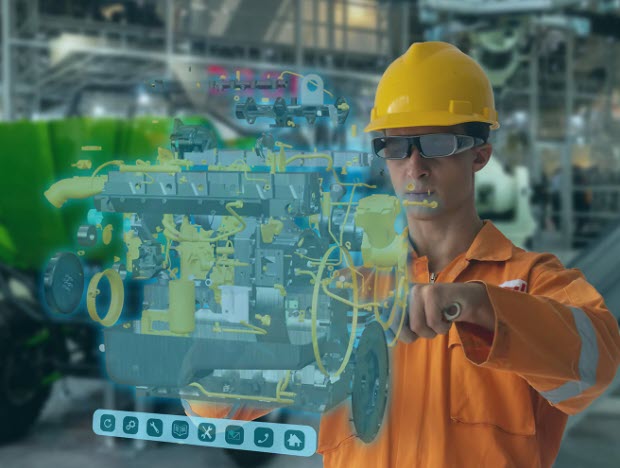
When teams apply discrete-event simulation early, it can add forecasting abilities to the digital twin. For example, engineers can use it to compare layouts or test automation concepts without interrupting production. In settings characterized by high variability, virtually exploring these scenarios lets teams reduce downtime risk and increase returns before committing to physical changes.
In a similar vein, simulation also improves communication between teams and disciplines. A dynamic model that shows material and people flowing through a system over time conveys intent more clearly than static drawings. As such, operations, engineering, and management teams can evaluate the same performance measures in order to resolve trade-offs early in the project.
Applying Autodesk FlexSim to discrete-event simulation
Autodesk FlexSim supports discrete-event simulation with a software tool that lets engineers build 3D models of production lines, warehouses, and workforce movement using simple drag-and-drop workflows. With a no-code approach, FlexSim democratizes DES and encourages teams to use simulation earlier in the design process.
FlexSim combines realistic 3D visualization with process logic based on real data. Engineers can represent machines, vehicles, and operators using built-in objects that already mimic real operational behavior. As a result, teams can focus on system design decisions instead of spending time on low-level model construction. For example, with the built-in scenario manager, engineers can run systematic tests and compare outcomes based on different assumptions (e.g., demand changes or equipment reliability).
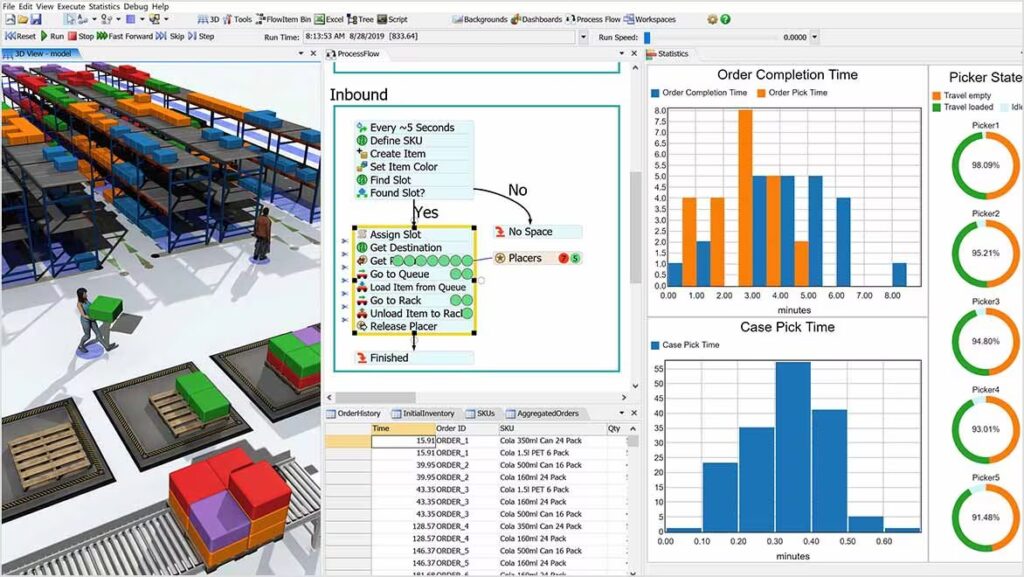
FlexSim also lets teams experiment without risk. Engineers can ask “what-if” questions, test unfamiliar operating conditions, and validate design choices without impacting active facilities in any way. Imagine scenarios where uncertainty is high and mistakes carry long-term consequences, such as factory planning or reconfiguration. By guiding layout and process decisions via simulation in these situations, FlexSim can help teams reduce risks and realize measurable gains in productivity and throughput.
Engineers can also use the software to connect simulation to the larger digital factory. FlexSim integrates with 2D and 3D CAD data, which means that existing layouts and equipment designs can feed directly into simulation models. With a fully connected ecosystem, teams can keep a clear link between design intent and operational behavior. And, over time, engineers can update FlexSim models with new data to use them as living digital twins to facilitate continuous process improvement.
A digital way forward
When paired with DES, digital twins can help manufacturers study system operation before production begins. By modeling operations over time, teams can identify risks, compare alternatives, and make well-informed decisions without relying on trial-and-error in the physical factory.
Autodesk FlexSim makes this approach a reality with powerful tools for modeling and analysis. When teams use simulation early and consistently, they’re setting themselves up for success, robustness, and flexibility.