 Shannon McGarry
Autodesk Inventor supports design for assembly principles by providing tools that simplify the assembly process, reduce costs, and improve product quality through efficient design practices.
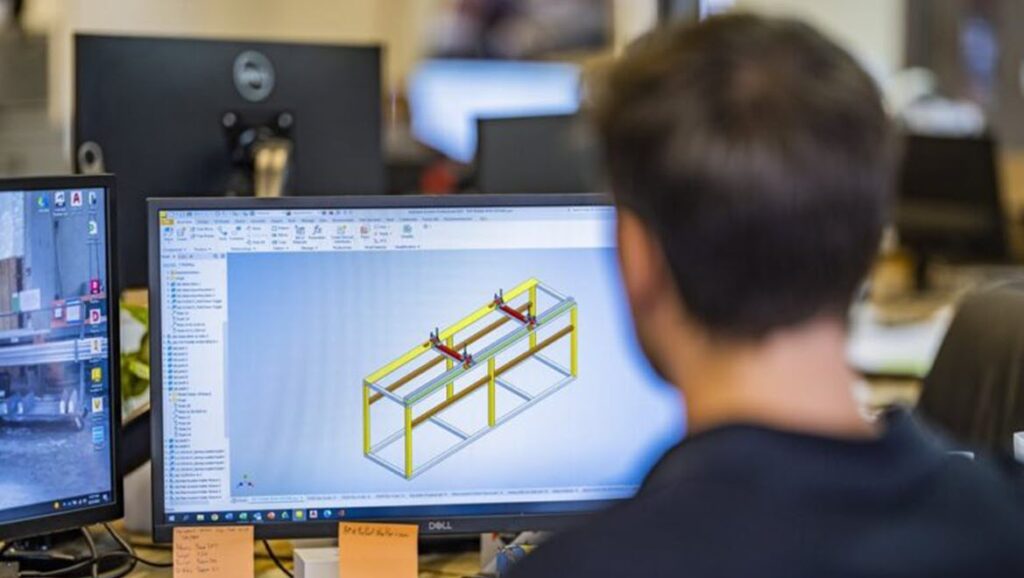
Design for assembly (DFA) is a strategic approach in product design focusing on simplifying the assembly process to reduce costs, improve efficiency, and enhance product quality. By implementing DFA principles, designers can create products that are easier to assemble, require fewer components, and are less prone to errors. Autodesk Inventor offers a range of tools that support these principles, making it an ideal solution for achieving excellence in assembly design.
Enhance Your Engineering Workflows
Precise, powerful, and ready for innovation with Autodesk Inventor.

Principles of design for assembly
Reduce the number of components and parts
A fundamental principle of DFA is to minimize the number of components and parts in a product. Fewer parts mean simpler assembly processes, reduced labor costs, and lower chances of errors during assembly. By consolidating multiple functions into single parts and eliminating unnecessary components, designers can streamline the assembly process.
Use off-the shelf, standard parts
Using off-the-shelf, standard parts ensures that components are readily available, thus reducing lead times and costs. Standard parts are often designed for compatibility and ease of use, making the assembly process smoother and more predictable.
Make the assembly mistake-proof by applying poka-yoke principles
Poka-yoke, is a Japanese term meaning “mistake-proofing”. It involves designing parts and assemblies in a way that prevents errors. This includes features like keying, orientation guides, and foolproof connectors that make sure parts are assembled correctly.
Save assembly time with modular designs
Modular designs divide the product into subassemblies that can be independently assembled and then combined. This approach simplifies the assembly process. It reduces the complexity of individual tasks and allows for easier maintenance and upgrades.
Simplify assemblies with symmetrical designs
Symmetrical designs ensure that parts can be assembled in multiple orientations without causing errors. By making parts symmetrical, designers eliminate the need for precise alignment and reduce the likelihood of assembly mistakes.
Don’t make tolerances too tight
Tight tolerances can complicate the assembly process, requiring specialized tools and precise alignment. By designing parts with reasonable tolerances, designers can simplify assembly, reduce the need for adjustments, and avoid issues related to misalignment and fit.
Use built-in fasteners like snap fits
Built-in fasteners, such as snap fits, eliminate the need for additional fasteners like screws and bolts. Snap fits are easy to assemble, require minimal tools, and provide secure connections. Using built-in fasteners simplifies the assembly process and reduces the number of parts required.
Design parts that are easy to manipulate
Designing parts that are easy to handle and manipulate during assembly is a necessity. This includes considering the size, shape, and weight of components to make sure that they can be easily picked up, positioned, and secured. Parts that are easy to manipulate reduce assembly time and improve efficiency.
Create parts that are self-aligning or self-locating
Self-aligning or self-locating parts automatically guide themselves into the correct position during assembly. Features such as tapered edges, alignment pins, and slots help ensure that parts fit together correctly without requiring manual adjustments. Self-aligning parts reduce assembly errors and speed up the assembly process.
Achieving DFA principles with Autodesk Inventor
Autodesk Inventor is a powerful design and engineering solution that provides a comprehensive suite of tools to achieve the principles of design for assembly. Designers can create efficient, cost-effective, and reliable products that meet the demands of modern manufacturing.
Parametric design and component reduction
The parametric design capabilities in Inventor allow designers to create flexible and adaptable models. Designers can consolidate multiple functions into single parts and reduce the overall number of components. This streamlines the assembly process and enhances efficiency.
Standard part libraries
Inventor includes extensive libraries of standard, off-the-shelf parts. Designers can easily select and incorporate standard components into their designs, ensuring compatibility and reducing lead times. Using standard parts simplifies inventory management and improves assembly predictability.
Poka-yoke features
Inventor provides tools for incorporating poka-yoke features into designs. Designers can create keying, orientation guides, and foolproof connectors to make sure that parts are assembled correctly. The simulation and validation tools in Inventor help identify potential assembly errors prior to manufacturing.
Modular design tools
Inventor supports modular design principles with tools for creating subassemblies and modules. Designers can independently design and test modules before combining them into the final product. This modular approach simplifies the assembly process, reduces complexity, and improves efficiency.
Symmetry and tolerance management
Design tools in Inventor allow for the creation of symmetrical parts. Components can be assembled in multiple orientations without errors. Inventor also provides tools for managing tolerances. Designers can specify reasonable tolerances that simplify assembly and reduce the need for adjustments.
Built-in fastener integration
Inventor includes features for designing built-in fasteners like snap fits. Designers can create secure connections without the need for additional screws or bolts. Built-in fasteners simplify the assembly process, reduce the number of parts, and improve overall product reliability.
Manipulation and handling tools
The design tools in Inventor consider the ease of handling and manipulation of parts. Designers can optimize the size, shape, and weight of components so that they are easy to pick up, position, and secure during assembly. Parts that are easy to manipulate reduce assembly time and improve efficiency.
Self-aligning part design
Inventor supports the design of self-aligning and self-locating parts. Features such as tapered edges, alignment pins, and slots can be easily incorporated into designs to ensure parts fit together correctly. Self-aligning parts reduce assembly errors and speed up the assembly process.
Conclusion: Design for assembly
Design for assembly is a vital approach that simplifies the assembly process, reduces costs, and improves product quality. By implementing DFA principles, designers can create products that are easier to assemble, require fewer components, and are less prone to assembly errors. Autodesk Inventor is not just a design tool; it’s a comprehensive solution that empowers designers to create products that are optimized for assembly. By integrating DFA principles into the design process with Inventor, manufacturers can achieve excellence in product development and pave the way for a successful future in design and manufacturing.
Enhance Your Engineering Workflows
Precise, powerful, and ready for innovation with Autodesk Inventor.