 Irvin Hayes Jr.
Autodesk Vault 2026 is here with new features and enhancements that will enable you to improve design creation, user and admin workflow efficiency, and software interoperability. Vault subscribers can start taking advantage of the new functionality right away.
Each release of Autodesk Vault includes productivity-enhancing product data management (PDM) functionality. Read on to learn more about what’s new in Vault 2026.
Autodesk Vault 2026 Highlights
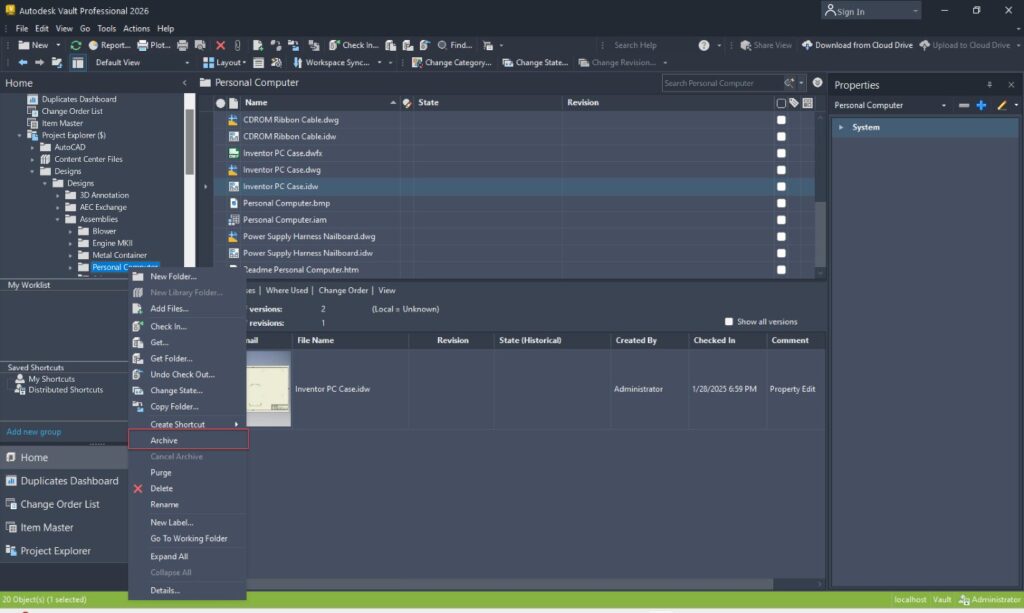
Project and data archive
We’re happy to announce the new project and data archive feature in Autodesk Vault 2026. This feature allows you to manage large amounts of data more easily with the ability to archive data when designs and projects are completed or obsolete.
Trash bin
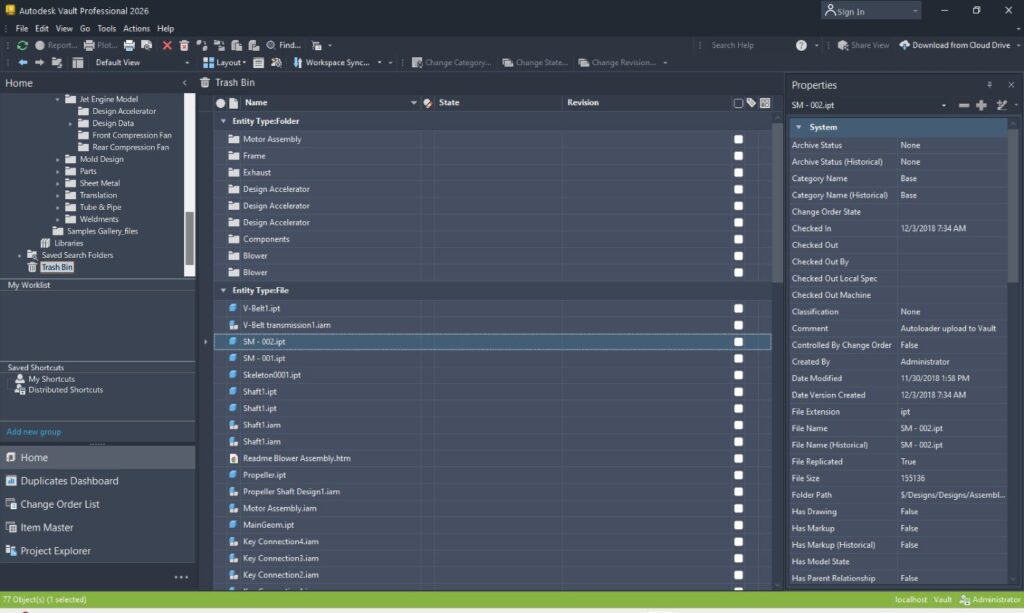
Managing deleted files with Autodesk Vault PDM is easier than ever with the new trash bin functionality. This functionality helps you avoid losing essential files that are accidentally deleted. The trash bin provides temporary storage and settings that allow users to restore deleted data.
Hyperlink user-defined property
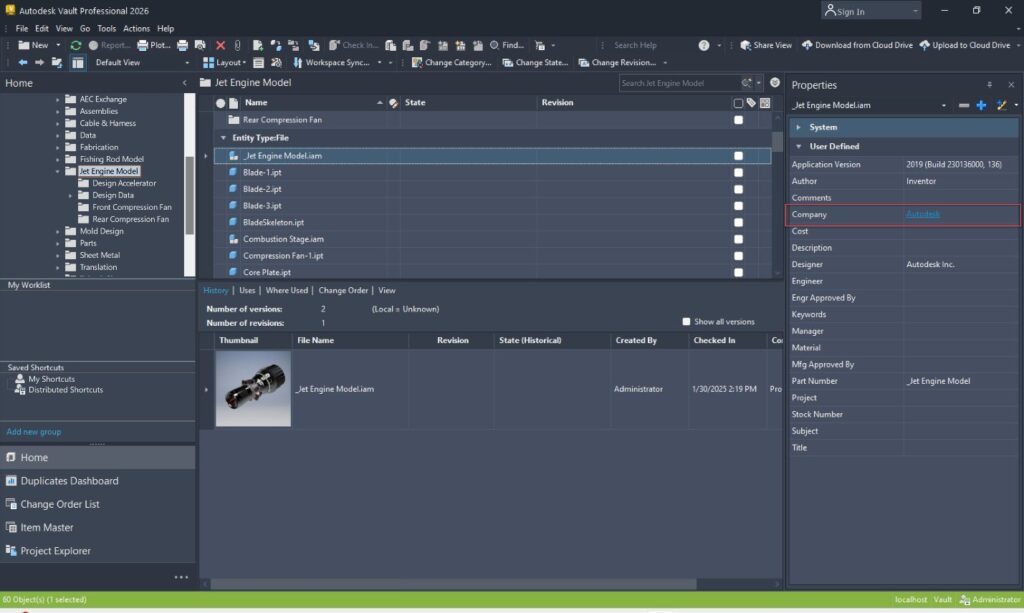
With the new hyperlink user-defined property in Autodesk Vault 2026, you can now add a clickable URL or email address in user-defined properties for greater convenience. You can use these embedded hyperlinks to a website or even a linked record in another system like Autodesk Fusion Manage.
Enhanced copy design
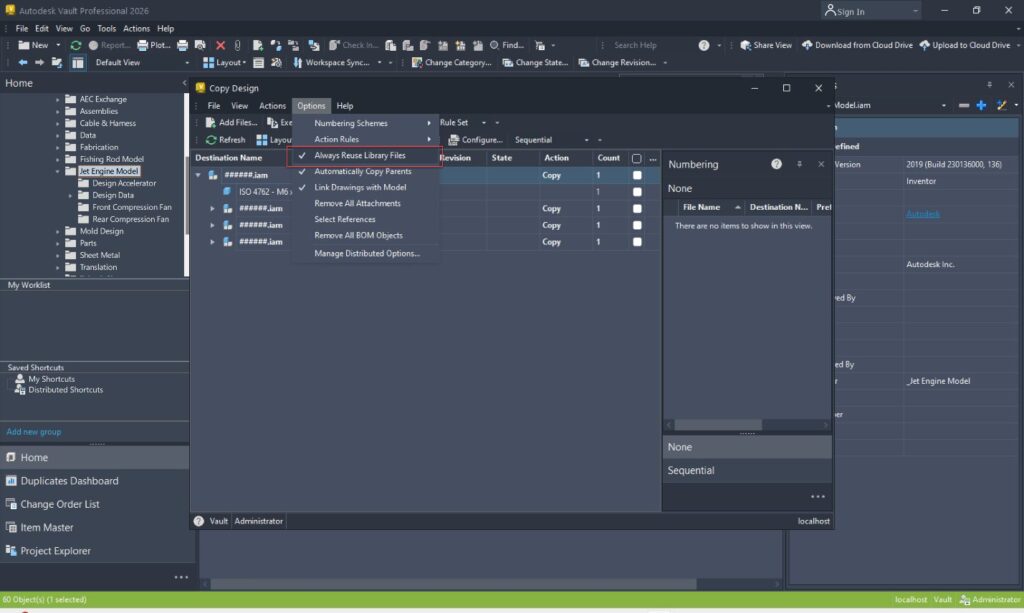
Enhanced copy design helps you prevent accidentally copying library files and creating unnecessary duplicates. Users can reuse library files on file selection or based on a branch in the copy design grid.
Vault Data API
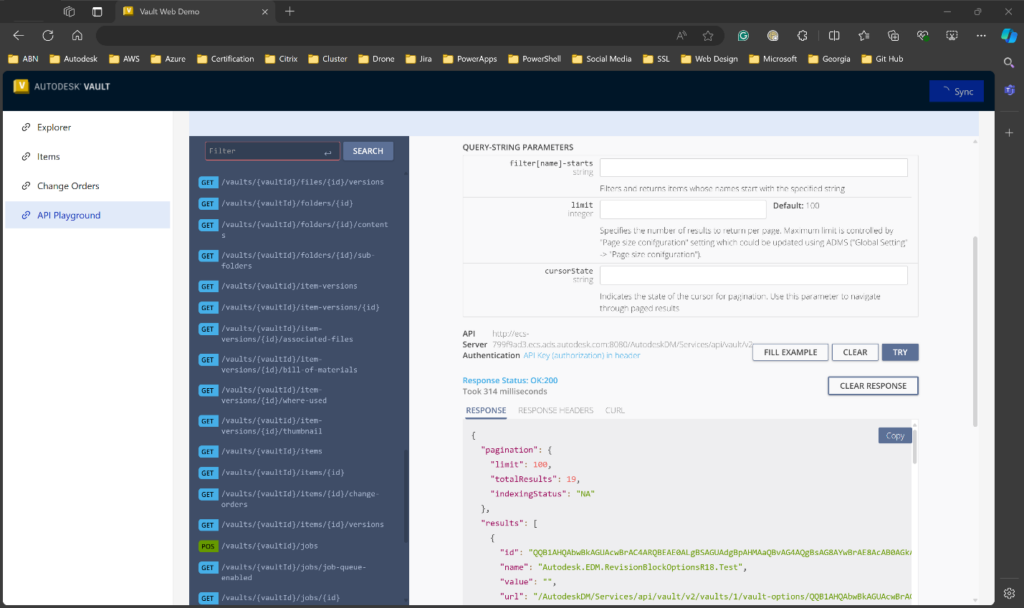
Extending Vault’s ability to integrate is now easier with the new Vault Data APIs. This set of modern cloud APIs allows you to integrate Vault with other business systems, providing open and extensible access to data in Vault.
Automatic account disablement
Administrators of Vault can take advantage of the new Automatic account disablement feature by setting an expiration date for when a user will no longer need access to Vault or its data. On that date, the user account will be disabled automatically, ensuring you protect your Vault data and only give access to the right people.
Share your feedback
To make sure we’re working on your priorities, be sure to give us your feedback. You can join the following communities to share feedback and product improvement requests with our Autodesk Vault product team:
Vault Ideas – Submit your ideas for improvements and new features.
Vault Forums – Discuss Autodesk Vault’s current workflows with our technical teams and your peers.
Feedback Community – Test Autodesk Vault alpha and beta releases and give your feedback directly to the Vault product team.