 Stacey Morykin

The importance of CAD standards cannot be overstated. They are the foundational elements in creating drawings and templates for the Architecture, Engineering, Construction, and Operations (AECO) industry. Design solutions (such as AutoCAD and Civil 3D) rely on these standards to establish criteria for design elements and export settings.
Not only do CAD standards enhance an organization’s branding, but they also serve as a reflection of its structural efficiency and maturity. A well-structured CAD standard is indicative of a mature, well-managed organization, and this often becomes evident when collaborating on projects.
Creating a central repository for CAD standards like layers, object and text styles, plot settings, and more helps to streamline project setup, produce aesthetically pleasing drawings, and ensure consistency in deliverables. Moreover, it’s a great way to reflect a company’s unique aesthetic in a highly legible manner.
What are the challenges of CAD standards management?
While CAD standards play a crucial role in project documentation, their distribution and management often pose certain challenges.
For example, engineering firms typically juggle multiple projects for various clients, each having their unique CAD standards and associated files. It can be difficult to efficiently switch between different project CAD resources and make sure designers have the necessary files at their disposal.
When several people work on the same project, they typically aim to use identical standards for elements like title blocks, templates, standard blocks, and pen settings with the goal of producing cohesive and consistent documentation. However, drafters commonly find themselves navigating numerous network folders to locate the correct templates, plot settings, and other required reference materials for a specific project.
Additional challenges arise from updates made to the CAD standards during a project’s lifespan. Suppose a firm rebrands or changes its font mid-project. In that case, there’s a risk of generating inconsistent outputs if the updated documents and templates aren’t readily available.
For projects that are revived years later, it can be a daunting task to retrieve and apply the original standards that may have since evolved.
How can Forma Data Management (formerly Autodesk Docs) help?
As a component of Autodesk Forma, Forma Data Management is an innovative and cloud-based storage system that acts as a comprehensive hub for all your CAD standards and project information. More than just a storage solution, Forma Data Management also functions as a valuable resource for managing and distributing CAD standards across project teams, giving everyone access to the most current standards.
After all, the effective management of CAD standards hinges on the availability of a centralized, reliable system for their storage and dissemination. A system such as Forma Data Management makes it easy for all team members to access the CAD standards, and it can reflect any modifications to these standards in real time across the entire project. This helps to achieve consistency and maintain the integrity of the project documentation.
Forma Data Management supports a broad spectrum of file types, from Excel and PDFs to tool palettes, plot styles, and drawing templates. This flexibility, combined with its robust management capabilities, makes it a powerful solution for managing CAD standards.
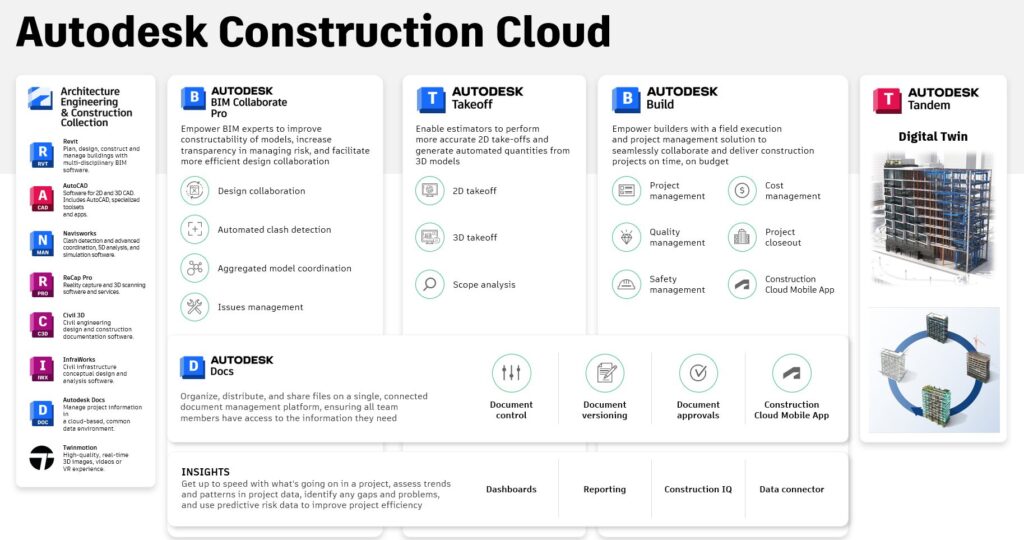
Storing CAD standards with Forma Data Management
Forma Data Management makes managing CAD standards simple by providing a central location for storage. But it’s more than a storage system. It’s a tool that ensures your design information is always accompanied by the most up-to-date standards. Plus, it gives you control over how to share this important data with other project stakeholders, improving collaboration.
There are two primary methods for storing CAD standards in Forma Data Management:
1.) Individual Project Storage: CAD standards can be embedded directly within individual project files. This method provides all project stakeholders with easy access via Desktop Connector.
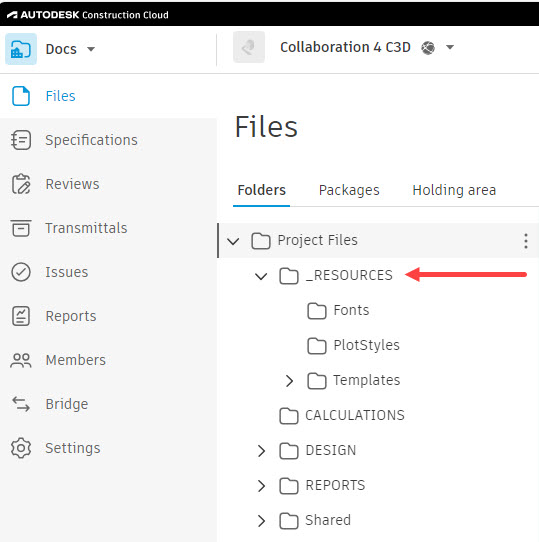
2.) Separate Resources Project: Alternatively, a separate folder can be created for all CAD standard resources. This method maintains all CAD Standards in a manageable, centralized location.
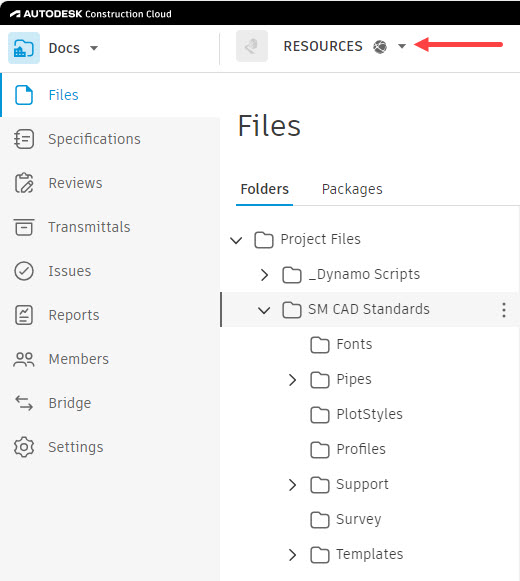
Regardless of the method, when CAD managers make necessary changes, they can be confident that their project teams are always viewing the latest versions.
To access stored resources, users can set their Civil 3D/AutoCAD profile to point to the Forma Data Management project location. This allows them to path reference files directly to their Forma Data Management folder, with all file prompts leading to the correct location.
Another advantage of Forma Data Management is its “cloud-only” state for unused files, which downloads only actively used resources to the local machine, thereby saving space.
Managing CAD standards with Forma Data Management
While Forma Data Management provides an efficient system for storing CAD standards, its capabilities extend beyond just storage. The platform also offers robust features for managing these standards. This means the standards are accessible and consistently updated and accurately maintained across all projects.
There are two primary methods for managing CAD standards in Forma Data Management:
Direct Project Management: If CAD standards are stored within individual project files, updates can be made directly within the project, allowing for real-time availability and distribution to all project members.
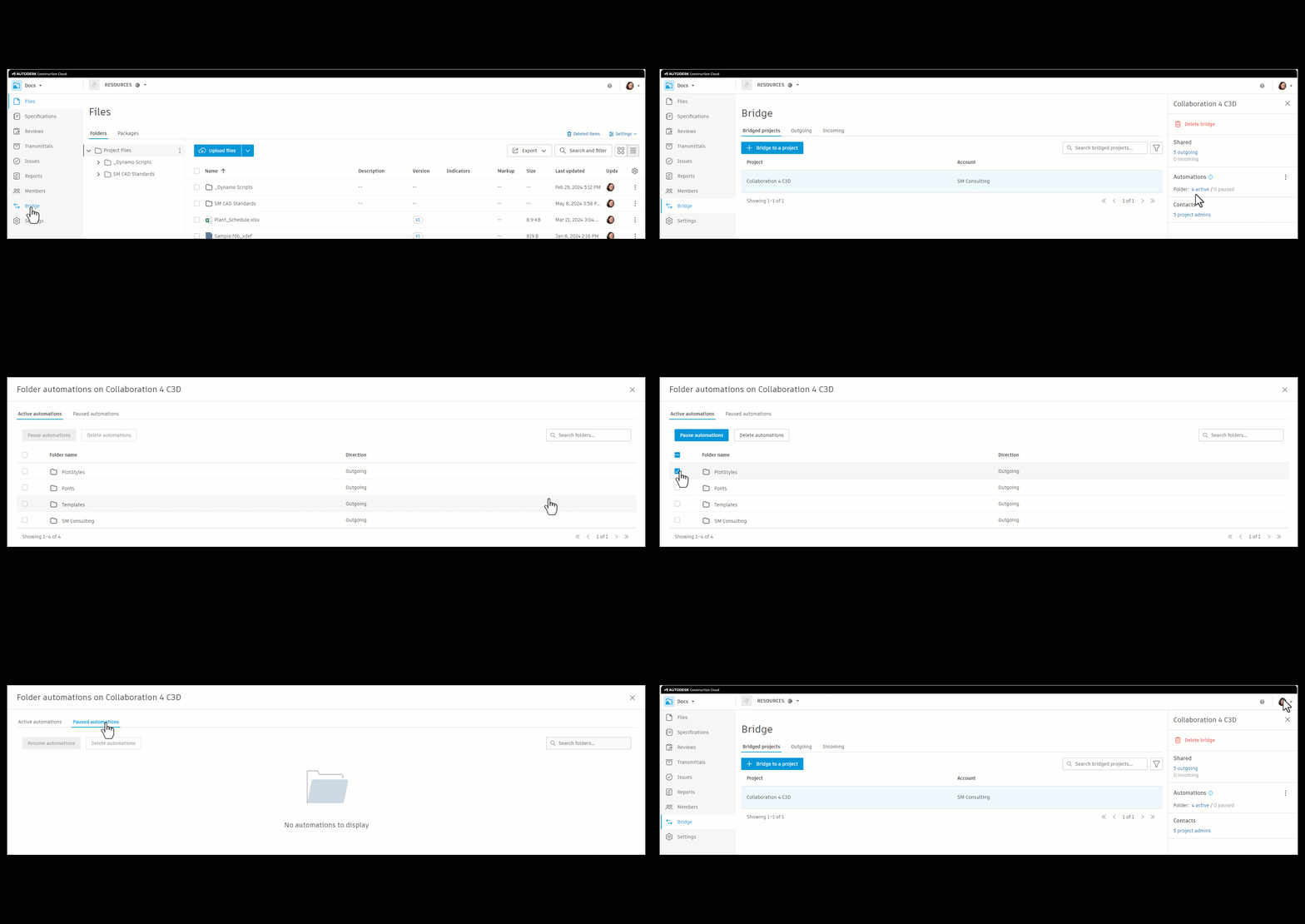
Bridging Feature: If CAD standards are stored in a separate project or folder, utilizing the “Bridge” functionality in DOCs affords the opportunity to include only standards pertinent to that project. This method is ideal if your separate resources project size becomes relatively large.
In both cases, Forma Data Management offers a Version Control feature, which tracks changes in CAD standards and allows users to revert to a previous version when necessary.
From a web dashboard, CAD managers can monitor file activity, invite collaborators (both internal and external), and control versions. This enables CAD standards to be stored and managed efficiently, promoting consistency and accuracy in project documentation.
Distributing CAD standards with Forma Data Management
Another essential aspect is the distribution of these standards. The platform simplifies the process of sharing and distributing CAD standards, making it dynamic, straightforward, and secure.
Forma Data Management offers the flexibility to share the entire project or specific files or standards as needed. As soon as someone is invited to a project, the sharing process can begin based on the project’s specific requirements and folder permissions.
The system also provides control over how updates or changes in standards are rolled out. You can choose to distribute them dynamically in real-time or statically as selective instances. This means that team members get access to the versions of the templates they need without clutter from unnecessary previous versions.
Several methods are available for data sharing:
- The Bridge tool in Forma Data Management allows controlled data sharing between projects, acting as a gateway for data.
- For closer collaboration, you can invite trusted team members, both within and outside your organization, to view the information. Adding them directly to the project enables efficient and controlled distribution of CAD standards, and more streamlined project execution.
In conclusion, CAD standards are the backbone of project documentation in the AEC industry. They reflect an organization’s branding, structural efficiency, and maturity. However, the management, storage, and distribution of these standards often present challenges that can hinder project execution.
Forma Data Management offers a comprehensive solution to these, boosting collaboration among project teams and providing easy yet secure access to these standards, whether they’re stored within individual projects or in a separate project or folder.
With features like real-time updates, version control, and a user-friendly dashboard for CAD managers, Forma Data Management is a powerful tool for the efficient management of CAD standards. It also simplifies the distribution process, providing flexibility in sharing and keeping control over updates to make the distribution of standards more dynamic, straightforward, and secure.
In essence, Forma Data Management can help organizations get the most out of CAD standards, improving project execution and outcomes. The system helps achieve consistency, efficiency, and accuracy in project documentation, reflecting a company’s unique aesthetic in a highly legible manner and showcasing their operational efficiency and attention to detail.
Learn more about Autodesk Forma and Forma Data Management.