-

Out with the Old: Training Outside of the Live Classroom
From YouTube videos to webinars, there are many different ways to learn about a particular topic. Today’s modern technology has expanded our means of absorbing new information, particularly outside of the classroom.
Fusion
-
September 4, 2019 Product Update – What’s New
Woohoo! Our new toolbar UI has landed, as well as new command icons for all the workspaces! Check out the what's new for more details.
What's New
-

What Jony Ive Leaving Apple Means for Industrial Design
Jony Ive made a significant impact on Apple as the company’s chief design officer. His departure has left some wondering what leaving a tech giant, like Apple, could mean for industrial design.
Industrial Design
-

What’s New in Autodesk EAGLE 9.5
What’s New in Autodesk EAGLE 9.5 Hi Everyone and welcome back for those of you that have enjoyed an opportunity to ‘downshift’ over the summer months (our friends in the Northern Hemisphere)! While many of you vacationed, we at Autodesk have been hard at work on the capabilities of EAGLE in anticipation of what we…
Eagle
-

Looking Sharp! How Charcoal Goods Combines Fine Art and Machining to Produce Artisan Razors
Self-taught Fusion 360 user Brian Twilley combines his fine arts background with his experience as a machinist to create Charcoal Goods.
Fusion
-
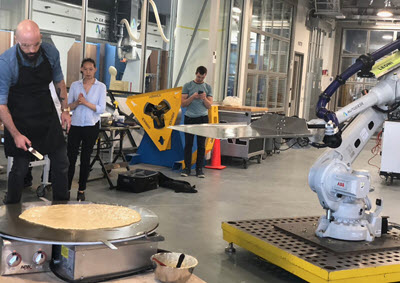
The Future of Baking Things?
Check out celeb chef Babish making giant pancakes with Fusion 360 and a powermill robot!
Fusion
-

Tech Tip: When and why to turn on “Allow 3D sketching of lines and splines”
This Tech Tip will help you to decide when and why to turn on "Allow 3D sketching of lines and splines”
Fusion
-

Automating Hole Recognition and Drilling in Fusion 360
Learn more about the new hole recognition capabilities inside the Fusion 360 manufacturing extension and explain how they can help automate one of the most common programming tasks in your machine shop.
Fusion
-

Dr. CADCAM: Or How I Learned To Stop Worrying And Love The Cloud
Data management in Fusion 360 is easier than ever thanks to its cloud-enabled infrastructure. But is the simplicity worth the risk? Come push the button.
Fusion
-

Tech Tip: Thicken command, surface vs form environments
Learn more about the thicken command in Fusion 360 in both the surface and form environments.
Fusion
-

What is Data Gravity, and Why Does it Matter?
Companies are working to harness the massive potential of ubiquitous data, but the “gravity” of that data has important implications for users and companies alike.
Fusion
-

July 24, 2019 Product Update – What’s New
We're kicking off the summer with a new update, bringing you features like switching to Team accounts, setting project milestones, and advanced manufacturing extensions.
What's New
-

Tech Tip: Threading Parts in Fusion 360
Check out this tip to learn how to use the thread command to create threaded parts in Fusion 360.
Fusion
-
Public and Private Collaboration in the Space Program
NASA has big ambitions, and they cannot do their work alone. Only through careful, thorough collaboration with schools, business, and field centers around the world can they bring their visions into reality.
Fusion
-

We’re celebrating 6 years of Fusion 360
And as a token of appreciation, we're offering 50% off an annual subscription. We wouldn't be here without you.
News