-

QUICK TIP: Animation Gems
Using animations in Fusion 360 is a powerful way to communicate assembly structure and mechanics. Check out this QT to jump-start your animation creation!
Fusion
-
CAM & CNC Hands on at Autodesk University
Have you ever wanted to learn how to generate toolpaths and cut parts on a CNC Machine?
Fusion
-

Textile and Fabric Design Class Coming To AU 2016!
Textile Design with Fusion 360. Autodesk University 2016. Las Vegas. Be there.
Fusion
-
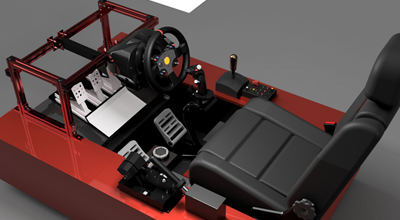
FusionNews for the week of 10/7: A weekly roundup of community news
FusionNews highlights the key things that happened over the past week in the Fusion 360 Community. New posts every Friday.
News
-
What you didn’t know about EAGLE: Command Line
EAGLE has always included the command line that has allowed users to speed up the use of the program. Read more to understand the EAGLE Command line.
Eagle
-
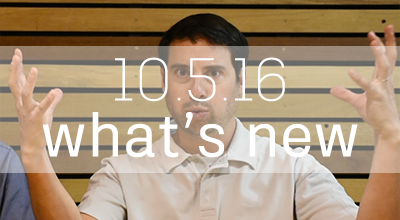
October 5, 2016 Update – What’s New
Meanwhile, in Fusion-land - we’ve just released some sweet improvements like rotate views for 2D drawings, cloud simulation capabilities, and body-level opacity. Have fun! Don’t hurt yourselves.
What's New
-

QUICK TIP: Painless Post
If the 100+ posts in Fusion 360 don't meet your requirements, you need to know where to find others. Check out this QUICK TIP to get the answers you need!
Fusion
-
Design for Manufacturing, or – Is it Millable?
Can you make this? It’s one thing to design something, but can it actually be made? That’s what design for manufacturing is all about. First, there’s the question of whether it can be made at all. George Lucas may be able to design a “Death Star” but that doesn’t mean it can be manufactured with…
Advanced Manufacturing
-
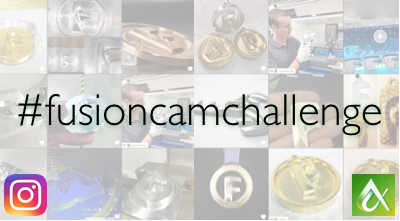
#fusionCAMchallenge 2.0 Winner on Instagram!
Check out which Instagram User is taking the 'gold' medallion to Autodesk University 2016!
Fusion
-
EAGLE goes to Maker Faire Rome
The Maker Faire takes place at Fiera di Roma from October, 14th -16th 2016. Stop by our booth 7.A.38 + 7.A.39 to design your own PCB in EAGLE.
Eagle
-

FusionNews for the week of 9/30: A weekly roundup of community news
FusionNews highlights the key things that happened over the past week in the Fusion 360 Community. New posts every Friday.
News
-
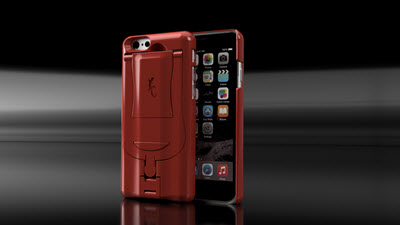
Geco Case Delivers More Fun and Functionality to Your Smartphone
The Geco Case, designed with Fusion 360 is the ultimate game-changer for you and your smart phone.
Fusion
-
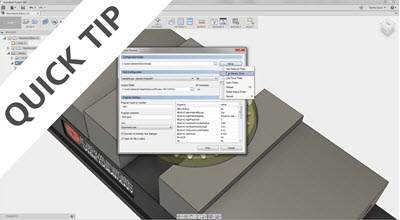
QUICK TIP: View Vexation?
Avoid some common mistakes and better understand how to modify your view in Fusion 360 after watching this QUICK TIP.
Fusion
-
Using CAD & 3D Printing to Revolutionize Healthcare
Attending Autodesk University 2016? Don't miss this class being led by David Escobar, a Lead Simulation Specialist.
Fusion
-
What you didn’t know about EAGLE: Script Files
Continuing with our series What you didn’t know about EAGLE we will teach users how to modify existing script files eagle.scr and default-assign.scr to make customization to their workflow. There comes a time in every user’s journey with EAGLE where they feel like they have a preferred workflow. They discover there are commands they use more…
Eagle