 Rahul Patil
If you’re getting started with Autodesk Fusion Simulation, this blog is a great place to start. This blog highlights important tools, and things to be aware of, as you familiarize yourself with the Fusion Simulation workspace.
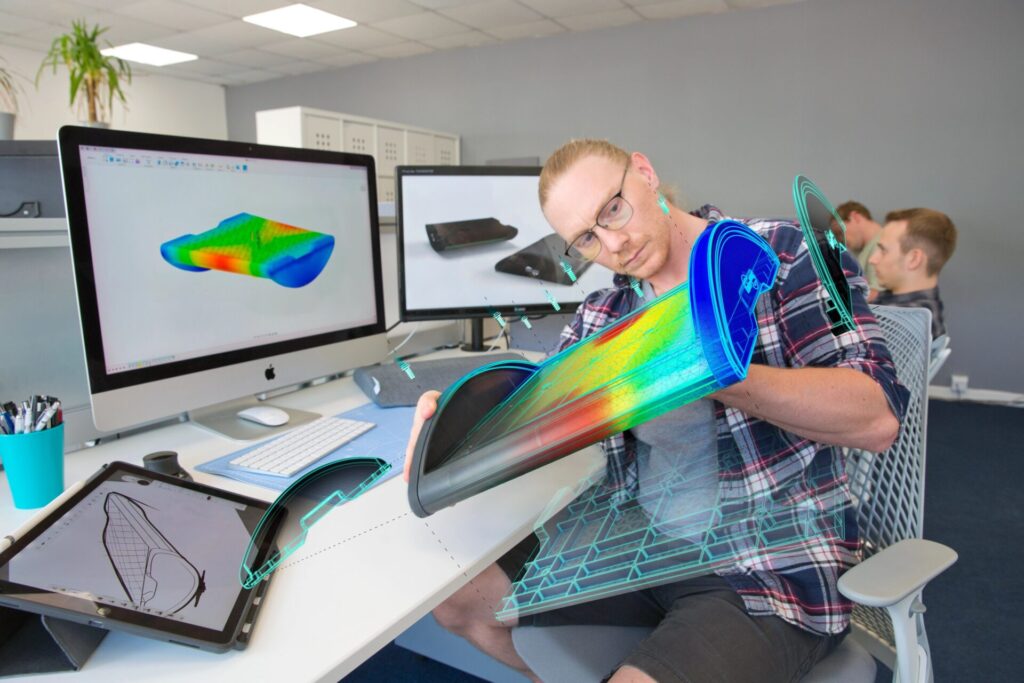
Fusion Simulation workspace
Fusion Simulation provides a range of capabilities you can use to validate and optimize your designs for real-world scenarios. You can identify potential issues, improve performance, and reduce material costs before moving to the manufacturing stage. These capabilities help answer crucial design performance questions such as “Will it break?”, “Will it overheat?”, and “Will my part have defects when manufactured using the plastic injection molding process?”
To better understand how Fusion Simulation can benefit your design process, let’s explore some of the key simulation tools and physics types available.
Stress analysis
- Load and constraint application: Apply loads, constraints, and boundary conditions to accurately represent the operating condition loading cases.
- Stress and displacement visualization: Visualize stress and displacement results to understand how your design behaves under applied loads.
- Factor of safety analysis: Evaluate the safety factor of your design to ensure it can withstand the anticipated loads.
Modal analysis
- Natural frequencies calculation: Determine the fundamental and harmonic natural frequencies values (Hz) of your design to understand its dynamic behavior.
- Mode visualization: Visualize and animate the mode shapes to identify potential resonance or vibration issues.
- Mass participation factors: Assess the percentage of the design’s mass that participates per direction for each mode.
Buckling analysis
- Critical load factor calculation: Structural Buckling analyses (also known as Eigenvalue buckling analyses) examine the geometric stability of slender structures loaded vertically. Although a static stress analysis can determine it will not fail under the applied loads, if it deforms laterally, it may no longer withstand even a fraction of the initially applied force. Determine the magnitude of the load that will cause collapse.
- Mode visualization: Visualize and animate the buckling mode shapes with normalized displacement values.
- Specify higher order buckling mode calculations: Additional buckling mode results can be specified in the study settings.
Thermal analysis
- Heat transfer simulation: Simulate the heat flow and temperature distribution in your design to assess thermal performance.
- Convection, conduction, and radiation: Define boundary conditions and conductance values to accurately model heat transfer mechanisms.
- Temperature distribution visualization: Visualize temperature distributions to identify hotspots and potential overheating issues.
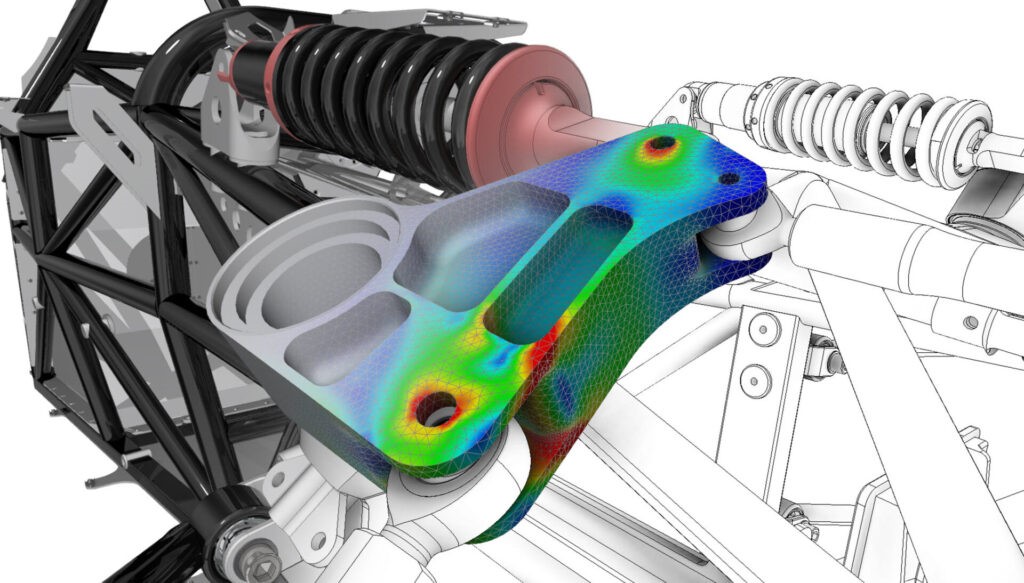
Shape Optimization
- Lightweight components without losing strength: Make your design structurally efficient by automatically removing excess material located outside of the critical load paths.
- Define multiple load cases: Multiple load cases are intertwined by the solver to arrive at one optimized shape that meets the defined objective criteria for all loading cases.
- Promote optimized shape: A mesh body of the optimized shape can be exported to use as a guide for further design refinements.
Injection Molding
- Guided Results: Understand how well your part will fill based on your study setup, and whether it will have quality issues, with our results interpretation guide.
- Automatic Process Settings and Injection location: Use default settings to calculate results including the filling, packing and warp sequences.
- Online Material Libraries: Search the database of more than 10,000 types and grades of polymers for the most suitable polymer for your application.
Electronics Cooling
- Guided Results: Discover the next steps if a component overheats in a natural convection or forced cooling airflow design, with our results interpretation guide.
- Multiple boundary condition load cases: Add idealized fan and heat sinks that simplify your setup process.
- Interoperability with Fusion Electronics: Import critical temperatures and thermal loss package attributes from the Electronics design.
Event Simulation
- Dynamic and Quasi-static study types: Simulate extremely short-duration dynamic impact events, or long-duration gradually changing conditions, to solve highly nonlinear events such as large deformations and changing contact conditions.
- Automatic element deletion: Simulate when material disintegrates, based on strain or negative volume.
- Wide range of result output types: Determine position, velocity, and acceleration kinematics, as well as contact and reaction forces, stresses, plastic strain, contact forces and applied loads.
Generative design
- Workspace interoperability: Utilize generative design tools to automatically generate optimized design solutions based on defined objectives and manufacturing methods.
- Lightweight designs: Generate designs from outcomes that are structurally efficient and lightweight, reducing material usage.
- Design exploration: Explore multiple generative design iterations and re-evaluate their performance using the study setup in the simulation workspace.
Get started with Fusion Simulation
By familiarizing yourself with these simulation capabilities and exploring the associated tools, you can gain valuable insights into your designs, make informed decisions, and optimize your design performance, reliability, and efficiency.