 Bryce Heventhal
This post is also available in:
Autodesk Fusion continues to redefine what’s possible for designers, engineers, and manufacturers with powerful new features and enhancements that accelerate design workflows, enhance collaboration, and enable smarter manufacturing. Here’s a run-down of the most recent highlights in Fusion that will help elevate your product development processes like never before.
Design
New constraint components tool for assemblies
Say goodbye to juggling multiple commands for assembly relationships. The new constraint components feature in Fusion lets you define multiple component relationships in a single streamlined step. This makes complex assemblies—from consumer goods to industrial equipment—more flexible and easier to manage. Plus, it bridges workflows for users transitioning from tools like SOLIDWORKS, boosting productivity instantly.
Custom fastener sizes tailored to real-word needs
Add new sizes, more precisely, to existing fastener standards to meet real-world hardware requirements. You can define new diameters, lengths, and other attributes such as head height and thread length, with some properties automatically calculated but still editable. These fasteners sync seamlessly across your organization through your collaboration hub, ensuring everyone uses consistent, real-world hardware specs with every project.
Mesh texture extrude for creative mesh modeling
Easily turn any image into a textured surface on a mesh body, giving you creative control over design details. You can customize extrusion types, edge clearances, blend distances, and preview changes live through a streamlined dialog. Whether in parametric or direct mesh mode, this tool transforms mesh modeling into a canvas for sophisticated, tactile creations.
Parametric text for smart design
Enhance your parametric designs with the ability to embed text parameters directly inside sketches and features. Create dynamic labels, markings, and configuration tables that update automatically with your model changes — eliminating manual editing and enhancing your design automation.
Manufacturing
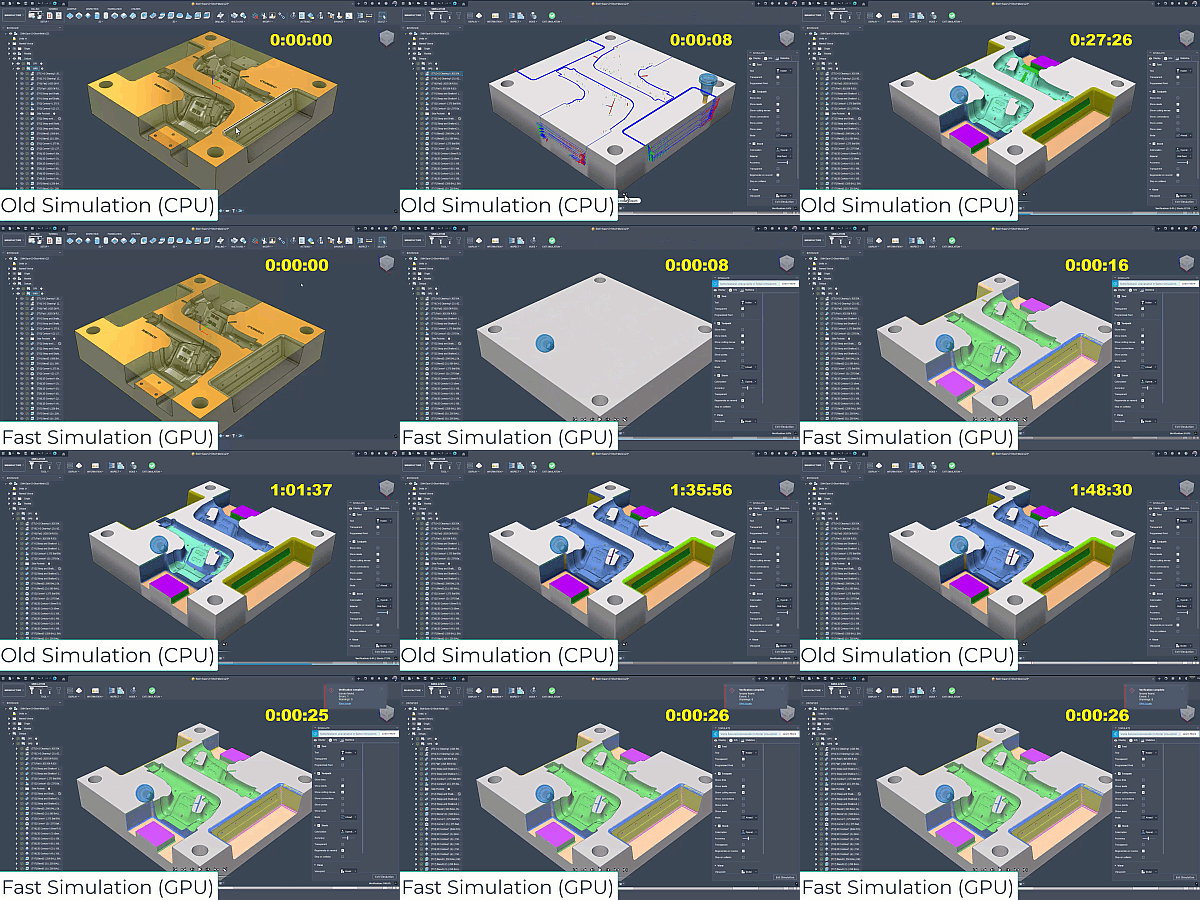
GPU-accelerated toolpath simulation
The future of simulation is here! Fusion slashes hours-long toolpath calculations to just seconds with GPU acceleration. Available now for stock simulation on PC, this feature frees up your time and lets you verify machining processes faster and with less hassle. Machine simulation and Mac support are coming soon, promising even broader adoption across your workflows.
Blend toolpath drive curve automation
Save time and reduce complexity with Fusion’s automated drive curve generation for blend toolpaths. Simply select the machining region and Fusion does the rest, automatically calculating passes and perimeter sections. It’s perfect for milling projects where speed and precision in toolpath setup make a huge difference.
Turning trace toolpath for complex machining
Tackling angled grooves, undercuts, and other challenging features just got easier. The new turning trace toolpath offers refined control by following sketch profiles, supporting all cutter compensation models, and accommodating various stepovers and spring passes. Powerful yet flexible, it’s the perfect toolpath to handle tricky turning operations — while advising careful use due to its profile-exact approach.
Canned cycle output for undercut roughing
Get cleaner, more compact G-code optimized for CNC machines with limited memory. The canned cycle output for undercut roughing combines the simplicity of classic CAM cycles with modern toolpath strategies, making your CNC code easier to manage and faster to execute on the shop floor.
Data
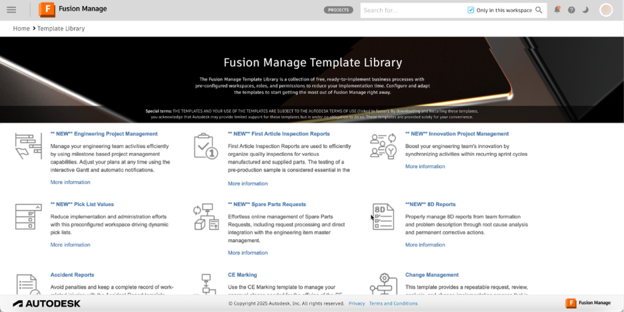
Integrated cloud PLM
Accelerate product development with integrated cloud PLM, streamlining workflows through customizable, ready-made templates for portfolio management, new product introduction, supplier collaboration, and quality control. Enhance team collaboration by aligning everyone with real-time data and standardized processes. Drive faster development, lower costs, improved quality, and higher productivity across the product lifecycle.
Enhanced BOM table and property management
Collaborate smarter with real-time editing in your Bill of Materials (BOM) tables. Updates to properties now flow instantly across Fusion’s web, desktop, and dashboard interfaces — no reloading needed. Add about 20 new properties for richer, more descriptive BOMs, enabling precise version tracking and smoother teamwork.
Electronics
Expanded electronics layer support
Design next-level complex PCBs with up to 64 routable layers—doubling your previous capacity. A smart new layer numbering system keeps everything crystal clear and compatible with older designs. Plus, improvements across the layer panel, stack manager, and CAM processor ensure you have all the tools you need to confidently tackle high pin count components and dense multilayer boards.
The future of Fusion is bright, and we’re excited to embark on this journey with you—building smarter, more connected, and highly flexible solutions that transform the way you innovate every day. Stay tuned, because the best is yet to come.