 Cyan Perry
New PDM features in Autodesk Fusion – collaborative property and BOM editing enable real-time, multi-user updates to properties and bill of materials. This enhances team collaboration, workflow efficiency, and project management through improved data synchronization, history tracking, and version control.
What is collaborative property and BOM editing?
Collaborative property and BOM editing in Autodesk Fusion’s built-in PDM are designed to enhance team collaboration by allowing multiple users to edit properties and bill of materials (BOM) values simultaneously, in real-time.

Elevate your design and manufacturing processes with Autodesk Fusion
For example, if you’re a contract manufacturer working with multiple clients and often receive updated BOMs late in the process, it can lead to errors and rework. Now, your clients can collaboratively review and edit BOMs directly within Fusion before sign-off. The manufacturer’s procurement team is looped in earlier and can validate the availability of parts in real-time, ensuring everyone stays on the same page. Plus, for change orders, the ability to edit properties in Fusion means that when you or anyone on your team makes a change to a property, the value is automatically written to the model, drastically cutting down review time.
These data management features are part of Fusion’s increased flexibility and functionality for streamlining workflows and improving project management. You can now experience smoother, more efficient teamwork with Fusion.
How do these PDM features work?
We’ve significantly enhanced the built-in PDM capabilities of the property panel and BOM. We’ve added 20 new fields, meticulously organized into three sections: Component, Project, and Summary. These additions provide enriched options to describe components in greater detail. Any changes made to property values are immediately committed to the cloud, making updates instantly visible to all collaborators. You can edit values directly within the BOM and the Fusion web interface, ensuring real-time synchronization and seamless teamwork.
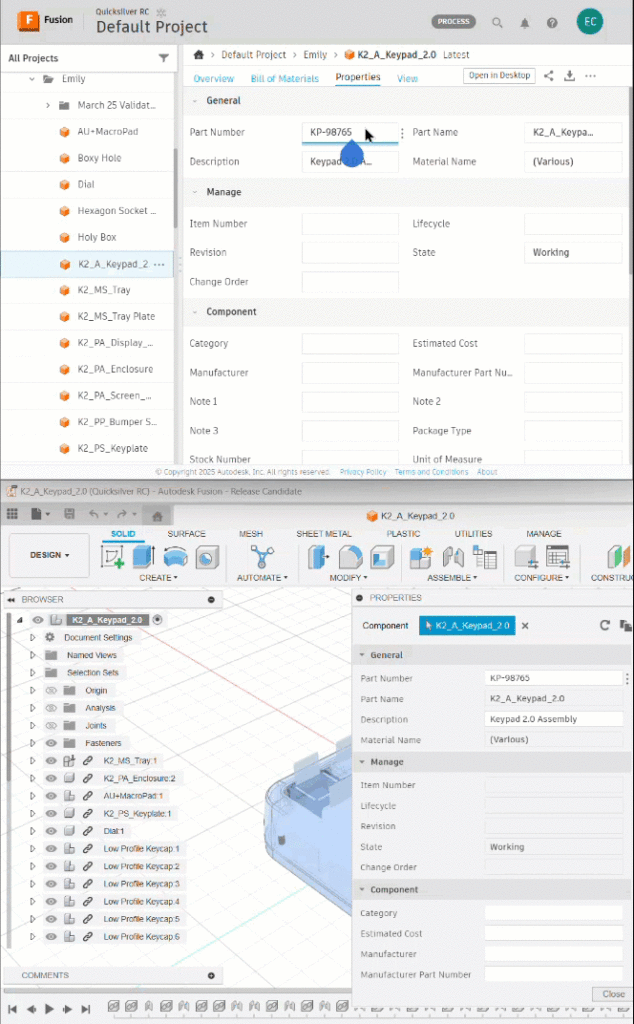
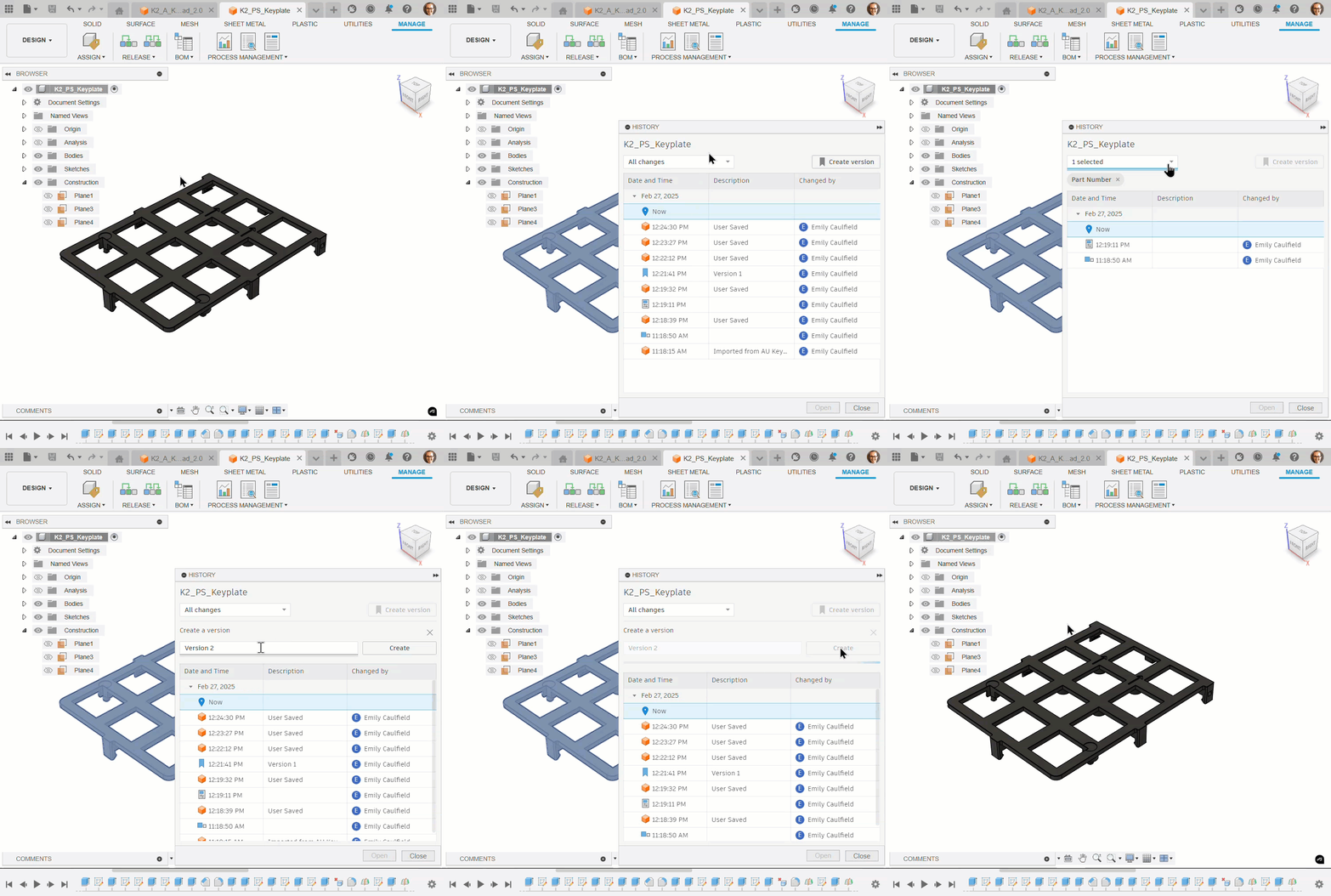
Moreover, we’ve refined the history and version control features. The history panel now enables you to track and review changes to designs, properties, and part numbers over time. You can also create versions independently of the save function. This gives you greater control over version management and reducing the risk of outdated information.
We’re also excited to introduce new functionality for shared part numbers. Link multiple geometries or design variants using common part numbers, ensuring consistency across models. Updating properties in one model automatically updates all linked models, minimizing errors and optimizing workflow efficiency.
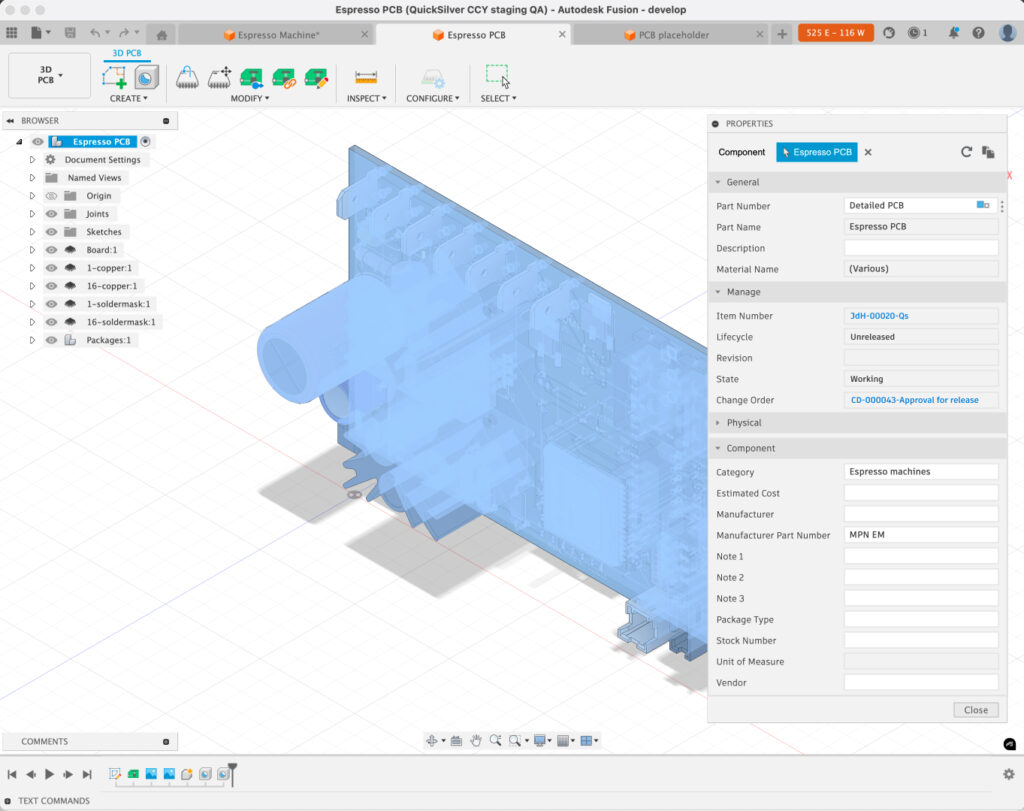
Note for Autodesk Manage Extension users: Components and drawings are updated instantaneously within the Manage Extension following design changes. Change orders generate versions to mark changes, ensuring reviewers always see the accurate state of the data.
Why are these PDM features important?
Collaborative property and BOM editing is crucial for several reasons:
- Enhanced team collaboration: Real-time synchronization ensures that all team members are working with the most up-to-date information, reducing errors and improving efficiency.
- Improved project management: Tracking changes over time and managing versions independently of the save function helps in better organization and project tracking.
- Streamlined workflows: Shared part numbers and enhanced history features simplify the management of design variants and ensure consistency across all models.
- Flexibility: The ability to edit property values in both desktop and web experiences provides greater accessibility and adaptability for different user roles and preferences.
How collaborative editing complements your Fusion PDM workflows
Collaborative property and BOM editing complements your work by providing a seamless and efficient way to manage and update properties and BOM values. It ensures that all changes are instantly visible to all team members, fostering a more integrated and cooperative work environment. The enhanced history and version features allow for better tracking and management of design iterations. Further, shared part numbers ensure consistency and accuracy across all models.
By embracing these collaborative editing features, you can elevate your team synergy, streamline your workflows, and enhance the overall productivity and quality of your projects. Autodesk Fusion provides the PDM tools that your organization needs to support effective collaboration and project management, helping you achieve your goals with greater efficiency and precision.