 Emily Suzuki
Check out how the Fusion Manufacturing Extension helps bespoke concrete design company Concrete Collective cut material accurately and cost-effectively.
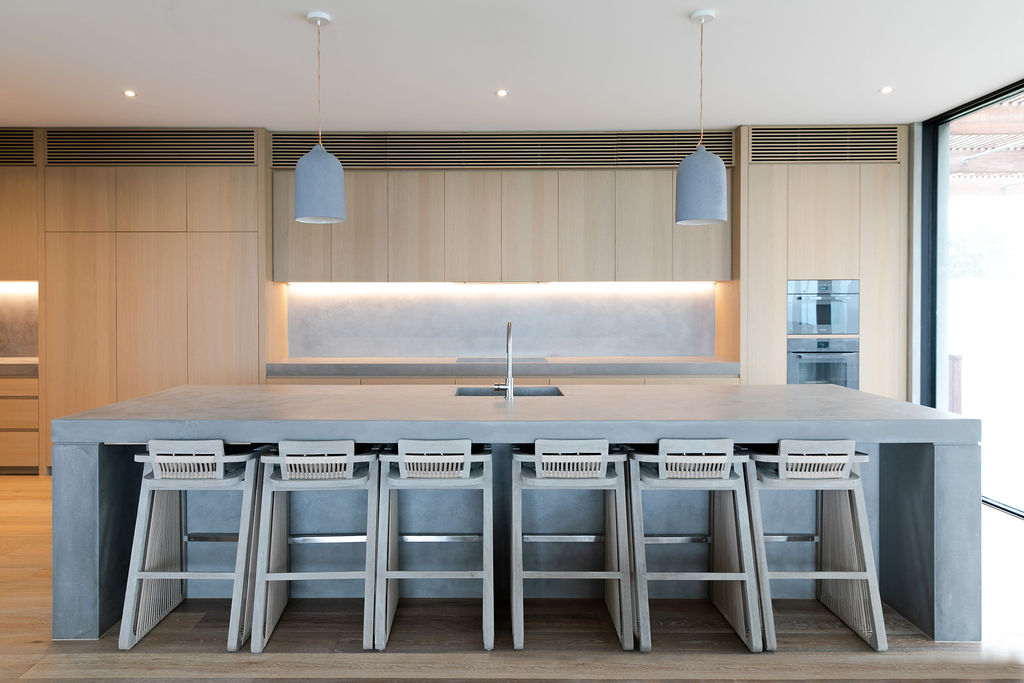
Take a scroll through Pinterest or interior design publications, and you’ll quickly notice that concrete is experiencing a new revival in design. But the images you’ll find are not the DIY planters you’d expect — they’re sleek, minimalist interiors and exteriors. Concrete is now seen as a material that conveys luxury.
In part, this shift is thanks to glass-fiber reinforced concrete (GFRC), a material that makes futuristic concrete designs possible. It was invented in the 1940s, but it wasn’t frequently used in buildings until the 1970s. With it, you can achieve crisp edges, organic shapes, and any desired color, allowing designers to expand upon the geometric shapes frequently used in Bauhaus-era concrete structures.

Elevate your design and manufacturing processes with Autodesk Fusion
But, of course, what is a material without designers to turn it into something beautiful? Michael Mitris and Scott Henderson, for example, took notice of GFRC’s growth in the United States. As a result, they merged Henderson’s background in carpentry and Mitris’ experience in construction management to found Concrete Collective. They were one of the first to introduce GFRC to their own country, Australia.
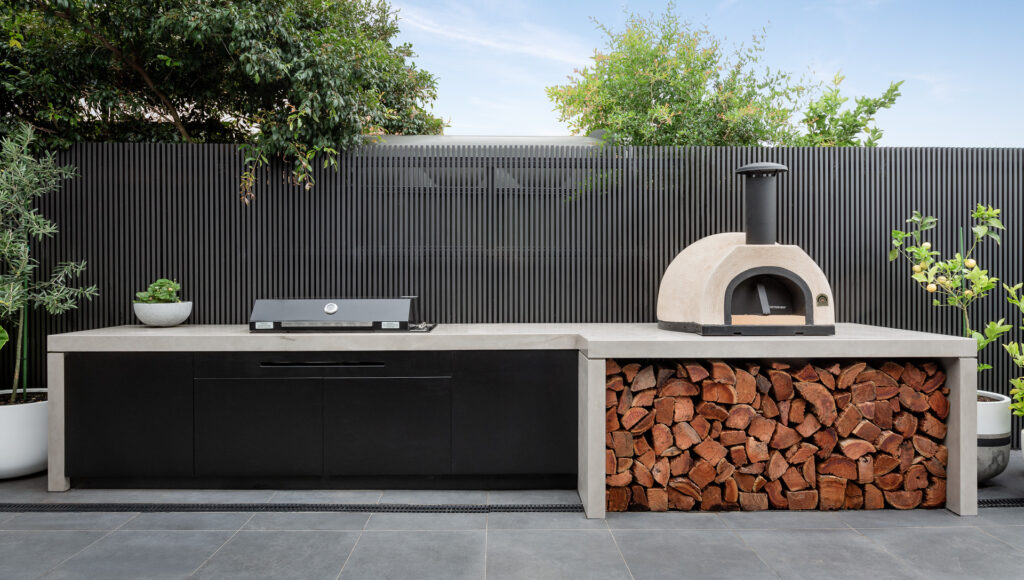
Concrete Collective produces bespoke concrete designs, including kitchens, baths, bars, outdoor seating, and furniture. They also recently started a new standard collection, which will soon be available to order via their online store. “We try to push boundaries and do things that other people haven’t done before,” says Michael Mitris, co-founder and director, Concrete Collective.
Designing with Autodesk Fusion
Autodesk Fusion plays a critical role in Concrete Collective’s design process. Once the team has an idea or receives a request from a client, they open up Fusion and get to work. They start by 3D modeling the concrete shape. Then, they add a steel subframe beneath those surfaces. Next, the team extrudes all the bases to create molds before sending the files to the CNC machine.
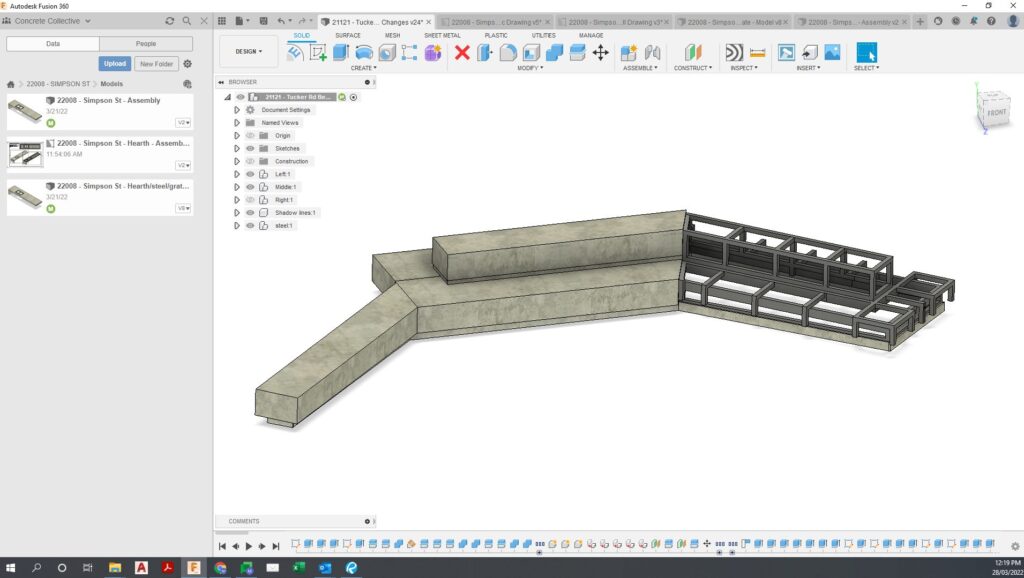
“For the installation of a recent, large park bench project, the installation was seamless,” Mitris says. “Every single join and angle were absolutely perfect.”
“With Fusion, all the elements are in one model. It’s all going to work because it’s all in one place. That’s where we struggled previously. Moving over to Fusion helped us a lot.”
Michael Mitris, co-founder and director, Concrete Collective
Taking a Digital Approach to Molds and Nesting
Concrete Collective makes its bespoke molds from melamine because it’s more affordable, and it’s disposable. Mitris notes that using plywood can double or triple the price, and it leads to a considerable amount of waste since it can’t be reused. The team decided to try the Fusion Manufacturing Extension around eight months ago to help them design and cut melamine board accurately and cost-effectively.
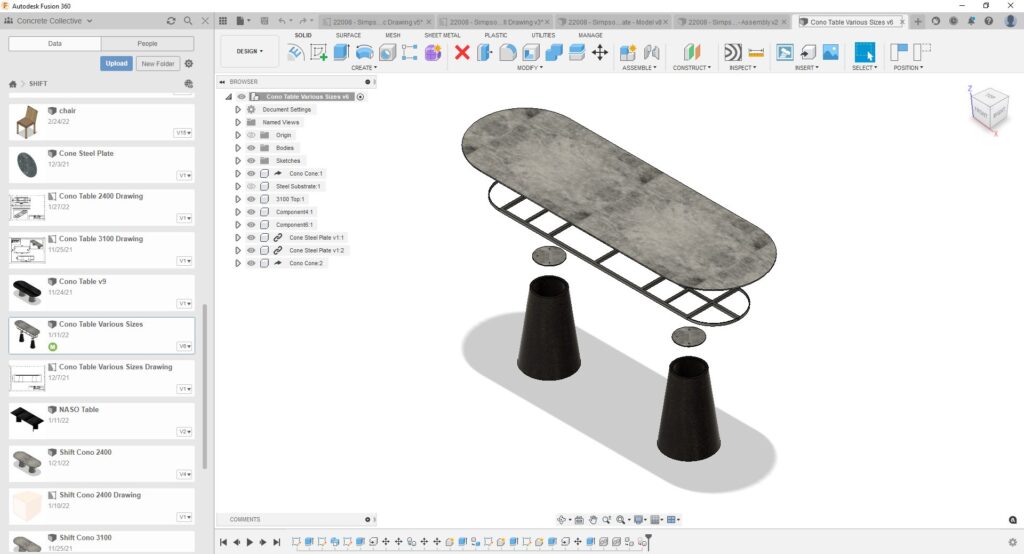
“We label everything in Fusion so we know exactly what everything is,” Mitris says. “That way, when we do nest the individual items, we can easily find the part once they have been cut. We have greater visibility into our project and how it all comes together. Whatever we have drawn in the actual model itself is what’s going to end up on the CNC—even if you change your live model—and that gives us great piece of mind when going through each stage of the process.”
“When we gave the Manufacturing Extension a go, we found that it was far more efficient at nesting than the other products we were using,” Mitris continues. “We used one or two fewer melamine sheets when cutting multiple items and have saved even more for larger projects.”
Switching to Autodesk Fusion
Concrete Collective switched to Fusion around a year and a half ago, and they haven’t looked back since. Fusion enables the team to iterate easily and send their projects straight to the CNC. “Fusion really looks after everything from start to finish in the design process,” Mitris says.
“I just believe Fusion is a great tool to be able to build something in 3D and see what the product is going to look like as you’re designing it,” he continues. “You’re actually creating the product rather than having 2D models and everything coming together later. You push, you pull, you can see things happen as you go in Fusion, and that’s the best part.”
It’s time to turn your fabrication process up a notch. Check out what the Fusion Manufacturing Extension can do for you here.