 Shannon McGarry
Learn how the Autodesk Vault subscription works, including licensing, deployment options, collaboration capabilities, and how engineering and manufacturing teams scale product data management over time.
Optimize Data Management with Autodesk Vault
Secure, organize, and manage your engineering data efficiently.
Autodesk Vault helps teams control design data without slowing down product development
As products become more complex, design teams often struggle with version confusion, duplicate files, disconnected workflows, and manual processes that slow projects down.
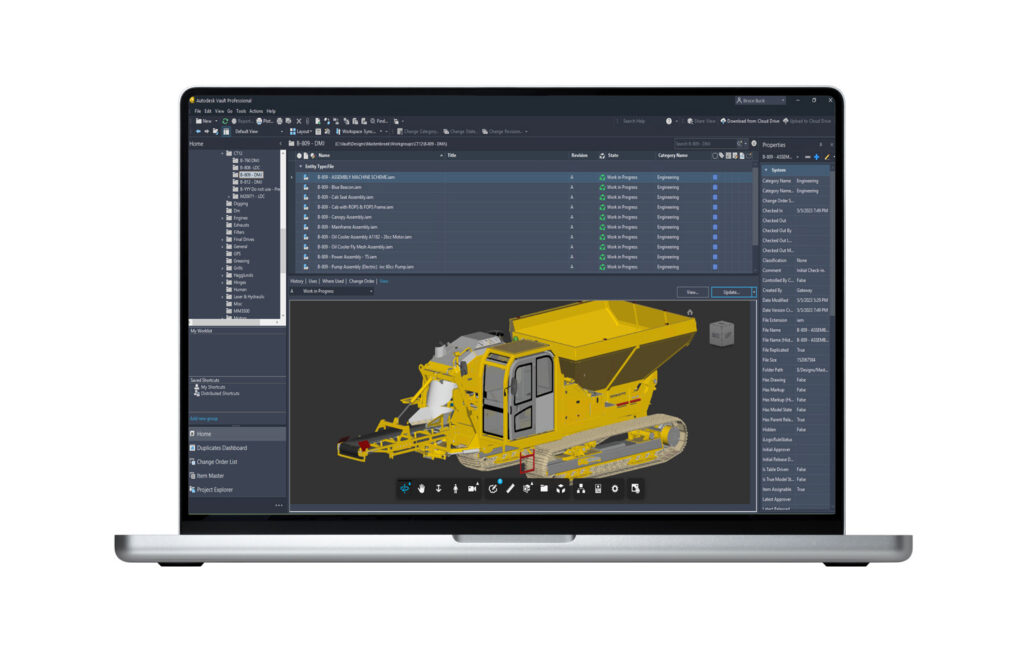
Autodesk Vault addresses these challenges by providing product data management (PDM) software that integrates with Autodesk design tools and other CAD systems, giving teams a central source of organized data while helping automate design and engineering workflows.
Whether you’re evaluating Vault for the first time or looking to standardize engineering data management across a growing organization, understanding how the subscription works can help determine if Autodesk Vault is the right fit.
What kind of subscription is Autodesk Vault?
Autodesk Vault is a named-user subscription.
Each subscription is assigned to an individual user through their Autodesk account. Users can sign in on multiple devices while maintaining a single entitlement, allowing engineers and designers to work from different locations without being tied to a specific workstation. This model supports hybrid and distributed teams while simplifying software management.
Which Vault subscription is right for your team?
Autodesk offers different Vault options to support a range of user roles and organizational needs.
Vault Professional
Vault Professional is designed for engineering and manufacturing organizations that need advanced product data management capabilities, including:
- Centralized design data management
- Version and revision control
- Change and release management
- Bill of materials (BOM) management
- Concurrent design workflows
- Multi-site collaboration
- Integration with Autodesk CAD applications and other CAD systems
Vault Professional is often deployed as the primary PDM solution for engineering teams that require structured design control and scalable collaboration.
Vault Office
Vault Office extends access to non-CAD users who need visibility into engineering data but don’t require full design authoring tools.
Common users include:
- Manufacturing teams
- Purchasing
- Quality teams
- Program managers
- Operations personnel
This allows cross-functional teams to access relevant product information while maintaining control of engineering data.
How teams typically deploy Vault
Most organizations don’t assign the same subscription type to every user. Common deployment models include:
- Engineering-focused deployment: Engineering teams use Vault Professional while manufacturing, procurement, and operations stakeholders access information through Vault Office.
- Hybrid CAD environments: Organizations managing both Autodesk and third-party CAD data often use Vault as a centralized system for version control and design coordination.
- Distributed teams:
How Vault supports collaboration
Many organizations adopt Vault because product information often becomes fragmented across email, shared drives, spreadsheets, and disconnected folders. Vault helps bring this information into a controlled environment by providing:
- Centralized data management
- Automatic version tracking
- Revision history
- File relationships and dependencies
- Secure access controls
- Concurrent design support
This helps teams reduce design errors while ensuring everyone works from the latest approved information.
Do users have to install CAD software to access Vault data?
No. Vault includes options that allow users to view and access design information without installing CAD software. Browser-based access through the Vault Thin Client and the Vault mobile app enables users to review files, BOMs, and related information remotely, making collaboration easier for non-CAD stakeholders and remote teams.
How does Vault integrate with Autodesk design tools?
Vault integrates directly with Autodesk applications such as:
- Inventor
- AutoCAD
- Revit
- Civil 3D
Users can manage files, versions, and relationships directly from their design environment without switching between systems. This helps maintain data integrity throughout the design process while reducing manual administration
Can Vault grow with your organization?
Yes. Organizations often begin by using Vault to solve version-control challenges and later expand into more advanced workflows. Over time, teams can use Vault to support:
- Engineering change processes
- Product release workflows
- Distributed collaboration
- BOM management
- Enterprise integrations
- Connections to broader lifecycle management initiatives
Because users receive access to ongoing software updates and enhancements through their subscription, organizations can continue evolving their data management processes without replacing their PDM system.
What’s the difference between Vault and Fusion Manage?
Autodesk Vault focuses on product data management (PDM), helping engineering teams manage CAD files, revisions, and design data.
Fusion Manage focuses on product lifecycle management (PLM), helping organizations manage workflows, approvals, changes, and cross-functional business processes.
Many organizations begin with Vault to control engineering data and expand into PLM capabilities as product development processes mature.
Why many teams choose Autodesk Vault
Organizations often choose Vault because it helps solve a challenge nearly every engineering team encounters: managing growing volumes of design data while maintaining speed, accuracy, and collaboration. Vault provides:
- A central source of truth for product data
- Automated version and revision control
- Better collaboration across engineering and manufacturing
- Reduced manual file management
- Scalability for growing organizations
- Integration with Autodesk and third-party CAD environments
For teams looking to establish efficient engineering data management practices without disrupting existing workflows, Autodesk Vault provides a foundation that can scale and improve product development processes.
Frequently asked questions about Autodesk Vault
Autodesk Vault is product data management (PDM) software that helps engineering and manufacturing teams organize, manage, and track design files, revisions, and product data in a centralized system.
Autodesk Vault provides version control, revision management, file relationship tracking, secure access controls, and workflow automation to help teams manage engineering data more efficiently.
Vault is a PDM solution. It focuses on managing engineering files, CAD data, revisions, and design processes. Product lifecycle management (PLM) capabilities are available through Fusion Manage.
Autodesk Vault uses a named-user subscription model, where each license is assigned to an individual user through their Autodesk account.
Yes. Named users can sign in to Vault from multiple devices while maintaining a single user entitlement.
Vault Professional is Autodesk’s advanced product data management solution that includes version control, revision control, change management, BOM management, concurrent design workflows, and multi-site collaboration.
Vault Office extends access to engineering data for non-CAD users such as manufacturing teams, purchasing, quality, operations, and program management personnel.
Vault focuses on PDM by managing engineering files, revisions, and design data. Fusion Manage focuses on PLM by managing workflows, approvals, changes, and broader business processes across the product lifecycle.
Autodesk Vault Professional starts at $73 per month, billed annually, or $870 per user per year. Pricing may vary by region, subscription term, reseller discounts, and enterprise purchasing agreements. Autodesk also offers Flex token-based access for organizations with occasional usage needs. See current plans and pricing here.