 Shannon McGarry
Factory design is made easy with Autodesk’s solutions that enhance the process through integrated tools, improving collaboration, efficiency, and overall manufacturing output.
Imagine a world where the creation or retrofitting of your next factory translates into enhanced manufacturing output. Construction progresses alongside machine installation and the evolving production line. This is a world void of silos, where extended project teams remain connected and from all corners of the globe. This is the world you can achieve with Autodesk digital factory solutions.
Autodesk’s digital factory solutions are built around a common data environment (CDE). This connected environment helps boost collaboration among your team and aids in the identification of challenges and mistakes early—before they become costly. This connected ecosystem facilitates faster movement through each phase of the design process, speeding up operations. ‘What if’ scenarios can also be explored to achieve the ideal balance of cost, time, and quality. Let’s dive into the digital factory design process and how Autodesk digital factory solutions can help.
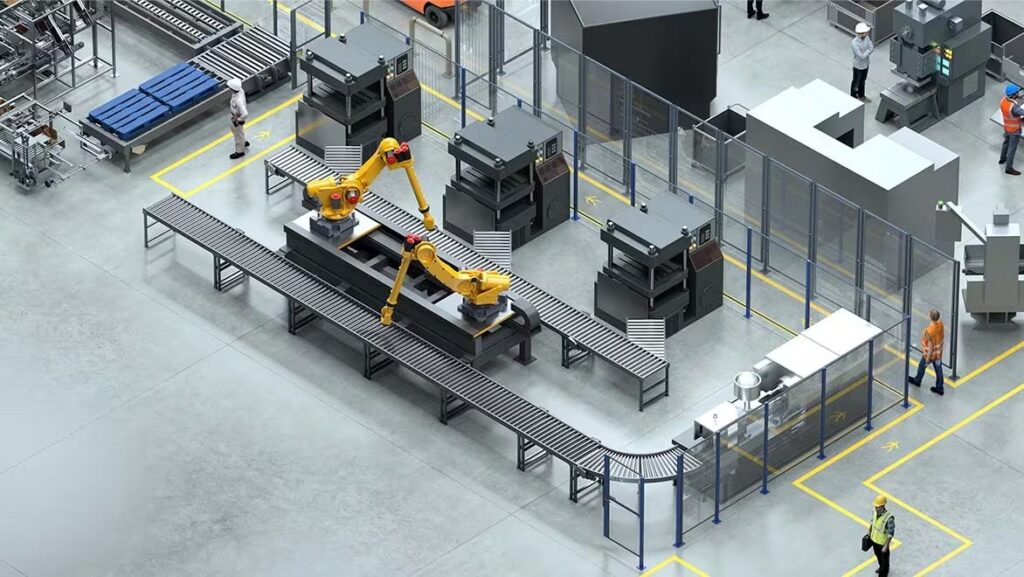
The factory design process
Creating a factory layout is an intricate process that requires thoughtful integration of AI, automation, and connected systems. The following steps outline the design process, highlighting how Autodesk’s digital factory solutions can enhance each phase:
1. Conceptualization and planning
The first step involves conceptualizing the factory layout and planning the production processes. This phase includes defining the factory’s objectives, understanding the production requirements, and identifying potential challenges.
2. Data integration and analysis
Factory design involves collecting data from various sources, standardizing and storing it in a centralized repository, while using analytics to optimize processes and decision-making. Real-time monitoring and data visualization tools help track performance and identify areas for improvement. Continuous feedback and predictive maintenance further enhance efficiency and reduce downtime, ensuring the factory operates at optimal levels.
3. Detailed design and simulation
Once the initial plans are in place, the next step is to create detailed designs and simulations. This allows for the creation of precise digital models that can be tested and optimized before implementation, reducing the risk of costly mistakes later on in the design process.
4. Collaboration and communication
Effective collaboration and communication are essential for the successful design of a digital factory layout. Seamless communication among extended project teams, ensures that everyone stays connected, helping to identify and address potential issues early, reducing the risk of costly mistakes.
5. Implementation and optimization
The final step involves implementing the digital factory layout and continuously optimizing the production processes for ongoing monitoring and analysis, enabling continuous improvement. By allowing facility planning and line design teams to see the outcome of plans virtually, costly expenses and wasted resources can be avoided.
Autodesk solutions for digital factory design
Autodesk’s digital factory solutions offer numerous benefits, making the factory design process more efficient and effective.
AutoCAD
AutoCAD is foundational in digital factory planning, aiding in the design and drafting of floor plans, layouts, and architectural designs. Its comprehensive documentation serves as a vital reference for stakeholders and enhances spatial visualization and communication.
Inventor

Inventor supports factory planning with detailed 3D models of machinery and components, ensuring mechanical designs integrate seamlessly with architectural plans.
Factory Design Utilities
Factory Design Utilities complement AutoCAD and Inventor by optimizing 2D and 3D layouts, managing equipment placement, and simulating workflows to improve factory efficiency.
Enhance Your Engineering Workflows
Precise, powerful, and ready for innovation with Autodesk Inventor.

Autodesk Construction Cloud
Autodesk Construction Cloud connects project teams and data, facilitating real-time collaboration, efficient data management, and streamlined construction processes.
ReCap Pro
ReCap Pro captures reality data to create accurate 3D models, documenting existing site conditions and identifying potential risk areas, enhancing safety and planning efficiency.
Factory design doesn’t have to be a headache. Embrace Autodesk’s digital factory design solutions for faster, smarter, and more cost-effective factory creation and retrofitting.