 Sasha Crotty
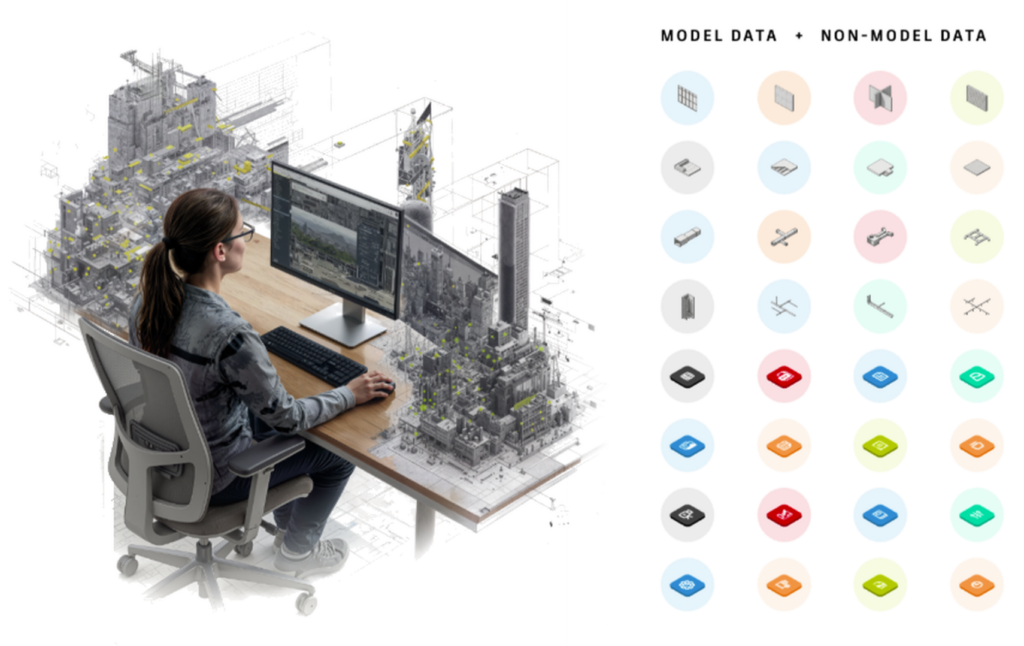
Every architecture, engineering, construction, and owner team depends on data. It shows up in models, drawings, specifications, asset lists, parameters, submittals, schedules, and handover packages. It helps teams coordinate design intent, manage project delivery, and operate buildings after construction.
But for many AEC teams, that data is still hard to trust, hard to find, and hard to reuse. This is where everyday challenges begin to show up.
A BIM manager may know the right family exists somewhere, but not which version is approved. A design technology leader may be trying to align project teams around shared standards, only to find that parameters are named differently across models. They may also need to know which models are developing performance or quality issues but checking them one by one takes time. A contractor may need progress information tied to real building components, but the data lives in disconnected tools. An owner may receive a handover package full of useful information, but it may not be in a form that easily supports operations.
The problem is not that AEC teams lack information. The problem is that too much of that information is fragmented, inconsistent, and difficult to manage across files, workflows, products, and project phases.
Why AEC data is still so hard to use
AEC work has always been information-rich. Every project creates a massive amount of technical, spatial, and operational knowledge. Yet that information often becomes less useful over time because it is scattered across applications, documents, folders, models, and project phases.
Teams commonly face six recurring data challenges:
- Finding the right information. Project teams spend too much time searching for approved content, current standards, model data, and asset information.
- Standardizing the information. Even when data exists, it may not follow a shared language. Different teams may use different parameter names, property structures, or classification approaches.
- Locating the information correctly. Data needs context. A piece of equipment, a room, a system, or a design element becomes more valuable when it is connected to its rightful place in the project or asset.
- Connecting the information. AEC workflows span many tools. When data cannot move between them consistently, teams duplicate effort, lose context, or make decisions from incomplete information.
- Monitoring model health and quality. Teams need visibility into model issues, warnings, and performance trends so they can address problems early.
- Reusing the information. Valuable project knowledge is often created once and then recreated later because it was not structured or governed in a way that makes it easy to apply again.
These problems show up in everyday work as rework, slow coordination, inconsistent deliverables, and missed opportunities to leverage project data beyond a single milestone.
They also make it difficult to scale AI-enabled workflows. If project information is fragmented, inconsistently defined, disconnected from its context, or difficult to validate, AI workflows can become hard to trust and difficult to repeat across projects.
The challenge, then, is not only making AEC data easier for people to use. It is making AEC data structured and connected enough for people, systems, and AI-enabled workflows to work from the same trusted foundation.
What better looks like
Better AEC data is not just more data. It is structured, governed, discoverable, connected, and reusable data.
That means teams can find approved content instead of guessing which file to use. They can define information requirements and parameters consistently so data carries the same meaning across models and applications. They can monitor model health and identify emerging quality or performance issues before they become larger problems. They can access the specific model information needed without moving entire files. They can track real components as projects move from design intent to installation and operation. They can connect information through the right APIs instead of relying only on manual exports. And they can manage project and asset information in a trusted way, so it remains useful beyond delivery.
In other words, better data helps teams move from disconnected BIM files to connected AEC information.
It also creates the foundation for more scalable AI. When content is trusted, parameters are consistent, model data is accessible at a granular level, and asset information is governed across the lifecycle, AI-enabled workflows can work from information that is easier to find, interpret, and reuse. That makes it possible to apply AI more confidently to tasks such as search, data validation, project insights, automation, handover preparation, and operations support.
As AEC organizations work to improve project delivery, support digital twins, automate workflows, apply AI, and provide owners with more reliable asset information, this move from disconnected files to connected data is becoming foundational.
How Autodesk is helping connect AEC data
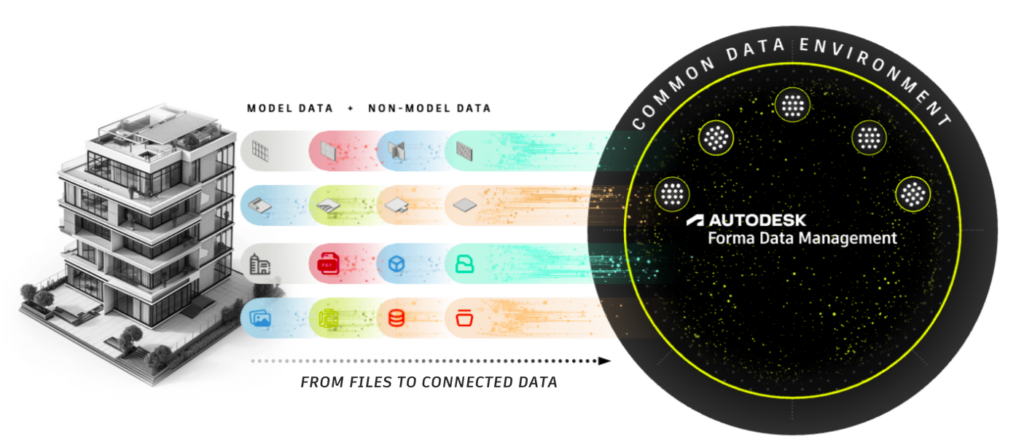
Autodesk is building a connected set of data technologies and capabilities to help AEC teams manage project and asset information across the lifecycle. That collection is the AEC Data Model.
The AEC Data Model is an information management system. It brings together capabilities that help teams create, access, govern, connect, and reuse project and asset information across design, construction, and operations.
Some of these capabilities are available through products and services today, such as Forma Assets, Datum, the AEC Data Model API, Content Catalog, Parameters Service, and Model Analytics Essentials. Others are evolving into reusable capabilities across Autodesk, including information requirements, validation, automation, data insights, collaborative authoring, and ecosystem integrations.
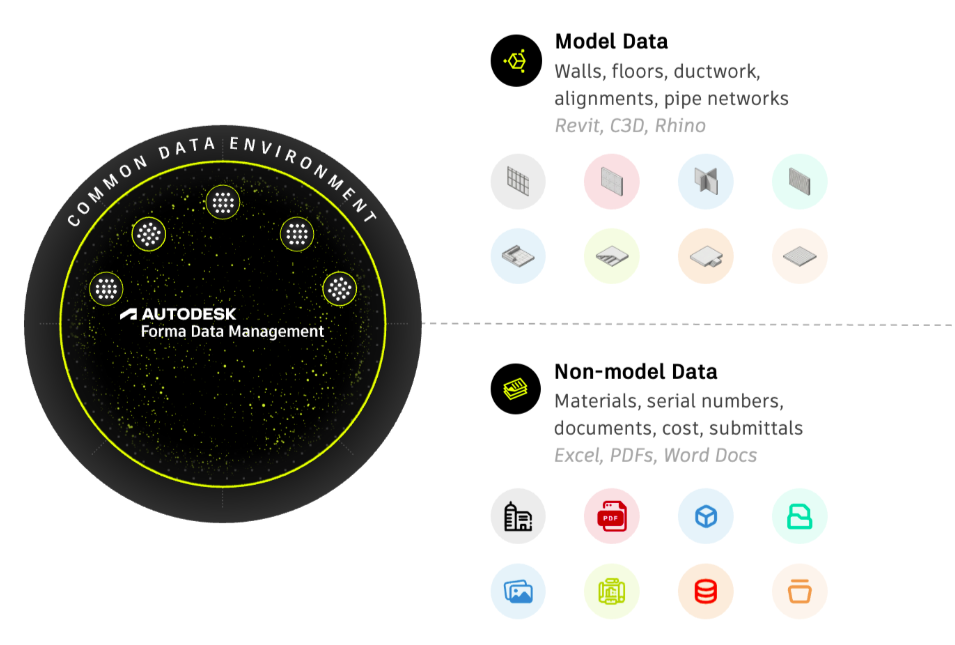
This series will explore how Autodesk AEC Data capabilities help AEC teams move from disconnected files and one-off exchanges to connected, trusted information that can be found, shared, monitored, and reused across the project lifecycle. It will begin with asset management, then look at the granular data foundation that supports connected workflows, explore how trusted content and shared definitions improve quality at the source, and show how model analytics can help teams understand and manage model health as projects evolve.
Forma Assets: Connecting design intent to real-world progress
As projects move from design into construction and operation, teams need to understand what is happening to real building components. Equipment, systems, and assets are not just design objects. They become physical things that need to be tracked, installed, verified, and eventually maintained.
Forma Assets helps teams track, visualize, and act on building component data across the lifecycle. It can support workflows such as tracking equipment, installation, and progress. That helps keep project data connected to what is actually happening on the ground.
For delivery teams and owners, this creates a clearer bridge between design intent and real-world status.
Datum: Governing trusted project and asset information
Connected data also needs strong information governance. Teams need confidence that project and asset information is consistent, compliant, and ready to carry forward across phases.
Datum is part of the AEC Data Model today. It supports advanced, configurable information management workflows, especially for large, complex projects where data must be managed across multiple sources and carried forward into operations.
By helping teams establish and maintain consistent information requirements, Datum supports data quality, standards compliance, and greater confidence in project and asset information throughout the lifecycle. This is especially important for owners and asset managers who need reliable, well-governed information to support operations after handover.
When project information is managed as a long-term asset, it can support better operations, maintenance, and future planning.
APIs: Connecting workflows beyond the file
Asset and information-management workflows depend on access to the right project and model data. Even when teams have structured and trusted data, they still need practical ways to connect that information across tools, dashboards, downstream systems, and custom applications. APIs make that possible by giving teams cloud-based access to the information they need beyond individual files or desktop-based processes.
The AEC Data Model API provides access to granular model data in the model store. It helps teams query model and project data without downloading or moving an entire file. For example, a team may need a targeted set of elements, properties, or quantities for reporting, quality checks, dashboards, automation, or cross-project analysis.
The AEC Model Store provides the granular model-data foundation for the AEC Data Model, helping teams connect information at the level needed for more scalable workflows.
Content Catalog: Helping teams find and trust design content
Data is more useful when the information created at the source is consistent and trustworthy. Design content is one of the most common sources of inconsistency. Teams rely on Revit families, AutoCAD blocks, and other reusable assets every day, but these assets can quickly become difficult to manage when spread across local drives, project folders, and informal libraries.
Content Catalog supports the curated content capability within the AEC Data Model. It provides teams with a central place to store, manage, and find BIM content. That helps teams work with approved, up-to-date assets rather than duplicating or recreating content from scratch. For BIM managers and project teams, this supports more consistent modeling practices and reduces the risk of rework caused by outdated or ungoverned content.
At its core, Content Catalog helps answer a simple but important question: “Are we using the right thing?” By helping teams use trusted reusable content, it strengthens authoring quality at the source and supports cleaner, more reliable data downstream.
Parameters Service: Creating a shared data language
Even when teams use the right content, they still need the right data structure. Parameters define how information is captured, organized, and communicated. When parameter definitions vary across teams, models, or applications, the meaning of that data becomes harder to trust.
Parameters Service helps establish a shared data language across teams, companies, and workflows. By managing parameter definitions in the cloud, teams can keep parameter collections up to date, search for the right definitions, and support more consistent data creation at the source.
This is especially important because parameters are not limited to a single product or workflow. Many applications use properties, attributes, or similar constructs to describe project information. A cloud-based approach makes it easier to manage those definitions consistently across the broader Autodesk ecosystem and beyond.
Parameters Service provides a shared language for properties and attributes across Autodesk products, helping connected project information carry consistent meaning wherever it is created, accessed, exchanged, or reused.
Model Analytics: Making model health visible
Creating consistent information is only part of the challenge. Teams also need to understand how models are performing as projects evolve and identify issues before they begin to affect delivery.
Autodesk Model Analytics Essentials helps teams monitor near real-time Revit model health and performance without opening Revit. By surfacing model-health indicators, performance signals, and changes over time, it gives BIM and design technology teams a clearer view of where attention may be needed across projects and models.
That can help teams spot issues such as sync-time bottlenecks, Revit version mismatches, content-quality problems, and unexpected model changes earlier. Instead of relying only on periodic manual checks, teams can use model data to prioritize investigation and make more informed decisions about model quality and performance.
Turning project information into connected AEC data
The value of connected data becomes clearest in everyday work.
A BIM manager can publish approved Revit families to a central catalog so project teams know which content to use. A design technology leader can define shared parameters once, then help teams apply them consistently across projects. A BIM or VDC leader can use Model Analytics to see which Revit models may need attention and investigate health or performance trends before they become larger delivery issues. A project delivery team can track installed equipment against planned building components and understand progress in context. An owner can receive more reliable asset information that supports operations, rather than a disconnected set of files. A software team can use APIs to connect model data with downstream systems, dashboards, or custom applications.
These workflows only work when the data they depend on is findable, standardized, connected, observable, and reusable. That is the shift from BIM files to connected AEC data.
When content is governed, parameters are consistent, model health is visible, assets are tracked in context, APIs connect workflows, and project information is governed against defined standards and requirements, AEC teams can spend less time searching, translating, checking, and recreating data. They can spend more time using information to make better decisions across design, construction, and operations.
In the rest of this series, we will look more closely at how Autodesk solutions help address specific data challenges across the project lifecycle, starting with asset management.