 Autodesk ReCap Team
ReCap Pro 2027 introduces new capabilities designed to improve reality capture workflows across desktop and cloud environments. This release helps teams work more efficiently with large point cloud datasets through enhanced visualization controls, improved interoperability, streamlined project navigation, and connected collaboration workflows.
This release includes Autodesk Assistant Tech Preview, a redesigned application home, bidirectional synchronization of view states between desktop and cloud projects, enhanced E57 image orientation support, and new mesh classification workflows with IFC 4.0 export support. ReCap Viewer within Autodesk Forma Data Management also introduces adjustable point display density controls to help balance visual clarity and navigation performance for large datasets.
Together, these updates help teams move more efficiently from capture to review, coordination, and downstream BIM workflows.
Autodesk Assistant Tech Preview
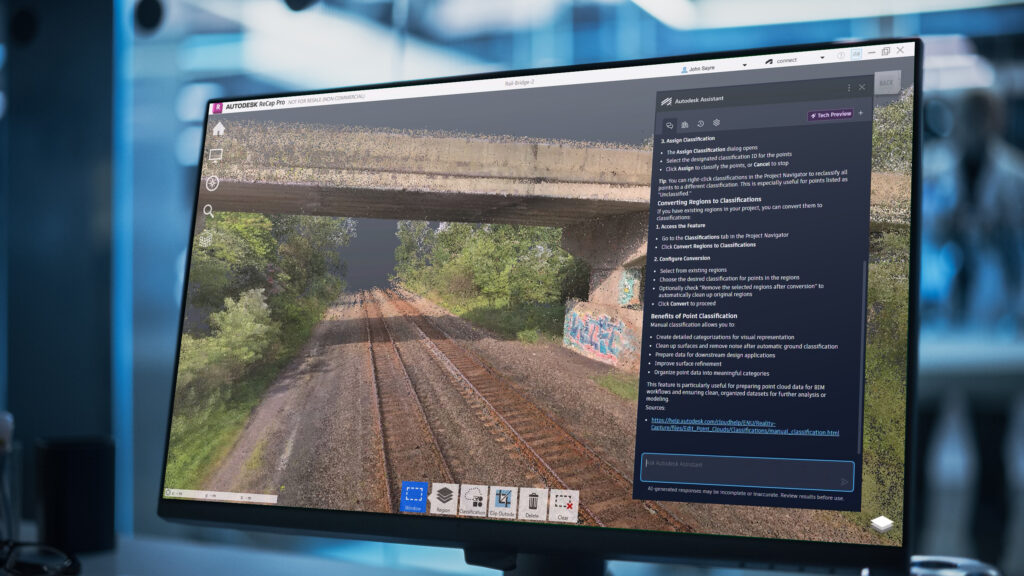
Autodesk Assistant Tech Preview provides AI-powered guidance to help you work more efficiently in ReCap Pro 2027. This Tech Preview provides early access Autodesk Assistant capabilities currently under development. Through a conversational interface powered by Autodesk AI, you can ask questions about ReCap Pro features, troubleshoot design challenges, and access learning resources without leaving your workspace. (1)
Provide additional context or refine your questions to receive summarized responses, step-by-step guides, and links to relevant learning documentation. And with the prompt library and chat history, you can easily review, save, and share prompts and responses to support project documentation.
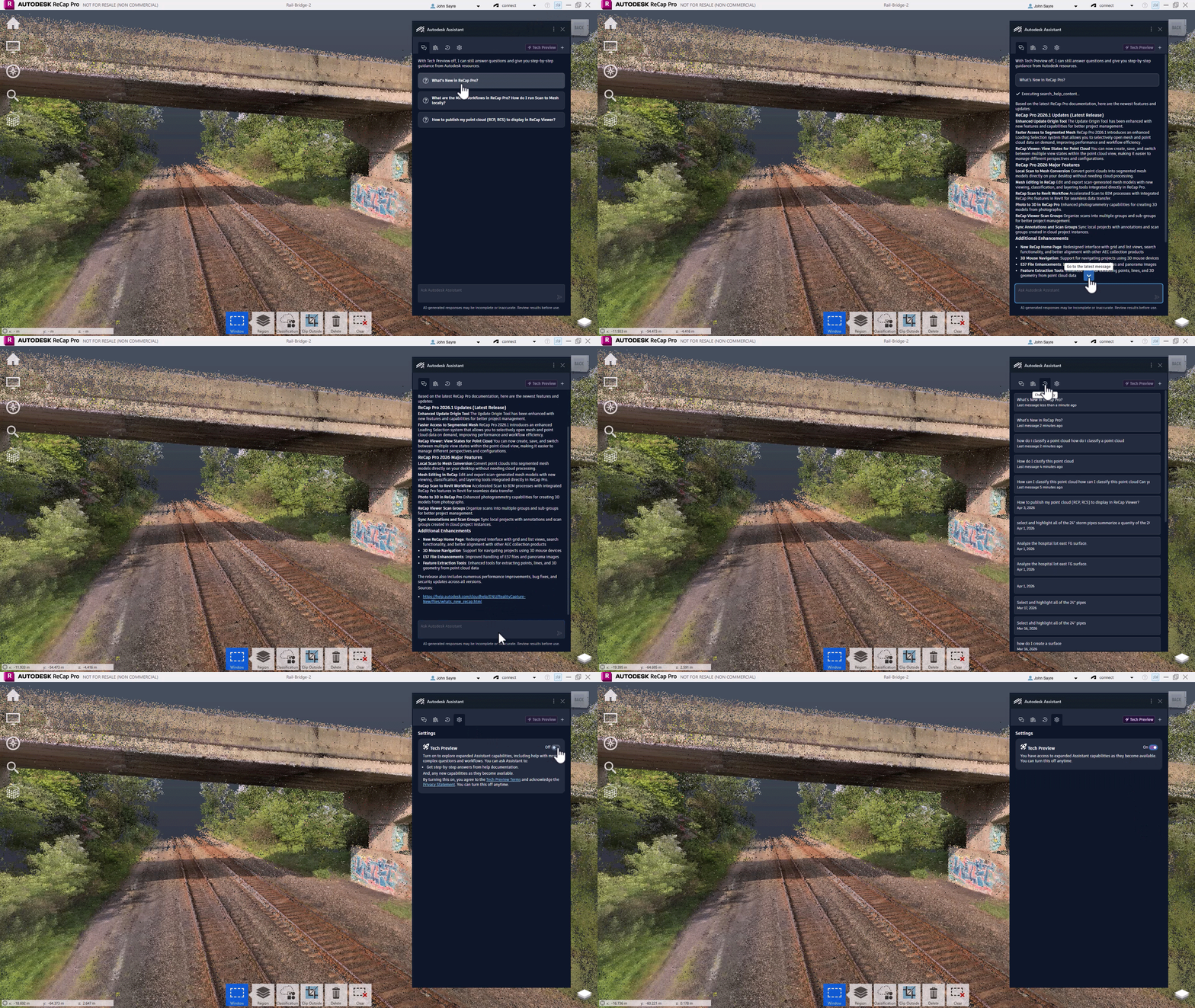
These capabilities are experimental and will continue to evolve. For more information, please see the ReCap Pro 2027 help documentation: Autodesk Assistant for ReCap Pro (2027)
1) Powered by AI. Mistakes are possible; please double-check responses.
ReCap Pro
Application Home
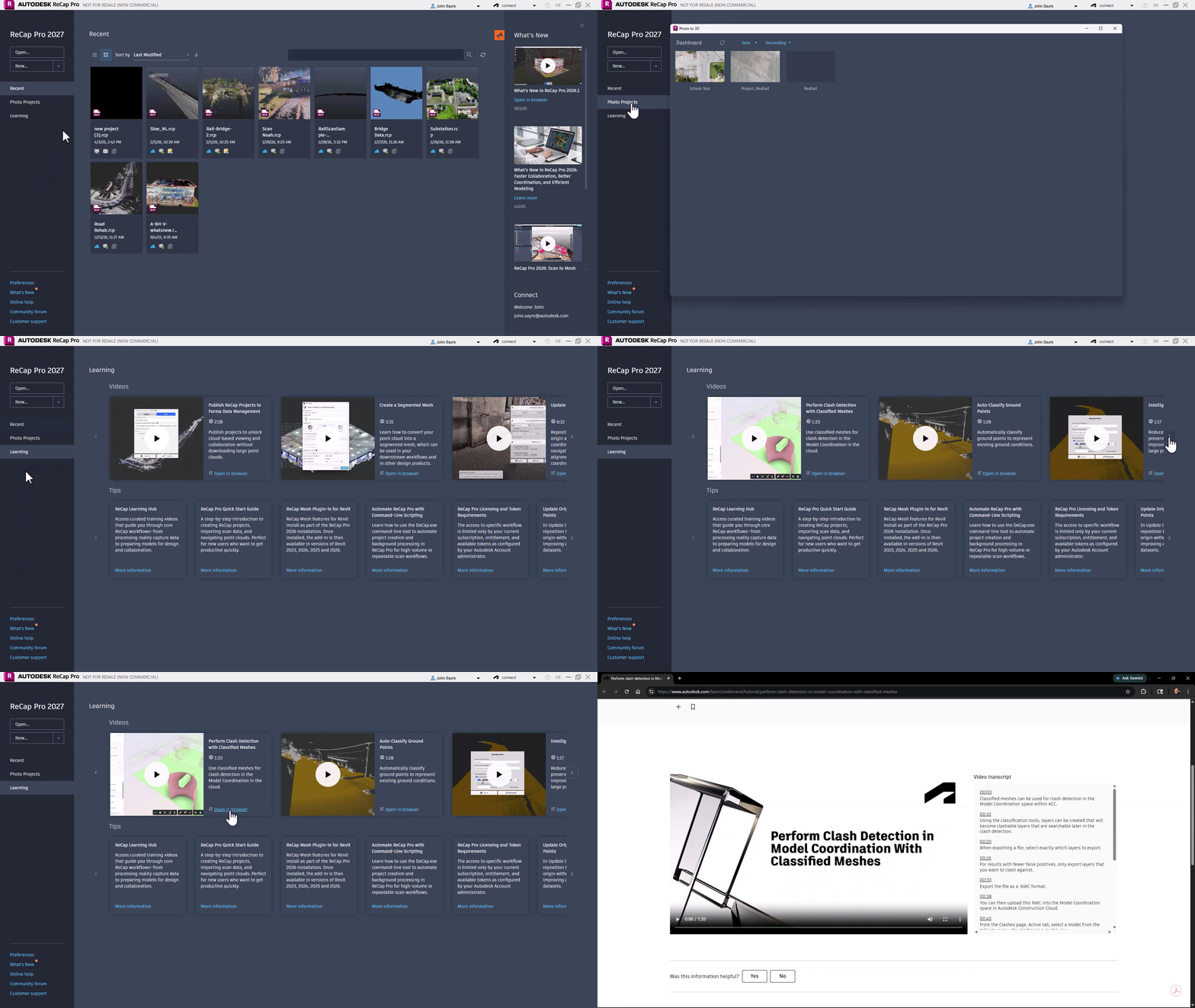
ReCap Pro 2027 introduces a redesigned application home experience that aligns with the common interface used across Autodesk AEC applications like Revit, Civil 3D, and AutoCAD. With improved navigation, project discovery, and access to learning resources, users can more easily find recent projects, switch workflows, and work more efficiently.
Level Panoramic Images During E57 Import
ReCap Pro continues to keep up to date with industry developments by adding support for a variety of capture devices that can be imported through your workflow. With the 2027 release, ReCap Pro adds a new level panoramic image option to detect orientation mismatches between scans and panoramic images during E57 import. When panoramic images captured with handheld or SLAM scanners are not level, users can choose to automatically adjust the image orientation.
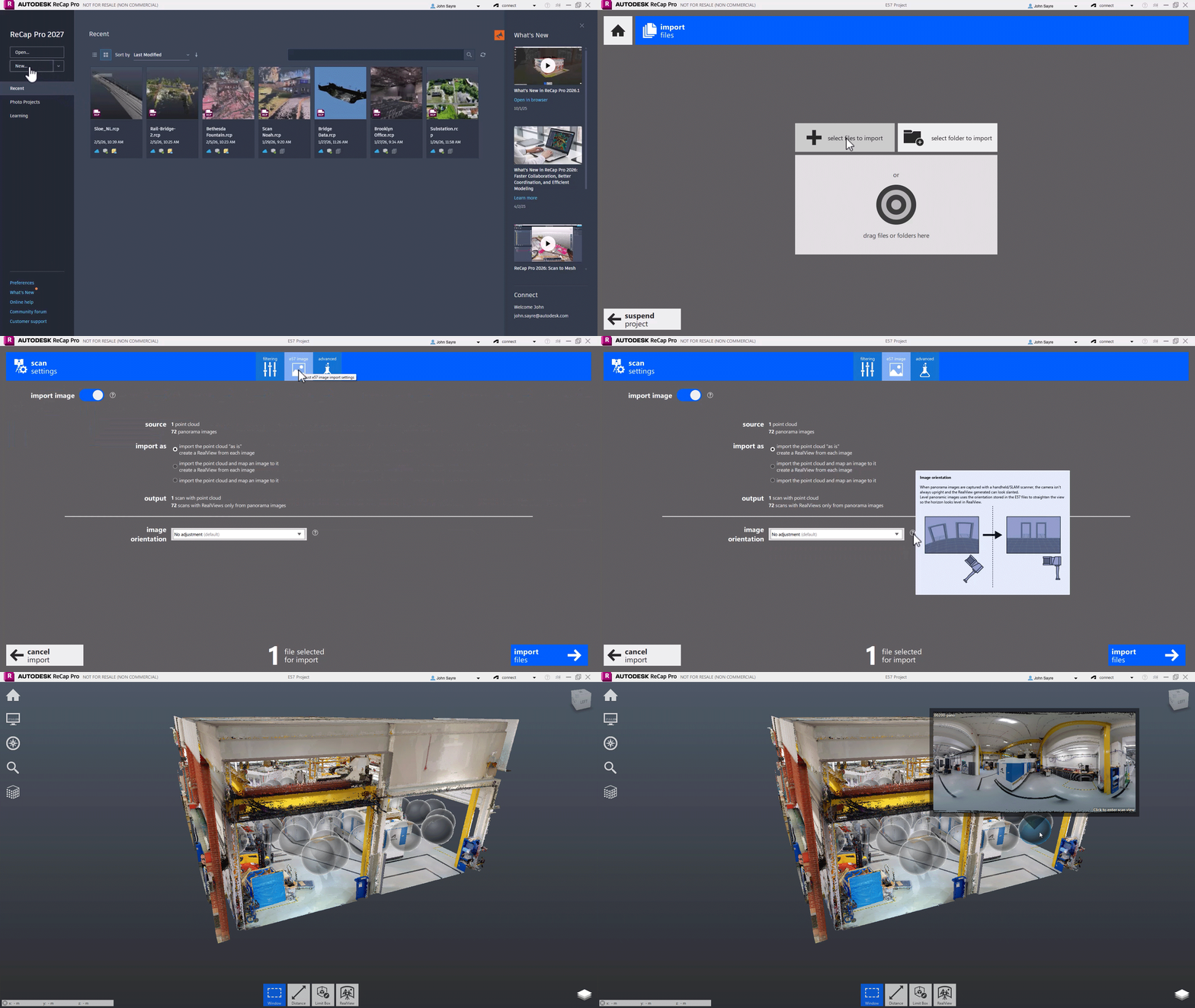
This correction adjusts the horizon to appear level, resulting in RealViews that align more naturally with the point cloud. Users can also preserve the original exported image orientation when needed using the default option.
Enhanced Mesh Classification Workflows
ReCap Pro 2027 features enhanced mesh classification workflows with reusable templates, schema mapping, custom metadata, and IFC 4.0 export support. Classifications created in ReCap Pro can now carry into the Mesh Editor, helping teams maintain consistent organization and structured data across point cloud, mesh, and downstream BIM workflows.
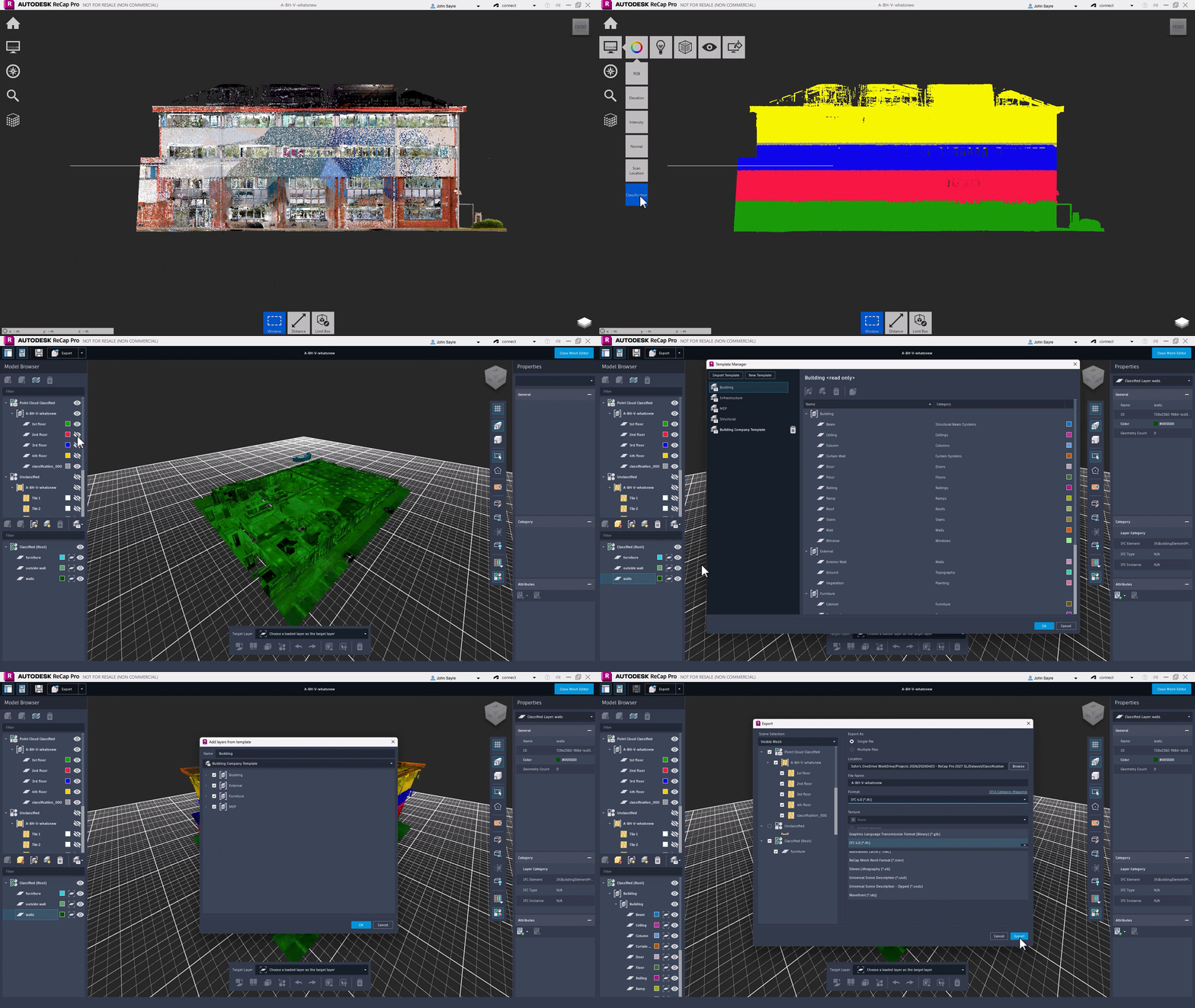
Templates and schemas help standardize classifications across projects, while custom attributes allow teams to add metadata such as asset IDs or coordination information for improved interoperability with tools like Revit and IFC-based workflows.
Bidirectional View State Synchronization
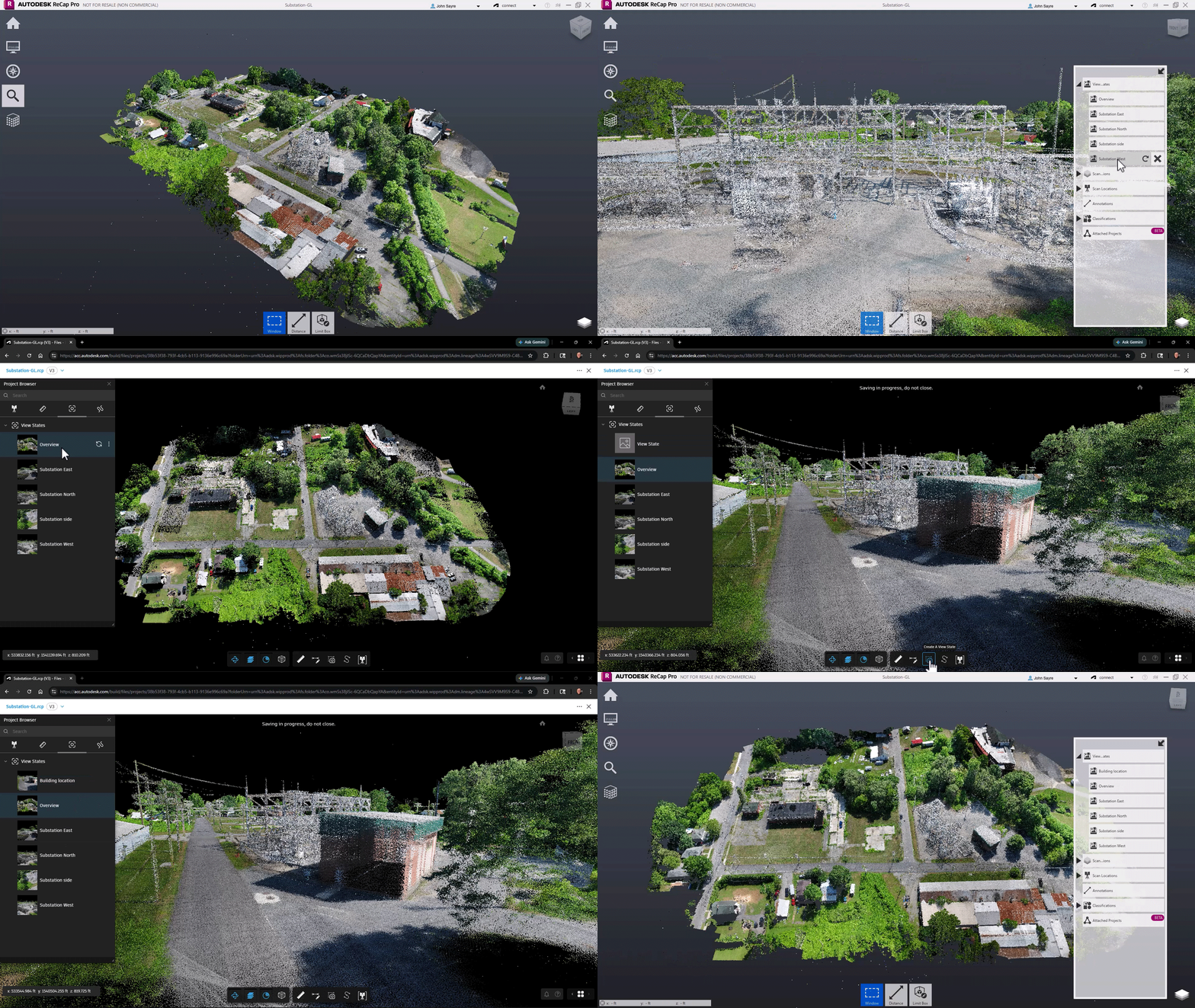
ReCap Pro 2027 enables bidirectional synchronization of view states, allowing teams to create and share view states from ReCap Pro, review them in the cloud, and sync updates back into the desktop environment. Annotations and scan groups created in cloud projects can also be synchronized locally, helping teams keep review feedback, viewpoints, and project context aligned across desktop and cloud workflows.
Point Display Density in ReCap Viewer
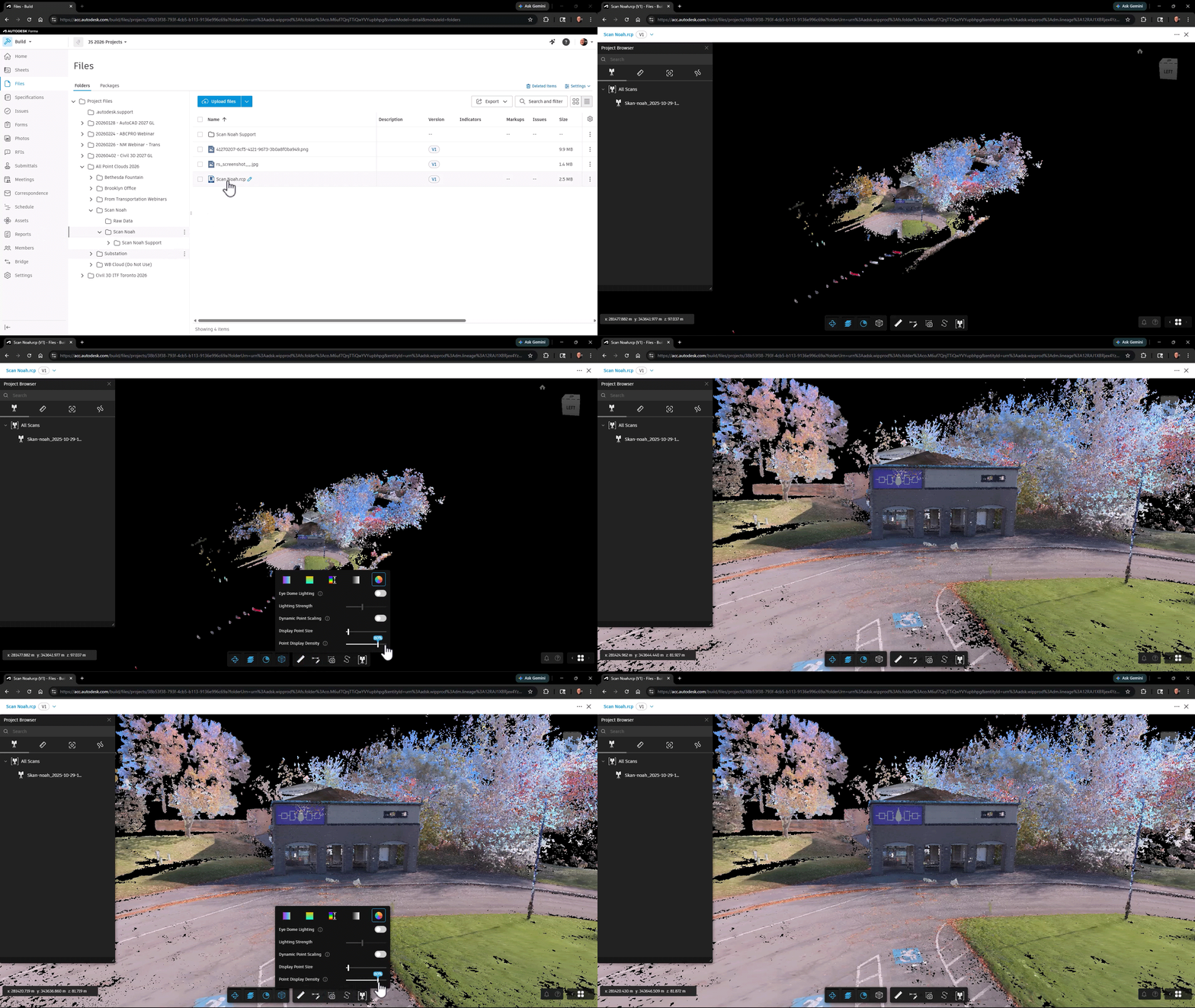
ReCap Viewer within Autodesk Forma Data Management (formerly Autodesk Docs) now includes adjustable point display density controls that help balance visual clarity and navigation performance for large point cloud datasets. Increase density for clearer visualization at longer viewing distances or reduce density for smoother interaction while reviewing point cloud data.
ReCap Viewer Rail Track Extraction
ReCap Viewer introduces Rail Track Extraction, a new workflow that helps rail engineers extract engineering-ready rail geometry directly from point cloud data. By combining intelligent rail path tracing with automated extraction of rail gauge lines and centerlines, teams can reduce repetitive manual work while maintaining control through complex track features such as turnouts and crossings. Built-in quality assurance tools help teams review extraction quality before exporting LandXML data for downstream workflows in Civil 3D.
Additional Updates
- Expanded scan format support: Added support for importing newer ZFS scans along with raw scans from Flash, Panocam, Calibration, Internal Cam Faro, and Topcon-Faro FLS formats.
- Performance improvements: Improved memory (RAM) utilization during Scan to Mesh Local workflows to support more efficient mesh processing.
- Improved mesh accuracy: Enhanced Scan to Mesh Local mesh generation accuracy for detailed geometry such as railings and fine structures.
- Terrestrial scans: Added new options for updating RCS files when saving legacy terrestrial scans.
Watch the Webinar
See the new updates in action in our webinar to see firsthand how these new capabilities can be applied to your projects: What’s New in ReCap Pro 2027
Get Started
To learn more about the updates in ReCap Pro 2027 and recent releases, visit:
To access the latest features, open Autodesk Access on your desktop or visit the Autodesk Account center. If you’re not yet a subscriber, you can explore ReCap Pro with a free trial.