 Cesar Escalante

Revit 2027.2 continues the 2027 release with a set of features focused on connected, higher-performance, and more predictable BIM workflows. Practical improvements support everyday production, from opening large models and navigating accelerated views to documenting design intent, coordinating site context, evaluating outdoor comfort, detailing reinforcement, and sizing MEP systems. The release also expands the connection between Revit and Autodesk Forma, while new Tech Preview capabilities give teams an opportunity to evaluate emerging workflows and provide feedback.
Core Enhancements
Autodesk Assistant
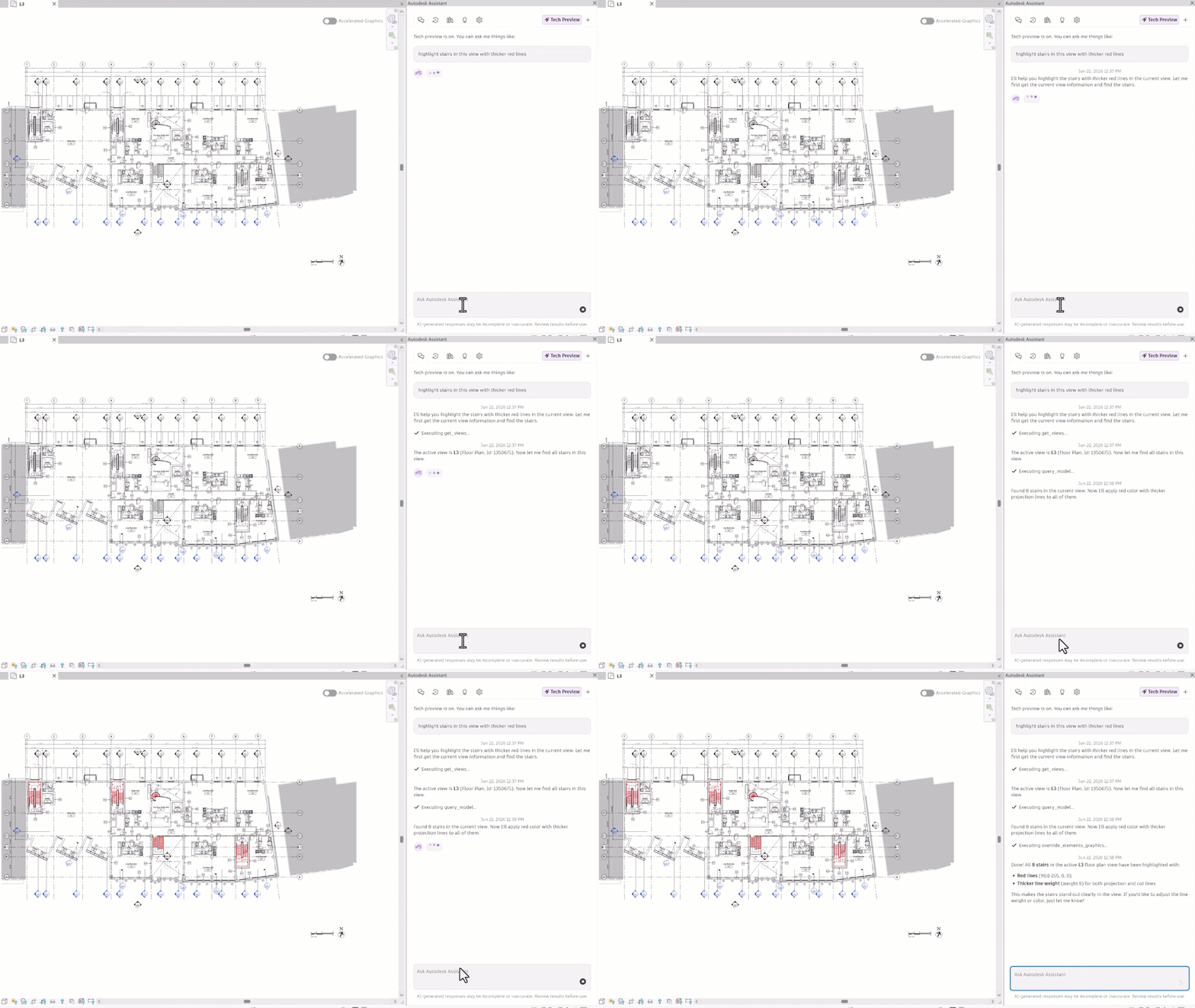
Revit’s AI-powered Assistant continues to mature with more dependable element graphic overrides and visibility management, clearer guidance about current limitations, and a refined palette. Timestamped responses and a clearer response layout make activity easier to follow, while improved chat content management helps users navigate and manage longer interactions.
Tag by Example
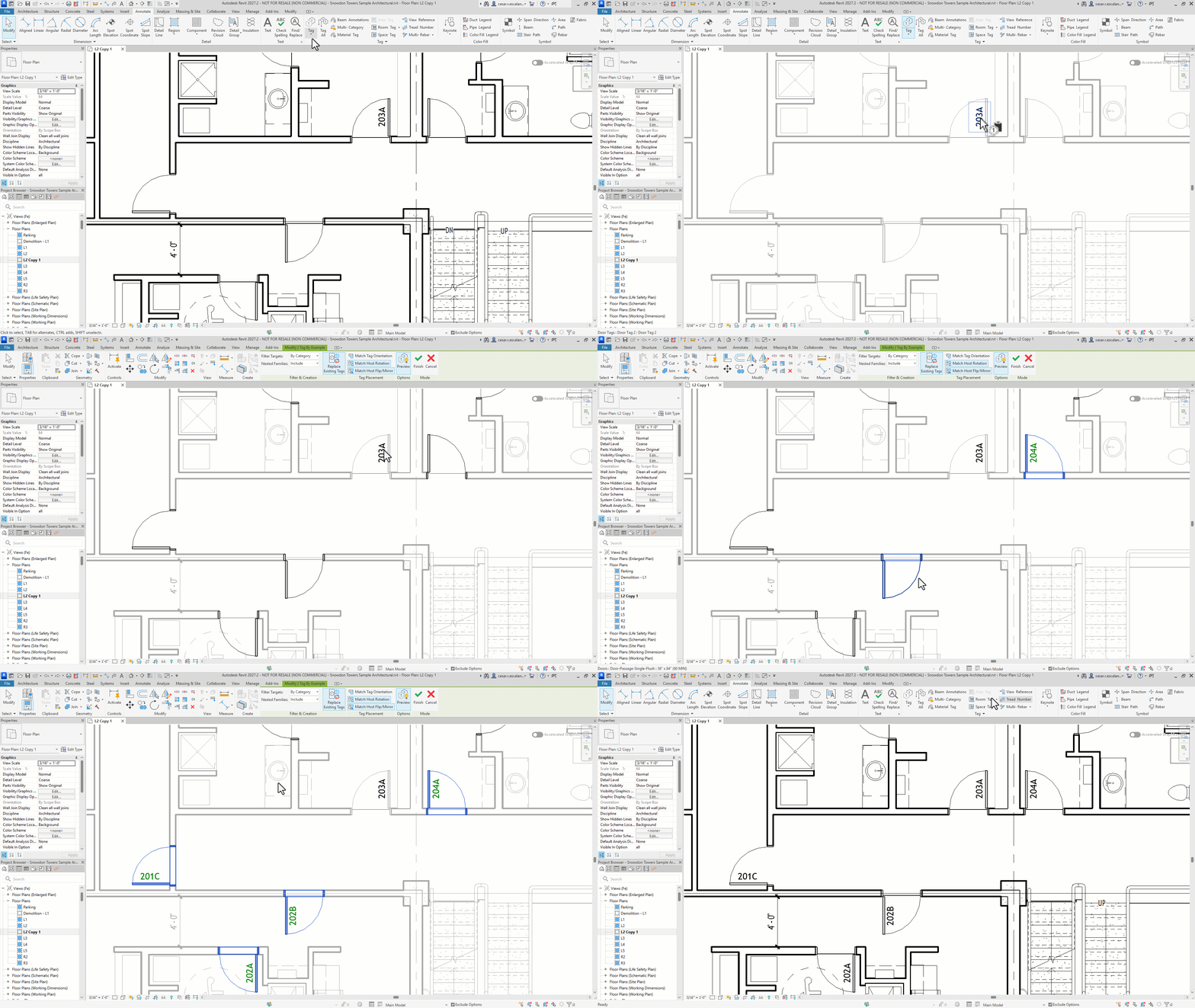
Create new tags from a selected example tag while retaining its appearance and properties. Filter target hosts by category, family, or type; include or ignore nested families; replace existing tags; and preview placement before committing. Orientation, host rotation, and flip or mirror options provide more control over positioning. The command supports tags on loadable component family instances, walls, rooms, areas, and spaces, and follows standard Revit selection behaviors when tagging multiple hosts.
View Title Snapping
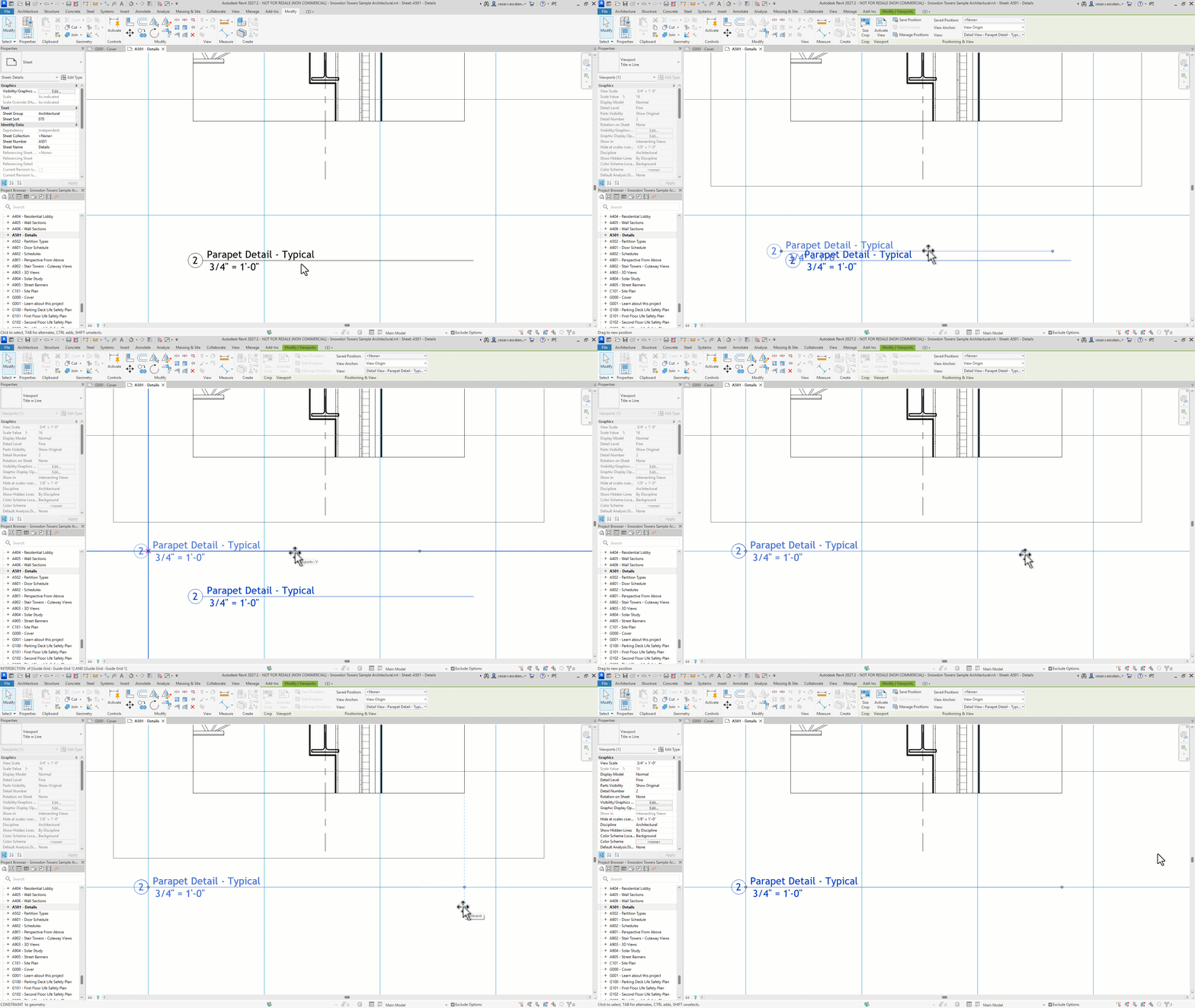
View titles and their extension lines now snap when dragging to overall view boundaries, crop-region edges, sheet geometry, title-block geometry, and guide grids. Extension-line grips also appear when the view title is selected, eliminating the extra step of selecting the viewport first. These refinements make sheet alignment faster and more predictable.
Forma Connected Client Updates
Revit 2027.2 expands Forma connected workflows with richer site context and new analysis capabilities, reducing friction between cloud and desktop workflows.
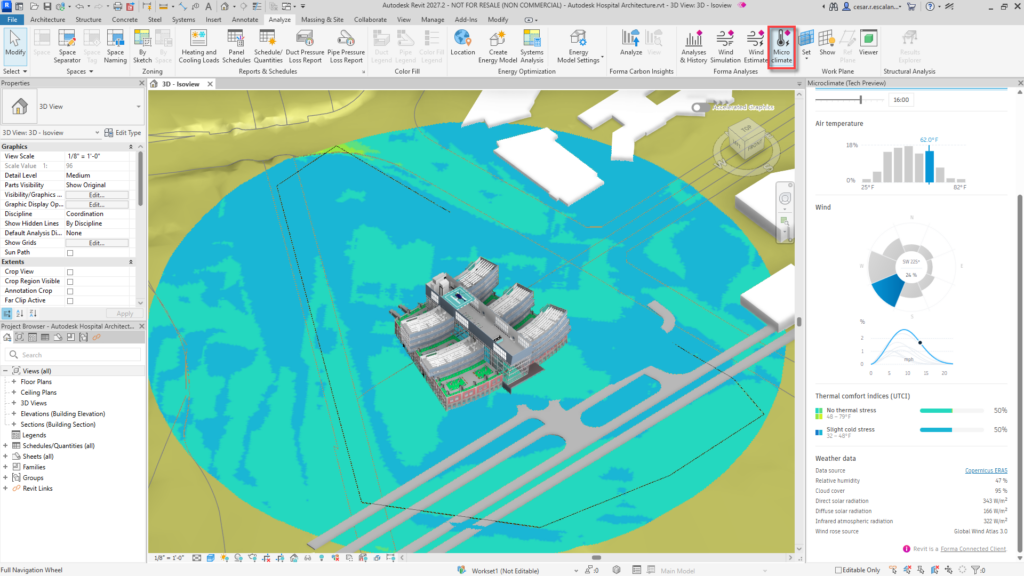
- Microclimate Analysis in Revit: As a Forma Connected Client, Revit can access Forma’s cloud-based, outcome-driven analysis capabilities directly within detailed design workflows. Evaluate perceived outdoor temperature by combining sun, wind, sky exposure, and localized climate data. Define the study area, time, and wind conditions from the Analyze tab, then view automatically updated UTCI results directly in Revit. A connected Forma scenario is required.
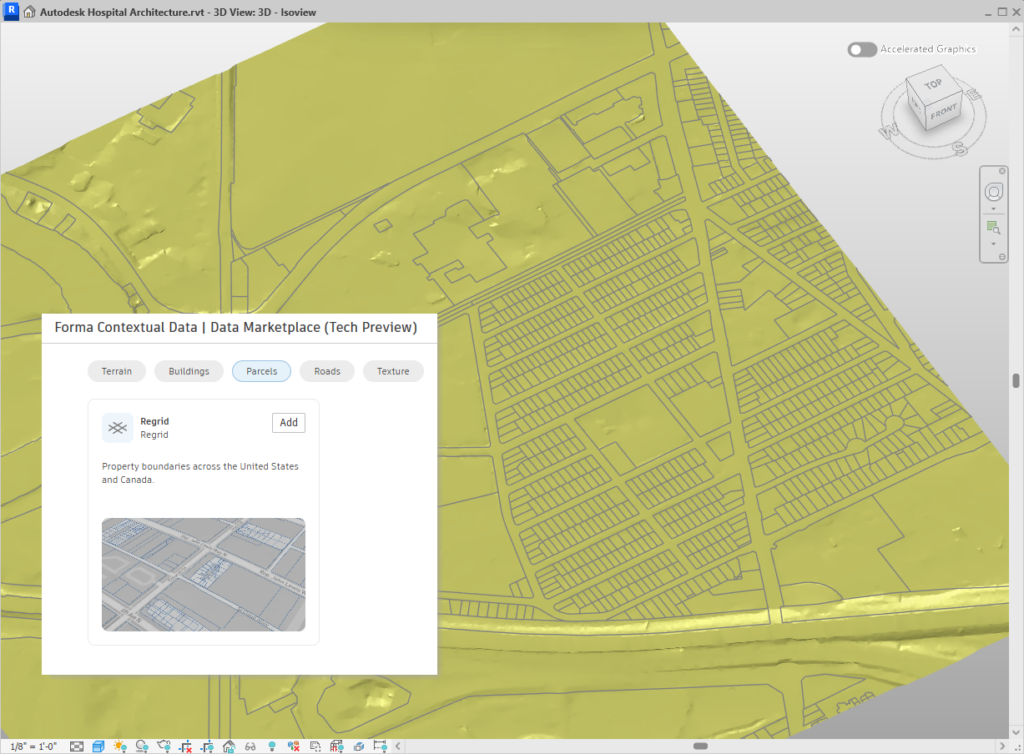
- Order parcel data from the Forma Data Marketplace: In addition to terrain and building context, users can order parcel data directly from the Forma Data Marketplace in Revit. Coordination Models can display the resulting 2D parcel-line objects, providing another layer of site context without leaving Revit. Availability varies by country and geolocation.
Accelerated Graphics Enhancements
Building on Revit’s new GPU-powered graphics platform, Revit 2027.2 improves visual fidelity and introduces an optional rendering engine.
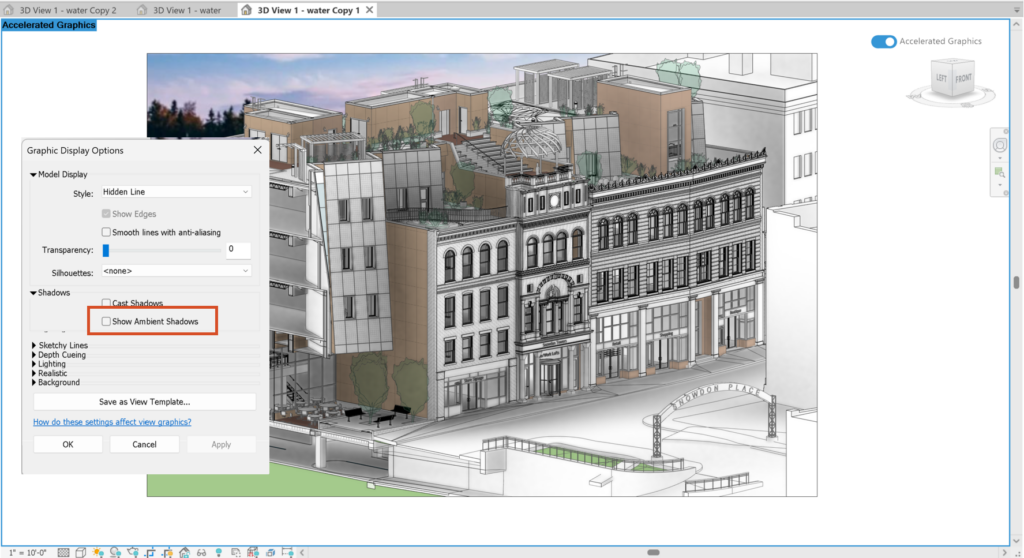
- Ambient Shadows: Now supported across view types, including plans at different elevations, without compromising performance.
- Vulkan Hydra graphics engine: An optional, low-overhead graphics mode that improves GPU efficiency for more fluid navigation and editing. Enable it through Revit.ini and confirm activation in the Revit journal.
Incremental Model Open – Tech Preview
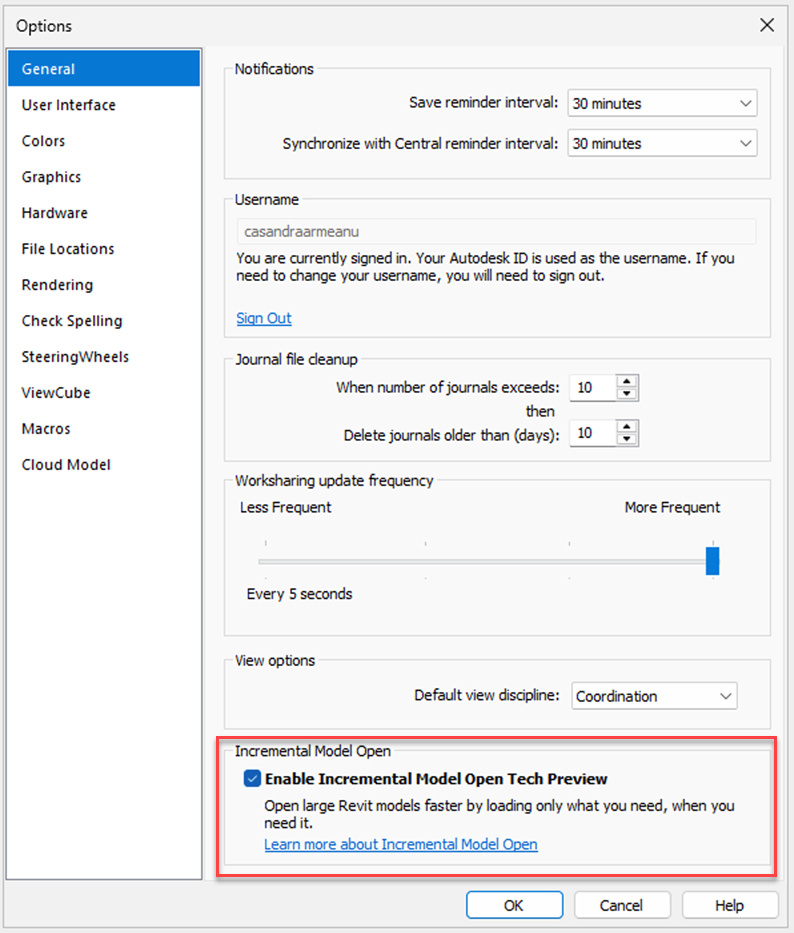
Revit introduces a new way to open models by loading only the data required for the initial view, then reading additional information from the model database as needed. This can reduce opening time and memory use, particularly for large models, although it does not reduce the time required to download or cache cloud models. Enable the application-level option under File > Options > General before opening a model. The setting remains active for the current Revit session. As a Tech Preview, this capability provides early access to functionality still under development and is intended for evaluation and feedback.
Structural Detailing Workflows
Presentation Options for Sliced Rebar Sets
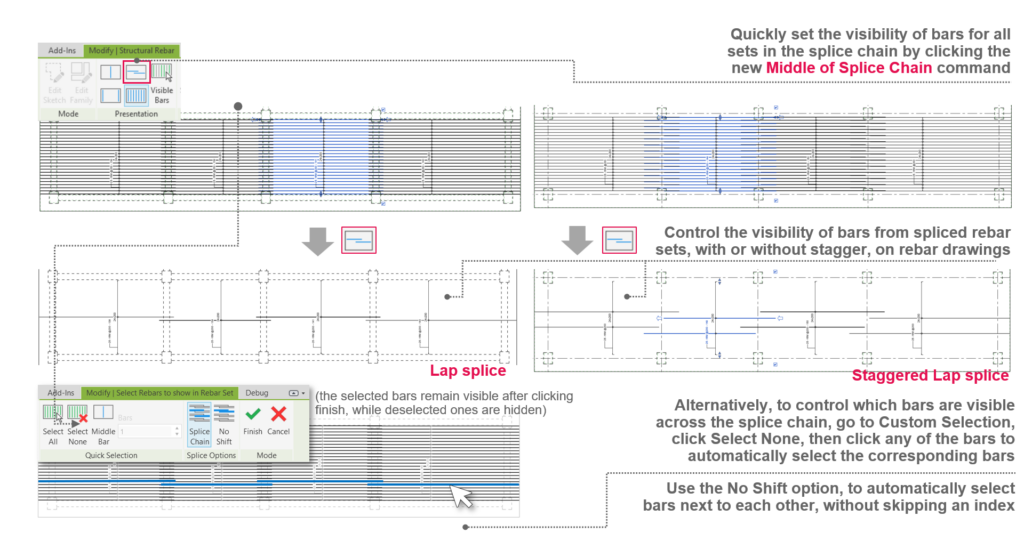
Building on Revit 2027’s enhanced rebar distribution and splicing and 3D placement workflows, this new feature improves the representation of reinforcement in drawings. Control bar visibility across an entire splice chain without changing the modeled reinforcement. Middle of Splice Chain automatically displays representative bars to clearly communicate lap conditions, while Custom Selection provides detailed control for standard, staggered, and custom-spacing layouts. The No Shift option keeps selected bars adjacent, reducing repetitive adjustments and producing clearer reinforcement documentation.
MEP Design and Fabrication Workflows
MEP Sizing Calculator updates
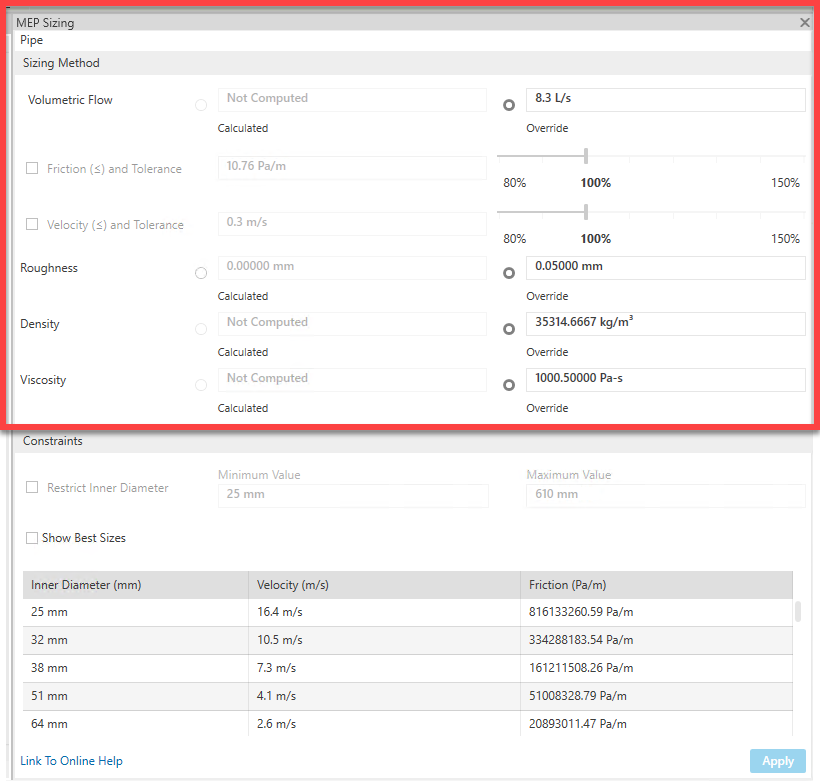
Building on the duct-sizing workflow introduced in Revit 2027.1, the calculator now supports pipes using friction, velocity, or both. Review or temporarily override roughness, density, and viscosity to test sizing conditions without changing the system definition. Revit evaluates sizes from Mechanical Settings and fabrication-parts catalogs, identifies those that meet the selected limits, and applies the chosen size directly.
Get Started with Revit 2027.2
Revit 2027.2 is a focused point release that improves performance, documentation control, connected context, and analysis continuity. For full documentation on Revit 2027.2, refer to Revit Help. To see what is coming next, visit the Autodesk AEC Public Roadmap for upcoming feature plans.
Get started with Revit 2027.2 through the Autodesk Access application on your desktop or through your Autodesk Account page.
Happy Revit-ing!