 Jeremy Lambert
This post is also available in:
Integrated cloud PLM in Fusion continues to be a game changer with the addition of new PLM processes and a template library. In this blog, we’ll explore how these new capabilities streamline workflows, boost collaboration, and enhance productivity.

Let’s face it—managing the full lifecycle of a product is no small feat. From that first spark of an idea to the business-critical details of quality management, there are dozens of processes and approvals to wrangle.
That’s where product lifecycle management (PLM) comes in. If you’ve been following the evolution of PLM tools, you know how quickly things are changing—and how much smoother our daily workflows can become with the right digital helpers.
Today, I’m excited to walk you through the latest updates to the Fusion Manage Extension. These updates continue to make PLM processes more streamlined, standardized, and scalable—no matter the size or complexity of your organization.

Elevate your design and manufacturing processes with Autodesk Fusion
Whether you’re handling product portfolio management, new product introductions, suppliers, or quality management, Fusion Manage Extension has got you covered.
So, let’s dig into what’s new and how the expansion of these new PLM capabilities can help make your organization’s product development journey a whole lot easier and more profitable.
Meet the PLM template library
First up, let’s talk about the new template library. Think of this as your one-stop shop for best practices, ready-to-go workflows, and reusable PLM process frameworks. The template library takes the guesswork out of configuring your PLM environment. Whether you’re just getting started or looking to optimize existing processes, you’ll find a rich selection of templates to jumpstart your journey. Each template is pre-built but also fully customizable. You can tweak it to fit your unique needs without starting from scratch. Less time designing workflows, more time focusing on what matters: building great products. The template library is in the Fusion Manage Extension web client’s main menu; simply navigate to PLM Settings > Template Library.
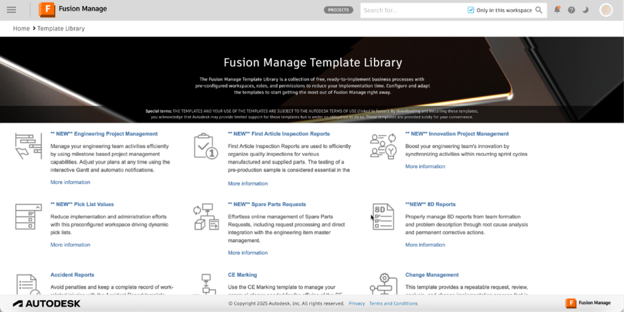
Product portfolio management
Got a lot of ideas and projects on the go? The portfolio management templates help you see the bigger picture. Easily prioritize, balance, and manage your product pipeline. These templates make it simple to assess project value, resource allocation, and risk—so you can focus your energy where it counts. Visual dashboards and flexible reporting tools give you instant insight into your entire portfolio, making tough decisions just a little bit easier.
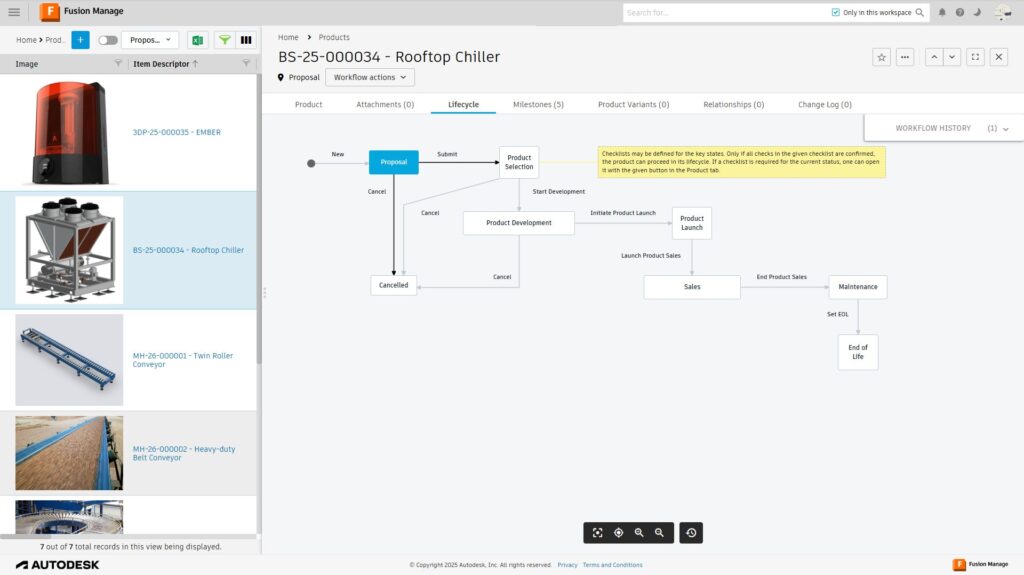
New product introduction (NPI)
Bringing a new product to market is a high-stakes game, but the NPI templates have your back. These step-by-step workflows guide your team through every stage, from concept validation to launch. Milestones, approvals, and standard documentation are built right in, reducing missed steps and last-minute scrambles. The result? Faster time to market, fewer surprises, and more efficient teams all around.
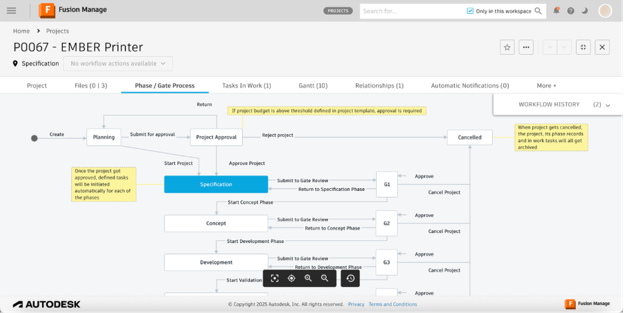
Supplier collaboration
Working with suppliers can be tricky, but the supplier collaboration process templates are here to help. These processes foster transparency and accountability, from onboarding through ongoing communications. Share specifications, manage changes, and track deliverables with ease. The result? Stronger partnerships, quicker workflows, and fewer hiccups along the supply chain.
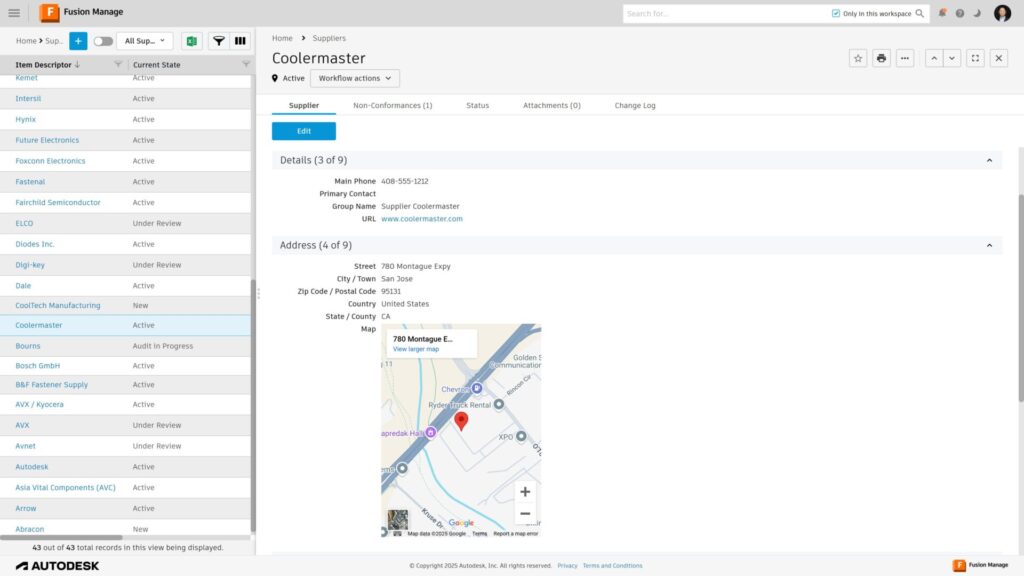
Quality management
Last but not least, let’s talk quality. Quality management templates ensure that best practices are built into your organization’s processes from day one. Capture and resolve issues, run audits, and monitor compliance—all with standardized workflows that flex to your organization’s needs. The payoff is fewer defects, reduced cost, and more delighted customers.
Wrapping it up
The Fusion Manage Extension can help your organization enhance workflows and improve collaboration for everyone involved in product development across your organization. As teams work together to bring product ideas to life, everyone uses the same live record of a product with Fusion’s built-in data management and integrated cloud PLM with Fusion Manage Extension. With the expansion of the new integrated cloud PLM capabilities, your organization can realize results quickly through additional off the shelf, best practice-based process templates that are configurable and easy-to-use.