design & manufacturing
Design and make the next breakthrough innovation
Design and make the next breakthrough innovation
Make a new thing. A fast thing. A life-changing thing. With the right tools for design and manufacturing professionals, the world is yours for the making.
Autodesk Fusion: Connected tools. Connected teams. Better products.
Autodesk Fusion: Connected tools. Connected teams. Better products.
Manufacturing teams often juggle disconnected tools, outdated data, and patchwork workflows. Fusion changes that by unifying design, manufacturing, electronics, and data into a single platform. It enables real-time collaboration, eliminates handoff delays, and keeps you moving from concept to production without breaking stride.
Software for product design & manufacturing
Go deeper into design and manufacturing
INDUSTRY
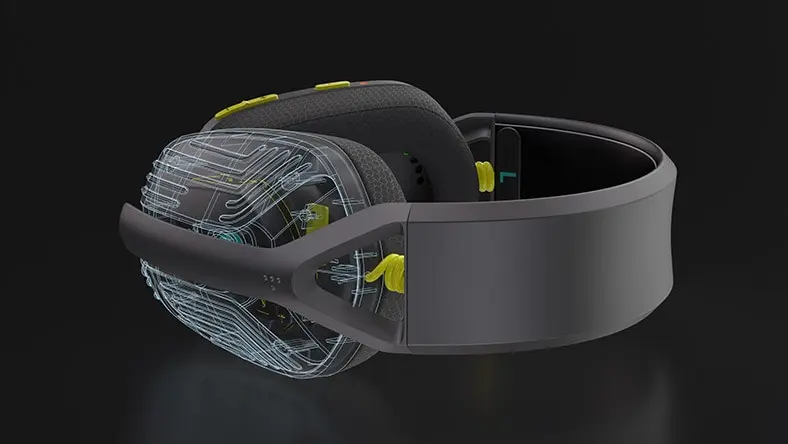
Consumer products
Consumer products
Bring your best consumer product ideas to life with integrated design, manufacturing, electronics, and data management.
Industry
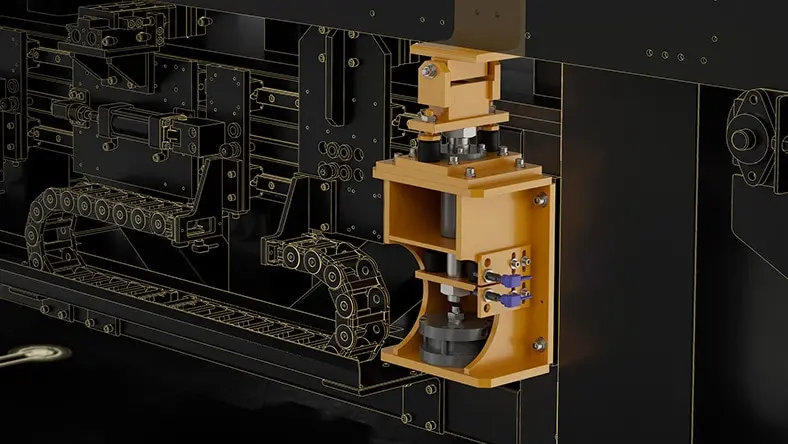
Industrial equipment manufacturing
Industrial equipment manufacturing
Create smarter, more reliable machinery with integrated solutions to streamline development.

industry
Building products & fabrication
Building products & fabrication
Automate development, connect manufacturing, and make it easy for clients to spec your products in projects.

industry
Mobility & transportation
Mobility & transportation
Drive innovation more quickly and effectively with agile studio tools built for mobility & transportation design.
AI is reshaping manufacturing—are you ready?
AI is reshaping manufacturing—are you ready?
Explore how AI will become critical in design and manufacturing organizations—enhancing innovation and boosting productivity.
How manufacturers get ahead with Autodesk
!["Innovation and design are really important to us. [Fusion] Image](//images.ctfassets.net/v7wr16nrr0mz/7ePoO8mQWPzDtpFhahsfKR/4864a23085eb53aa32e4263d2cf06084/dm-customer-hawk.jpg?fm=webp)
"Innovation and design are really important to us. [Fusion] helps us make manufacturing more efficient and improve the end product."
Ben Appleyard, Operations Director, Hawk Furniture
"Fusion is an incredible, full-suite CAD software where you can design anything you want in it. But you can also take that design into manufacturing, and it becomes real."
Ryan Krause, Co-founder, Sample Studio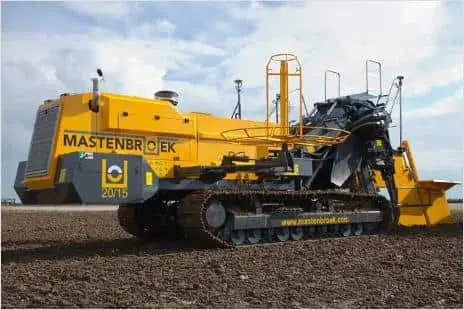
"Our workshop has gone from being a hive of activity with sketchbooks scattered everywhere to one where we have taken control of the entire build for our machines."
Mark Taylor, Engineering Director, Mastenbroek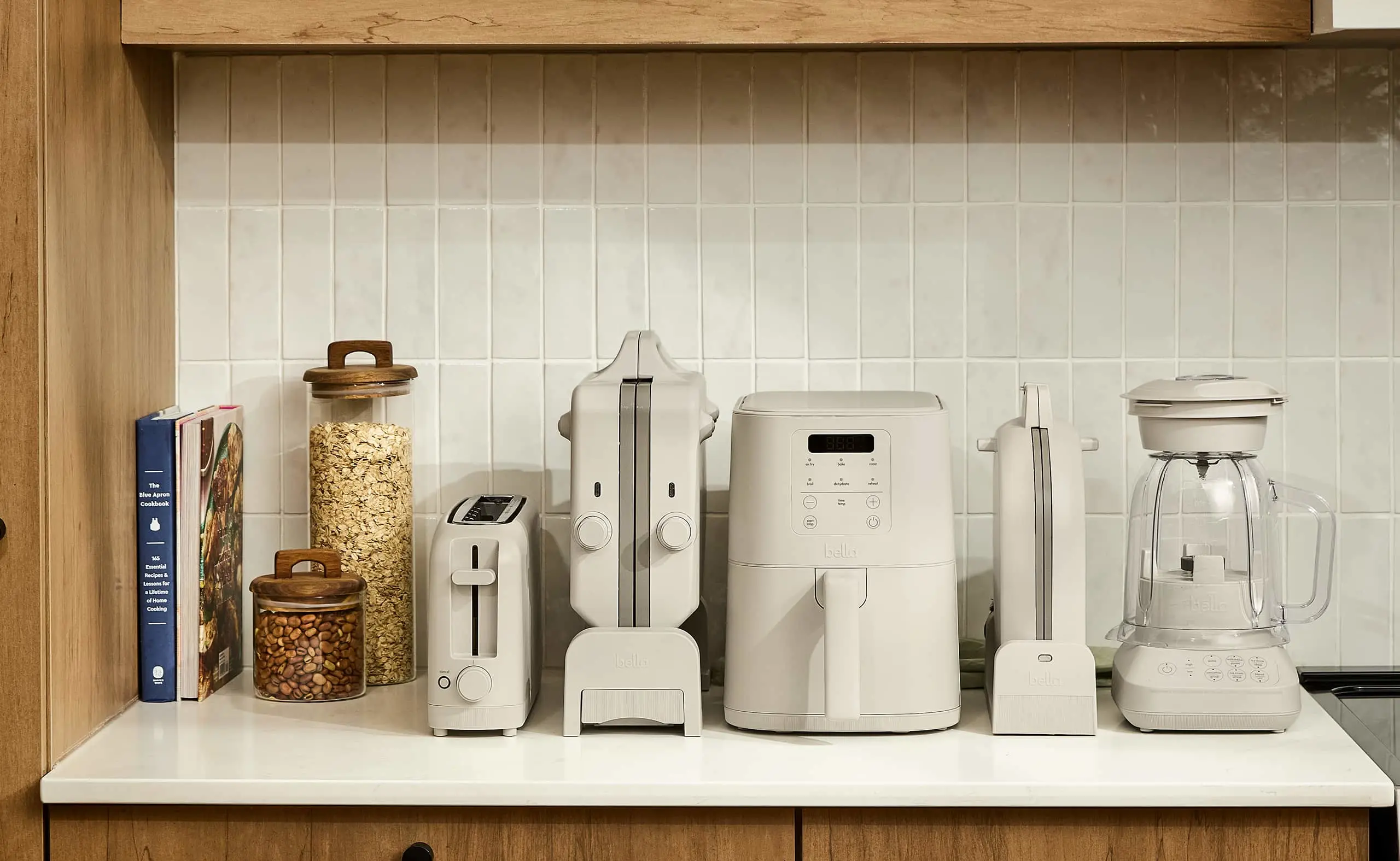
"In the past we were often using spreadsheets and a lot of our processes were very siloed. [Fusion Manage] improved our efficiency 4X."
TJ Ward, Engineering Lab Manager, Made by Gather
!["Innovation and design are really important to us. [Fusion] Image](http://images.ctfassets.net/v7wr16nrr0mz/7ePoO8mQWPzDtpFhahsfKR/4864a23085eb53aa32e4263d2cf06084/dm-customer-hawk.jpg?fm=webp)
What are high-performing organizations doing differently?
What are high-performing organizations doing differently?
Discover what 5,500 industry leaders reveal about turning AI, digital transformation, and sustainability into business advantage in Autodesk's 2027 State of Design & Make report.

Stay ahead of the competition with industry insights in your inbox
Stay ahead of the competition with industry insights in your inbox
The manufacturing industry moves fast. But we'll help you keep up—get industry trends, news, events, and the latest Autodesk product updates delivered right to your inbox.
The manufacturing industry moves fast. But we'll help you keep up—get industry trends, news, events, and the latest Autodesk product updates delivered right to your inbox.
Stay ahead of the competition with industry insights in your inbox
Stay ahead of the competition with industry insights in your inbox
The manufacturing industry moves fast. But we'll help you keep up—get industry trends, news, events, and the latest Autodesk product updates delivered right to your inbox.
The manufacturing industry moves fast. But we'll help you keep up—get industry trends, news, events, and the latest Autodesk product updates delivered right to your inbox.
Frequently asked questions about design and manufacturing (FAQ)
What is a product?
A product is an item manufactured to benefit your customers. Your services can also be referred to as your product. Nowadays, many "smart" products merge physical items with internet-connected digital services, which offer ongoing value to the customer beyond the physical item's value.
What is product design?
Product design is the process of imagining, creating, and iterating on solutions that solve problems for customers in commercial sectors like industrial machinery or automotive manufacturing or directly for the public in sectors such as consumer products.
The product design process begins with research to understand the market and customer needs. Designers use knowledge, empathy, and creativity to conceptualize solutions.
Hand sketches, prototypes, technical drawings, and 3D computer-aided designs (CAD) models are created to communicate and review the proposed product design solution and to coordinate the design process among stakeholders. Further prototyping is used to test and validate concept designs with real customers.
The final output is a product requirements document, specification, technical drawing, and visuals. Typically, product designers work with design engineers to develop concept designs ready for manufacturing.
Jobs in product design could include design manager, industrial designer, product designer, UI/UX designer, graphic designer, animation designer, design engineer, technical designer, design drafter, CAD designer, CAD technician, and CAD operator.
What is manufacturing?
Manufacturing is the process of converting raw materials or components into finished products through various techniques, tools, and machinery. It involves a series of steps, including designing, planning, sourcing materials, assembling, testing, and packaging.
Manufacturing is carried out in many industries; examples include Industrial machinery, automotive, building products, consumer products, and electronics. The goal of manufacturing is to create products that meet specific quality standards, are cost-effective, and can be delivered to customers in a timely manner.
Jobs in manufacturing could include production worker/operator, quality control inspector, manufacturing engineer, industrial engineer, CAD/CAM engineer, CAM programmer, CNC machinist/setter/operator, fabricator, supply chain manager, maintenance technician, logistics coordinator, CAD designer, CAD technician, and CAD operator.
What is product design and manufacturing?
Product design and manufacturing form a closely linked and iterative process that turns a conceptual design into a real product in the hands of your customer.
Desirability, manufacturability, cost, and efficiency need to be considered during the design phase to ensure that the product can be manufactured successfully while meeting the desired price point and customers' quality expectations. In return, feedback from the manufacturing process informs design improvements and optimizations.
Overall, product design and manufacturing work together to create products that are visually appealing, functional, and feasible to produce efficiently and cost-effectively.
Why is product design important in the manufacturing process?
Product design plays a crucial role in the manufacturing process for the following reasons:
User experience: Product design influences the user experience i.e., how easy, intuitive, and enjoyable customers find it to use your product. By focusing on ergonomics, aesthetics, and intuitive design, product manufacturers can create products that customers find visually appealing, easy to use, and enjoyable. Desirable products support brand preference, meaning that customers will seek out, and/or recommend your products. This can improve sales and market share.
Meeting customer needs: Great user experience starts with understanding customer needs and preferences. By incorporating customer feedback and market research into the design process, manufacturers can create products that align with customer expectations, leading to higher customer satisfaction and increased sales.
Innovation and differentiation: Product design is a key driver of innovation and differentiation in the marketplace. By creating unique and innovative designs, manufacturers can set themselves apart from competitors, attract customers, and gain a competitive edge.
Feasibility and efficiency: To meet the desired unit cost of the product, designers must consider the feasibility of the design, and consider factors such as materials, production techniques, and assembly processes to ensure that the product can be manufactured efficiently and cost-effectively. Designing for manufacturability helps streamline production, reduce waste, and optimize resources.
Quality and reliability: A well-designed product is more likely to meet quality standards and meet customers' performance expectations. Design considerations such as material selection, structural integrity, and tolerance specifications can significantly impact the product's durability, functionality, and overall quality.
Cost optimization: Design decisions have a significant impact on the cost of manufacturing a product. By considering factors such as material costs, production processes, and component integration, designers can identify opportunities to optimize costs without compromising product quality or functionality.
Time to market: Efficient product design can help reduce the time it takes to bring a product to market. By streamlining the design process, minimizing design iterations, and considering manufacturing constraints early on, manufacturers can accelerate the product development timeline and gain a competitive advantage.
Product design is important in the manufacturing process because it ensures that products meet customer needs, can be efficiently manufactured, are of the desired quality, and offer a competitive advantage in the market. Design engineering is a critical step in manufacturing successful and profitable products.
What Autodesk tools are available for product design and manufacturing?
Autodesk empowers innovators with design and make technology for product design and manufacturing, equipping customers to work fluidly across boundaries of project, discipline, and industry.
Autodesk software for design and engineering: Autodesk provides a range of software tools specifically designed to support designers and engineers. Each tool is tailored to a specific discipline and offers a range of features and capabilities to support the design and engineering process, including 2D and 3D CAD modeling, automatic BOM creation, manufacturing documentation, and engineering simulation (CAE).
The Product Design & Manufacturing Collection which includes:
Autodesk Inventor Professional-grade product design and engineering tools for 3D mechanical design, simulation, visualization and documentation.
Inventor Nastran CAD-embedded software for non-linear stress, thermal, vibration and fatigue simulation.
Inventor Tolerance Analysis Tolerance stackup analysis software for evaluating the impact of dimensional variation.
Inventor Nesting True shape nesting software for Inventor to optimize yield from raw material.
Inventor CAM Integrated 2.5- to 5-axis CAD/CAM programming solution for Inventor.
Vault Product data management software to manage design files.
AutoCAD 2D and 3D CAD software with industry-specific toolsets.
Factory Design Utilities Factory design software to plan, design and install an efficient production layout.
Navisworks Manage Large-scale design review software with clash detection and scheduling.
ReCap Pro Reality capture and 3D scanning software and services.
3Ds Max 3D rendering and animation software for design visualization.
Fusion Cloud-based CAD/CAM/CAE software for product design and manufacturing.
Additional Autodesk software products for design and engineering include:
Autodesk Moldflow Autodesk® Moldflow® simulation software provides plastic injection molding and compression molding insights to improve manufactured part quality. Advanced tools and a simplified user interface help you address manufacturing challenges such as part warpage, cooling channel efficiency, material selection, and cycle time reduction.
Fusion Manage Cloud PLM and PDM that easily connects your data, people, and processes.
Design Review Design Review CAD viewer software lets you view, mark up, print and track changes to 2D and 3D files for free – without the original design software.
Autodesk Drive CAD-aware cloud storage for individuals and small teams.
Autodesk Rendering Submit renders to the cloud directly through your Autodesk product, freeing up your local system and allowing you to complete other tasks while your renders process.
Autodesk software for manufacturing:
Autodesk offers a range of computer-aided manufacturing (CAM) software solutions. These tools enable manufacturers to generate toolpaths, simulate machining operations, and optimize CNC programs for milling, turning, and other machining processes.
Autodesk Fusion Manufacturing extension Unlock additional capabilities for 3 to 5-axis CNC machining, sheet-based nesting and fabrication, and metals based additive manufacturing. Speed up CAM programming and improve the consistency of manufacturing processes to produce higher-quality parts.
Prodsmart Manufacturing Execution system (MES) MES for all levels of production, giving you the solution you need to stay on top of your production planning process. Gain insights to predict machine downtime, track production progress, identify bottlenecks and eliminate waste through a fully digital and automated operations tool.
Available with the Product Design & Manufacturing Collection:
Inventor CAM: Autodesk® Inventor® CAM software simplifies the machining workflow with CAD-embedded 2.5- to 5-axis milling, turning, and mill-turn capabilities.
Inventor Nesting: Autodesk® Inventor® Nesting software helps to reduce cost while optimizing yield from flat raw material.
Autodesk manufacturing software also includes:
Autodesk Fusion with Netfabb: Netfabb is a software suite for additive manufacturing (3D printing) that provides tools for design optimization, file preparation, and process simulation. It helps manufacturers ensure the quality and reliability of their 3D printed parts. Now includes Fusion and Fusion Team.
Autodesk Fusion with PowerMill: PowerMill® CAM software provides expert CNC programming strategies for complex 3- and 5-axis manufacturing, now with access to Fusion and advanced manufacturing capabilities through Fusion extensions.
Autodesk Fusion with PowerShape: PowerShape® manufacturing CAD software combines surface, solid, and mesh modeling to help prepare molds, dies, and other complex parts for manufacture, and now includes Fusion and Fusion Team.
Autodesk Fusion with PowerInspect: PowerInspect® is 3D measurement software for offline programming of inspection routines that monitor and control manufacturing processes.
Autodesk Fusion with FeatureCAM: FeatureCAM helps manufacturers automate CNC programming. It now includes FeatureCAM Ultimate, PartMaker, Fusion, Fusion Team and HSMWorks:
Autodesk Fusion with CAMplete: CAMplete™ provides G-code post processing, verification and simulation. Import CAM data, then use proven post processors and accurate 3D machine models, developed along with machine tool builders, for quality, collision-free NC machining code.
Can Autodesk tools be used for both 2D and 3D design?
The company that brings you AutoCAD, Autodesk offers a range of cross-compatible design and engineering tools for 2D and 3D design. You don’t have to choose between 2D and 3D CAD. In many cases, the best option is a combination of both.
Autodesk Inventor ‘AnyCAD’ allows 2D AutoCAD data to be referenced into a 3D Inventor model. The AutoCAD data can remain the single source of truth, and the Inventor model will update when the AutoCAD model updates.
Autodesk Inventor uses the same DWG file format as AutoCAD. Inventor drawings can be opened in AutoCAD for processing including review and markup.
Autodesk Vault product data management (PDM) manages 2D and 3D data seamlessly, supporting your needs to work with legacy 2D data, migrate from 2D to 3D, or use 2D and 3D design tools concurrently.
AutoCAD, Autodesk Inventor, and Vault are available in the Product Design & Manufacturing Collection.
How can computer-aided design (CAD) software enhance the product design and manufacturing process?
Computer-aided design (CAD) software offers several benefits that enhance the product design and manufacturing process:
Visualization and conceptualization: CAD software allows designers to create detailed 2D and 3D models of products, enabling them to visualize and conceptualize their ideas more effectively. This helps in exploring different design options, making informed decisions, and communicating design intent to stakeholders.
Design iteration and optimization: CAD software facilitates rapid design iteration and optimization. Designers can easily modify and refine their designs, test different configurations, and evaluating the impact of design changes. This iterative process can optimize the design, reducing errors, and improving product performance.
Design accuracy and precision: CAD software makes it easy to provide precise and accurate design models and documentation. Designers can define and optimize parametric dimensions, geometric constraints, and tolerances, ensuring that the manufacturing team have the correct information to meet the expected quality standards.
Design validation and simulation: CAD software often includes simulation capabilities that allow designers to virtually test and validate their designs. This includes analyzing structural integrity, motion, fluid flow, and thermal behaviors. By simulating real-world conditions, designers can better predict and avoid potential quality issues, reducing the need for destructive testing of physical prototypes.
Design documentation and manufacturing preparation: CAD software automates the creation of engineering drawings, bill of materials (BOM), and other documentation required for manufacturing. This helps in generating accurate and standardized documentation, reducing manual errors, and providing consistent information to improve manufacturing efficiency.
Collaboration and communication: PDM software enables secure, permission-controlled collaboration and communication among design teams, stakeholders, and manufacturing partners. Design files can be shared digitally, reviewed, and annotated, automating the audit trail of feedback and decision-making. This streamlines the design process, reduces errors, and ensures that everyone is working with correct and current design information.
Integration with manufacturing processes: CAD software integrates with computer-aided manufacturing (CAM) software, enabling seamless transfer of design data for generating toolpaths, optimizing machining operations, and preparing for production. This integration streamlines the transition from design to manufacturing, reducing errors and improving efficiency.
Overall, CAD software enhances product design and manufacturing by improving visualization, accuracy, collaboration, optimization, and documentation. It helps create better designs, reducing errors, shortening development cycles, and ultimately delivering higher-quality products to the market efficiently.
What industries does Autodesk serve in design and manufacturing?
Autodesk supports a wide range of design and manufacturing industries, including industrial equipment, consumer products, mobility and transportation, building products, automotive, and electronics. Autodesk software helps teams work more efficiently from design through production.
How are Autodesk AI and automation features useful in design and manufacturing?
AI and automation can help teams work faster by supporting repetitive tasks, exploring design options, and improving efficiency across workflows. For small teams, that can mean spending less time on manual steps and more time on design, problem-solving, and delivery.
What Autodesk software is best for product design startups or small manufacturers?
Autodesk Fusion is often the best fit for product design startups and small manufacturers because it brings design, engineering, and manufacturing workflows together in one platform. It is especially useful for teams that want to move quickly from concept to production.
Can Fusion handle both CAD and CAM for a small manufacturing team?
Yes. Autodesk Fusion supports both CAD and CAM, so small teams can design parts, prepare toolpaths, and move into manufacturing within the same platform. That can reduce handoffs and help teams work more efficiently.
How can small manufacturers speed up prototyping and iteration?
Autodesk tools can help teams iterate faster by making it easier to update designs, test changes, and prepare models for manufacturing. Connected workflows also help reduce errors and shorten the path from prototype to production.