-

Autodesk Inventor Sheet Metal, Flat pattern success—Every time!
‘Failure in creating a flat pattern.’ Who needs it? No one wants to create an Autodesk Inventor sheet metal part that won’t unfold! This article by Paul Munford gives tips and tricks to garentee your sheet metal models will unfold every time
Design & Engineering
-
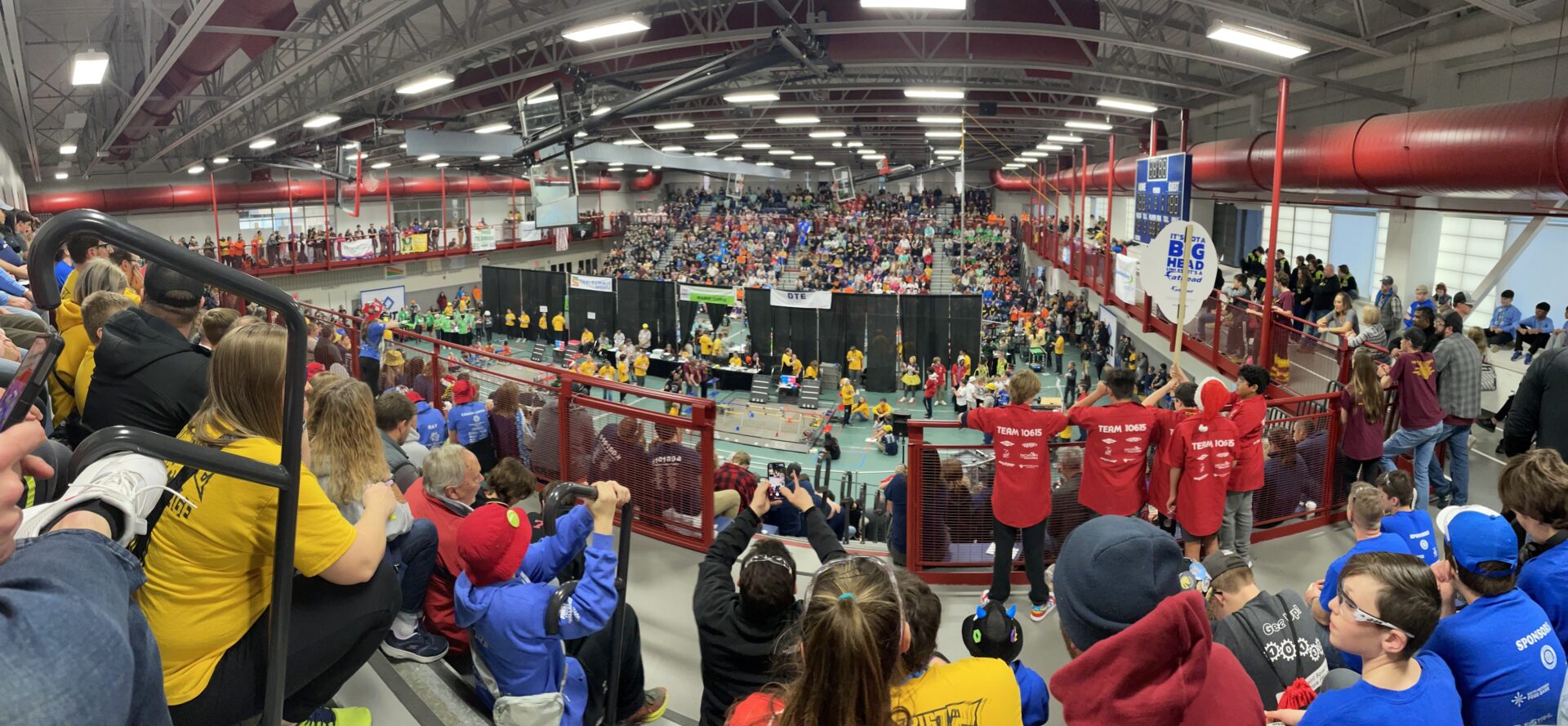
Middle school robotics team takes design to the next level with Autodesk Inventor
A middle school robotics team in Michigan is discovering the power of 3D modeling with help from Autodesk Inventor software. Led by a parent with no previous engineering experience, the team uses the software to visualize concepts, build 3D models, test prototypes virtually, and 3D print parts. This middle school team is bringing their ideas…
Design & Engineering
-

Drive Efficiency with New Autodesk Fusion Manage Template for Supplier Collaboration
Recently, we covered the new Autodesk Fusion Manage templates for Ideas Management and Requirements Management. If you missed them, be sure to check them out. This week we’ll take you through the new template for Supplier Collaboration. If you’re not familiar with Autodesk Fusion Manage, it’s a cloud-based product lifecycle management solution in the Autodesk…
Autodesk Fusion Manage
-
Autodesk Vault 2025 SDK – Breaking News
Have you seen Vault 2025’s new functional and administrative enhancements? I suggest reading Autodesk Vault 2025 What’s New Overview first if not. The Vault API directly supported most of the enhancements. However, the Vault 2025 SDK also introduced support for .NET Core and continued supporting .NET Framework developments. The development community requested it for a while; now…
Data & Process
-

Keep Products on Track with New Autodesk Fusion Manage Template for Requirements Management
Last week we covered the new Autodesk Fusion Manage template for Ideas Management. This week we’ll take you through the new template for Requirements Management. If you’re not familiar with Autodesk Fusion Manage, it’s a cloud-based product lifecycle management solution in the Autodesk Fusion industry cloud for manufacturing. Autodesk Fusion Manage PLM can help your…
Autodesk Fusion Manage
-
Autodesk Vault SDK Getting Started #5 – Login/Authorization Types
The Autodesk Vault SDK enables developers to build custom applications that interact with Vault servers. Any Vault application must log in and, in most cases, obtain a Vault license. Watching the Vault Customization Forum discussions, establishing a Vault connection is one of the most discussed topics. Even long-term API consumers may struggle to migrate legacy applications as…
Data & Process
-
Autodesk Inventor Resources
The Inventor team works hard to develop the tools that promote efficiency in your design and manufacturing workflows. Many of the tools we implement in Inventor begin with the great ideas we receive from designers and engineers who use our software. Your complete success is a combination of the software that helps your ideas take…
Design & Engineering
-

Increase Innovation with New Autodesk Fusion Manage Template for Ideas Management
Autodesk Fusion Manage is a cloud-based product lifecycle management solution in the Autodesk Fusion industry cloud for manufacturing. If you’re not familiar with Autodesk Fusion Manage, it can help your organization automate product development workflows and collaborate more efficiently. In the fast-paced world we are living in, innovation is the key to staying ahead…
Autodesk Fusion Manage
-
Autodesk Vault SDK Getting Started #4 – Event Handler
The Autodesk Vault Professional API enables developers to implement individual business logic handling events like check-in. Custom applications can subscribe to different event types for any Vault entity type. Handling events also includes capabilities to restrict the execution of the underlying action. The SDK template “API Onboarding – Event Handler” provides a pre-coded starting point for new Event and…
Data & Process
-
Autodesk Vault SDK Getting Started #3 – Custom Job
Autodesk Vault Professional includes automation capabilities known as Job Processor. Job Processing includes a server-side component (Job Server), the Job Queue, and a Job Scheduler. Job Processors are Vault Clients that log on to the server and pick up jobs for execution. Many job types are available as a default but might have good reasons to…
Data & Process
-
Autodesk Vault 2025 What’s New
Autodesk Vault 2025 is here with enhancements to help you accelerate your overall design creation and data management experience. Vault subscribers can start taking advantage of the new functionality right away. This release of Vault delivers enhancements you and the Vault user community requested. Watch the overview video to see some of the new features…
Data & Process
-
Autodesk Inventor 2025 What’s New
This year marks a monumental milestone for 25 years of Autodesk Inventor, a quarter of a century of designing and making your best products. This release brings over 142 enhancements, each carefully crafted to improve user experience, enhance functionality, and streamline design processes. We’ve also tackled over 1330 bug fixes, demonstrating our commitment to reliability and…
Design & Engineering