 Shannon McGarry
Learn how Autodesk Inventor opens, references, and works with non-native CAD files. Understand AnyCAD, associativity, supported file formats, and when you can edit imported models.
Enhance Your Engineering Workflows
Precise, powerful, and ready for innovation with Autodesk Inventor.

If you’ve ever received a CAD file from a customer, supplier, or partner and wondered,“Now what?”, you’re not alone.
Few engineering teams operate in a single CAD environment. One supplier uses SolidWorks. A customer sends CATIA data. A legacy product exists in Creo. Someone else exports a STEP file because nobody has matching software.
The good news is that Autodesk Inventor was built for this reality.
Instead of forcing engineers to constantly translate files, rebuild geometry, or maintain multiple CAD systems, Inventor includes a technology called AnyCAD that helps you work with non-native CAD data while maintaining connections to the original files. Autodesk’s documentation describes AnyCAD as a way to reference and work with data from other CAD systems while preserving links to the source model.
Let’s walk through what this means.
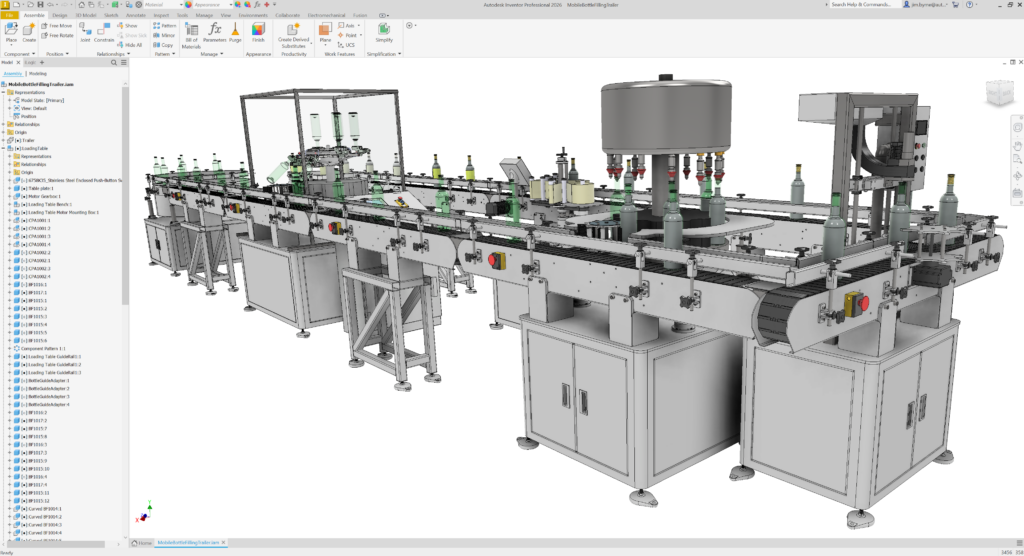
Can Autodesk Inventor open files from other CAD systems?
Yes. Inventor can open and work with files created in many popular CAD systems, including:
- SolidWorks
- CATIA V5
- PTC Creo
- Siemens NX
- Solid Edge
- STEP
- IGES
- SAT
- AutoCAD DWG
- Revit RVT
Inventor can either import these files as standalone geometry or reference them using AnyCAD, depending on the file type and workflow. Autodesk specifically supports AnyCAD referencing for STEP, SolidWorks, CATIA V5, NX, Creo, Solid Edge, Fusion, AutoCAD, and Revit files.
For engineers, this means you can continue designing in Inventor even when projects involve data from multiple CAD platforms.
What is AnyCAD?
Think of AnyCAD as a live bridge between Inventor and another CAD system.
Traditionally, sharing models between CAD systems required exporting a file, importing it into a new system, and repeating the process every time something changed.
AnyCAD eliminates much of that effort.
When you import a supported file as a Reference Model, Inventor maintains a link to the original file. If the source model changes, Inventor can recognize the update and refresh the model without requiring you to start over. Autodesk identifies the Reference Model workflow as the option that maintains a link to the source file and allows updates when the original model changes.
A simple analogy:
- Traditional import = taking a snapshot of a model.
- AnyCAD reference = subscribing to updates from the original model.
That distinction becomes incredibly valuable when collaborating with suppliers, customers, or acquired business units that use different CAD systems.
Can Inventor edit non-native CAD files?
The answer depends on how you bring the file into Inventor.
Option 1: Reference the model
When you use AnyCAD’s Reference Model option, Inventor keeps the connection to the original CAD file.
This is ideal when:
- Another company owns the design
- The model is still being updated
- You want to receive future design changes automatically
However, the referenced model itself is not intended to become the new source of design edits. The original CAD system remains the authoritative source. Autodesk states that the Reference Model option is best when the design is evolving and you don’t need to edit the referenced model directly.
Option 2: Convert the model
If you need to make substantial design changes, Inventor can Convert Model and create a native Inventor file.
This breaks the link to the original CAD file and turns the geometry into Inventor data that can be modified as part of a new design workflow. Autodesk describes Convert Model as creating an Inventor model that is no longer linked to the source file.
In short:
| Workflow | Maintains Link | Best For |
|---|---|---|
| Reference Model | Yes | Collaboration and ongoing updates |
| Convert Model | No | Editing and redesign |
How does Inventor maintain associativity with STEP, SolidWorks, and CATIA files?
Associativity simply means that Inventor remembers where the model came from.
When a STEP, SolidWorks, CATIA, Creo, or NX file is imported as an AnyCAD Reference Model, Inventor tracks the source file relationship. If the original file changes, Inventor can detect that change and update downstream references. Autodesk’s AnyCAD workflow preserves this source connection specifically to support model updates.
For example:
- A supplier sends a SolidWorks assembly.
- You reference it in Inventor using AnyCAD.
- You build fixtures, layouts, or surrounding components.
- The supplier revises the assembly.
- Inventor identifies the update and refreshes the model.
Without associativity, you’d likely need to re-import the file and repair references manually.
With AnyCAD, that process becomes significantly simpler.
Why multi-CAD workflows matter more than ever
Most engineering organizations are more connected than ever before.
Products often involve:
- External suppliers
- Contract manufacturers
- Global engineering teams
- Acquired companies
- Legacy product lines
As a result, CAD diversity is normal.
What matters is not getting everyone onto the same CAD system. What matters is making sure information moves efficiently between teams.
That’s why AnyCAD is valuable. It allows engineers to continue working in Inventor while collaborating with organizations that use different design tools.
Instead of asking:
“Can Inventor work with this file?”
The better question becomes:
“How do I want Inventor to work with this file?”
Do you need an ongoing connection? Use a Reference Model.
Do you need complete editing freedom? Convert the model.
Inventor gives you both options.
The bottom line
Engineering data rarely stays inside a single CAD system. Customers, suppliers, and partners all use different tools, and that reality can create friction when design changes happen.
Autodesk Inventor’s AnyCAD technology helps reduce that friction by enabling engineers to open, reference, and work with non-native CAD data from systems such as SolidWorks, CATIA, Creo, NX, and STEP formats while maintaining associativity where needed.
Whether you’re reviewing supplier models, designing around customer geometry, or managing legacy CAD assets, Inventor provides flexible ways to work with external CAD data without constantly rebuilding designs from scratch.
Frequently asked questions
AnyCAD is Inventor’s technology for working with non-native CAD files. It allows Inventor to reference supported CAD files from other systems while maintaining a connection to the source file for future updates.
Yes. Inventor can open SolidWorks files and use AnyCAD to maintain associativity to the original model.
Yes. CATIA V5 files are supported in Inventor’s AnyCAD workflow and can be referenced while maintaining a connection to the original file.
Yes. STEP files can be imported into Inventor and are also supported within AnyCAD reference workflows.
If you bring the file in as a Reference Model, the original CAD file remains the source of truth. If you need to make significant modifications, you can convert the model into a native Inventor file and edit it there.
Importing typically creates a standalone Inventor model. Referencing with AnyCAD maintains a link to the original file so updates can be recognized and incorporated later.
AnyCAD is useful when another company or team continues to update the design. It helps preserve associativity and reduces the need for repeated import and translation workflows.
Supported AnyCAD reference formats include CATIA V5, SolidWorks, Creo, NX, Solid Edge, STEP, Fusion, AutoCAD DWG, and Revit files.