 markuscueva
Learn how accurate factory layout reduces installation errors, minimizes construction rework, and improves ROI using Autodesk Factory Design Utilities.

During factory layout projects, design teams face the daunting question of how to place heavy machinery and structural elements within tight factory floors. If not handled correctly, inaccurate measurements during the planning phase can lead to cascading failures during installation, which in turn cost money and waste time. Ultimately, engineers need a robust methodology to validate every square foot of the floor plan before equipment arrives at the loading dock.
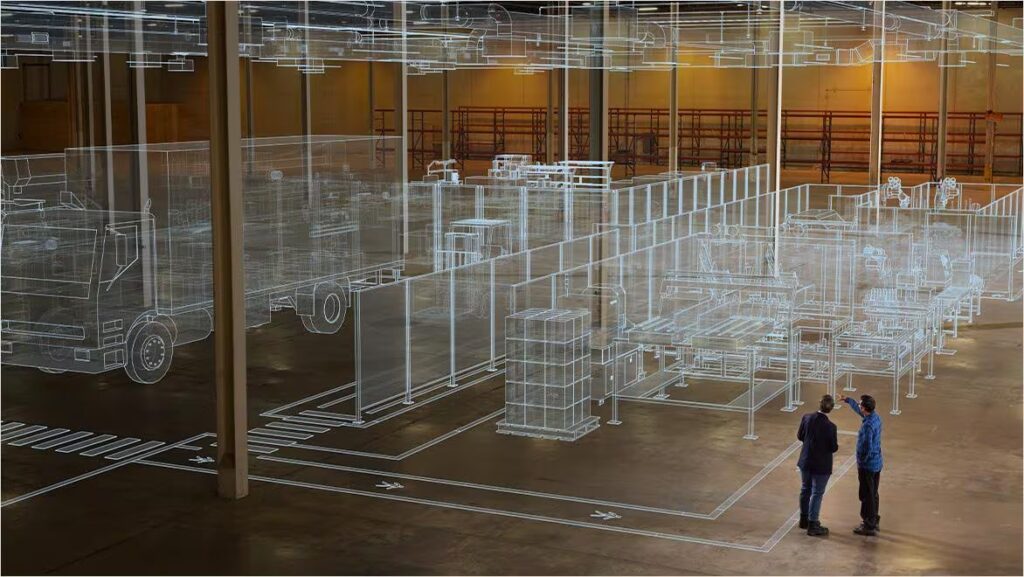
Avoiding errors and reworks in factory layout
Precise facility planning is a significant factor in determining the financial success of manufacturing projects, as accurate factory layouts directly prevent the cascading costs of onsite rework. When development teams overlook spatial constraints or process flows during the design phase, the resulting errors typically surface during the installation of heavy machinery. These late-stage discoveries force manufacturing teams to halt operations while operators modify structural elements or reroute utilities, resulting in labor costs and lost production time.
Designers face challenges when integrating new production lines into existing buildings. Traditional workflows frequently rely on outdated 2D floor plans that fail to account for overhead obstructions such as HVAC ducting or structural support beams. This lack of spatial awareness leads to physical clashes where equipment cannot fit into the intended footprint. To mitigate these risks, product teams can benefit from comprehensive digital twins that capture the facility’s as-is state. This approach allows teams to identify potential interference between new assets and existing infrastructure long before any hardware arrives at the loading dock.
Manufacturing teams can also use layout validation to optimize material flow and improve operator safety. Improperly placed equipment can create bottlenecks that restrict throughput or expose workers to ergonomic hazards. By simulating the movement of parts and personnel within a digital environment, designers can test multiple configurations to find the most efficient arrangement. This technical preparation reduces the likelihood of post-installation adjustments. Every hour spent refining the digital layout saves multiple days of physical construction work and ensures the facility achieves its performance targets on schedule.
Optimizing facility performance with Autodesk Factory Design Utilities
Autodesk Factory Design Utilities introduces specialized tools that help designers create a bidirectional link between 2D and 3D design environments. With this software, manufacturing teams can start their planning in a familiar 2D interface and see those changes update automatically in a detailed 3D assembly. As part of this, development teams can leverage Autodesk’s comprehensive library of parametric assets to build a complete digital representation of the factory floor. With standardized assets and a synchronized workflow, every stakeholder works from a single source of truth.
Using the integrated asset browser, designers can quickly drag and drop standard components, like conveyors or robotic cells, into the layout. These assets contain embedded metadata and connection points that allow them to snap together with precision, eliminating the manual effort required to align complex systems and reducing the chance of human error during the drafting process. Product teams can also define custom parameters for these assets to match the hardware’s exact specifications.
Finally, manufacturing teams can further enhance their ROI by using clash detection features within the integrated workflow. By aggregating models from multiple suppliers, engineers can perform comprehensive interference checks against the building structure that identify exactly where a machine might hit a pipe or a column. By resolving these conflicts digitally, teams avoid the expensive change orders that typically plague large-scale installations. This workflow empowers organizations to execute complex facility transitions with confidence and predictable financial outcomes.
Achieving certainty in industrial design
When designers eliminate the uncertainty of physical installation, they protect the project budget and keep production schedules on time. But, without the proper tools, errors are inevitable. By visualizing and validating every square inch of a facility, design teams can take a new, more powerful approach to expansion and retooling. Autodesk Factory Design Utilities provides the framework engineers need to turn ambitious production goals into reality while keeping total control over the construction process.